
Digital Product Store — The default build — Vibe Lab library, access passes, gated downloads, card checkout, Google sign-in, and a merchant desk.
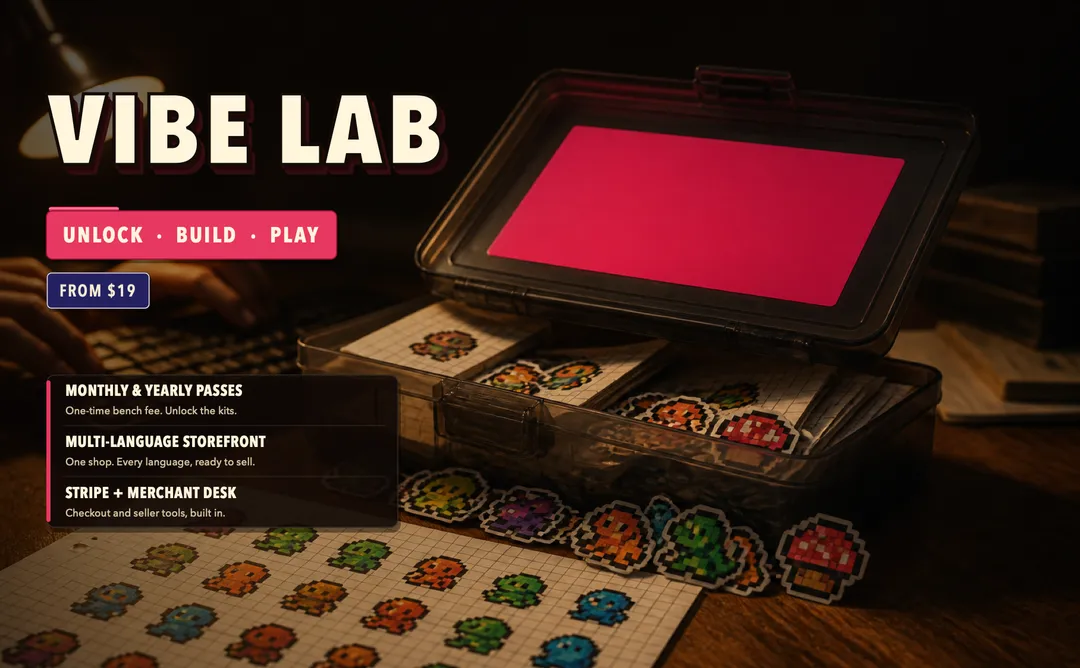
Vibe Lab Digital Product Store Template
Vibe Lab is a digital product store template for creators and small businesses selling access to downloadable resources. Visitors preview kits, choose a Coding or Game pass — or the Bench Pass for both — pay by card, and download the files their pass unlocks. Swap the kits, file lists, track names, and prices to launch a prompt marketplace, game asset store, template shop, or course resource library.
Designed for
- Prompt pack and digital product sellers
- Game asset and template shops
- Educators selling downloadable course resources
About this template
Selling one downloadable file is easy. The harder part is organizing several files behind a clear product and access model. Vibe Lab lets visitors preview a kit, inspect the files inside, choose a pass for one track or both, pay through checkout, and download what that pass unlocks. Browsing stays open without an account, while Google sign-in keeps customer purchases attached to the buyer and the merchant desk gives the seller a place to review orders and kits.
How it works
Getting started
- 1
Remix this template Get a working copy — nothing to install or deploy.
- 2
Choose the digital product model A prompt shop, game-asset store, and lesson library share the preview-to-unlock flow but need different files, pricing, and customer language.
- 3
Configure the library and passes Replace kit names, file lists, track labels, prices, previews, and shop copy; keep preview, checkout, gated downloads, and the merchant desk.
- 4
Connect payments and publish Add your Stripe account, configure the merchant desk login and WhatsApp number, test the download flow, then go live on your own domain.
What you can build
Prompt Marketplace — Sell writing, marketing, coding, or AI workflow prompt packs by topic, collection, or access pass.
Game Asset Store — Replace app kits with sprite sheets, starter projects, sound beds, level packs, or other downloadable game assets.
Course Resource Library — Sell lesson notes, worksheets, templates, and teaching materials by course, term, or resource track.
Key features
Digital Product Library — Eight sample kits with names, file lists, tracks, and a locked download until the matching pass is paid.
Kit Preview Pages — Let visitors inspect a kit and see what is included before they choose an access pass.
Pass-Based Checkout — Five sample passes from $19 to $199 with card payment through Stripe.
Track Access — Sell access to a Coding track, Game track, or both through the Bench Pass instead of selling files one at a time.
Merchant Desk — Give sellers a separate login for orders and kits. The demo provides a read-only test account for reviewing the desk.
Google Customer Accounts — Keep purchases attached to signed-in customers while allowing visitors to browse and begin checkout without an account.
FAQ
What is Vibe Lab?
It is a digital product store template where visitors preview downloadable kits, buy an access pass, pay by card, and download the files included in that pass.
Can I change the kits, passes, and branding?
Yes. Replace the shop name, kit names, file lists, previews, track labels, pass prices, copy, and visual style; keep the preview-to-checkout flow, gated downloads, and merchant desk.
Do I need coding skills?
No. Describe the changes you want, preview the app, connect the required services, and publish when it is ready.
Does Vibe Lab generate apps or games with AI?
No. Vibe Lab sells downloadable kits and resources. The sample copy may describe building with AI, but the template itself is a digital product store, not an AI generator.
Can I take real payments?
Not by default. Connect your own Stripe account before charging customers. The demo checkout uses test cards so you can walk through the payment and unlock flow first.
What kind of digital business can use this template?
It works for prompt sellers, game-asset shops, template stores, educators selling course resources, creators with downloadable libraries, and agencies building paid-download storefronts.