
AI business process automation sounds bigger than it usually is. For a small team, it often starts with one repeated mess: intake emails nobody sorts, documents people skim by hand, customer requests waiting for the right owner, or weekly status notes rebuilt from scratch. I'm Elin.
The useful version is not "let AI run the business." That is how you get nervous customers and confused staff. The useful version is simpler: let AI help with the parts that are repetitive, language-heavy, or pattern-based, while humans keep control over decisions, exceptions, and promises.
What Is AI Business Process Automation?
AI business process automation combines normal workflow rules with model-assisted steps. The workflow decides when something starts, where it goes, who reviews it, and what state comes next. The AI helps read, classify, extract, draft, summarize, or suggest.
Normal automation might route every new support form to the same inbox. An AI-supported version might identify whether the request is billing, technical, cancellation, or urgent, then create a draft reply for a human to approve.
Rules-Based Automation and AI-Supported Decisions
Rules-based automation is best for predictable logic: if a form is submitted, create a record; if payment fails, notify finance; if a task is overdue, remind the owner.
AI-supported decisions are useful when the input is messier. A customer complaint, PDF contract, sales call note, or long research file may not fit clean fields. AI can help interpret it, but that does not mean it should own the final decision.
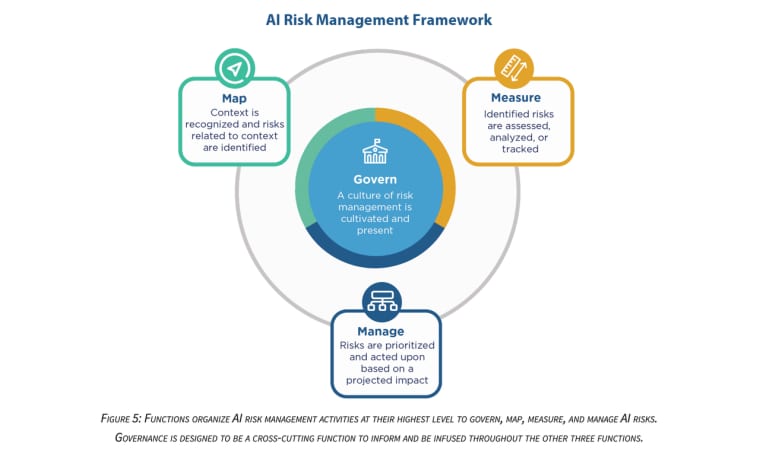
NIST's AI risk work is useful here because it treats AI systems as something organizations should map, measure, manage, and govern, with attention to context and risk. For small teams, the practical takeaway is to make human oversight and AI risk management part of the workflow design, not an afterthought.
Which Process Steps Are Suitable for AI?
Classification, Extraction, Drafting, and Summarization
The safest business process automation examples usually begin with low-risk support work.
Classification: sort inbound requests by topic, urgency, customer type, or next owner.
Extraction: pull names, dates, invoice numbers, product details, action items, or missing fields from documents.
Drafting: prepare a first response, report summary, checklist, or internal note.
Summarization: turn long threads, meeting notes, tickets, or research files into a shorter review view.
These are good starting points because a human can check the result. If the AI gets a category wrong, the reviewer can correct it. If a summary misses something, the owner can add it before it affects a customer.
High-Stakes Decisions That Need Human Control
Do not hand AI the final word when the decision affects money, access, employment, healthcare, legal rights, credit, housing, insurance, safety, or a customer's core relationship with the business.
AI can prepare evidence. It can flag inconsistency. It can draft a recommendation. But the final decision should belong to a named person with enough context and authority.
This is especially important for ai agent workflow automation, where the system may not only suggest but also act across tools. The more the agent can do, the narrower its permissions and review gates should be.
Design a Controlled AI Workflow
Inputs, Model Task, Validation, Approval, and Fallback
A controlled workflow should be written before the tool is chosen.
| Layer | Question to answer |
| Trigger | What starts the workflow? |
| Input | What data, file, message, or record does AI receive? |
| Model task | Classify, extract, summarize, draft, or recommend? |
| Validation | What checks decide whether the output is usable? |
| Approval | Who can accept, edit, reject, or escalate it? |
| Fallback | What happens when the AI fails or times out? |
| Record | What evidence is saved for later review? |
This structure keeps the team honest. If you cannot name the input, the review owner, and the fallback, the workflow is not ready for automation yet.
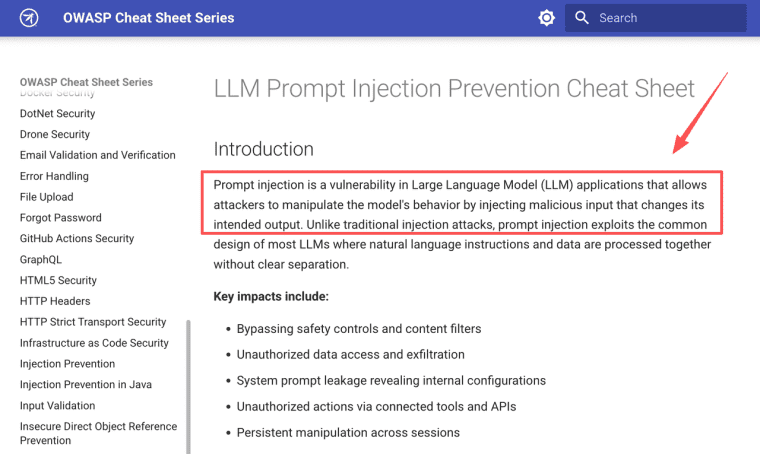
OWASP's guidance on LLM prompt injection is a good reminder that AI inputs can be manipulated and may lead to unauthorized actions, data exposure, or unsafe tool behavior. That does not mean small teams should avoid AI. It means the AI step should not be the only control.
Small-Team Workflow Examples
Intake Triage and Document Preparation
A consulting team might receive messy client intake forms, PDFs, screenshots, and background notes. AI can classify the request, extract missing information, and prepare a discovery summary.
The human owner should still decide whether the client is ready for kickoff. If the AI marks a client as "complete" but a key contract, data source, or approval contact is missing, the workflow should pause.
This is one of the stronger examples of business process automation because the value is visible: fewer missed details before delivery starts.
Customer Request Routing and Draft Responses
A small software or service team can use AI to sort requests into billing, bug, feature, cancellation, onboarding, or urgent categories. It can also draft a response using the customer's message and account context.
The reply should not go straight out if it discusses refunds, account access, policy exceptions, or sensitive customer data. The safest first version is draft-only, with an owner who approves or edits.
Internal Research and Status Summaries
Small teams often spend too much time turning scattered updates into weekly reports. AI can summarize tickets, sales notes, project comments, support themes, and internal research.
The output should include sources or links back to records. A summary without evidence becomes another opinion to verify. A useful summary lets the manager jump from the answer back to the underlying item.
Evaluate AI Automation Before Expanding It
Accuracy, Exception Rate, Review Time, and Failure Impact
Before expanding an AI workflow, measure boring things.
How often is the classification right? How often does a human rewrite the draft? How many cases become exceptions? Does automation reduce review time, or just move the work to correction? What happens when the AI misses a high-risk detail?
Do not measure only speed. A faster workflow that creates more support tickets is not an improvement. A slower workflow that reduces missed handoffs may be valuable.
Track four numbers for two to four weeks: accuracy, exception rate, reviewer time, and failure impact. If those numbers are unclear, expansion is premature.
Build, Buy, or Add AI to an Existing Process
Buy when the process already fits the software category. A CRM, help desk, accounting system, email platform, or project tool may already include enough automation for common workflows.
Add AI to an existing process when the workflow is stable but the content is messy. For example, your support queue already works, but request classification takes too long.
Build a custom workflow app when the process is specific to your business: unusual intake rules, special approval paths, custom scoring, client-facing status, or payment-linked delivery. Custom does not mean large. It means the interface, state, and review path match how the team actually works.
Where HappySeeds May Fit
HappySeeds may fit when a small team needs to package part of an AI-supported process into a usable workflow app. That might mean an intake triage screen, a document-prep dashboard, a customer request queue, or an internal review tool where staff can see AI suggestions, edit them, approve them, and save the outcome.
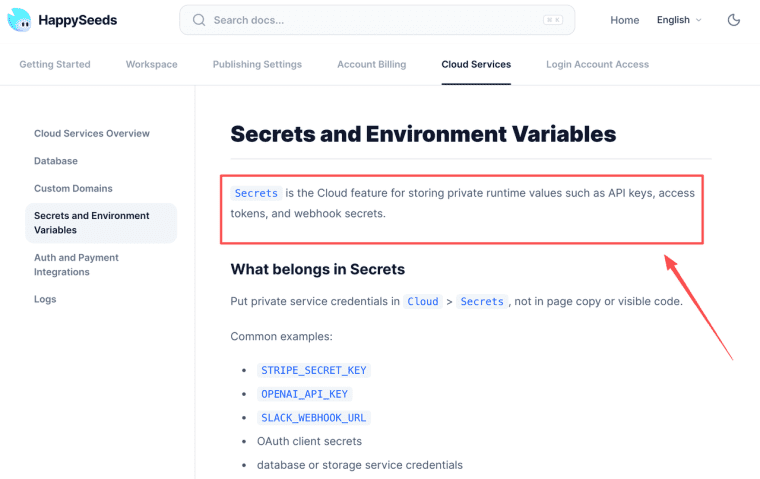
For this article, the more relevant HappySeeds layer is not just "build an app." It is the operational boundary around the app. If the workflow connects external models, payments, or third-party services, founders should understand the platform's treatment of Agent applications, third-party services, user-supplied API keys, permissions, logging, rate limits, and human review duties. If the app needs private runtime values, HappySeeds also separates API keys, access tokens, webhook secrets, OAuth client secrets, and environment variables from public page content.
That makes HappySeeds a possible build path for a controlled workflow interface. It does not make third-party models reliable by default, solve compliance automatically, or remove the founder's responsibility for review rules and customer promises.
Limits and Risks
Privacy, Bias, Hallucinations, Access, and Provider Changes
AI automation fails differently from normal automation. A normal rule usually breaks visibly. AI can produce a confident but wrong answer.
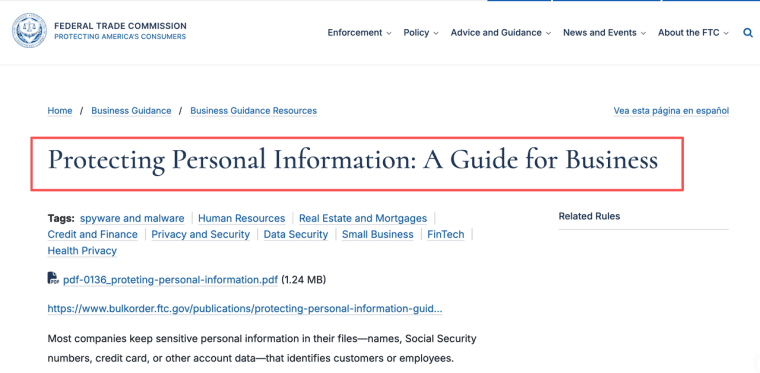
Privacy is the first risk. Do not send sensitive data into a model workflow unless the team understands the provider relationship, retention settings, customer consent, and data purpose. The FTC's business guidance around limiting data collection and protecting what a business keeps is a useful baseline.
Bias and hallucinations matter too. AI may summarize unfairly, miss context, invent details, or over-prioritize patterns from incomplete data. Access controls are another weak point. A workflow should not let the AI see every customer record if it only needs one ticket.
Provider changes also happen. Models, pricing, rate limits, safety filters, and API behavior can shift. The fallback plan should say what happens if the AI provider becomes unavailable or the output quality changes.
Let AI Help, But Keep the Promise Human
AI business process automation should make repeated work easier to review, not harder to explain. Start with one messy workflow, give AI a narrow job, keep a person responsible for approval, and write down what happens when the model is wrong. If the team can trust the process on an ordinary bad day, then it is ready to grow.
Explore More Topics:
FAQ
Can AI automation process records from acquired companies?
It can only be considered after the team reviews data ownership, consent, system access, retention obligations, and the original purpose for which records were collected. Acquired records should not be dropped into AI workflows casually.
Can one workflow use more than one AI provider?
Yes, a workflow can route different tasks to different providers, but that adds governance work. The team must track data flow, cost, quality, fallback rules, provider terms, and what happens when outputs disagree.
Is customer consent needed for multilingual AI processing?
It may be, depending on the data, location, service, and customer agreement. Translation and multilingual processing can still involve personal or confidential information. Treat it as data processing, not just language support.
Should users be told when a response was AI-assisted?
Often yes, especially when the response affects support, advice, decisions, or trust. The disclosure should be clear enough that users understand the role of AI and how to reach a human when needed.
Does business insurance cover AI automation failures?
Do not assume it does. Coverage can depend on the policy, workflow, data type, harm, negligence, exclusions, and vendor relationships. Ask the insurer directly and document the answer before relying on coverage.


