
An internal tool is software your team uses to run its own work. Not customers, not the public, not a broad SaaS market. Your staff use it to approve requests, clean data, track cases, update records, review content, or understand what is happening inside the business.
That sounds simple until the same spreadsheet has six tabs, three owners, and one person who knows which column is "the real one." This is usually when an internal tool starts to look less like a nice-to-have and more like a way to stop operational drift.
What Is an Internal Tool?
An internal tool is a private or limited-access application built for employees, contractors, or operators inside a business. It helps the team complete work that is too specific, messy, or repeated for generic software to handle cleanly.
The key word is internal. A client dashboard software product might show customers project status or reports. Business dashboard software might help managers monitor sales, support, inventory, or delivery. An internal tool can include dashboards, but it usually does more than display numbers. It lets people act: approve, assign, edit, reject, escalate, export, or mark something complete.

Common Internal Tool Examples
Operations, Approvals, and Case Management
Operations tools are common because small teams often run important work through email and memory. An internal approval tool might route refund requests, vendor approvals, legal reviews, hiring steps, or purchase requests to the right person.
Case management tools help teams track work that has a beginning, status, owner, notes, evidence, and outcome. A support escalation board, insurance review queue, compliance intake tracker, or client delivery issue log can all become internal tools when the workflow repeats.
Data Entry, Reporting, and Team Dashboards
Some internal tools begin as cleaner data entry screens. Instead of asking staff to update a fragile spreadsheet, the tool gives them a form with validation, required fields, and role-based access.
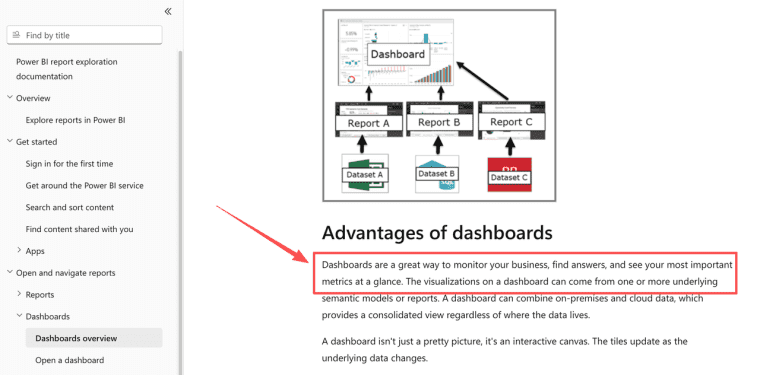
Reporting tools sit beside that. Creating a business dashboard is useful when a team needs one reliable view of pipeline, backlog, revenue, response time, or delivery risk. Microsoft describes a Power BI dashboard as a single canvas made from visualizations, which is a good reminder that dashboards are for monitoring the most important signals at a glance. If the team also needs approvals and updates, a dashboard alone is not enough.
Content, Inventory, and Customer Operations
Content teams use internal tools to track briefs, drafts, approvals, publishing dates, and reuse rights. Inventory teams use them to manage stock checks, vendor notes, exceptions, and reorder rules. Customer operations teams use them to see onboarding status, renewal risk, account health, and open handoffs.
The pattern is the same: repeated work, shared data, business rules, and a need for fewer loose threads.
Internal Tool, Customer App, or SaaS Product?
An internal tool helps your team work. A customer app helps customers complete a job. A SaaS product is sold repeatedly to many customers, usually with onboarding, support, billing, and a public promise.
This distinction matters. A tool that helps your team prepare client reports may be internal. A portal where clients log in to review those reports is a customer app. A platform that other agencies pay to use for their own client reporting is a SaaS product.
Do not overbuild. If the first user is your operations manager, build for that person first. Do not pretend it is SaaS just because the interface has a login screen.
Signs Your Team Needs an Internal Tool
Repeated Manual Work and Fragmented Data
The strongest signal is repetition. If people copy data between apps every week, chase approvals in chat, rebuild the same report, or correct the same spreadsheet mistakes, an internal tool may be worth exploring.
Fragmented data is the second signal. If sales, delivery, finance, and support all hold different versions of the customer state, your team will spend time reconciling reality before doing the work.
A useful internal tool reduces the number of places someone must check before acting.
Unique Rules That Standard Software Cannot Match
Standard software is often better than custom work. Use it when your process is ordinary. Buy a CRM if you mainly need sales pipeline. Use project management software if you mainly need tasks and deadlines. Use BI tools if you mainly need reporting.
Build or customize when the business rule is genuinely yours. For example, a service team may need to approve client deliverables only after payment, legal review, and asset clearance are all complete. If no off-the-shelf tool matches that path without awkward workarounds, an internal tool can earn its place.
Build, Buy, or Extend Existing Software
The decision should not start with "Can we build it?" It should start with "What breaks if we keep using what we have?"
Buy when the workflow is common, the data is not unusual, and the vendor already handles the hard parts. Extend existing software when most of the process fits, but one view, automation, or form is missing. Build when the workflow is central to how your team operates and existing tools force people into strange manual fixes.
Cost should include maintenance, training, security review, data migration, and exit path. If you are comparing build routes, a broader app budget model can help frame the cost of building and maintaining an app beyond the first version.
Define the Minimum Useful Internal Tool
Users, Data, Permissions, Actions, and Audit Needs
Start small, but not vague. Define the first users, the records they touch, the actions they take, and what must be logged.
A minimum useful internal tool should answer:
| Layer | Practical question |
| Users | Who uses it daily, weekly, or only for review? |
| Data | What records are created, viewed, edited, or deleted? |
| Permissions | Who can see private notes, financial fields, or admin settings? |
| Actions | What can users approve, assign, export, close, or reopen? |
| Audit | What events need a timestamp, user name, old value, and new value? |
Audit needs are not only for enterprises. If a manager asks why a refund was approved, or who changed a customer status, the tool should have an answer. NIST guidance on event logging is useful because audit records can include time, event type, source, outcome, and user identity. For a small team, that translates into a simple habit: log the actions people may need to explain later.
Where HappySeeds May Fit
A low-complexity web internal tool can make sense when a team wants to test a workflow before hiring for a full custom build. Good early candidates often include an intake queue, an approval dashboard, a lightweight operations tracker, a content review board, or a staff-facing client status view.
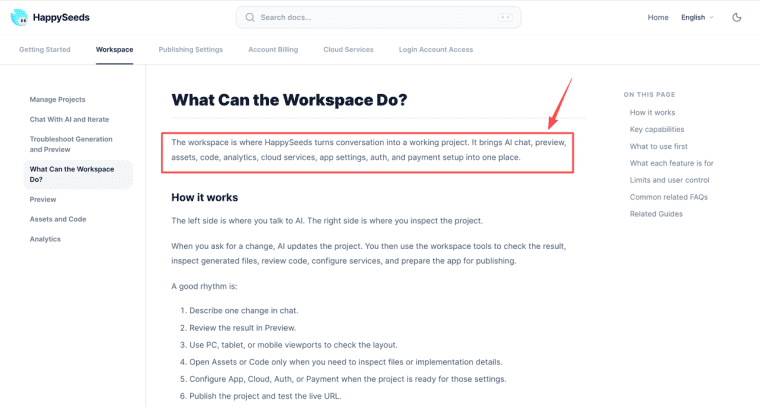
The fit is strongest when the tool mainly needs screens, saved state, simple publishing, and rapid iteration—especially if a non-technical founder or operator needs to review the result. HappySeeds is one example of a workspace that combines chat-based iteration, preview, assets, code inspection, analytics, auth, and related services in a single environment, which can help teams move from a messy spreadsheet to a testable internal workflow.
Even so, the boundary remains important. Tools of this type should not be viewed as enterprise IT governance solutions, private deployments, or guaranteed replacements for mature operations software. Teams still need to carefully check users, permissions, data handling, hosting, export, security, and regional requirements before relying on them for sensitive work.
Limits and Risks
Security, Data Quality, Adoption, and Maintenance
Internal tools fail in boring ways. Nobody updates the data. The permissions are too loose. The dashboard looks nice but does not match how decisions happen. One person leaves and nobody knows how the tool works.
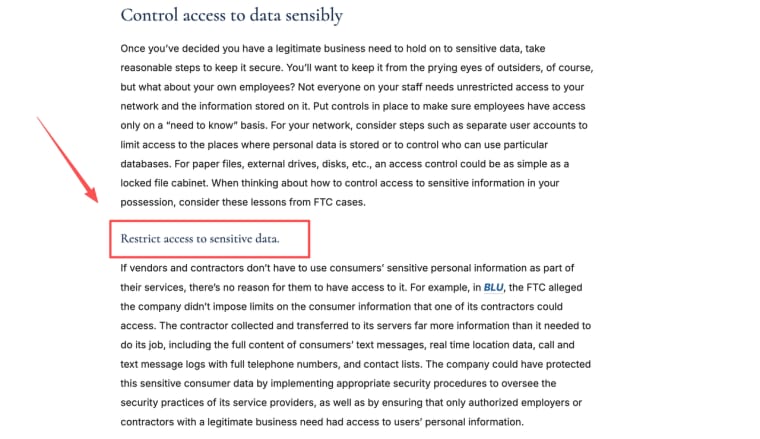
Security deserves early attention. The FTC's business security guidance includes the practical idea of limiting access to sensitive information by need. OWASP also treats broken access control as a major web application risk, especially when users can view, change, or delete data outside their intended permissions. For internal tools, that means roles, row-level access, admin screens, exports, and audit logs need real review.
Adoption is just as important. If the tool adds work, people will go back to spreadsheets. If it hides too much, managers will not trust it. If it cannot be maintained, every useful rule becomes a future support problem.
Build the Tool That Removes the Daily Friction
The best internal tool is not the one with the most features. It is the one that removes a repeated operational problem without creating a bigger maintenance burden. Start with the team, the data, the action, and the risk. Then build only the smallest tool your staff will actually use.
Explore More Topics:
FAQ
Does an internal tool need formal IT approval?
It depends on company policy, data sensitivity, and who will use it. If the tool stores customer data, employee data, financial records, credentials, or operational decisions, formal approval is usually safer than quiet adoption.
When does an internal tool become shadow IT?
It becomes shadow IT when a team relies on it without visibility from the people responsible for security, compliance, data, or operations. The risk is not that the tool exists. The risk is that nobody knows what data it stores or who can access it.
Can an internal tool monitor employee performance?
Technically, some tools can track activity, but monitoring employees raises policy, labor, privacy, and trust questions. Teams should define the purpose, limits, access, retention, and disclosure rules before adding performance-related tracking.
Should an internal tool work when the internet is unavailable?
Only if the workflow truly requires offline access. Many small-team tools can rely on web access. Field teams, warehouses, clinics, or remote operations may need offline capture and later sync, which adds complexity.
How can a developer take over a tool later?
Keep a handoff record: purpose, user roles, data model, workflows, integrations, environment variables, deployment steps, known issues, and support owner. A tool without documentation is not really maintainable.


