
The useful lesson from Muse Image is not "build another image generator." It is that AI image creation is moving closer to social workflows: remixing, editing, marking up, sharing, and turning visual ideas into publishable assets. For a non-technical founder, that is the real opportunity.
A standalone product should not depend entirely on Meta's own surfaces. It should own the parts a customer actually pays for: projects, brand libraries, approvals, exports, analytics, and the customer relationship. The model may inspire the workflow. The app has to make that workflow repeatable.
What Muse Image Officially Demonstrates
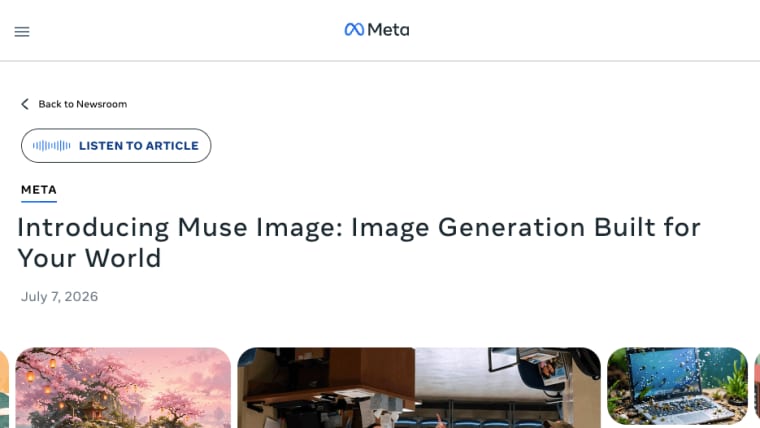
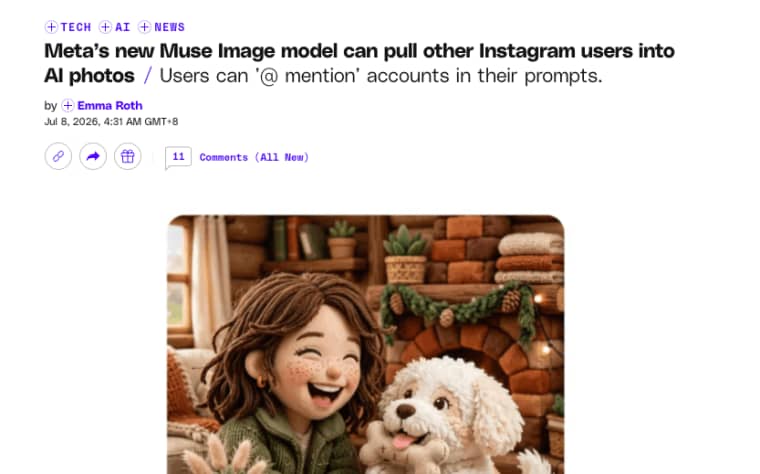
Muse Image shows how image generation can sit inside social creation instead of a separate design tool. Meta says Muse Image is now available in Meta AI, powers creative experiences on Instagram and WhatsApp, and is coming soon to Facebook and Messenger. Infrastructure as code pairs with Codex + Dokploy. The Verge reported that Muse Image powers image-making tools across Meta AI, Instagram, and WhatsApp, and described features such as @-mentioning Instagram accounts, transforming images with suggested prompts, drawing directly on photos, and sharing to feed, story, or chat.
That does not mean founders should assume there is an independent developer API. API access, geographic rollout, subscription rules, data policy, and commercial-output rights still need verification from Meta before anyone builds a paid product around direct Muse access.
Image creation and editing, presets, multiple-photo blending, markup edits, and social sharing
The important product clue is friction reduction. Presets help users start faster. Editing helps them revise instead of regenerating from zero. Multiple-photo blending can combine brand assets, product shots, or campaign references. Markup edits turn "change this part" into a visual instruction. Sharing connects output to a real destination.
For a founder, these are not just features. They suggest a repeatable social creative app pattern: collect owned inputs, create a draft, review it, export it, and reuse the structure for the next campaign.
Choose a Standalone Job Beyond Meta's Own Surfaces
The safest founder move is to choose a job that can survive outside Instagram, WhatsApp, or Meta AI. If the product only works because one platform has one feature this month, the business is fragile.
A standalone AI image app should serve a buyer who needs reusable social assets, not just a fun one-time edit.
Branded social packs, campaign visual drafts, and approved template variations
Good app ideas include branded social packs for small businesses, campaign visual drafts for marketers, and approved template variations for agencies. These are practical because they start from brand-owned inputs: logos, product photos, color rules, slogans, campaign briefs, and approved visual references.
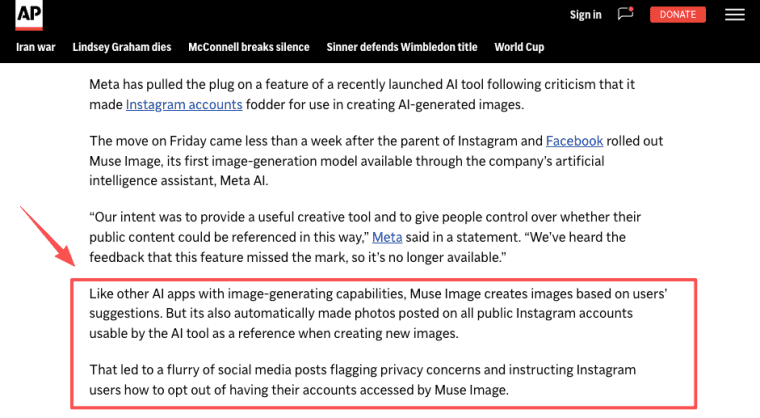
Avoid cold-starting with third-party faces, public profiles, or identity remixing. That may create attention, but it also creates trust and consent risk. The Associated Press reported that Meta pulled back a public-profile reuse feature after criticism, which is a useful warning for founders: identity-sensitive creation is not a clean MVP.
Build a Minimal Social Creative Workflow
A minimal workflow should not try to be a full design suite. It should help one buyer finish one repeat visual job. Think in steps: upload a brand-owned asset, choose the format, create a draft, review it, then export or share. That is enough to test whether the workflow has value.
Upload a brand-owned asset, choose a format, create a draft, review it, and export or share
Start with brand-owned inputs. Ask for a product photo, logo, brand palette, campaign line, or approved reference. Then ask the user to choose a format: square post, story, carousel cover, campaign banner, creator media pack, or ad concept.
The draft should be easy to review. A founder, marketer, client, or agency lead should be able to mark it as draft, approved, rejected, or needs changes. Export should match the chosen job, not dump a random file.
This is where a Meta AI image generator concept becomes a product: the app does not merely create an image. It helps a team move an asset from idea to approved delivery.
Decide What Must Stay Platform-Independent
If you want a durable app, keep the core work outside any one platform. Meta can change features, regions, policies, and availability. Your customer's project history should not disappear because a platform surface changes.
Muse Image can inspire the creative flow, but the durable product layer should belong to you: project history, brand libraries, approvals, exports, analytics, and customer relationships. If that is the direction you want to test, turn the workflow into a standalone AI app instead of depending on one social surface to carry the whole product.
User projects, brand libraries, approval history, exports, analytics, and customer relationships
Keep user projects inside your product. Store campaign names, asset sets, source files, drafts, approvals, and exported versions. Keep brand libraries independent too: logos, style notes, colors, product rules, disclaimers, and banned treatments.
Approval history matters because social visuals often pass through teams. A client may approve one draft and reject another. A publisher may request proof that a claim was reviewed. A paid media team may need to know which version went live.
Exports should be platform-aware but not platform-owned. The app can prepare assets for Instagram, Facebook, TikTok, YouTube, email, or ads, but the customer should still have downloadable files and records.
Analytics can start simple. Track which drafts were edited, approved, exported, reused, or abandoned. That is how product iteration begins.
Add Trust Boundaries Before Launch
Trust boundaries should exist before the first user uploads a face, public profile, or client asset.
This is especially important for social images. Social content often includes people, brands, claims, locations, minors, events, and identity cues. A founder cannot treat every prompt as harmless.
Identity, consent, public-profile reuse, moderation, minors, and takedown handling
Use brand-owned and user-provided inputs first. Require users to confirm that they have rights to uploaded assets. Avoid workflows that encourage people to remix public profiles, creators, employees, or customers without consent.
Add moderation states. A generated asset may need to be hidden, held for review, or blocked if it includes identity-sensitive content, misleading claims, public figures, minors, or prohibited material.
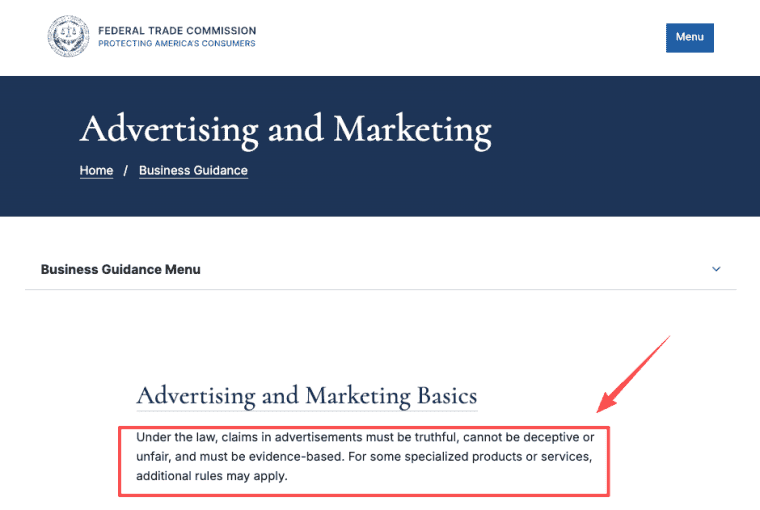
For promotional graphics, factual claims need human approval. The FTC reminds businesses that ad claims should be truthful, not deceptive, and supported where needed in its guidance on what advertising claims must be able to stand behind. Your app should not let AI-generated copy become the final authority on discounts, product claims, health claims, or event details.
Takedown handling also needs a process. If someone reports misuse of their face, brand, or campaign material, the app should have a way to hide the asset while it is reviewed.
Limits and Trade-Offs
Muse Image may inspire useful product ideas, but founders should keep the commercial plan conservative.
Do not promise direct Muse API access unless it exists and is available to your account. Do not promise commercial rights, regional availability, or stable features unless current terms confirm them.
API availability, geographic rollout, platform changes, model access, moderation cost, and provider dependency
API availability is the first unknown. A product inspired by Muse Image can be built around the workflow, but direct model integration requires verified access.
Geographic rollout matters too. If a feature is available only in certain regions, the app's promise may need to be limited. Platform changes can affect presets, sharing behavior, public-profile reuse, and moderation rules.
Moderation cost is real. Social creative apps can attract edge cases quickly: faces, minors, political content, brand impersonation, false discounts, and sensitive identity edits. Review queues and support workflows are not optional if the app serves business customers.
Provider dependency is the final trade-off. If one image provider changes behavior, quality, policy, or pricing, your app should still preserve projects, approvals, exports, and customer records.
Build for the Campaign, Not the Feed
Muse Image is a useful signal because it shows image creation moving into social habits. But a founder should not build a business that only chases a platform feature. Build around the repeat campaign: owned inputs, brand rules, review history, export bundles, and customer records. That is how a Muse-inspired idea becomes a product instead of a passing effect.
Elin note: I review AI app workflows from a product-building perspective, including how model access, user permissions, saved state, exports, and approval flows affect real products. I am not writing as a Meta insider. The platform-dependency warning here is practical: founders should not build the core customer relationship around a feature, region, or access rule they do not control.
Explore More Topics:
FAQ
What provenance records should accompany downloaded campaign images?
A useful download record should include campaign name, source assets, generation date, selected preset, reviewer, approval status, export size, and any usage notes. If the asset contains AI-generated elements, the app should also record that internally. Provenance does not need to overwhelm the user, but the team should be able to answer where a file came from and why it was approved.
What happens when a saved preset is later discontinued?
The app should keep old projects readable even if a preset is discontinued. Users may not need to generate new assets from that preset, but they should be able to see which campaigns used it. A good approach is to mark the preset as retired, preserve past outputs, and suggest a replacement preset for future work.
Can campaign drafts be transferred between separate client workspaces?
Yes, if the product supports permission-safe transfer. The app should define who can move drafts, whether comments transfer, whether source files remain attached, and whether approval history is preserved. Agency workflows especially need clear rules when clients change teams or campaigns move between accounts.
How long should abandoned social drafts remain recoverable?
Draft retention should depend on the business model and customer expectations. A lightweight creator tool may keep drafts for a shorter period. An agency or brand tool may need longer recovery because campaigns pause and restart. The app should show retention rules clearly before deleting source files, comments, or generated versions.
How should teams document which assets were AI-generated?
Teams should record AI involvement at the asset level, not only the project level. Each final file can store whether AI was used, which workflow produced it, who approved it, and whether human edits followed. This helps with publisher handoff, internal review, client questions, and future campaign reuse.


