

What Cursor Is Best At
Cursor is an AI-powered code editor built for developers. It is designed for people who are already working with code and want AI help inside that workflow: understanding a codebase, suggesting changes, editing files, and speeding up writing or refactoring. If you are still mapping the category, Bubble Alternatives gives you another way to compare build paths before you commit.
That makes Cursor a strong option when the work is still fundamentally software development. If you want to stay in an editor, review code, manage files, and use AI to move faster, Cursor belongs on the shortlist.
- Choose Cursor when you are comfortable working in a developer environment.
- Use it when the main problem is writing, editing, or maintaining code faster.
- Verify current pricing, usage limits, and plan details on Cursor's official site before deciding.
Where HappySeeds Fits Instead
HappySeeds is not trying to be a better code editor. It is built for people whose goal is a product, not a codebase. If Cursor felt too technical, the issue may not be that you picked the wrong editor. It may be that you do not want an editor at all. When the shortlist is still changing, Bolt.New Alternative can help you pressure-test the same launch decision.
With HappySeeds, you describe the app, the audience, and the outcome you want. Plan Mode helps shape the user journey, AI interactions, data, and payment moments before the app is built and launched. The practical difference is that you do not start by opening a repository, terminal, or file tree.
- Use HappySeeds when coding is the obstacle rather than the job.
- Bring the app idea, target user, and launch goal instead of a codebase.
- Think of it as an idea-to-AI-product path, not an IDE replacement for developers.
HappySeeds vs Cursor: Side-by-Side Comparison
The real choice is not simply which tool has better AI. It is whether you want AI inside a coding workflow or a guided path toward a live AI app.
| Dimension | Cursor | HappySeeds |
|---|---|---|
| Primary user | Developers who want AI help while coding | Builders who want to launch an AI app without coding |
| Main workspace | AI code editor and codebase workflow | App planning, build flow, and launch path |
| Best starting point | Existing project, repository, or software task | App idea, intended user, and desired outcome |
| Core value | Faster code writing, editing, and refactoring | Turning an idea into a live, usable AI product |
| Technical involvement | You still review and work with code | You describe the product instead of managing the code process |
| Launch focus | Depends on the developer workflow around the editor | Built around app flow, AI output, data, payments, and launch framing |
Editor Workflow vs Product Launch Workflow
Cursor is the better choice when coding is the job and the editor is where you want to work. Its value comes from helping you move faster inside the development process.
HappySeeds is the better fit when the editor is the part you are trying to avoid. Instead of asking you to manage files and implementation details, it starts from the product experience: what the user enters, what the AI returns, what data matters, where payment fits, and how the app should be launched.
- For a paid AI assessment app, you would bring the assessment idea, audience, questions, and paid offer.
- HappySeeds helps turn those ingredients into a product flow with inputs, AI-generated outputs, data capture, and payment moments.
- Cursor can help a developer build that kind of app, but it still assumes someone is steering the code.
| Step | What you bring | What HappySeeds helps create |
|---|---|---|
| Define the offer | The audience and problem | A clearer app concept and user journey |
| Shape the experience | Questions, content, logic, or expertise | Inputs, AI interactions, and output structure |
| Prepare to launch | The first paid use case | Payment moments and launch framing |
Code Assistance vs App Outcome
If you are comparing code completion quality, Cursor is the more relevant tool because it is built for coding. Public comparisons often discuss AI IDEs and coding assistants in terms of autocomplete, agentic editing, codebase awareness, responsiveness, and usage limits.
HappySeeds should be judged by a different outcome. The question is not whether it completes code inside an editor, but whether it helps you move from an app idea to a live AI product without making code review and repository management the center of the work.
- Pick Cursor if the quality of generated code suggestions is your main decision factor.
- Pick HappySeeds if the more important question is how quickly you can clarify, build, and launch the product.
- Do not treat HappySeeds as a code-completion benchmark against Cursor; the tools solve different problems.
Switching From Cursor to HappySeeds
If you tried Cursor and found it more technical than you wanted, bring the product context into HappySeeds instead of trying to translate your idea into an editor workflow. The useful starting materials are the app idea, the intended user, the problem being solved, and the launch goal.
This switch makes sense when the blocker is not Cursor itself, but the fact that you would rather not be coding. HappySeeds is meant to help shape the app experience before launch, including the user flow, AI output, data needs, and commercial moment.
- Bring the audience: who the app is for and what they need.
- Bring the use case: what the user enters and what they should receive.
- Bring the outcome: what makes the result useful enough to launch or sell.
- Bring the offer: the first paid or monetizable moment if the app is commercial.
Use HappySeeds If, Use Cursor If
A good Cursor alternative depends on why you are looking. If you want another developer tool, Cursor alternatives such as AI IDEs and coding assistants are the more direct comparison set. If you want to escape the developer workflow, HappySeeds is the more relevant alternative.
The Practical Verdict
Start with Cursor when you are a developer and want AI to help you code faster. It is a strong choice when the editor is still the right place for the work.
Start with HappySeeds when you want a live, monetizable AI app and would rather describe it than build it in an editor. The better fit depends on whether your real goal is better coding or a clearer path from idea to launched product.
A Chemistry Card Game Beyond Cursor’s Editor
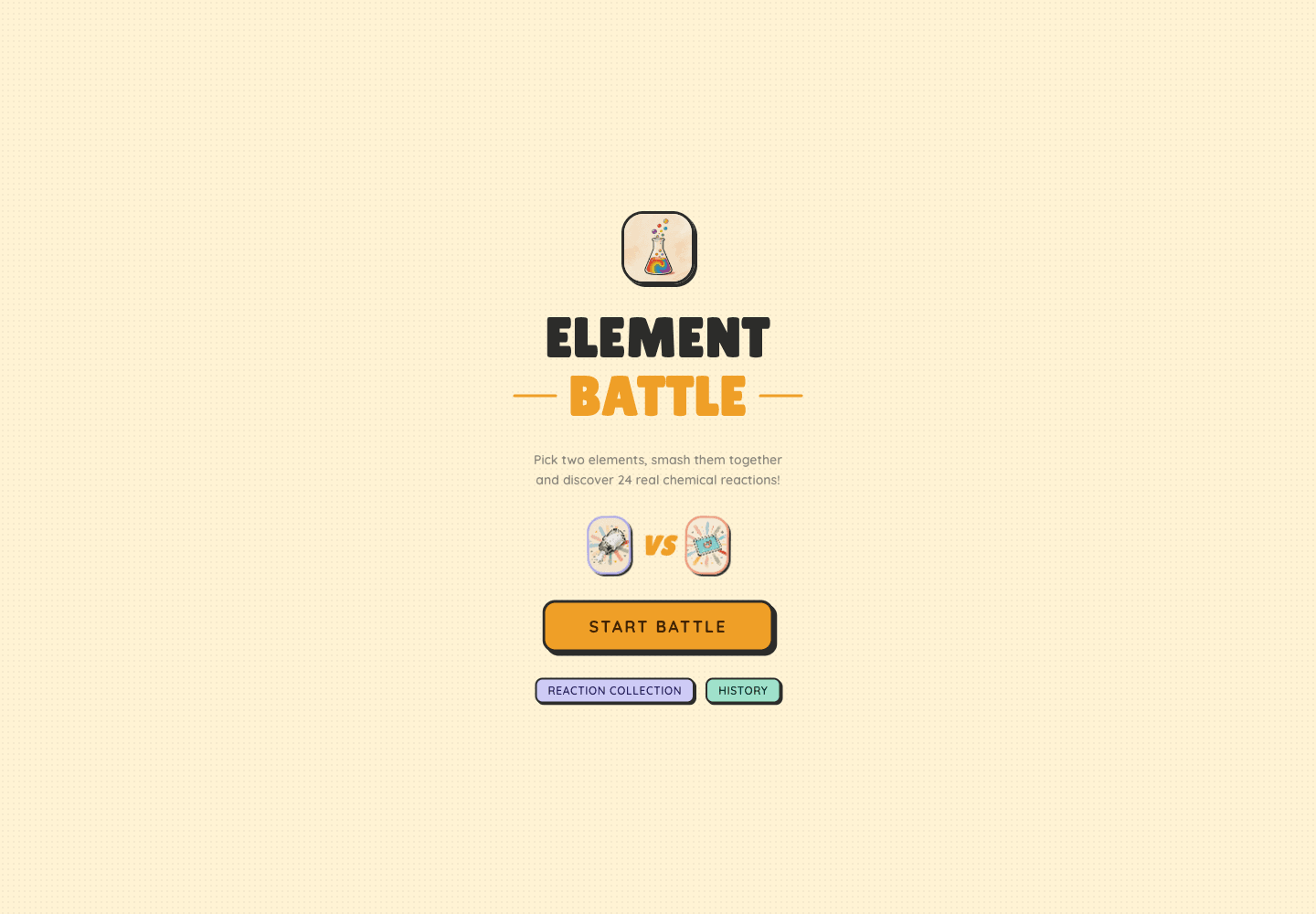
A chemistry card game makes the Cursor alternative question more concrete. If the goal is to help students match elements, reactions, or concepts through an interactive AI-supported game, the first decision is not which code editor has the best autocomplete. It is what learners see, how turns work, what the AI explains, and whether progress or payments matter. HappySeeds helps clarify that product shape before you choose a builder or coding workflow. chemistry card game Instead of starting inside a repository, this example shows the app as a launched learning experience: cards, rules, feedback, and a focused educational outcome. Cursor can help a developer implement those details, but HappySeeds is useful when you need to define the experience itself before deciding whether coding should be part of the process at all.
Evidence to Gather Before Leaving Cursor
A Cursor alternative search usually starts after the buyer discovers that AI coding help still assumes a developer workflow. Use the checks below to decide whether to switch tools within the coding category or move away from the editor model entirely.
The important evidence is not which product sounds more advanced. It is whether you want to own a repository, review generated code, configure deployment, and debug implementation details after the first version exists.
| Tool | Use it when | Verify | Weak fit |
|---|---|---|---|
| Cursor | Developers or technical founders who can inspect diffs, run tests, and manage a repo. | Supported languages, privacy mode, usage limits, team controls, and repository indexing behavior. | Avoid if you need an app produced without reading code or handling deployment. |
| HappySeeds | Non-technical founders or operators who can define the app but not maintain source files. | What inputs are needed, how revisions work, hosting expectations, and post-launch ownership details. | Avoid if your main need is editing an existing codebase line by line. |
| Other AI code editors | Developers who like Cursor’s category but want different pricing, UX, or model behavior. | Agent reliability, context window limits, local setup requirements, and integration with your stack. | Avoid if switching editors will not remove the need to debug generated code. |
| No-code builders | Users comfortable learning a builder interface and accepting platform-specific implementation rules. | Database limits, export options, plugin quality, permissions, and long-term platform lock-in. | Avoid if the builder setup itself becomes another technical project to manage. |
Frequently Asked Questions
Launch with HappySeeds
Wanted to escape the code editor, not switch editors? Start with HappySeeds to launch a live AI app without coding, or browse AI app templates to see what you can build.