Hi, I am Elin. When a service team asks for project management software with client portal access, they usually are not asking for more tasks. They are asking for fewer "Where is this?" emails, cleaner approvals, safer file handoffs, and a shared place where clients can see enough without seeing everything.
The tricky part is that "client portal" can mean three different things: a full client user, a limited guest view, or a shared link. Those are not the same buying decision.
Product references were reviewed on August 26, 2026. Pricing, client seats, project limits, AI features, billing tools, security options, and regional availability should be checked again before purchase.
Quick Shortlist for Client-Facing Project Work
| Option | Best fit | Client participation model |
| Teamwork.com | Agencies, consultants, and service teams running client projects | Client users inside projects, plus proofs, budgets, time, reports, and client-level views |
| monday.com | Teams that want flexible boards and external collaboration | Guest access on shareable boards, with a separate customer portal in monday service |
| ClickUp | Teams that need granular shared-task access | Guest roles with view, comment, edit, or full edit permissions depending on plan |
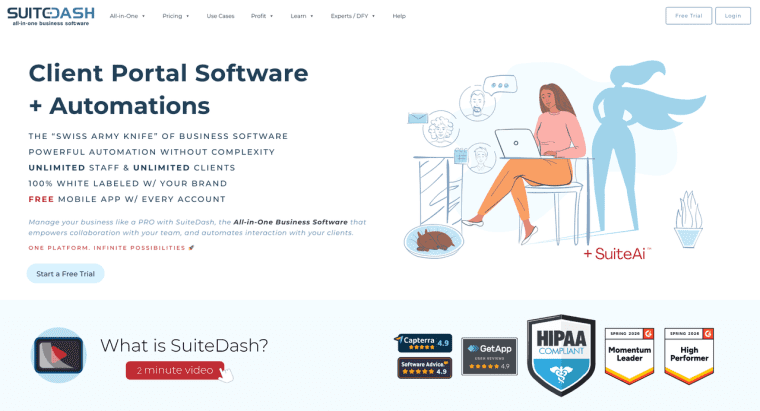
| SuiteDash | Portal-heavy service businesses | Client portal, CRM, projects, billing, files, onboarding, and white-label client access |
Teamwork is the cleanest starting point for client project management software because its client work model includes client users, feedback, proofs, project visibility, time, budget, and profitability. SuiteDash is broader and more portal-first, but it is included because its secure client access, projects, billing, file exchange, onboarding, and dashboards are relevant for service teams that want one client-facing workspace.
What Qualifies as Project Management Software With Client Portal Access?
Project Workspace, Client User, and Guest View
A real client portal is not just a link to a task board. It should give outside users a controlled way to view project status, submit information, comment, approve deliverables, upload or download files, and understand next steps.
A full client user can participate directly in the project. A guest view is more limited: the client sees only selected boards, tasks, or dashboards. A shared link is lighter still. It may be fine for a timeline or report, but it does not usually create a durable client workspace.
This distinction matters to consultants. If the client needs to approve designs, track scope, upload assets, and see budget status, a simple shared link may not be enough. If the client only needs periodic visibility, a guest view can be cleaner than a full portal.
How We Evaluated Project Management Options
One Shared Project-Delivery Scenario
To compare project management software client portal options fairly, use one shared scenario: a consulting team starts a new client project, collects onboarding material, plans internal tasks, shares milestones, gets feedback on a deliverable, tracks time and budget, sends an invoice, and closes the project with a retained record.
This scenario avoids the usual feature-list fog. A tool may look strong on task management but weak on client approvals. Another may handle billing well but feel heavy for internal planning.
Planning, Client Participation, Approvals, and Billing Criteria
The evaluation criteria are simple: Can the internal team plan work clearly? Can clients participate without seeing private notes? Can approvals and files stay attached to the work? Can time, budget, or invoicing connect to delivery? Can the team administer client access without creating seat-cost surprises?
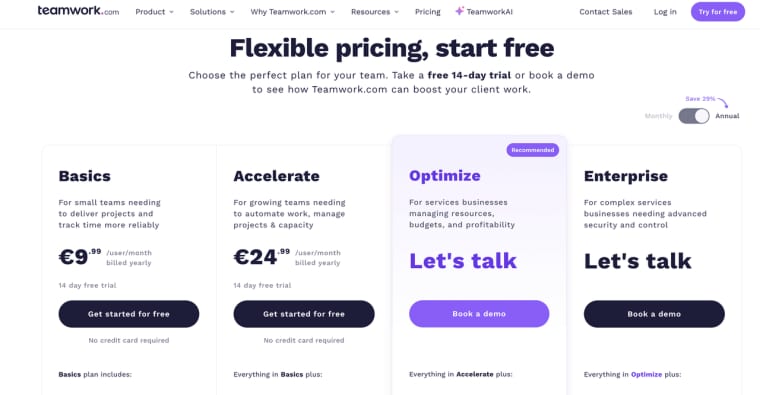
For price, use the vendor's current pricing material. Teamwork lists plan-level differences for projects, automations, client collaboration, dashboards, time, budgets, invoicing, integrations, users, storage, support, and data hosting in its pricing and plan comparison. Treat those numbers as a buying checkpoint, not a permanent quote.
Compare the Shortlist Across the Project Lifecycle
Project Setup and Internal Planning
Teamwork fits teams that want project setup, task views, resource planning, client organization, time, and profitability in one project system. Its consultant materials frame project management software for consultants around client work, billable time, resource planning, and profitability.
monday.com is flexible when teams like boards, dashboards, automations, and custom workflows. Its guest model works for clients, vendors, freelancers, or external consultants who need only specific boards.
ClickUp is useful when task-level collaboration and permissions matter. Its guest-role materials distinguish view-only guests, permission-controlled guests, and Free Forever guests, which makes it important to check plan and permission rules before inviting clients.
SuiteDash starts from the opposite end. It is portal-heavy first, then adds project and task management around client onboarding, files, messaging, billing, and dashboards.
Client Updates, Feedback, and Approvals
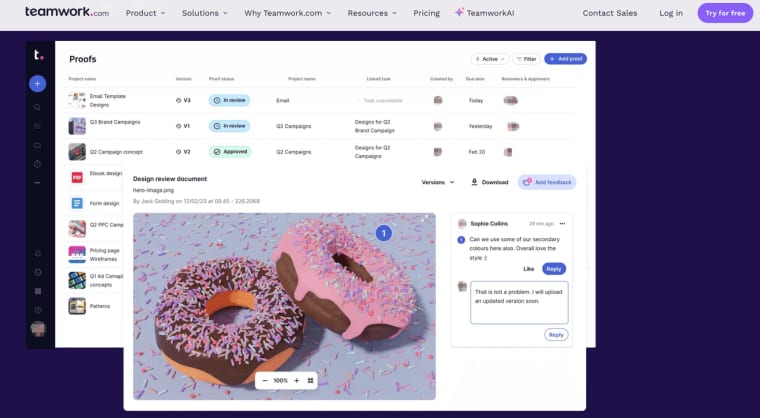
For client updates, Teamwork's client users can contribute comments, tasks, milestones, and time while the internal team controls visibility. Proofs are useful when agencies need file feedback and approval history.
monday.com guest access can work when the client only needs selected boards or dashboards. Its guest collaboration model for shareable boards is not the same as a full project portal, so teams should decide how much participation the client really needs.
ClickUp can support client feedback when guests are added to specific items or locations. The risk is permission drift. If clients can comment, edit, or create, the team should define who reviews changes.
SuiteDash may be stronger when the client experience itself is the product: branded login, files, onboarding, billing, and private communication.
Deliverables, Time, Budget, and Invoicing
Service teams need more than tasks. They need proof of what was delivered, when feedback arrived, what changed, how much time was spent, and whether budget is at risk.
Teamwork is strong here because time, budgets, project health, client dashboards, and invoicing appear in the same product family. SuiteDash also emphasizes invoicing, subscriptions, proposals, file exchange, and client-facing billing.
monday.com and ClickUp can handle project tracking and collaboration, but billing and invoicing may depend more on integrations, plan level, or connected tools. For client project management software, this difference matters. A smooth task board can still leave finance in a spreadsheet.
Team Administration and Client Participation Costs
Cost should be checked in four parts: employee seats, client or guest access, project limits, and the plan level required for the PM features you actually need.
Teamwork allows client collaboration in its project environment and highlights client users as a core client-work feature. monday.com guest access has specific seat and plan implications. ClickUp's guest pricing and permissions vary by plan, and permission-controlled guests can affect cost. SuiteDash marketing materials describe unlimited staff and client access; teams should still verify current plan terms, storage, billing features, and support limits before relying on that claim.
Choose the Right Client Participation Model
Use full client participation when the client needs to comment, approve, upload files, track milestones, and stay close to the work. Use a restricted guest view when the client needs visibility but not full involvement. Use shared links when the client only needs a read-only update.
The best choice is usually the least access that still keeps the project moving. More access can reduce emails, but it can also create confusion if clients edit tasks, skip approval paths, or see internal planning notes.
For project management software for consultants, I would start by asking one blunt question: "What do clients keep asking us for in email?" If the answer is status, approvals, files, and invoices, portal access is probably worth evaluating. If the answer is only a monthly update, a lighter guest view may be enough.
Limits and Trade-Offs for Project Delivery
Project management software with client portal access does not fix weak processes. If your team has unclear owners, sloppy file names, vague approval rules, or late status updates, the portal will expose the mess faster.
Migration is another risk. Moving from email or spreadsheets into a PM system can lose old context unless someone maps clients, projects, files, approvals, invoices, and open decisions. Data quality also needs ownership. Someone must clean duplicates, close old tasks, update status, and remove client access after a project ends.
Permissions deserve regular review. A client should not see internal margin notes, staffing issues, unrelated clients, or confidential vendor comments. Procurement, security review, record retention, and contract disputes depend on the customer, jurisdiction, and agreement. This article is general information, not legal, procurement, or security advice.
Keep Client Work Visible Without Opening Everything
The right project management software with client portal access gives clients enough visibility to reduce friction without handing them your whole internal workspace. Start with the participation model first: full client user, limited guest, or shared view. Then compare tools by the project lifecycle you actually run, from setup and approvals to files, billing, and closeout.
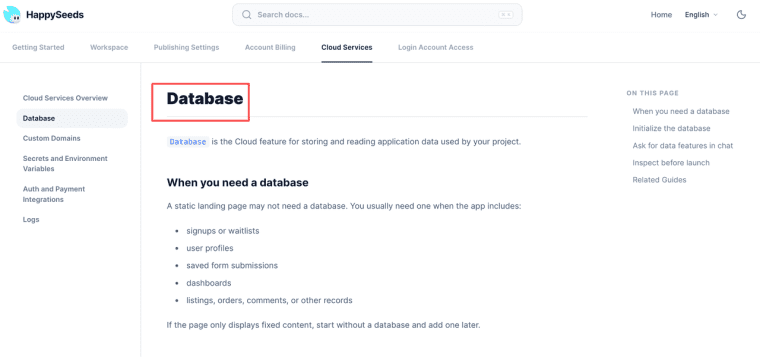
If your client workflow is too specific for standard PM software, move the decision toward a custom portal path instead of forcing a general tool to behave like your business. HappySeeds may be considered for prototyping a narrow client workflow, such as intake and saved-record experiments, before deciding whether a full custom build is necessary. For that stage, the closest fit is the database workflow for saved app records, not a claim that HappySeeds replaces a mature PM suite.
Explore More Topics:
FAQ
What should teams do when a client refuses portal use?
Do not force the portal into the relationship blindly. Keep the internal project system as the source of truth, then offer email summaries or scheduled updates for that client. Track the refusal so the team knows which updates must be sent manually and which records still belong inside the project workspace.
Should completed client projects remain available online?
Only if the retention policy, contract, and client expectations support it. Some clients want long-term access to final files and approvals. Others expect access to close after delivery. Decide how long records remain visible, who can download them, and when access is removed.
How should a client sponsor change be documented?
Record the outgoing sponsor, incoming sponsor, approval date, open decisions, unpaid items, and any access changes. A sponsor change can affect scope, sign-off, invoices, and project memory. Do not rely on a private message between account managers.
Can procurement require a separate security review?
Yes. A client may request security materials, data handling details, access controls, subprocessors, retention rules, or incident processes before using a portal. This is especially likely when the portal stores private files, customer data, financial records, or regulated information.
Can portal records support a contractual dispute?
They may help, but they are not automatically decisive. Useful records include approvals, file versions, timestamps, comments, change requests, invoices, and access history. Whether they support a dispute depends on contract terms, record integrity, and applicable law.