
A familiar small-business video project begins on Tuesday afternoon. A weekend offer needs promoting, the owner has three product photos, and someone remembers an old customer clip sitting on a phone. By Friday, five tools have been opened, two versions look impressive, and nobody is sure which claim was approved.
I'm Elin. That is the problem AI video marketing should solve. The goal is not to produce more clips because generation is available. It is to give a small team a repeatable way to choose the right video, use trustworthy inputs, approve it, publish it, and learn something useful afterward.
What Should AI Video Marketing Do for a Small Business?
A useful video moves one business moment forward. It may help a new customer understand an offer, show an existing buyer how to use a product, or give a local audience a reason to return this week. If the intended action is unclear, the video is decoration.
This is where many AI marketing videos lose their value. The team starts with a visual style or tool feature instead of a customer question. A stronger AI video marketing strategy begins with a sentence such as, "After watching, a first-time visitor should know which service fits them and where to book." That sentence gives the script, editor, reviewer, and analytics owner something concrete to work against.
Choose Video Jobs Before Choosing Tools
Paid Ads and Offer Tests
An ad should test one offer angle, not carry the whole business on its back. A meal-prep company might compare convenience with nutritional planning. A repair shop might compare same-week availability with a fixed inspection process. Both tests need a defined audience, one supported claim, recognizable proof, and a destination that matches the promise.
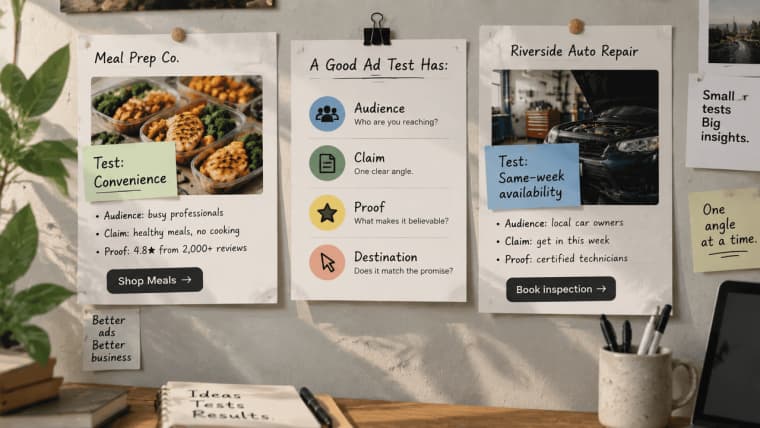
The expensive mistake is often not generation cost. It is sending traffic to a message the business cannot explain or support. In the United States, advertising claims need a reasonable factual basis before an ad runs. That includes what the images imply. A synthetic before-and-after scene can create a stronger promise than the caption underneath it.
Product Education and Demonstrations
A demonstration should answer the question that keeps delaying a purchase. Show the size of an item in context, the steps required for setup, what arrives in the package, or how the service handoff works. Real product photos and accurate details usually matter more than cinematic scenery.
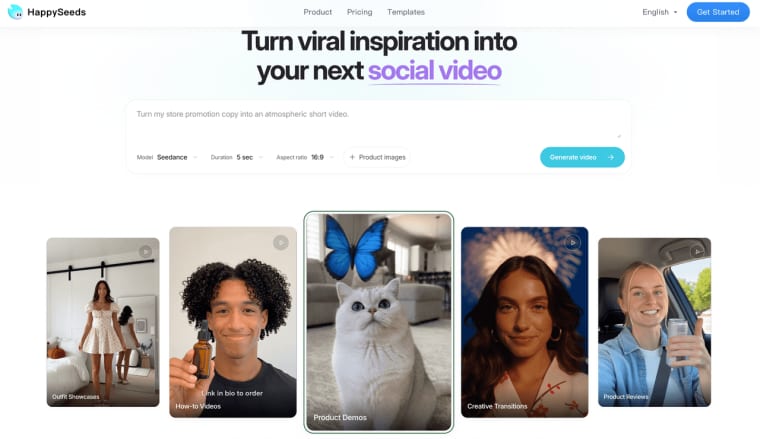
People looking for an AI UGC video generator or an AI product video generator may be focused on production speed. Buyers are focused on whether the result feels credible. That is why AI video ads, UGC-style assets, and product demonstrations should not share one recycled brief. A creator-style clip needs believable language and disclosure choices. A product demonstration needs factual continuity. An ad needs a testable offer.
Customer Retention and Local Updates
Retention content is less glamorous and often more useful. A studio can explain how to prepare for a first class. A subscription business can show what changed in the next box. A neighborhood store can announce holiday hours without making customers hunt through a caption.
These videos should feel like service, not constant selling. Their success signal may be a completed setup, a repeat booking, fewer recurring questions, or a useful reply. Views can still provide context, but they do not tell the owner whether the video made the customer relationship easier.
Build a Lean Workflow from Brief to Publish
Turn Approved Business Inputs into a Video Brief
Do not begin with "make us a fun video." Begin with materials the business is willing to stand behind: the current offer, intended viewer, product facts, source assets, prohibited claims, required format, publishing destination, and next action.
For example, a skincare shop might brief a refill video this way: existing cleanser customers, real packaging photo, two-step routine, no clinical claims, vertical format, post-purchase email, refill-bundle link. That brief is plain, but every choice has a reason. If a generated shot changes the package, adds an unsupported result, or hides the refill action, the team can reject it without debating taste.
Generate, Edit, Review, and Distribute
Treat generation as the first draft. Change one meaningful variable at a time: opening image, product visibility, pacing, caption, claim, voice, or final action. When everything changes at once, nobody knows what improved.
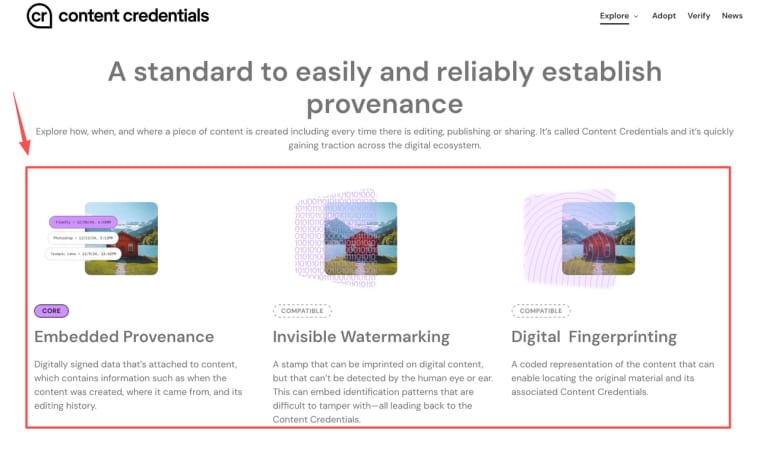
The review path can stay small. The person closest to the offer checks facts. The channel owner checks format and destination. One named approver decides whether the video can leave the workspace. Save the approved brief, source origin, selected version, approval date, publishing copy, and final destination together. Where supported, Content Credentials can add provenance information to a digital asset, but they do not replace permission records or internal approval.
Distribution is part of the workflow too. A vertical paid ad, an email demonstration, and a local update may start from the same footage, yet each needs its own opening, length, caption, and next step. Reformatting is not the same as adapting.
Match Each Video to a Business Metric
A small team does not need a dashboard covered in charts. It needs one question answered well enough to decide what happens next.
| Video job | Primary signal | Decision it should support |
| Paid offer test | Qualified clicks, inquiries, or purchases | Keep the angle, revise it, or stop paying for it |
| Product education | Completion, product-page action, or fewer repeated questions | Clarify the explanation or place it elsewhere |
| Retention update | Repeat action, booking, or useful replies | Continue the format or change the timing |
Suppose a product demonstration earns modest views but reduces the same pre-purchase question that staff answer every day. That can be a better business result than a high-view clip that sends nobody to the product. Likewise, a paid video may attract fewer clicks but better-qualified inquiries.
Record the interpretation beside the asset, not just the number. Note the audience, offer, destination, result, and next change. This keeps the team from calling every weak result a creative problem. Sometimes the video is clear and the offer is not. Sometimes the offer works and the landing experience breaks the promise.
Where AI Video Still Needs Human Judgment
AI can draft scenes and variations. It cannot confirm that an offer is still available, that a testimonial is genuine, or that a customer gave permission for their image to appear in an advertisement. It also does not understand the quiet reputational cost of making a small local business look larger, stranger, or less trustworthy than it really is.
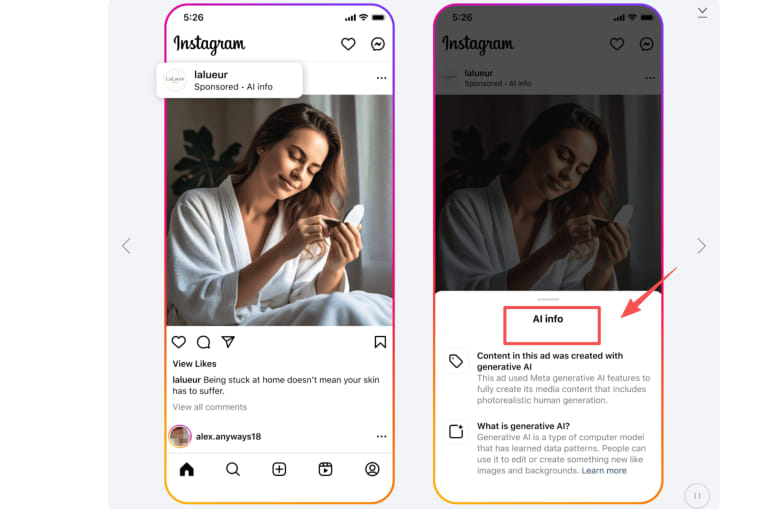
Platform disclosure is not a single reusable setting. On YouTube, realistic altered or synthetic content may need a creator disclosure. TikTok requires labels for realistic AI-generated images, audio, and video. Meta also applies labels to ads made or significantly edited with its generative AI creative features. These requirements were reviewed on September 22, 2026, but the team should check the current rules for the exact platform, region, format, and campaign before publishing.
A human should approve factual claims, likeness use, pricing, availability, captions, and the final call to action. Health, finance, legal services, minors, sensitive traits, and regulated products need specialist review beyond an ordinary marketing check. This article provides an operational framework, not legal advice.
When a Custom Workflow App May Be Worth Building
At first, a folder, spreadsheet, and named approver may be enough. The pain begins when the same intake questions, asset requests, approvals, channel versions, and delivery records repeat across several products or clients. The team spends more time asking "Where is the latest version?" than deciding what the video should accomplish.
For teams exploring AI video SaaS marketing, this is the point where the real problem becomes workflow. A lightweight AI video marketing automator might collect approved product facts, keep assets with the right project, display review status, and preserve the final delivery record. The generation service can remain external.
HappySeeds may fit this stage when a nontechnical team wants to shape that process into an internal or customer-facing Web app through conversation. The team can prototype the intake, saved project data, reviewer roles, and status flow around its chosen video provider. Those elements still require configuration and testing, especially data separation, permissions, payments, and failure handling. HappySeeds should be treated as the app layer around the workflow, not as proof that the video model, rights, or publishing process is ready.
Build the Smallest Repeatable Video System First
The first useful system is not a content factory. It is one video job that the team can repeat without losing the facts, the source assets, or the approval decision. Choose the job, build the brief, review the output, publish it where it belongs, and write down what happened.
When that loop works, the business has something more valuable than another AI-generated clip. It has a process that can improve without becoming harder to trust.
Explore More Topics:
FAQ
How often should a small business refresh its AI video assets?
Refresh a video when something meaningful changes: the offer, product, audience, season, channel format, or customer question. Paid ads usually need closer review because performance and availability can move quickly. A clear setup tutorial may remain useful much longer if the product and instructions stay the same.
Does every platform require labels on AI-generated marketing video?
No. Requirements vary by platform, content realism, publishing surface, region, and whether the material is organic or paid. Add disclosure review to the publishing checklist instead of relying on one label for every channel. A platform-applied label also does not remove the business's responsibility for truthful claims.
Who owns footage created with an AI video tool?
Ownership and usage rights depend on the tool terms, plan, source materials, music, stock assets, customer agreement, and applicable law. Before using the footage commercially, record which service created it and which terms applied on that date. This is a verification task, not something the word "generated" resolves automatically.
Can a business use customer photos in AI-generated videos?
Not simply because the business already possesses the photo. Permission for account setup, service delivery, or a private testimonial may not cover model processing or paid advertising. Confirm the intended use, limit unnecessary personal data, document consent, and provide a route for questions or removal requests.
What production records should a small business keep?
Keep the approved brief, source-asset origin, permission or license notes, tool and model, material settings or prompts, review versions, named approver, disclosure decision, destination URL, and performance note. The record should let another team member understand what was published, why it was approved, and what must be checked before reusing it.


