
Hi, I'm your friend, Elin. If you are searching for CRM software examples, the worst answer is a random list of famous tools. A CRM is not useful just because the brand name is popular. It is useful when it helps your team remember relationships, move work forward, and avoid losing customer contact.
The product references below were checked on August 25, 2026. Live pricing, AI features, seat limits, data export, security options, and regional availability should still be confirmed on each vendor's current product and pricing materials before purchase.
What Counts as CRM Software?
CRM software is a system for managing customer relationships across contacts, conversations, deals, follow-ups, service requests, and account history. Some CRMs focus on sales pipelines. Others support marketing, customer service, project delivery, or industry-specific workflows.
For small teams, the practical definition is simpler: a CRM should answer who the customer is, what happened last, what needs to happen next, who owns the relationship, and where the record lives. If it cannot answer those questions, it may be a contact list, but it is not yet a working CRM.
CRM Software Examples by Business Job
Contact and Relationship Management
Contact-focused CRM tools help teams centralize names, companies, emails, notes, calls, tasks, and relationship history. This is the first CRM software example many small teams need because the original problem is usually scattered memory: one person has the email thread, another has the spreadsheet, and a third remembers the last promise.
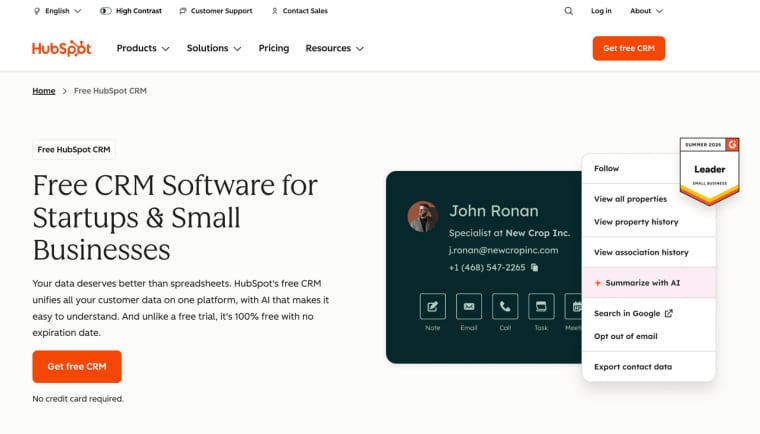
HubSpot is a common example here because its free CRM and customer platform structure covers contacts, companies, deals, tickets, marketing, sales, service, content, data, and AI-related products. It can fit teams that want one central customer record before they commit to a more complex pipeline.
Sales Pipeline Management
Sales pipeline CRMs organize leads, stages, activities, deal value, close dates, and follow-up responsibility. Pipedrive is one of the clearest crm tools examples for this job because it centers the user experience around pipeline management, deals, automation, email, reporting, and sales activity tracking.
A pipeline CRM fits teams that already know they have a sales process. If you only need names and notes, it may be more structured than you need. If you are losing deals because no one knows the next step, a pipeline tool can create discipline quickly.
Marketing and Follow-Up Workflows
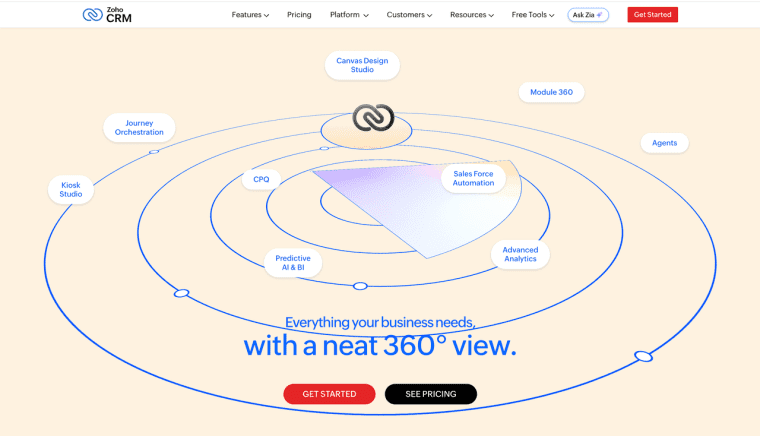
Marketing CRM workflows connect contact records to forms, lists, emails, campaigns, segmentation, and lead nurturing. Zoho CRM is a useful example because its sales CRM platform with automation, analytics, omnichannel communication, and customization is often evaluated by teams that want more than a simple pipeline but do not want to start with enterprise complexity.
Marketing use cases need consent and preference records. A CRM that sends follow-up without tracking permission can create legal, trust, and deliverability problems. Small teams should check whether the tool can store subscription state, source, consent date, and opt-out history.
Service and Client Delivery
Service CRMs track tickets, onboarding requests, renewals, tasks, SLAs, client notes, and delivery status. This matters for consultants, agencies, and small service businesses because the relationship does not end after a sale. The team needs to know what was promised, what is blocked, what the client approved, and who is responsible.
Salesforce's small business offering is a relevant crm software example because its small business CRM and customer platform path connects sales, service, marketing, commerce, and AI options for growing teams. It may fit teams that expect more structured customer operations, but it also requires more setup discipline than a simple contact tracker.
Industry-Specific CRM Systems
Industry-specific CRMs adapt the data model to a vertical. A real estate CRM may track properties and showings. A healthcare-adjacent workflow may need stricter privacy review. A school or nonprofit CRM may track households, donors, memberships, or program participation.
These examples of crm software can be powerful when the industry workflow is stable. They can also become limiting if the team has an unusual delivery process. Before choosing one, compare the built-in fields with the way your team actually serves customers.
Compare the Examples on One Workflow
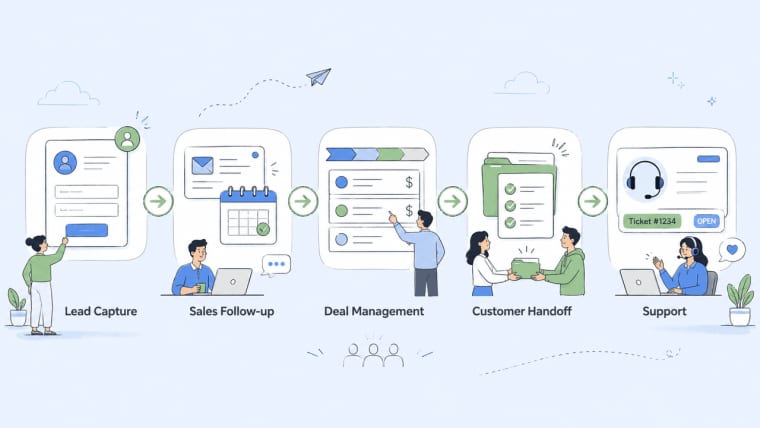
A fair comparison should use one workflow, not a feature checklist. For example: "A new lead fills out a form, books a call, receives a follow-up sequence, becomes a customer, submits onboarding details, and later needs support."
For a small-team trial, I like to score each CRM against the same sample workflow. I ran the identical path—new lead form, booked call, follow-up sequence, closed deal, onboarding handoff, and a later support request—through HubSpot and Pipedrive side by side. The difference wasn't the length of the feature list; it was how cleanly each tool kept the customer record connected and usable from the first form submission all the way to post-sale support.
| Workflow step | What to compare | Good sign | Warning sign |
| Lead capture | Forms, source tracking, consent, owner assignment | New leads enter the CRM with source, owner, and next step | Leads become loose contacts with no context |
| Sales follow-up | Email, calendar, notes, calls, deal history | Sales can see the full conversation before the next call | Important context stays in inboxes or personal notes |
| Deal management | Stages, values, close dates, tasks, reminders | Pipeline is easy to update and report on | Stages are unclear or manually maintained |
| Customer handoff | Onboarding tasks, client requirements, internal notes | Sales-to-service handoff keeps owner, deadline, and context | Customer success rebuilds the story from scratch |
| Support visibility | Tickets, account history, plan details, open issues | Support can see what was sold and what was promised | Support tickets are isolated from sales history |
| Reporting | Conversion, open deals, overdue tasks, client health | Reports answer real management questions | Team exports to spreadsheets for basic visibility |
| Permissions | Sales, managers, contractors, finance, support access | People see what they need, not everything | Sensitive notes or billing details are too exposed |
| Automation | Reminders, follow-ups, stage changes, handoff triggers | Repeated work is reduced without hiding risk | Automation changes records or sends messages too easily |
| Portability | Export contacts, deals, notes, tickets, custom fields | Team can leave or restructure later | Data is trapped or exports are incomplete |
Data Model, Permissions, and Reporting
Start with the data model. Does the CRM support contacts, companies, deals, tickets, projects, products, consent, and custom fields? Then check permissions. Can a salesperson see only their own deals? Can a contractor view client tasks but not billing notes? Can managers report across the team?
Reporting should match decisions. A small team may need conversion by source, open deals by stage, overdue tasks, support volume, or client health. If the CRM cannot report on the workflow, the team will rebuild the report in spreadsheets.
Integrations, Automation, and Adoption Effort
Integrations matter because CRM data rarely lives alone. Email, calendar, forms, payment tools, support desks, websites, ads, and accounting systems may all touch the customer record.
Automation should reduce repeated work without hiding risk. A follow-up reminder is low risk. Automatically changing a deal stage, sending a contract, or assigning a service obligation needs clearer review. Adoption effort is just as important as features. If the team will not update the CRM, the system becomes stale quickly.
Pricing Model, Portability, and Maintenance
Pricing may depend on seats, contacts, records, automation, reporting, AI features, support, storage, or add-ons. Do not compare only the first monthly price. Compare the cost once the whole team is using the CRM.
Portability matters too. Can you export contacts, companies, deals, tickets, notes, activities, and custom fields? Maintenance matters because CRM structure changes as the team learns. A good tool should let you revise fields and stages without destroying the historical record.
Choose a CRM Type for Your Team
Choose a contact CRM if your main problem is scattered relationship history. Choose a sales pipeline CRM if your team loses opportunities because the next step is unclear. Choose a marketing CRM if follow-up, segmentation, and consent records drive growth. Choose a service CRM if delivery and support continue after the sale. Choose an industry CRM if your vertical has special fields, rules, or workflows that generic tools handle poorly.
The best CRM is the one your team will actually keep updated. A simpler system used every day is usually better than a powerful system no one trusts.
When a Lightweight Custom CRM Makes Sense
A lightweight custom CRM makes sense when standard tools cannot match your fields, permissions, or delivery process without awkward workarounds. This often happens in small teams that blend sales, onboarding, client delivery, AI-generated reports, approvals, and recurring service into one workflow.
A custom CRM can be narrow. It might track client intake, project status, renewal risk, support notes, and next actions. It does not need to replace HubSpot, Pipedrive, Zoho CRM, or Salesforce if those tools already fit. It only needs to solve the part of the workflow that generic software keeps bending out of shape.
This is also where founders should be careful. Custom systems need ownership, backups, exports, permissions, and maintenance. If the only problem is a messy spreadsheet, a standard CRM may be safer. If the problem is a unique workflow that customers or teammates must repeat, a custom internal tool or client portal can be worth exploring.
How HappySeeds May Support a Custom CRM Workflow
HappySeeds should not be treated as a mature CRM suite on the level of HubSpot, Pipedrive, Zoho CRM, or Salesforce. Its more realistic role is as an early prototyping option for teams that already know the specific customer workflow they need but want to avoid jumping straight into full custom development.
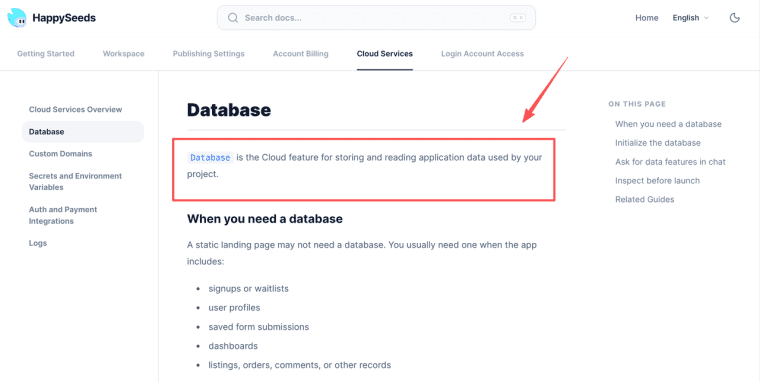
HappySeeds can be useful for quickly testing a narrow loop, such as customer intake, saved records, basic dashboards, and next-action tracking, before deciding whether a full custom build or a dedicated CRM is actually necessary. For that stage, the most relevant layer is the database workflow for saved app records. The main value is validation rather than long-term replacement.
If the team already requires a complete sales platform, mature reporting, native ecosystems, or enterprise-level controls, established CRM tools remain the clearer starting point.
Limits and Risks
Migration, Data Quality, Permissions, and User Adoption
CRM failure is often operational, not technical. Migration can lose fields, notes, activity history, or consent records. Data quality can decay when users skip required fields or create duplicates. Permissions can expose sensitive customer notes if roles are too broad.
User adoption is the quiet risk. A CRM only works when the team agrees on what to enter, when to update it, and how to handle exceptions. Before launch, define ownership for fields, stages, duplicate cleanup, reports, and permission reviews.
For regulated data, sensitive client records, marketing consent, contractor access, or cross-border storage, treat this article as general information only. Actual decisions should follow vendor terms, customer agreements, data protection rules, and qualified professional advice.
Build the CRM Around the Work You Will Maintain
The strongest CRM choice starts with the job your team repeats, not the longest feature list. Use standard CRM software when the workflow matches proven categories like contact tracking, sales pipeline, marketing follow-up, or service delivery. Consider a lightweight custom CRM only when your fields, permissions, and customer handoffs are different enough to justify maintaining your own workflow.
Explore More Topics:
FAQ
Can one company operate more than one CRM?
Yes. A company may use one CRM for sales and another system for support, delivery, or account management. The risk is duplicate records and unclear ownership. If two CRMs exist, define the source of truth for customer identity, lifecycle stage, consent, billing status, and support history.
Can a CRM work without storing marketing consent?
It can store contacts without marketing consent, but it should not run marketing outreach without a lawful permission process. If the CRM is used for campaigns, record consent source, date, status, and opt-out history. The exact requirements depend on region, audience, and channel.
When is an open-source CRM worth evaluating?
An open-source CRM can be worth evaluating when the team has technical support, needs deployment control, or wants to avoid vendor lock-in. It is a weaker fit when the team expects easy setup, managed hosting, polished support, and low maintenance from day one.
Can a CRM replace dedicated accounting software?
Usually not. A CRM can track deals, invoices, or payment status at a customer-relationship level, but accounting software handles ledgers, tax records, reconciliation, reporting, and compliance workflows. Connect the systems instead of forcing the CRM to become the accounting source of truth.
When should CRM data move to a separate warehouse?
Consider a warehouse when leadership needs cross-system reporting, historical trend analysis, advanced segmentation, or data from multiple CRMs and product systems. A warehouse is not a cleanup tool. Fix field definitions, permissions, and data quality first.


