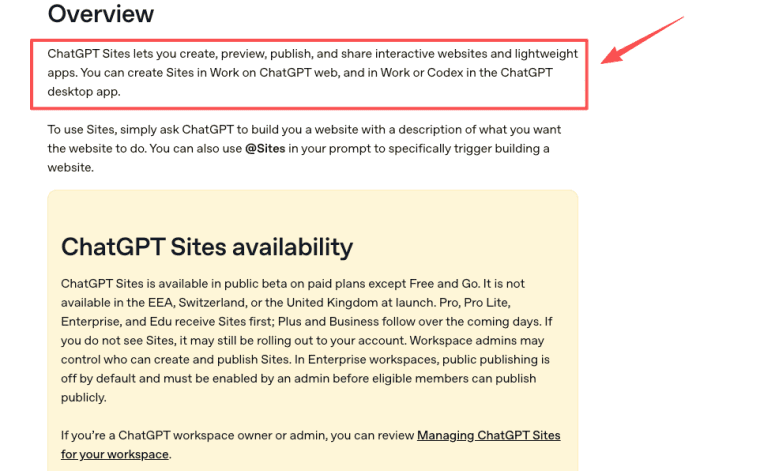
I'm Elin. ChatGPT Sites is OpenAI's public beta for creating hosted websites and lightweight apps from inside ChatGPT. The useful way to think about it is not "a magic replacement for every web project." It is closer to an AI-assisted site builder for work that needs a live place to exist: a landing page, dashboard, tracker, prototype, internal portal, report, simple tool, or small web app.
That makes Sites interesting for founders and teams, but the boundary matters. It can help create and host an interactive web experience. It does not automatically mean every production feature, custom compliance setup, payment flow, SEO stack, analytics system, or hosting pattern is available for every workspace.
What Is ChatGPT Sites?
ChatGPT Sites lets users create, preview, publish, share, and manage hosted websites and lightweight apps in ChatGPT. In the current public beta, Sites can be created from Work on the ChatGPT web, and from Work or Codex in the ChatGPT desktop app. When the agent needs a real browser, use Browserbase for Codex. You describe the site you want, provide content or constraints, review a preview, ask for changes, save versions, and publish when ready.
That is why some people will call it a ChatGPT website builder or OpenAI website builder. Those labels are close enough for search, but they can be misleading if they imply a full traditional web platform. Sites is more specific: it is a ChatGPT-native way to build and host supported web experiences.
What ChatGPT Sites Can Create
The best fit is a project that needs a simple, useful interface and managed hosting, not a complex custom backend.
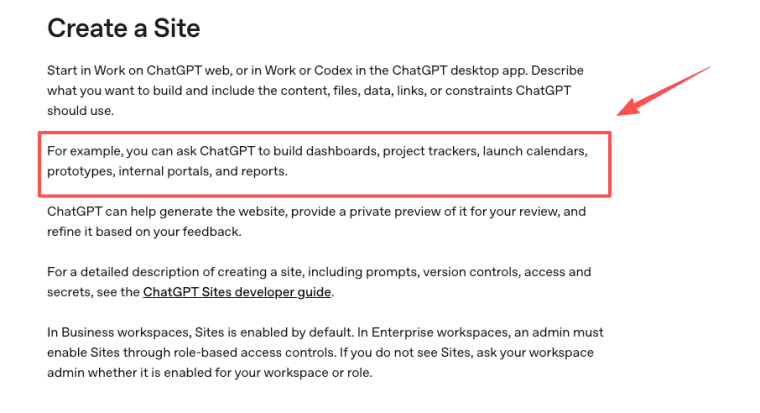
OpenAI's current guidance for Sites includes examples such as dashboards, project trackers, launch calendars, prototypes, internal portals, and reports through interactive websites and lightweight apps. That gives founders a practical starting point.
Content-led websites and landing pages
Content-led Sites can explain a product idea, organize launch materials, host a project brief, present a report, or give a team one public or private place to read and act. For founders, this can replace a messy pile of docs when the work needs a clean URL.
Dashboards, internal tools, web apps, and games
Sites can also fit lightweight interactive projects: calculators, dashboards, internal tools, simple portals, trackers, scenario explorers, and small games. The key word is "lightweight." If the app needs private networks, custom infrastructure, specialized databases, payment processing, or unsupported background services, verify the launch surface before assuming Sites is the right home.
How Site Projects and Hosting Work
Sites combines creation with hosting. That is the big difference from a normal AI coding chat where you still need to decide where the website lives.
Persistent projects and managed hosting
A Site can be edited, previewed, published, shared, restricted, or deleted from the Sites experience. Hosting is managed through the Sites runtime, and the live URL comes from publishing. That makes OpenAI Sites useful when a team wants a web artifact without managing deployment infrastructure manually.
Saved versions versus production deployments
Saved versions and production deployments should be treated separately. A saved version lets you preserve a reviewed state. A deployment creates a live production URL. This distinction matters because every deployment URL is production, so teams should review content, forms, files, links, access settings, and interactive behavior before publishing.
Supported Site Shapes
Think in shapes, not hype. AI sites work best when the product surface matches the supported runtime.
Durable records with relational storage
A tracker, directory, lightweight CRM, checklist, launch calendar, or approval board may need durable records. If your project depends on stored data, confirm how storage works for your account, plan, and workspace. Site documentation references D1/R2 data and file storage in the context of residency and hosted operation, but founders should still verify limits and behavior before treating storage as a long-term system of record.
File uploads and object storage
Some Sites may include file upload or file-handling flows where supported. That shape can fit portals, review tools, asset collections, or internal submission workflows. Before publishing, check whether the Site stores files, who can access them, what visitors can upload, and whether the content is appropriate for the selected audience.
Workspace identity and public authentication
Access is not one thing. A Site can be limited to its owner and workspace admins, shared with selected active users or groups where supported, opened to the workspace, or published publicly when public publishing is enabled. Sign-in behavior depends on the access setting and any authentication feature intentionally added inside the Site. Visitor access and in-app identity are separate controls, so test the visitor experience before sharing.
Access and Sharing Options
Access depends on plan, region, rollout status, and workspace settings. ChatGPT Sites is in public beta on paid plans except Free and Go, and it is not available in the EEA, Switzerland, or the United Kingdom at launch. Workspace admins may decide who can create or publish Sites, and Enterprise public publishing is off by default.
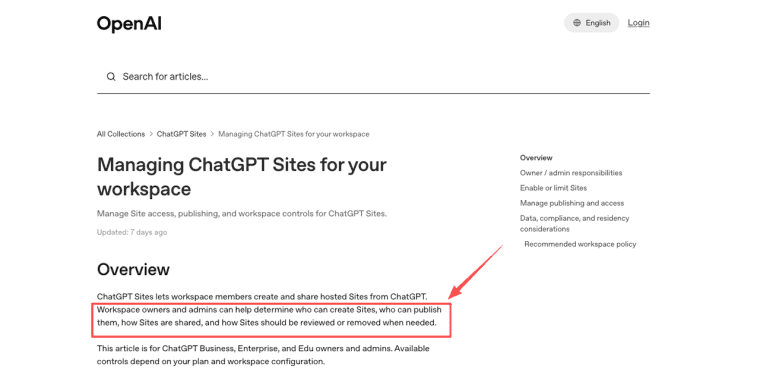
For workspace teams, the admin side matters. Owners need policies for who can create Sites, who can publish publicly, what needs review, and who handles removal or compliance questions. OpenAI's workspace guidance centers those decisions around creation, publishing, sharing, review, and takedown controls.
What Founders Should Not Assume
Sites is promising, but it is still a public beta. Founders should not turn a beta feature into a customer promise without checking current availability and launch behavior.
Public beta availability and workspace restrictions
Do not assume every paid account has the same access. Do not assume every workspace can publish publicly. Do not assume custom domains, data residency, storage limits, authentication options, or sharing controls behave the same across plans. If the project is for a client, team, school, or regulated workflow, check the workspace controls first.
Features that still require launch-time verification
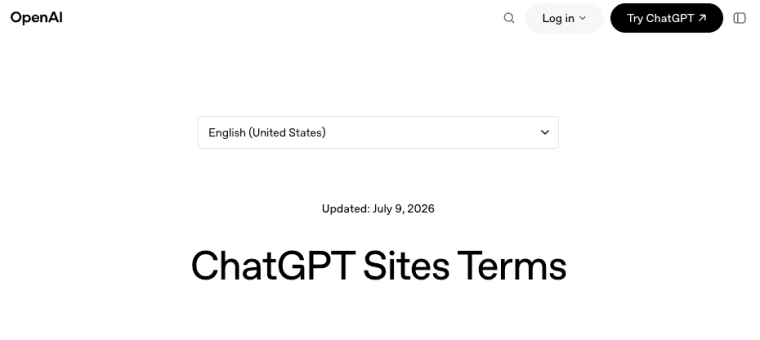
Custom domains, payment handling, analytics, SEO workflows, quotas, storage behavior, private networks, background jobs, third-party content, personal data collection, and public forms all need launch-time review. Sites must not process protected health information or payment-card data, enable financial transactions, target children under the applicable age threshold, enable phishing, distribute malware, impersonate people or organizations, or violate OpenAI policies or the terms that govern Website Content and Site operation.
Use Sites for the Right Kind of Web Work
ChatGPT Sites is useful when a team needs a hosted website or lightweight app that can be created, revised, shared, and published from ChatGPT. It is less suited to projects that depend on unsupported infrastructure or unverified launch requirements. Start with a focused Site shape, test access from the visitor's side, save versions before deployment, and verify beta limits before making it part of a public promise.
Explore More Topics:
FAQ
What happens to a live Site if workspace access is revoked?
Access should be reviewed at the workspace and Site level. If the creator loses workspace access, admins may still need a process for reviewing, restricting, preserving, or removing the live Site. Teams should document ownership before publishing anything important.
Can Site ownership be transferred between workspaces?
Do not assume transfer is available. Treat ownership transfer as a workspace governance question. Preserve source files, content, version notes, access settings, and deployment records before relying on a Site for a client or team handoff.
What should a team preserve before retiring a Site?
Preserve the final version, live URL, source content, uploaded files, access settings, visitor-facing copy, storage notes, and any approvals tied to publication. If the Site collected visitor information, retention and deletion should follow the team's privacy and compliance process.
Who should respond when a production URL becomes unavailable?
Assign an owner before launch. For internal sites, that may be the project lead or workspace admin. For public Sites, it should include a support contact, publishing owner, and escalation path for policy, access, or availability issues.