
Elin here. A founder can build Instagram transcript app workflows without writing code, but the hard part is not turning audio into text. The hard part is building a product people can safely use more than once: authorized inputs, transcript history, summaries, credits, payments, exports, correction flows, and support.
The risky version is a tool that promises to pull any Instagram video from a link. Do not build that. The better version starts with owned media, user uploads, authorized exports, or official platform access, then turns videos into useful work products for creators, agencies, educators, and social teams.
Why an Instagram Transcript App Is More Than Transcription
A transcript is only the first artifact. A paying user usually wants something after the text appears: a clean summary, quote bank, caption draft, blog outline, searchable archive, timestamped notes, or client-ready content report.
That is why an AI transcript app builder workflow needs more than a speech-to-text model. It needs a product loop.
Non-technical founders need a user-facing workflow, not a one-off converter
A one-off converter gives users a text file and disappears. A user-facing workflow lets them return to projects, organize clips, search old transcripts, export summaries, and manage usage.
For a creator SaaS, this matters. A creator may upload weekly Reels. An agency may process client videos. A coach may repurpose Instagram clips into lesson notes. The app becomes valuable when the transcript supports repeat work, not a single download.
Safe Input Options to Plan First
Input is the first product decision. If the input path is risky, the whole product becomes risky.
Plan safe sources before you design the interface. Users should know what they can upload, what they must own, and what the app will not do.
Uploaded files, owned media, authorized exports, and official API paths
The safest first version supports uploaded files from the user. The user provides a video they own or are authorized to process. Another safe path is creator-owned exports from their own account.
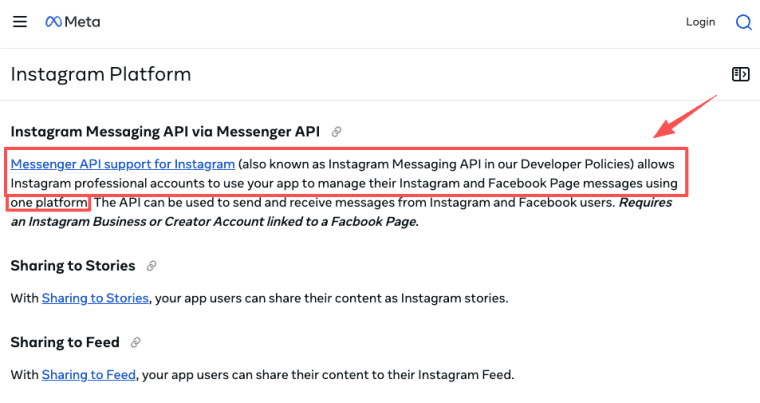
For connected workflows, use official Meta paths where available. Official Instagram access is built around permissioned Professional account workflows, not unrestricted access to any public video. That distinction should shape your product copy.
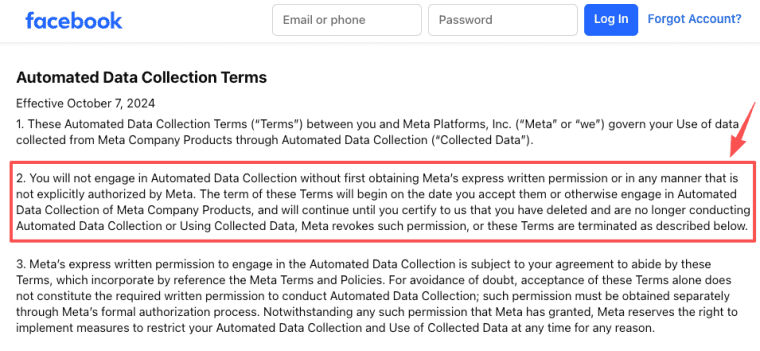
Meta also treats unauthorized automated collection as restricted behavior. So the app should not promise scraping, bypassing downloads, or pulling videos the user has no right to process.
Core App Workflow
The core workflow should be simple enough for a non-technical customer to understand.
Upload or connect. Transcribe. Summarize. Save. Search. Export. That is the loop.
Upload or connect, transcribe, summarize, save, search, and export
Start with upload or authorized connection. Then run transcription. After that, offer structured outputs: clean transcript, timestamps, summary, key quotes, caption ideas, and repurposing notes.
Save everything into a project. A user should be able to find last month's transcript without re-uploading the video. Search should work across titles, summaries, quotes, and transcript text.
Exports should match the use case: TXT, DOCX, CSV, SRT, PDF brief, caption pack, or summary document. A video to text app becomes more useful when the export is shaped for the user's next task.
Product Layers That Make It Sellable
This is where the app becomes more than a script.
A transcription model is only one part of the product. A real creator tool also needs user accounts, saved projects, billing logic, exports, queues, and support workflows.
If you want to turn a repeatable creator workflow into a standalone product, HappySeeds can help you shape the app layer first: accounts, projects, credits, payments, and a workflow customers can return to. Keep the promise focused on authorized media and useful deliverables, not platform shortcuts.
Accounts, project history, credits, billing, queues, error states, and support
Accounts let users return. Project history keeps transcripts tied to videos, clients, campaigns, or courses. Credits help price variable work because long videos cost more to process than short clips.
Billing should be clear. A user should know whether one credit means one minute, one file, one export, or one completed transcript. Queues matter because transcription can take time. Error states matter because uploads fail, audio is messy, and files may be too long or unsupported.
Support needs its own path. If a transcript is wrong, if credits were consumed, or if a file fails halfway through, the app should not leave the user guessing.
Policy and Rights Boundaries
This category needs conservative product language.
Instagram content can involve copyright, privacy, publicity, platform access, and client permissions. A founder does not need to become a lawyer, but the app should avoid reckless promises.
Avoid scraping promises, require user authorization, verify Instagram and copyright rules
Use plain rules in onboarding. Users should confirm they own the media or have permission to process it. The app should not claim it can download any Instagram video.
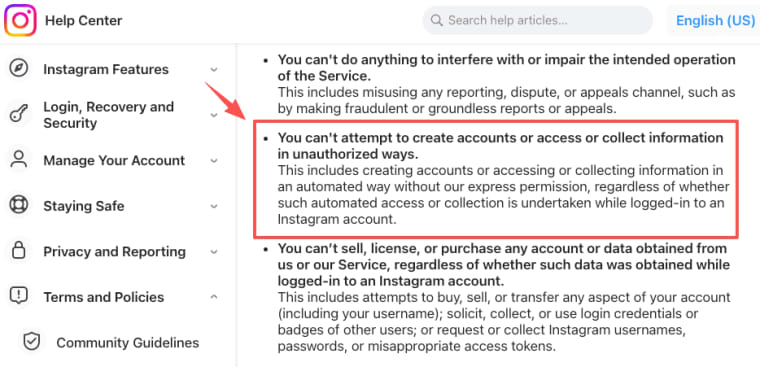
Instagram's terms limit unauthorized automated access or collection, so product copy should avoid "paste any public link" promises unless the access path is officially supported and authorized.
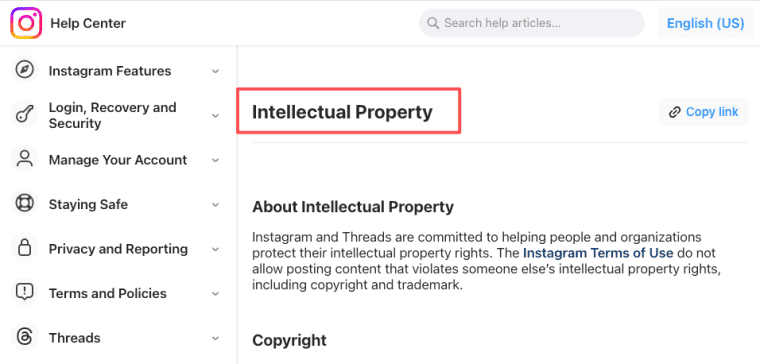
Instagram also treats copyright and trademark issues as content-rights problems, not just upload problems. That matters for transcripts because creators may process music, interviews, client clips, or third-party footage. Build around content rights and intellectual property boundaries, not assumptions.
This is not legal advice. Instagram API access, download limits, copyright rules, and privacy duties must be checked against current Meta documentation, customer contracts, and local law before launch.
MVP Scope for a Founder
Keep the first version narrow. Do not start with every platform, every file type, every export, and every summary style.
Pick one buyer and one repeat job.
One media type, one transcript output, one summary format, and one paid use case
Start with uploaded Instagram Reels or creator-owned short videos. Produce one clean transcript and one summary format. For example, "turn a Reel into a transcript plus quote bank for newsletter repurposing" is easier to sell than "transcribe anything."
A good MVP might serve creators who repurpose Reels into posts, agencies that summarize client content, or educators who turn clips into lesson notes. The paid use case should be specific enough that users know why they are buying.
Measure completion, repeat uploads, export rate, credit burn, correction requests, and refunds. If users return with new videos, the app may deserve more formats later.
Build the Workflow, Not the Shortcut
A no-code transcription tool should not be a shortcut around Instagram rules. Build around authorized inputs, clear project history, useful exports, credits, billing, and support. If users keep bringing new videos because the app saves real repurposing time, then an Instagram video transcript is no longer just text. It is the start of a repeatable creator workflow.
Explore More Topics:
FAQ
What should happen if Instagram API access is later revoked?
The app should have a fallback plan that does not depend on scraping. Options may include user-uploaded files, manual exports, or pausing connected workflows until authorization is restored. Customers should see a clear status message, and existing projects should remain accessible where your terms allow.
Can customers request deletion of derived summaries?
Yes, if your product terms and applicable rules allow it. The app should define whether deletion covers transcripts, summaries, exports, source files, search indexes, logs, and backups. Derived summaries should not remain searchable after the related source project is deleted unless the customer agreed to that behavior.
How should support handle disputed transcript corrections?
Support should keep the original audio or video reference, transcript version, correction request, reviewer decision, and final corrected output. If credits were consumed for a clearly failed transcript, the app should have a credit restoration policy. If the dispute is about interpretation rather than transcription, route it as an editorial review.
Should agencies separate client workspaces for transcripts?
Yes, in most agency workflows. Separate workspaces reduce accidental data mixing, make exports cleaner, and help preserve client-specific permissions. They also make offboarding easier when a client relationship ends. Workspace behavior should match the agency's contract and retention policy.


