
Elin here. Business automation is what happens when a small team stops relying on memory, copy-paste, and heroic follow-up for work that repeats. It does not mean replacing people with software. Most of the time, it means taking a messy little chain of tasks and making the next step obvious.
For a small business, that might be a lead form that creates a follow-up task, a client onboarding flow that collects files before kickoff, or an approval rule that stops invoices from floating around in chat. The point is reliability. The work should not depend on whoever happened to remember the process last time.
What Is Business Automation?
Business automation is the use of software, rules, and workflows to move repeatable business tasks from one step to the next with less manual coordination.
A simple automation might send a confirmation email after a form submission. A more useful one might assign the lead to a sales owner, create a CRM record, schedule a reminder, and flag missing information. The automation is not just the trigger. It is the whole path from input to action to review.
For small business automation, the best question is not "What can we automate?" It is "Which repeated task keeps slowing down the team even though the rules are mostly known?"
Business Automation Examples for Small Teams
Lead Capture and Follow-Up
Lead capture is a natural starting point because delays are visible. A prospect fills out a form, downloads a guide, or books a call. If nobody responds quickly, interest cools.
A basic lead automation can save the submission, notify the right person, send a polite confirmation, and create a follow-up task. A better one can route leads by service type, budget range, location, or urgency.
The risk is tone. A fast automated reply that feels careless can damage trust. Keep the first message clear, human, and easy to escape from. If the lead asks a complex question, route it to a person.
Client Onboarding and Service Delivery
Client onboarding is where automation can quietly save a team. After a signed agreement, the workflow can send a welcome message, request files, assign an internal owner, create a project space, and track missing items.
The useful part is not "the client got an email." The useful part is that the team can see what is ready, what is blocked, and who owns the next step. If you already have a client onboarding process, automation should support that process instead of inventing a new one.
Service delivery can also use status updates, review reminders, file request nudges, and handoff notifications. Keep commitments human-owned. A tool can remind the client that feedback is due; a person should still own the relationship.
A boutique design studio used to chase clients for brand assets and signed scopes via scattered emails. After the agreement was signed, the new workflow automatically sent a welcome message with a shared checklist, requested the required files, created a project folder, assigned an internal owner, and flagged anything still missing after three days. The biggest change was not the emails — it was that everyone could see the status in one place. Incomplete onboarding stopped being a weekly "who forgot?" conversation.
Billing, Approvals, and Internal Operations
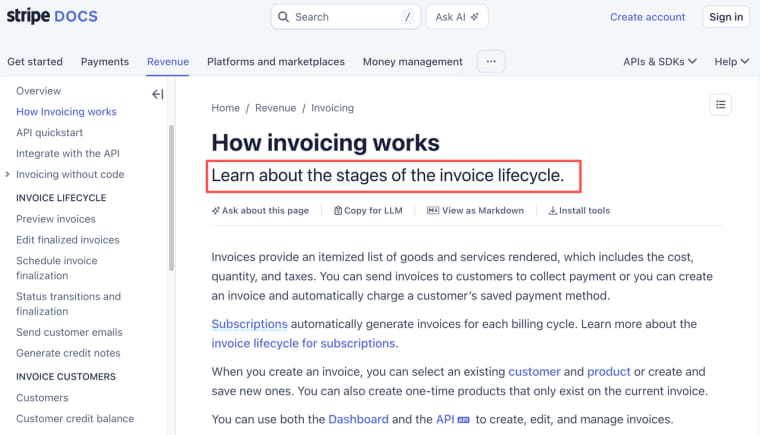
Billing automation can create invoices, update payment status, notify finance, or pause work when a required deposit is missing. Stripe invoice workflows can support customer billing records, payment status, collection methods, and invoice lifecycle events, but the business still needs rules for exceptions.
Approvals are another strong business automation example. Purchase requests, refunds, content reviews, hiring steps, and vendor changes can move through a clear route instead of getting buried in Slack or email.
Internal operations are often less glamorous, but more valuable: weekly reporting, inventory checks, staff requests, task routing, CRM cleanup, and client status updates.
Choose the Right Process to Automate
Volume, Repetition, Rules, and Error Cost
Choose a process with enough volume to matter, enough repetition to define, and enough rules to automate safely. A task that happens once a year is usually not worth automating. A task that happens every day but requires deep judgment may need a checklist or expert review before automation.
Look at four signals:
| Signal | Good automation candidate | Be careful |
| Volume | Happens often | Rare or one-off |
| Repetition | Same inputs and steps repeat | Every case is unique |
| Rules | Clear routing or status logic | Decisions depend on judgment |
| Error cost | Mistakes are recoverable | Mistakes affect money, safety, rights, or trust |
Error cost matters most. If an automation sends the wrong reminder, that is annoying. If it changes customer access, triggers a refund, or shares private data with the wrong person, the risk is much higher.
Map the Workflow Before Choosing Software
Trigger, Inputs, Decisions, Actions, and Exceptions
Map the workflow before choosing tools. This is where many teams skip the hard part. They buy software, then discover nobody agreed on the process.
Use a plain workflow map:
| Workflow part | Question |
| Trigger | What starts the process? |
| Inputs | What information is required? |
| Decisions | What rules decide the next step? |
| Actions | What should happen automatically? |
| Exceptions | What requires human review? |
| Evidence | What record proves the step happened? |
| Owner | Who is responsible if it fails? |
A lead form might trigger a CRM update. A missing budget field might route the lead to qualification. A high-value lead might notify the founder. A suspicious submission might stay out of automation until reviewed.
This is the boring work that makes automation useful. Without it, tools only make confusion faster.
Compare Automation Approaches
Built-In SaaS Automation
Built-in automation works inside tools your team already uses. CRMs, email platforms, project management tools, help desks, and accounting products often include triggers, reminders, and simple routing.
This is usually the best first option when the workflow already lives in that SaaS. If all leads are in your CRM, start there. If all support requests are in your help desk, automate there. The benefit is less setup. The limitation is that the workflow may not cross tools cleanly.
Connectors and Integration Platforms
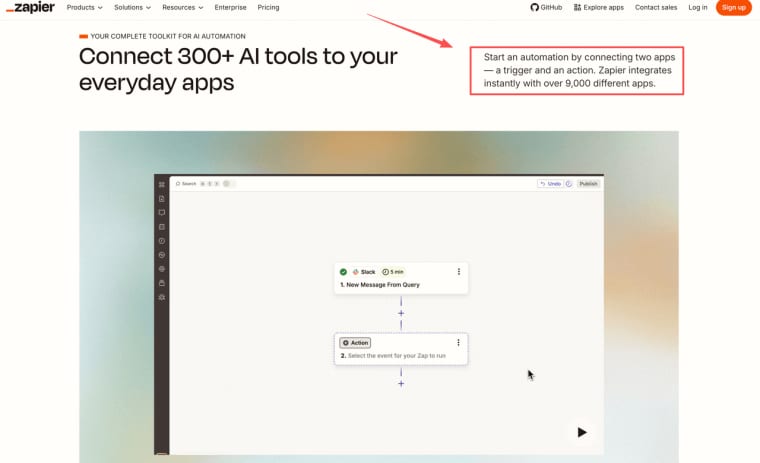
Connectors help move work between systems. A form can create a CRM record, send a Slack alert, update a sheet, and trigger an email. Zapier's automation model is built around connecting apps through triggers and actions, which is the pattern many small teams use when their process spans multiple tools.
Integration platforms are useful when the steps are clear and the data is simple. They get risky when the workflow needs complex permissions, sensitive information, heavy branching, or a customer-facing interface.
Custom Workflow Apps
A custom workflow app makes sense when the process itself is unique. Maybe a consulting team needs client intake, scoring, review, approval, payment status, and delivery notes in one place. Maybe an agency needs a content approval system with brand rules and revision history. Maybe an operations team needs an internal dashboard that standard tools cannot model.
Custom does not mean big. It means shaped around the workflow. The app should include only what the team needs to act: records, statuses, permissions, actions, notifications, review paths, and evidence.
Where HappySeeds May Fit a Custom Workflow
HappySeeds may fit when business automation needs more than a connector but less than a full custom software project. The natural use case is a narrow workflow app: a client intake tracker, approval dashboard, internal request queue, paid onboarding flow, or lightweight operations workspace.
This is where the HappySeeds connection should be practical. If a workflow has repeated inputs, saved states, user-facing screens, payment logic, or a launchable interface, HappySeeds can help a founder turn that process into a testable app. Its workspace brings chat-based iteration, preview, assets, analytics, cloud services, app settings, auth, and payment setup into one build environment. For teams still deciding whether a repeated AI or operations workflow deserves its own interface, the related guide on turning a repeatable workflow into an app gives a useful next step.
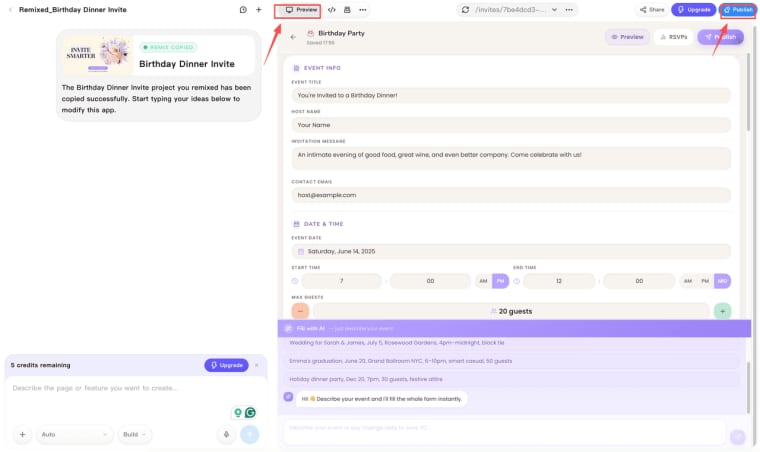
The boundary matters. HappySeeds should not be treated as a promise that every integration, notification, permission, hosting, export, or compliance need is solved automatically. It is a possible build path when a custom workflow needs an interface and state. The founder still owns the process, review rules, customer promise, and operational responsibility.
Limits and Risks
Failure Handling, Data Access, Ownership, and Maintenance
Automation fails in ordinary ways. A form changes. A payment webhook breaks. A staff member leaves. A customer opts out. A supplier rejects an automated update. A rule that worked for one service line quietly misroutes another.
Plan the failure path before launch. Who gets alerted? What happens to incomplete work? Can the automation be paused? Is there a manual fallback? Where is the error recorded?
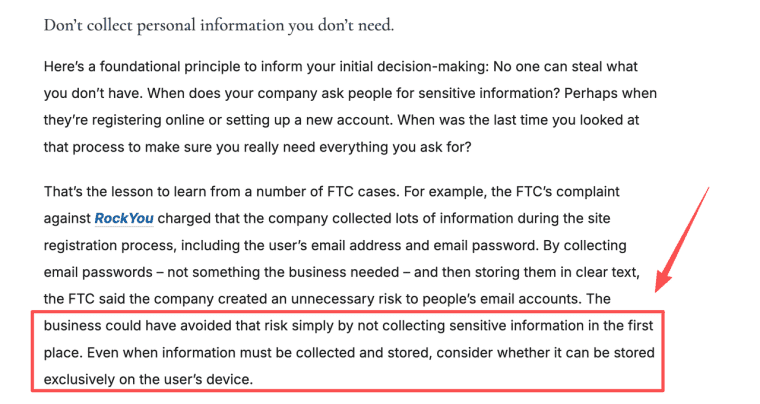
Data access needs the same care. The FTC's business guidance emphasizes limiting access to sensitive information and collecting only what is needed. For automation, that means do not give every workflow admin-level access just because setup is easier.
Ownership is also a real issue. If a freelancer builds the automation, who maintains it? If the business is sold, who receives the connected accounts, documentation, and historical records? If a vendor changes its API, who fixes the flow? In practice, the teams that keep automations reliable are the ones that name a single owner — even if that person only spends a few hours a month reviewing failed runs and updating rules when tools change. Without that, the system quietly drifts until something important breaks.
Automation is only reliable when someone owns it after the launch week.
Make the Repeated Work Easier to Trust
Business automation works best when it makes a real workflow easier to see, repeat, and recover. Start with one process, map the trigger and exceptions, choose the lightest tool that fits, and keep a human owner close to every promise. The goal is not to automate everything. It is to make the work your team already does less fragile.
Explore More Topics:
- Client Onboarding Process: Build a Reliable Workflow From Agreement to Delivery
- Client Onboarding Checklist: A Practical Template for New Client Workflows
- What Is an Internal Tool? Examples, Use Cases, and Build Decisions
- How to Turn a ChatGPT Workflow Into an App
- SaaS Creation Framework: Ideation, Validation, MVP, Launch, and Growth
FAQ
How should automations transfer when a business is sold?
The buyer and seller should document connected accounts, workflow logic, data stores, credentials, vendor contracts, logs, and maintenance responsibility. Transfer rules depend on contracts, customer obligations, and applicable law, so this should be reviewed professionally.
Can seasonal businesses pause automations safely?
Yes, if the pause is planned. Seasonal teams should document which workflows can stop, which messages should change, which billing events continue, and how queued requests are handled when the business reopens.
Can customers opt out of automated communications?
Often they can, especially for marketing or recurring messages. Teams should separate operational notices from promotional messages and verify consent, unsubscribe, and retention requirements for their market.
Should suppliers approve automated workflow changes?
If an automation affects supplier orders, delivery timing, pricing, inventory, or service commitments, supplier approval may be necessary. Do not assume internal automation can change external obligations without notice.
When do employee policies need updating for automation?
Policies may need updates when automation changes task assignment, performance tracking, approvals, customer communication, data access, or monitoring. Employees should know what the system does and where human review remains available.


