Turn product photos into product demos, launch videos and social ads — from a short teaser to a 30-second story or a one-minute showcase.
Have a photo but no script? We can suggest ideas and write the prompt.
Model and resolution options vary by plan. See pricing
Product Video Ideas for Your Next Launch
Give buyers a reason to look closer: a finish they can see, a fit they can picture, or a product in everyday use. Explore these product videos, then choose a length and format for your channel.
Made with HappySeeds
Beauty · Finish & shade
Let the texture speak
Rose-nude color, from the bottle to skin and lips.
15 sec · 9:16 · 720pFinished video
What we asked for
Show the bottle and applicator against white, swatch the shade on the hand, then show a brief lip application before returning to the product. Shade: 01 · ROSE NUDE.
Made with HappySeeds
Footwear · Craft & fit
Make every detail count
From a clean product view to garden-party elegance.
15 sec · 9:16 · 720pFinished video
What we asked for
Open on a clean front view of both shoes against white. Cut to a model in an ivory skirt taking gentle steps on a garden terrace, show the flower and crystal strap details on foot, then finish with both shoes fully in view.
Made with HappySeeds
Bags · Shape & styling
Show how it completes the look
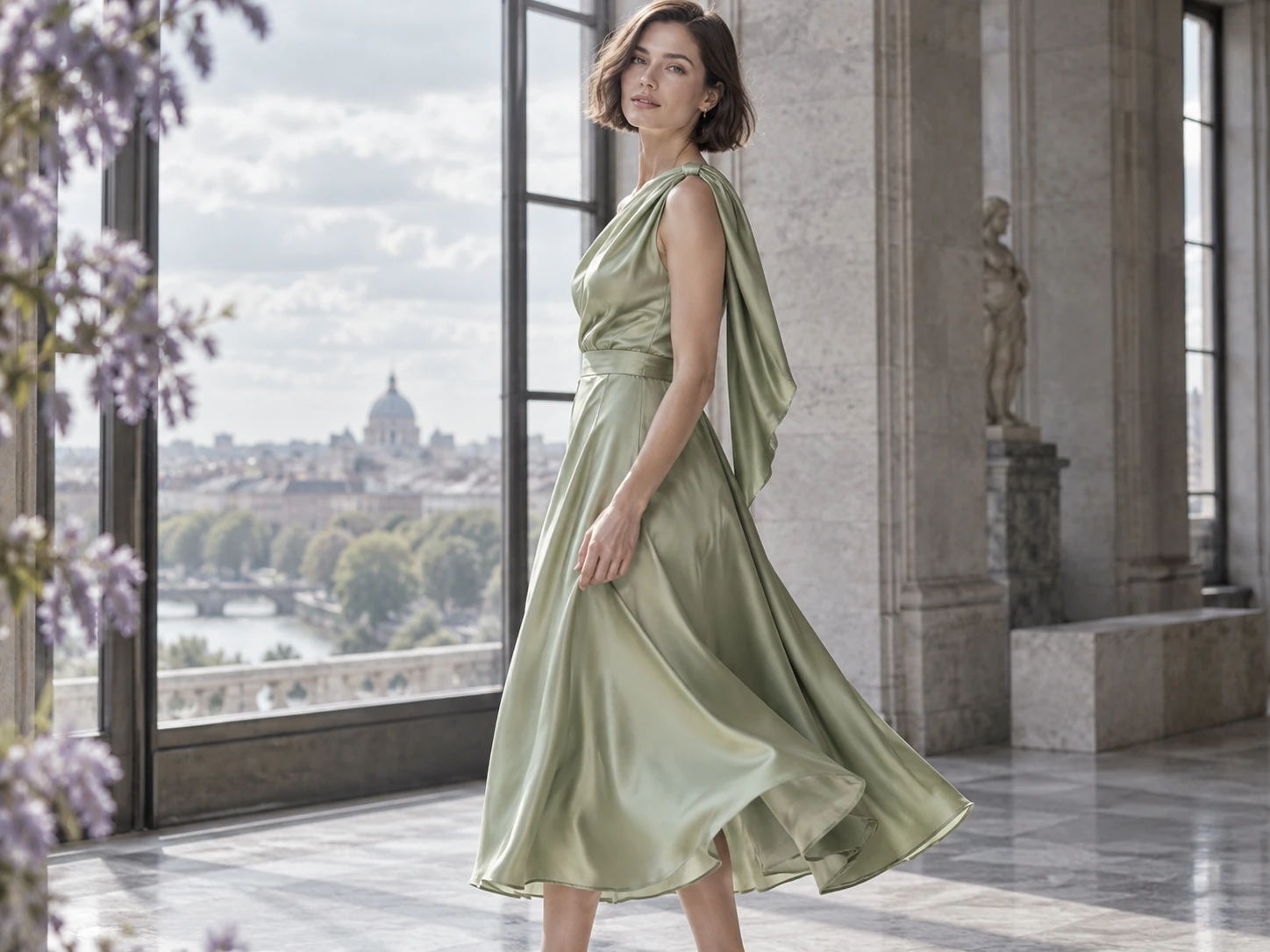
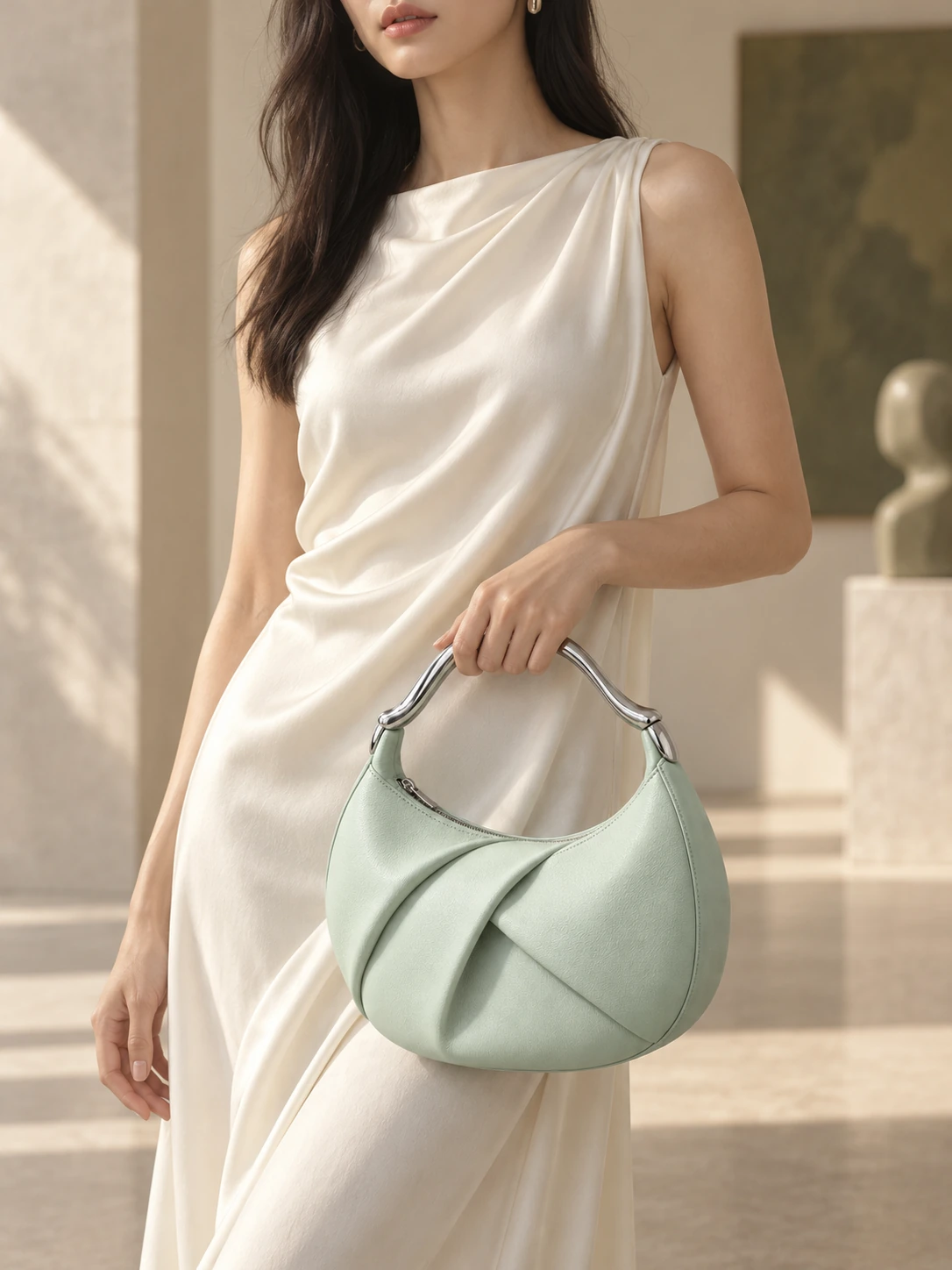
Mint leather, ivory silk, an everyday terrace moment.
15 sec · 9:16 · 720pFinished video
What we asked for
Open on the complete bag resting on a wooden café chair. A model takes a few small steps on the terrace, then settles into a closer carrying pose that keeps the silver handle and leather folds in view.
Made with HappySeeds
Food & drinks
Launch something worth craving
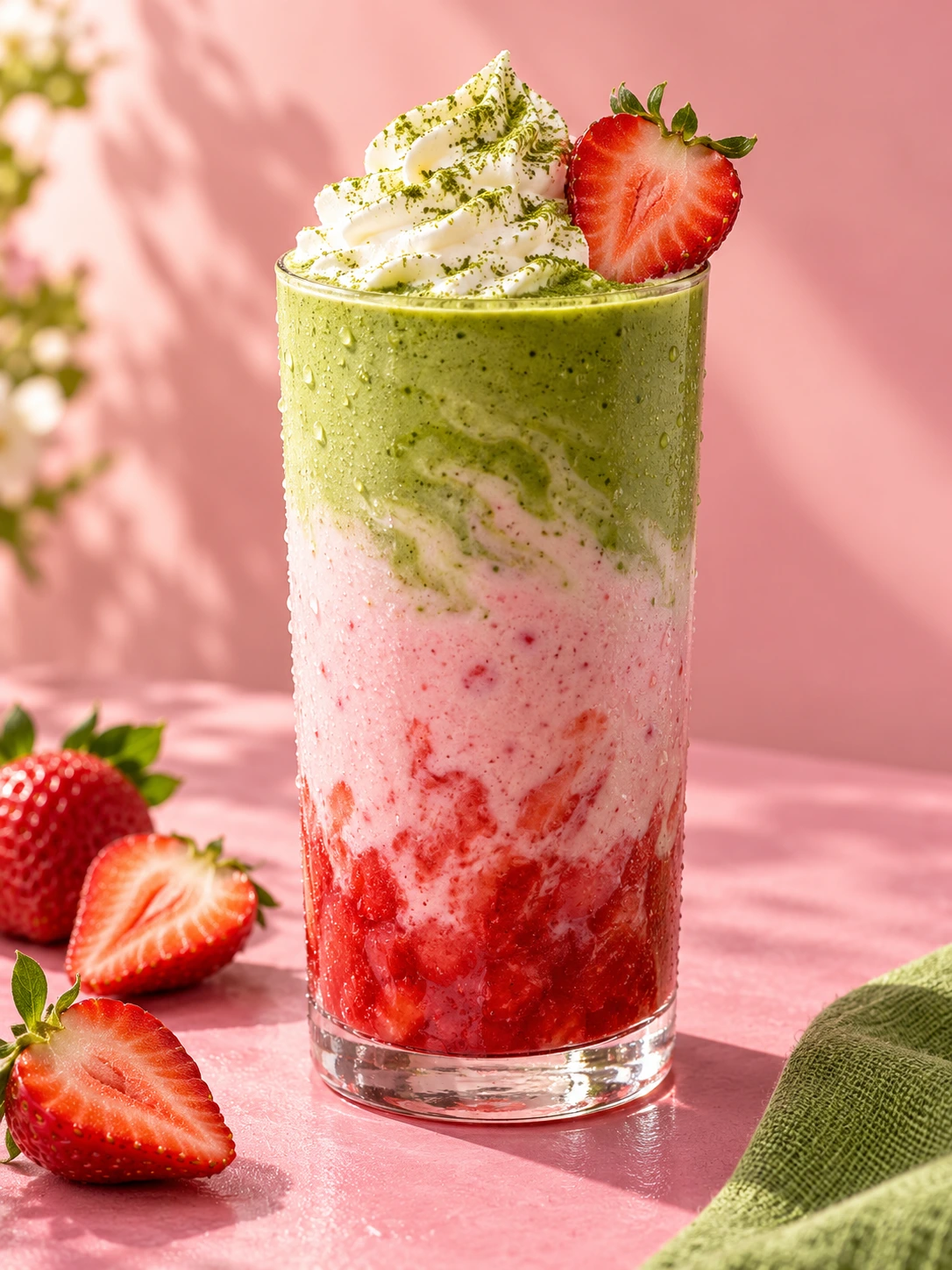
Strawberry pink, matcha green, creamy layers.
15 sec · 9:16 · 720pFinished video
What we asked for
Reveal the full glass on a clean pink tabletop. Move closer through the strawberry, milk and matcha layers to the cream and strawberry, then return to the whole drink with small social tags.
Pets · Pet Clinic PitchGifts and travel · Retro TV Birthday GreetingBeauty · PerfumeApparel · Korean Men's OutfitBeauty · Hair OilPets · Animal UFCFood and drinks · Cake at a CafeBeauty · Immersive Hair CareFood and drinks · Bakery PitchApparel · Outfit VlogPets · Pet DanceFood and drinks · BurgerJewelry · Crystal Necklace ShowcaseApparel · Slot Machine Outfit ChangeGifts and travel · Travel Transition VlogFood and drinks · PepperPets · Cat Teaser ToyBeauty · Perm and Color ComparisonApparel · Street StylePets · AI Dog BaristaJewelry · NecklaceGifts and travel · Flower Delivery
What Helps Shoppers Choose Your Product?
A useful product video answers a buying question. Choose the question that matters most, then use the product, a person or a real-life setting to answer it.
Start with the buyer’s question.
New product reveal · Fashion
Can I picture myself wearing it?
Show the whole look, how the fabric falls and a closer view of the design. A person gives shoppers context that a product-only shot cannot.
Suggested shot sequence
Open. Introduce the product before showing it in context.
Develop. Show it worn or used, with one detail in focus.
Finish. Hold on the finished look. Add your launch message as a caption.
Promo or sale · Food & drink
What would the experience feel like?
Use texture, movement and setting to make the experience tangible. For a cafe, the layers of a cake and the moment it is served tell different parts of the story.
Suggested shot sequence
Open. Make the product tempting in its everyday setting.
Develop. Show the experience: serving, holding or using it.
Finish. Add your real offer and a clear next step as captions.
Product page demo · Apparel
What do I need to see before I choose?
Show the shape from more than one angle, how it is worn or used, and the detail that separates it from another option. Add real measurements where they help.
Suggested shot sequence
Open. Show the product from more than one angle.
Develop. Show how it is worn, held or used.
Finish. Finish on a useful detail. Add real measurements as captions.
Template example
Add prices, offers and buying instructions as captions. Use real measurements when size matters.
A note on planning for TikTok
For TikTok ads, put your message in the first 3 seconds, add context with captions and finish with a clear call to action. TikTok for Business · checked October 15, 2026.
A Product Photo, One Clear Prompt
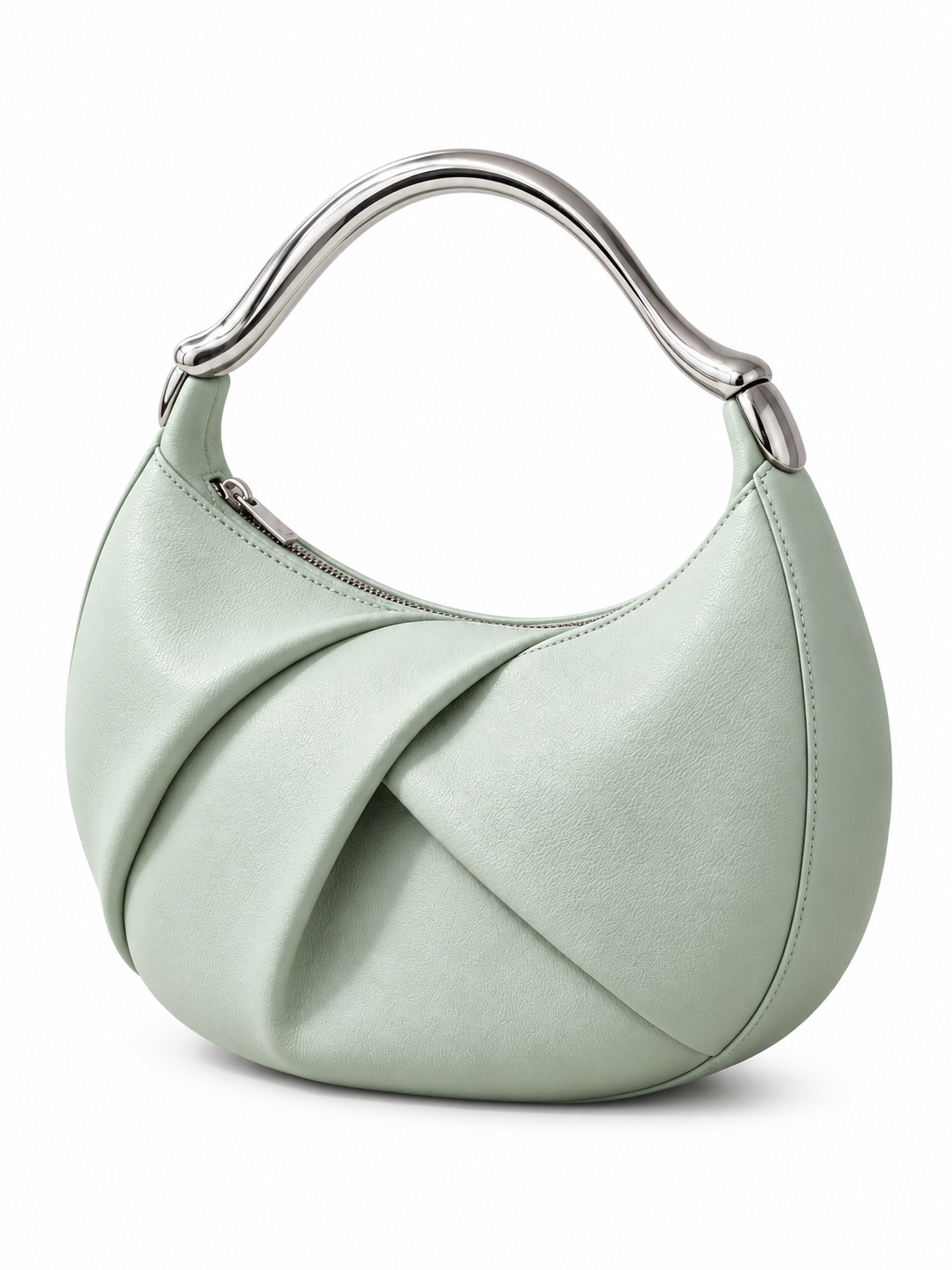
A useful product video prompt names the product, the story, the details to preserve and where the video will appear. Start with a clear photo; HappySeeds can develop the idea into a prompt and a sequence of shots.
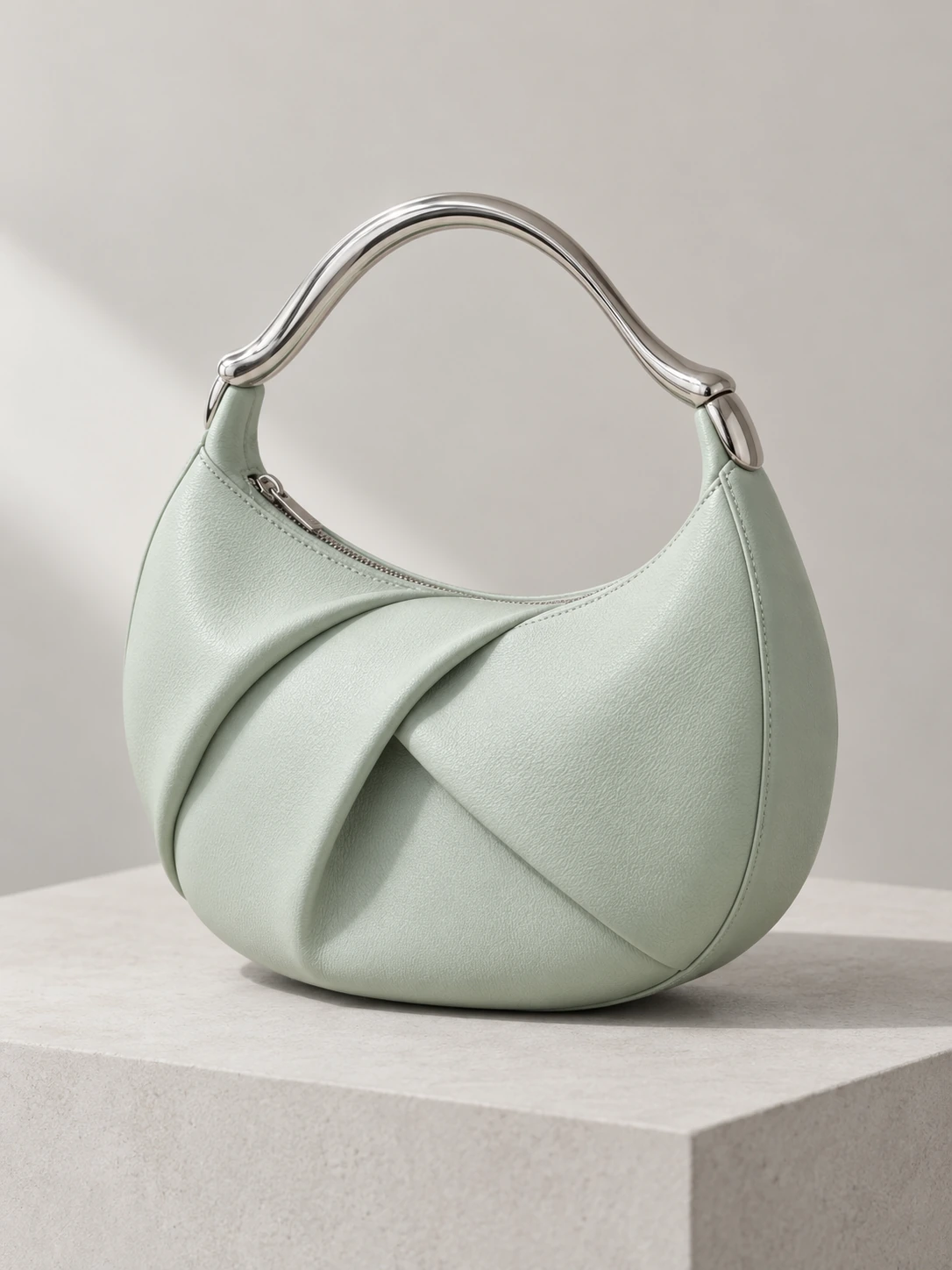
The finished 15-second videoThe product photo
Try a prompt like this
Make a 15-second vertical video from this white-background bag photo: show the bag on a wooden café chair, then a model in an ivory dress taking two small steps on the terrace. Finish on a relaxed close-up of the bag in her hand. Keep the mint color, folded leather and silver handle consistent, with gentle camera movement.
Product Mint crescent bagStory Reveal, style, detailFocus Handle & folds
15 sec · 9:16 · 720pProduct reveal
Shot sequence
Open on the complete bag resting on a wooden café chair. A model takes a few small steps on the terrace, then settles into a closer carrying pose that keeps the silver handle and leather folds in view.
Why Online Sellers Make Product Videos With HappySeeds
For small brands and online sellers, the starting point is often already in your camera roll.
TikTok Shop · Instagram
Fashion & beauty sellers
New styles and shades need fresh videos.
With HappySeeds
Use the photo you have. Choose a creative direction, then make it vertical for TikTok and Reels.
The usual way
Film and edit each item, or commission a creator.
Before you publish Check colors, labels and fit before posting.
Start with the product you want to sell and the story buyers need to see. HappySeeds helps develop the prompt and build the shots; you review the details and finish the video for your channel.
Input · product photo→Output · finished video frame
From a product photo to a finished video frame
Give the product a setting
Upload a sharp photo where the whole product is visible. Describe who uses it, the setting and the details that must stay recognizable. HappySeeds can write the prompt or suggest several creative directions.
Compare the scene with your photo: the mint leather, folded shape and silver handle should still describe the same bag. Ask for changes in plain words before moving on.
The original product photo and a selected frame from the finished 15-second bag video. Open either image to inspect the details.
Build a story, not just a single shot
Choose the finished length, aspect ratio and resolution. A 30-second or one-minute video gives you room to show a reveal, the product in use and the details buyers need.
Example storyboard · 30-second product reveal
0–6 sec
Meet the product
A clean view establishes the bag’s silhouette and color.
6–22 sec
See it in context
The model carries the bag with ivory silk; a gentle movement shows how it sits.
22–30 sec
Remember the detail
Move closer to the handle and leather folds, then hold the full look for the final message.
Review the whole video, then finish it
Check the product across every shot, including transitions. Ask for changes, trim what you do not need, and add voiceover, music and captions. Add your real offer or buying instruction, then download the video for your store or social account.
Storyboard and scene previews illustrate the workflow; they are not a completed video.
Pick a Format for TikTok, Reels, Shorts and Your Store
Choose the shape before you generate: vertical 9:16, square 1:1, landscape 16:9, or other shapes such as 4:3, 3:4 and 21:9. The table below follows each platform's official video and ad specs (checked October 11, 2026); check the latest requirements before you post.
Where you post
Suggested format
TikTok
Vertical 9:16 (recommended by TikTok; square and landscape are also accepted)
Instagram Reels
Vertical 9:16
YouTube Shorts
Vertical 9:16
YouTube videos and your website
Landscape 16:9
Product grids and listings that use square media
Square 1:1
9:16
30 sec · 9:16 · 1080p1080 × 1920
Format preview · one image, different crops
These are example output targets, not platform length limits. Choose the duration for your story and the shape for its placement. HD and 4K options depend on the selected model and plan.
01 · Crescent shape02 · Folds & texture03 · Silver handleDetails to check in your video
Check Product Details Before You Post
Compare the generated video with your original photo before you post it. These steps help:
1
Start with a sharp, well-lit photo where the whole product is visible.
2
Describe the details you want to keep, such as the mint leather, folded shape and silver handle, then check them in the result.
3
Watch the whole clip, not just the first frame, and check the product's shape, colors, label and visible details as it moves.
4
If a detail is wrong, describe the change you want, generate another version and review it again.
AI Product Video Generator FAQ
Can I make a product video from just one photo?
Yes. Upload one clear product photo, describe the scene and the story, and HappySeeds turns it into a product video. You can make several shots or creative versions from the same photo, or add more product photos when they help show different details.
Can I make a 30-second or one-minute product video?
Yes. Describe the whole story you want and make a 30-second or one-minute product video in the same workspace. Review the product across every shot, then add voiceover, music and captions before you download.
Will my product look the same in the video?
AI recreates your product as it moves, so small details such as fine textures, small text or logos can change. Compare the whole video with your photo before you post. If something is off, describe the fix in the chat and generate another version.
Do I need filming or video-editing skills?
No. Start with your product photo, or with a video you like plus your product photo, and tell HappySeeds what you want in plain words. You can add voiceover, music and captions and make light edits in the same workspace.
What if I don't know what to write?
HappySeeds can write a detailed video prompt from your idea, and you can adjust it before you generate. You can also ask for several creative directions and pick the one you like.
Can I remake a video I like with my own product?
Yes. Upload the video file, or paste a TikTok, YouTube, Instagram or X link, and add your product photo. HappySeeds looks at the video's pacing, opening hook and shots, and you describe what to change, such as using your product and your brand colors.
Which AI video models can I use?
HappySeeds supports popular AI video models, including Seedance, Wan 3.0, Wan 3.0 Prime and MiniMax H3. Choose one in the model selector before you generate.
What size should my product video be?
Use vertical 9:16 for TikTok, Instagram Reels and YouTube Shorts, and landscape 16:9 for YouTube videos and your website. HappySeeds also supports square 1:1 and other shapes, so choose one before you generate and check each platform's latest requirements before you post.
Can I create HD or 4K product videos?
HappySeeds supports different output resolutions, including HD and 4K with compatible models and plans. Choose a resolution together with your aspect ratio: 1080p vertical video is 1080 × 1920, while 1080p landscape video is 1920 × 1080. Check the available options for your selected model before generating.
Can I try it for free?
Yes. Sign up without a credit card and get 30 free credits, plus limited-time bonus credits for new users. The same credits work for videos, websites and apps. Credit use varies with the request; check the current offers in your account.
Can I change the video after it's made?
Yes. Ask for changes in the chat, such as a different background or slower camera movement, and generate again. You can also trim the clip and change the voiceover, music and captions.
Can I use the videos in ads and on my store?
Yes. You can use the videos you make with HappySeeds for commercial purposes, including ads, social posts and product pages. Make sure you have the rights to the photos, logos and music you add.
What do I get if I upgrade?
Lite and Pro add monthly credits, higher-resolution videos and watermark-free downloads. See pricing for current plans.
Make Your First Product Video
Upload a product photo and see what you get. No credit card needed.
No product photo yet? Our AI video generator also makes videos from text or from a video you like.


 9:16
9:16