I've had "learn Bubble" on my list for about eighteen months. It sat there, right below "finally finish that landing page," right above "fix the onboarding flow nobody clicks through." And every time I opened a new browser tab to actually look into it, I'd read three paragraphs and close it again.
So I finally sat down, went through the Bubble platform properly, dug into the documentation, poked at real apps built on it, and looked at what founders in my situation — non-technical, have an idea, want to launch something that actually works — are really dealing with when they choose Bubble. Hi, I'm Elin. This bubble app builder review isn't a feature walkthrough. It's a decision review for people trying to figure out if the tool is worth the investment.
Should Non-Technical Founders Still Consider Bubble?
Short answer: it depends on what "non-technical" means for you, and what you're actually trying to build.
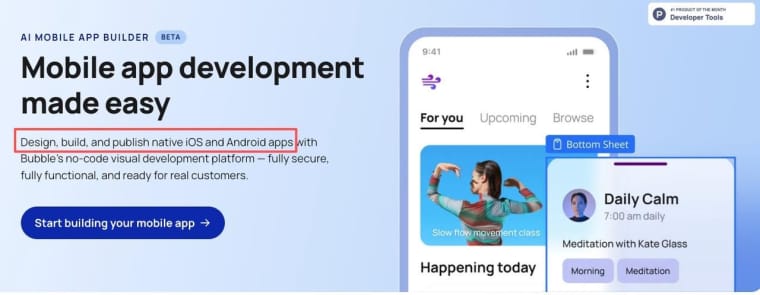
Bubble has been around since 2012, making it one of the longest-standing platforms in the no-code space. There's a reason it's still one of the most referenced tools when people talk about building real web applications without writing code — it's genuinely powerful. Some teams combine the model layer with Codex + Context7 for retrieval. You can build multi-sided marketplaces, internal dashboards, SaaS tools with user authentication, role-based access, complex workflows, and real databases. Actual apps, not just landing pages. As of 2025, Bubble also extended its scope to native mobile, with a public-beta native iOS and Android builder running on React Native under the hood — so the platform now spans web and native mobile from a shared backend.
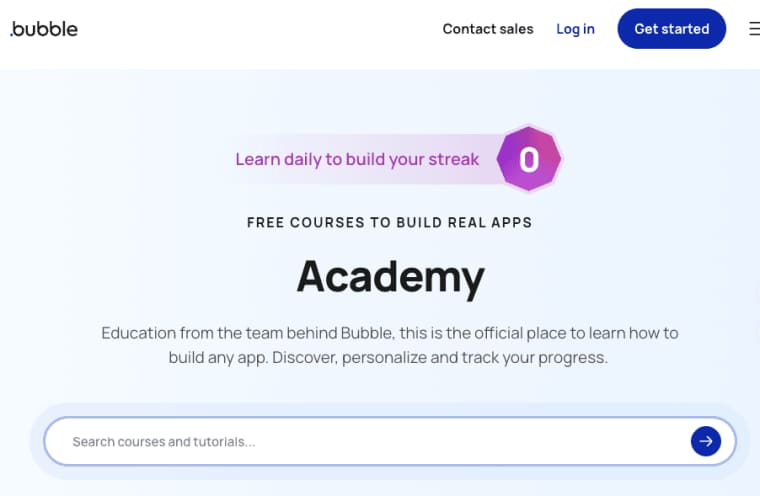
But here's the thing I kept coming back to: Bubble has a steep learning curve for a no-code tool. That's not a knock — it's just honest. The Bubble Academy and documentation is substantial, which tells you something about how much there is to learn. If you're the kind of person who's comfortable spending two to four weeks in tutorials before touching your real project, you'll eventually get comfortable. If you're the kind of person who needs to see something working in a few days or you lose momentum — that's worth knowing upfront.
The bubble io review conversation online is full of people who either love how deep it goes, or bounce off hard in week two.
What Bubble Is Used For
A lot of people land on Bubble expecting something like a website builder. It's not that — and the distinction matters.
A website builder gives you pages, content blocks, maybe a form or two. Bubble gives you a database, a visual workflow engine, user accounts, conditional logic, file uploads, API connections, and a front-end editor all in one place. It's built for apps — things where users log in, do stuff, see different things depending on who they are, and interact with real data.
Common things people actually build on Bubble:
- Marketplaces (buyers, sellers, transactions)
- SaaS tools for niche industries
- Internal ops tools for small teams
- Client portals with login-gated content
- Booking and scheduling apps
- Community platforms
If your project has "users" in the plural sense — not just visitors — Bubble makes more sense than most no-code tools. If it's mainly a website, it's overkill.
How Bubble Works for App Building
Visual Development and Workflows
The Bubble editor splits into two main areas: the visual design canvas and the workflow editor. You design your pages visually — dragging and placing elements, setting up responsive rules — and then you wire up logic through workflows that trigger on events (user clicks a button, a form submits, a value changes).
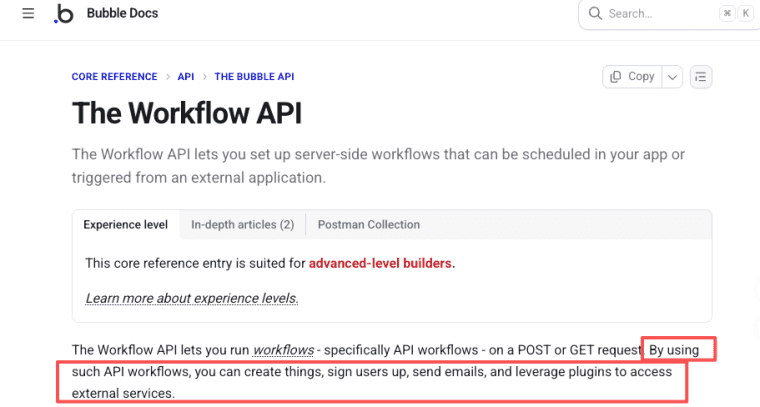
The workflow system is where Bubble gets genuinely powerful. You can chain together actions: create a database record, send an email, update a field, redirect the user, run an API call. All without writing a single line of backend code. Bubble's workflow documentation shows how deep this goes — conditional branches, scheduled workflows, recurring events.
The tradeoff: this is also where it gets complicated. A simple three-step user flow can end up touching five different workflow chains, two data types, and a handful of conditional states. It's learnable, but it's not "open and figure it out in an afternoon" territory.
Website Builder vs App Builder Expectations
This trips people up more than anything else in a bubble review. If your mental model coming in is "I'll design some pages and publish," the Bubble editor will feel disorienting — because you're actually configuring a full-stack application environment, not laying out a website.
The responsive design system in Bubble has improved a lot over the years, but you'll still need to think in terms of containers, alignment rules, and breakpoints more deliberately than you would in a pure website builder. Mobile-friendliness is achievable, but it requires intention, not defaults.
That shift in mental model is probably the biggest thing to calibrate before you commit time to it.
Bubble for AI Apps: What to Check
Data, AI Features, Payments, and Launch Needs
This is the part of any bubble io review that's usually thin, so I went and dug into it specifically.
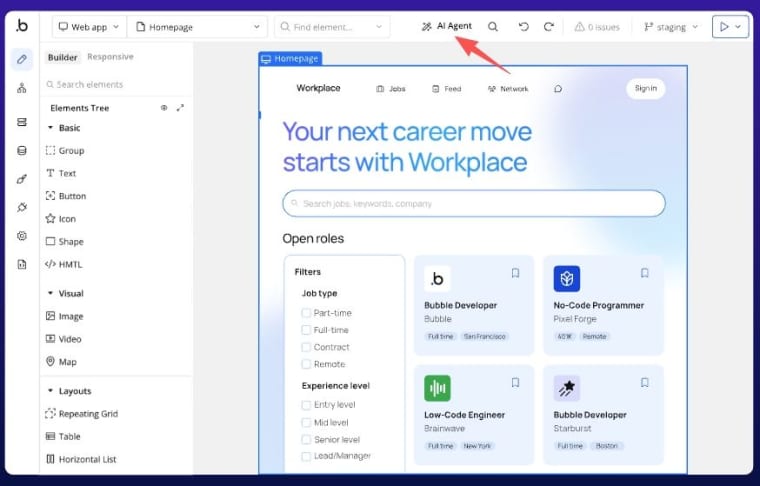
AI features: Bubble has both an AI app generation feature that can scaffold initial page structures from a text prompt, and — as of late 2025 — an in-editor AI Agent that can build elements, troubleshoot workflows, and walk you through steps it can't fully automate yet. Useful for getting unstuck and for rough layouts, but it's not generating a complete, configured application. You still own the database structure, the workflows, and the business logic. Think of it as a head start and a co-pilot, not a shortcut to a working product. Bubble's AI-assisted app creation page covers what's currently possible.
Data: Bubble has a built-in database. You define data types (think tables), set fields, and query that data throughout your app. It's real data that persists — not demo content. For most early-stage apps, it's sufficient. As apps scale, some teams hit performance limits and have to architect around them, but for launch and early validation, it works.
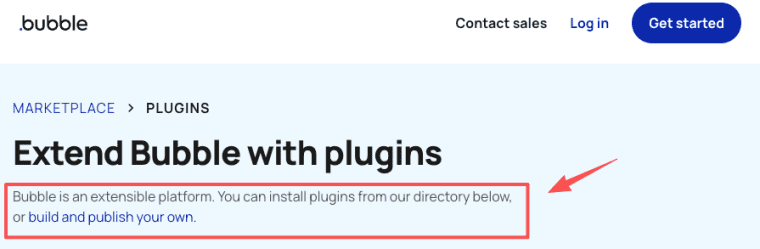
Payments: Bubble supports Stripe integration through plugins. It's not a native one-click payment setup — you configure the Stripe plugin, handle webhook logic, and map payment states to your database. It's doable, but there's meaningful setup involved. Expect to spend real time on this if payment flows are central to your app.
Custom domains and SEO: Custom domains are supported on paid plans. SEO on Bubble apps is an ongoing topic — dynamic content and single-page application patterns can make standard SEO harder to configure. Bubble has made improvements here, but it's worth researching your specific use case before assuming it works the way a traditional website does.
Pricing: Bubble's pricing as of 2026 uses a tiered plan structure. The free tier is useful for building and testing, but you'll need a paid plan to go live on a custom domain. Paid plans start in the range that makes sense for early-stage projects, but costs scale with usage and feature needs. Worth reading the current pricing page carefully — the plan structure has changed over time.
When to Compare Bubble Alternatives
This isn't a section about which tool to switch to — it's about the signals that tell you Bubble might not be the right fit for your specific situation.
Consider looking at other options if:
- Your primary deliverable is a content-heavy website with light interactivity. Bubble's complexity is better justified when you need real application logic. Webflow is worth evaluating here — it's purpose-built for content-driven sites with strong SEO defaults.
- You need to move from idea to something testable in days, not weeks. Bubble rewards patience and study. If your timeline is short or you lose momentum without visible progress, the learning curve is a real risk. Glide or Adalo offer a significantly faster on-ramp for simpler use cases.
- AI generation is central to your app's value. Bubble's AI features help with scaffolding, but they don't deeply wire into AI model APIs out of the box. You can integrate via API, but it's not a native AI app experience.
- You want payments, SEO, and a custom domain to work without significant configuration. These are achievable in Bubble — but none of them are "turn on and go."
- Your app is primarily mobile-native and needs to ship at production quality now. Bubble does have a native mobile builder, but it's still in public beta as of 2026, and feature coverage is uneven compared to more mature native builders. FlutterFlow is worth a serious look if you need a more battle-tested native iOS and Android path. WeWeb is worth considering if avoiding vendor lock-in on the web side is a priority — it exports front-end Vue.js code (note: front-end only, so you'll pair it with a separate backend like Xano or Supabase), which Bubble does not.
The low-code and no-code category continues to grow as more builders look to skip infrastructure overhead — but the 'right tool' question increasingly comes down to how much complexity a founder is willing to absorb upfront versus at launch.
Bubble sits firmly in the "high ceiling, high investment" zone. That's genuinely valuable if what you're building needs that ceiling. It's a cost if you don't.
All pricing, features, and platform details in this bubble app builder review reflect information available as of mid-2026. Bubble's plans and features update periodically — always check the official site for current specs.
If you've already built something on Bubble — or tried and walked away — I'd genuinely like to hear what you ran into. The most useful part of any tool review is usually what didn't make it into the article.
FAQ
How does Bubble work for non-technical founders?
Bubble uses a visual editor combined with a workflow engine. You design pages by dragging elements, define data types in its built-in database, and build logic through visual workflows that trigger on user actions. While no coding is required, it still demands structured thinking. Most non-technical founders need 2–4 weeks of focused learning before they feel productive.
What is the difference between Bubble and a traditional website builder?
This is a common point of confusion in any Bubble website builder review. Unlike Webflow or Squarespace, which focus on pages and content, Bubble is a full-stack visual application platform. It's designed for building interactive applications — across web and, more recently, native mobile — with user accounts, databases, and complex logic, rather than marketing websites. If your project is mostly content-driven, Bubble may feel like overkill.
How powerful is the Bubble AI app feature?
Bubble offers AI-assisted tooling on two levels: a generation tool that scaffolds initial page layouts and structures from a text prompt, and an in-editor AI Agent (rolled out in late 2025) that helps build elements and troubleshoot workflows as you go. Both are useful accelerators, but you still need to build the database, workflows, and business logic yourself. It's helpful for prototyping and getting unstuck, not a complete "describe and deploy" solution. For deeper AI integration (calling external models), you'll use API connectors.
Is Bubble suitable for beginners in 2026?
It depends on your definition of “beginner.” Bubble has one of the highest ceilings in the no-code space, but it also has a steeper learning curve than simpler tools. If you’re patient and willing to go through tutorials, it’s very rewarding. If you need to launch something testable within a few days, you might find the workflow system frustrating at first.
What do people usually say in a Bubble website builder review?
Opinions are split. Many praise its depth and ability to build real, scalable applications without code. Others criticize the learning curve and the gap between “technically possible” and “realistically doable in limited time.” The consensus in most Bubble website builder review discussions is: excellent for complex apps (marketplaces, SaaS, portals), but often too heavy for simple websites or when speed-to-launch is critical.