
I'm Elin. A founder hears "build apps without coding" and naturally imagines the hard part is over. Then the first customer asks to reset a password, change a team member's access, download an invoice, or recover a lost submission. That is where no-code app development becomes product work rather than a clever demo.
A real no code app has a user, a job to finish, data that must persist, and a release path someone can maintain. This guide follows one small service-business example from first sketch to live workflow.
What No-Code App Development Includes
No code app building is the practice of using visual configuration, reusable components, templates, data connections, or AI-assisted generation to make software without writing the usual application code by hand. The result can be a public web app, a client portal, an internal workflow, or a mobile app.
The useful boundary is simple. A brochure site explains a service. A form collects a request. An app remembers who made the request, gives the right people access, moves the work through a process, and makes the next action clear.
Consider a three-person design studio that currently handles client briefs through email, a shared drive, and a spreadsheet. The studio does not need a giant operating system. It needs one place where a client can submit a brief, upload assets, see the current status, approve a draft, and receive a payment reminder.
Choose the Right Build Route
Visual Builder, Template, or Prompt-to-App
A visual builder works well when the team needs unusual screens, custom logic, or more control over how the experience behaves. It asks the founder to make more design decisions, but it can be a reasonable route when the workflow will not fit a standard pattern.
A template-led route starts closer to a recognizable business shape: portal, directory, booking tool, dashboard, or simple CRM. It can save time when the work is already structured around records and repeatable steps.
Prompt-to-app begins with a written product plan. It can be useful when a non-technical founder can describe the customer, the input, the saved information, the outcome, and the edge cases more easily than they can arrange screens on a canvas. Treat the generated result as a draft to inspect, not a substitute for a no-code development process.
Web, Mobile, or Internal Workflow
Choose the delivery surface before choosing the builder. A web app is often the lowest-friction option for a service workflow because clients can open it from a link. A mobile app makes more sense when the work happens away from a desk: field checks, appointment visits, image capture, or fast staff updates. An internal workflow may need neither public marketing nor app-store distribution, but it can require stronger permissions and clearer ownership.
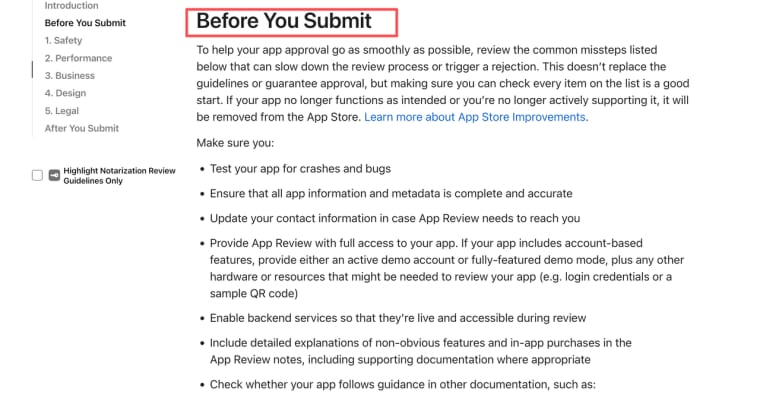
Do not choose mobile just because it sounds more complete. Store release introduces another set of operational decisions. Apple's submission requirements for customer-facing apps apply to the finished product, whether the team built it with code, no-code, or both.
Define the Smallest Valuable App
User, Job, Data, and Success Condition
The studio example becomes useful when it is reduced to a single promise: "A client can submit a complete brief and know what happens next without sending a follow-up email."
Write four lines before opening any builder:
| Decision | Studio example |
| Primary user | A new or returning design client |
| Job | Submit a brief and review the next delivery step |
| Data needed | Contact details, project type, files, status, approval note |
| Success condition | The team can start work with no missing information, and the client sees a confirmed next step |
This is the center of no-code MVP development. It prevents a familiar trap: adding messaging, white-labeling, advanced reports, team chat, and automated recommendations before the basic brief-to-status loop works. A smaller scope also gives you a cleaner test. If clients abandon the intake, you can see where. If the team still copies details into a spreadsheet, you know what the next change should address.
Design the Data and User Journey
Start with the records that must survive a browser refresh. In the studio app, that probably means a client record, a project record, a brief submission, uploaded assets, and a status history. Give each record an owner and decide who can create, view, edit, or delete it. A client should not see another client's project merely because a filter was configured incorrectly.
Then map the journey as states, not a pile of screens:
- Client opens a private invitation or sign-in route.
- Client completes the brief and uploads permitted files.
- The app confirms receipt and assigns the work to the studio.
- The studio reviews missing information, updates status, and requests clarification where needed.
- The client reviews the milestone or approval request.
- The project is completed, paused, or closed with a visible record of what happened.
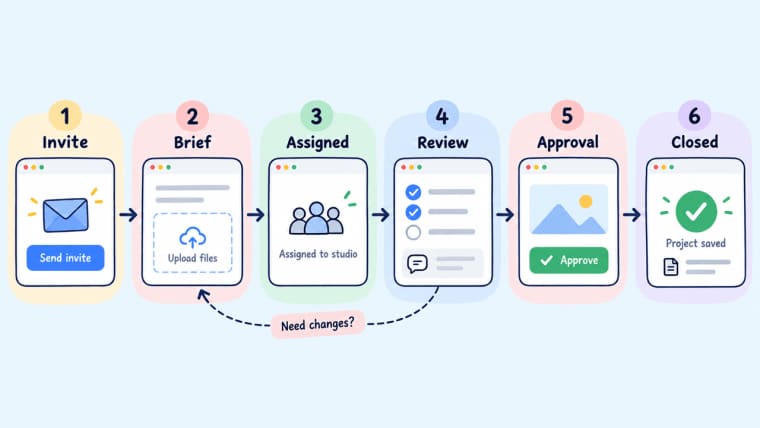
The point is not to automate every step. The point is to prevent an unclear handoff. Password recovery, session handling, and authorization deserve specific attention rather than a casual "login" checkbox. OWASP's authentication guidance is a useful reminder that account recovery, generic error messages, sensitive actions, and session management all affect a customer's real experience.
Build and Test in Reviewable Stages
Prototype, Working Flow, and Production Check
A prototype answers, "Can people understand the workflow?" It can use sample client names, dummy files, and manually updated statuses. Test it with the studio's own team first. If nobody can explain what happens after a brief is submitted, the problem is the flow, not the code.
A working flow answers, "Can this process carry real but limited work?" Use a handful of representative briefs: a complete request, an incomplete request, an oversized or unsupported file, a client who needs a correction, and a project that must be paused. Record what the app did, what a person had to fix, and what the client saw. This is where good no-code product launch decisions are made.
A production check answers, "Can we make the promise publicly?" Test the published URL in a new browser and on a phone. Create a customer account, test the real permission boundaries, send a notification if one exists, retry a failed action, and check how the team will respond when a customer cannot proceed. Keep a short release note with the date, version, change, owner, and rollback choice.
Prepare the Launch Stack
Domain, Authentication, Payments, Analytics, and Support
A launch stack is the collection of decisions around the app, not a row of logos at the bottom of a landing page. For the studio, it includes a domain the client recognizes, authentication that matches the sensitivity of the work, a payment path that reflects the actual service, basic analytics, a support inbox, and a clear way to report an issue.
Add payment only when the customer can understand what access or delivery they are buying. A deposit, a completed milestone, or a monthly client service can all be valid triggers. "Pay to unlock more app features" is less persuasive when the app is really a service workflow. Define failed payment behavior before the checkout goes live: what stays visible, what pauses, who receives a notice, and how a customer gets help.
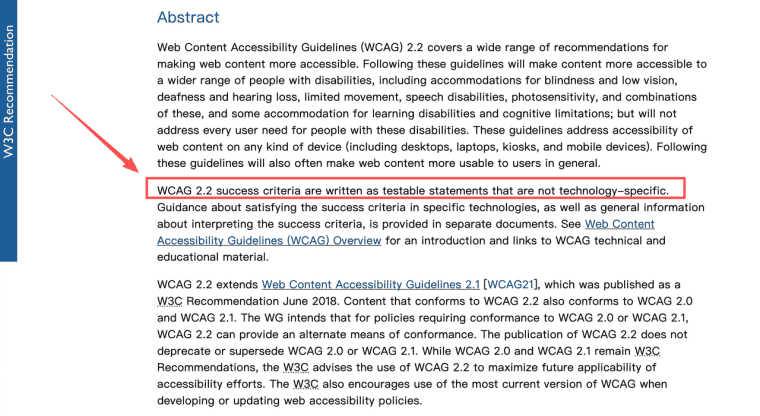
Accessibility belongs in this stage too. A visual builder can provide components, but it cannot guarantee that the specific app has usable focus order, clear errors, adequate contrast, and understandable forms. The testable criteria in WCAG 2.2 are a better review lens than simply calling a theme accessible.
Plan for Maintenance and Change
Every app gets a second request. In the studio's case, it may be "add an approver from the client's marketing team" or "keep final assets visible for ninety days after project closure." Write down the data affected, the roles affected, the customer-facing change, the owner, and the rollback plan before editing.
Also decide who owns the builder account, domain, payment account, data connection, and any external credentials. A project that works only while one freelancer remembers the setup is not a stable business asset. Keep a small handoff record with the live URL, billing owner, integrations, database location, routine tasks, and what must be tested after an update.
Limits and Risks of No-Code Development
No-code is not a shortcut around privacy, security, accessibility, contract terms, or regulated data. It changes the tools used to build the app, not the responsibility for the experience. Regional data hosting, payment rules, data retention, consent, and audit requirements vary by vendor and jurisdiction. Verify them against the current service terms and your own obligations before you collect sensitive information.
There is also a product risk: a builder can make it cheap to add features that make the app harder to understand. Keep one owner responsible for scope. Avoid turning every client request into a permanent configuration option. And leave human review around exceptions, refunds, permissions, and commitments that could affect a customer materially.
Where HappySeeds Fits
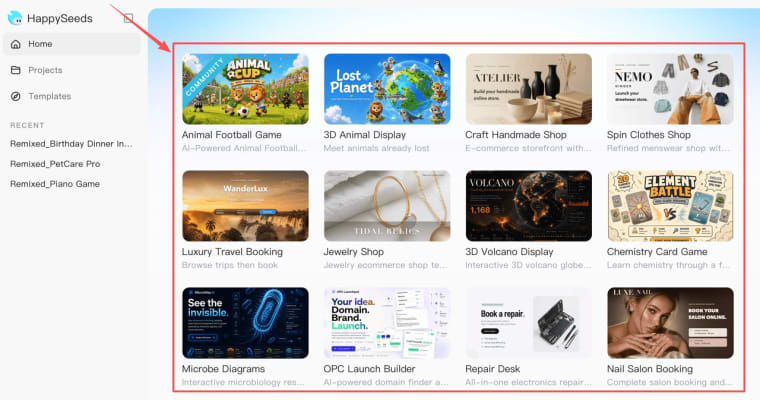
HappySeeds fits the prompt-to-app route when the founder can articulate a focused customer workflow but does not want to begin with an empty visual canvas. For the design studio, the starting instruction might describe the brief fields, client and team roles, file rules, project states, approval moment, and a simple payment reminder. That is enough to shape a first product conversation without pretending the first generation is ready for public use.
The practical next step is to turn the idea into a project, review the generated experience, and test the visible workflow before publishing. HappySeeds' create, edit, and publish flow is useful for that sequence. When the app needs saved records, a domain, environment settings, or ongoing operational visibility, the cloud services layer gives the right areas to verify in the actual workspace. It does not remove the founder's responsibility to confirm the precise access, data, payment, and support requirements.
Build Something Your Team Can Carry Forward
No code app development is most valuable when it turns a messy recurring task into a clear, reviewable experience. Start with one user, one job, and one visible outcome. Then build the data, permissions, release checks, and maintenance habits needed to keep that promise after launch.
Explore More Topics:
FAQ
Can a no-code app connect to an existing coded backend?
Often, yes, through a supported API, connector, or custom integration path. The important question is not whether a request can be sent, but who owns authentication, error handling, rate limits, data mapping, and monitoring once the connection is live.
Can an existing spreadsheet remain the system of record after launch?
It can for a small, low-risk workflow, especially during an early test. Set a clear rule for which system wins when data conflicts. If several people edit records or customers rely on live status, a spreadsheet can become the source of confusion rather than the source of truth.
Which no-code vendors offer regional data hosting?
This varies by vendor, plan, underlying service, and region. Ask each provider for its current hosting, subprocessors, backup, transfer, and retention details before treating a location claim as part of a customer promise.
Can a client take ownership of a no-code project without sharing the creator's account?
Sometimes, but account transfer, project transfer, billing ownership, data connections, domains, and payment accounts may have separate rules. Make the handoff plan part of the project agreement before work begins, not a favor negotiated after launch.
Do no-code platforms support right-to-left interfaces and locale-specific formats?
Some do, but support can vary across forms, tables, notifications, dates, currencies, uploaded documents, and mobile layouts. Test the exact language and locale with real content before offering it to customers.


