
A no code web app is not a landing page with a form attached. It is a browser product that remembers something, gives people the right access, moves work through clear states, and still makes sense after the first customer asks for a change.
I’m Elin. I learned this while sketching a client portal for a small service team. The original idea sounded tiny: let clients submit a request, check project status, approve a deliverable, and pay for the next phase.
Then I wrote down the real work hiding inside it: two user roles, five project states, six sample requests, one failed upload, and one payment that did not go through. The records were synthetic, not customer data. But they exposed the difference between a first screen and a useful product.
The app only became real when a client could see its own work, a team member could update status without touching billing, and a failed action led somewhere useful.
Define the Web App's Core Job
Start with one sentence: “This app helps this user complete this job.”
For the portal, the job is not “manage projects.” It is: “Help a client submit work, see what happens next, approve deliverables, and complete payment without chasing the team through email.”
That sentence stops the first version from becoming a random collection of features. A web app needs a user, an action, a saved record, and an outcome. If a visitor can complete the task with one public form and no reason to return, you may not need an app yet.
Before you build web app no code, identify the repeated problem that deserves its own interface. Then define the first success condition. In this example: a new client can submit a request, return later, see its status, and approve a deliverable without staff reconstructing the context manually.
Map Pages, Roles, Data, and States
Turn the workflow into parts people can inspect before you build.
| Layer | Client portal example |
| Pages | Sign-in, dashboard, new request, project detail, approval, payment result |
| Roles | Client, team member, administrator |
| Data | Client, project, request, file, approval, invoice status |
| States | Draft, submitted, in progress, waiting for client, approved, closed |
| Acceptance criteria | Clients see only their own records; staff can update status; approval does not alter billing |
This is more useful than an early feature list because it exposes missing decisions. Who can reopen a closed request? Can a client replace an uploaded file? What happens if payment succeeds but the customer closes the browser before the confirmation page loads?
Write the answers down. They become the acceptance criteria you will test before publishing.
Choose a No-Code Build Route
No code web app development has several starting points. Choose one based on the part that is actually slowing you down: interface design, a known workflow pattern, or turning a rough idea into something reviewable.
A visual builder suits founders who want to arrange each page, component, and rule themselves. A template-led route makes sense when the workflow resembles a portal, directory, booking process, CRM, or approval system.
A prompt-led route is useful when you can explain the customer, pages, records, roles, and outcome, but do not want to begin with an empty canvas. The prompt is still a product brief. If you cannot describe what should happen after a user signs in, AI will not make that decision for you.
Visual Builder, Template, or Prompt-to-App
Use a visual builder when you need unusual screens or precise interaction control. Use a template when adapting a familiar structure is faster than inventing one from scratch.
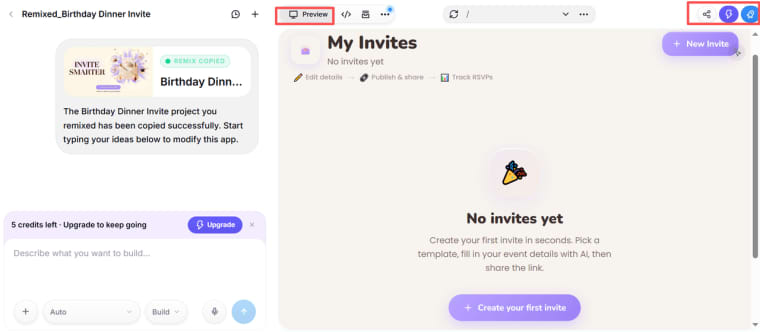
Use prompt-to-app when the hard part is translating a business workflow into a first version. HappySeeds suits nontechnical users who want to build and publish a web application through conversation. It can be configured as a client portal with persistent data, authentication, role-based access, and a Stripe payment flow. Those layers are not automatically complete after generation: founders still need to configure the exact features, test client-to-client data isolation, verify role boundaries, and run end-to-end payment tests before launch.
Its create, edit, and publish workflow is a useful starting point for moving from an idea to a live URL. It does not make the first draft production-ready by default; it gives the founder something concrete to review.
Build the Smallest End-to-End Workflow
Build no code web app features in the order a user experiences them, not in the order that feels most exciting to design.
For the portal, the first complete loop is simple: a client signs in, creates a request, sees confirmation, returns to check status, reviews a deliverable, and takes the next required action.
Do not begin with advanced reports, a giant admin dashboard, or ten optional settings.
In my sample portal, one request had no attachment and another reached approval before payment was configured. Those were useful failures. They showed the app needed a “missing file” state, a “payment pending” state, and a staff action that did not require editing records directly.
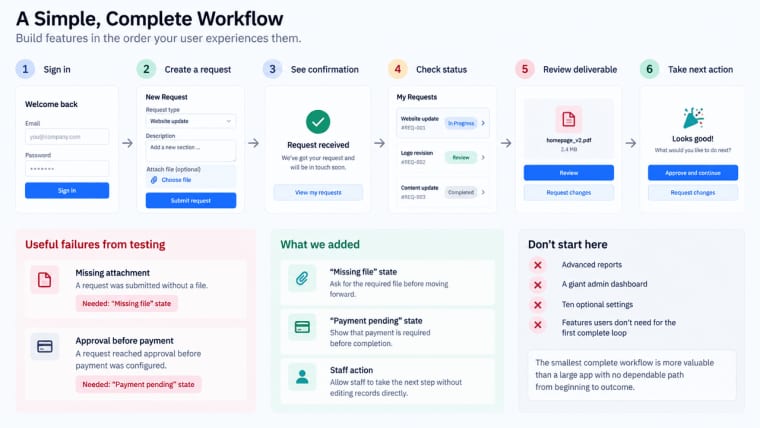
The smallest complete workflow is more valuable than a large app with no dependable path from beginning to outcome.
Add Authentication and Real Data
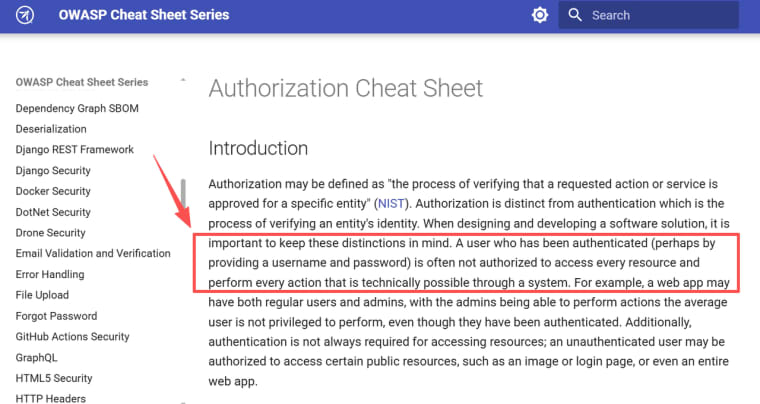
Authentication confirms who someone is. Authorization decides what that person can see or do. They are related, but they are not the same thing.
For the client portal, signing in should not let Client A view Client B’s project just because both have valid accounts. A team member may update a project status without gaining billing administration rights.
OWASP’s authorization guidance makes the principle clear: a verified identity does not automatically have access to every resource or action.
Plan real data before collecting it. Name each record, identify its owner, define who can read or edit it, and decide how correction or deletion requests should be handled. Test with separate client accounts in a fresh browser. A preview is not proof of data isolation.
HappySeeds can support a customer portal with persistent data, configured authentication, role-based access, and a Stripe payment flow. For example, a client can submit a request and view its own project records, while a team member updates status and an administrator manages operational settings. The exact portal behavior still depends on the project configuration. Before launch, test separate client accounts, role boundaries, payment success and failure states, and whether private records remain isolated across the published app. Its cloud services overview is the right place to verify database, domain, secrets, and related configuration.
Test Errors, Permissions, and Mobile Layouts
A no-code web app tutorial often ends once the happy path works. Real users begin where that path breaks.
Test incomplete forms, expired sign-in links, failed uploads, denied access, duplicate payment clicks, and lost connections. Then test the same workflow as every role you defined.
For the portal, ask:
- Can Client A reach Client B’s project by changing a URL?
- Can a sponsor approve a deliverable without editing project details?
- Does a missing file produce a clear next action?
- Does the primary mobile action remain visible when the keyboard opens?
Use actual phones as well as browser resizing. Responsive preview helps, but it does not reproduce every upload, keyboard, browser, or network problem.
Publish With a Domain, SEO, and Analytics
Publishing means more than clicking “go live.” Configure a stable domain, confirm the production URL, test sign-in and payment, and separate public pages from private client records.
SEO matters when people should discover public pages through search. It does not help a private dashboard. For public pages, use clear titles, useful content, accessible navigation, and pages search engines can crawl. Google’s SEO Starter Guide is a practical baseline because it focuses on helping users and search engines understand the same page.
Add analytics after publishing, then measure actions that matter: completed signups, submitted requests, approved deliverables, started checkout, completed payment, and support requests. Page views are not enough if nobody reaches the app’s main outcome.
Maintain the App After Launch
The first release begins maintenance.
Give the app a named owner and keep a short record of its pages, roles, data sources, integrations, payment account, domain, and support route. When a workflow changes, test every affected role and record before publishing again.
Look for repeated friction. If clients keep asking where their request is, improve the status view. If staff keep correcting the same field manually, add validation. If payment questions fill the inbox, review the payment states and customer messages.
To develop web app without coding is not to remove maintenance. It is to keep routine improvements closer to the people who understand the workflow.
Limits and Risk Checks
No-code does not remove product, legal, or security decisions.
Check plan limits, account ownership, backup and export options, accessibility, payment eligibility, data location, and third-party terms before making a customer promise. AI generation does not automatically create a secure, compliant, or production-ready application.
Be especially careful with sensitive personal data, health information, financial credentials, children’s data, or high-impact decisions about people. Those uses may require safeguards and review beyond a general-purpose app builder.
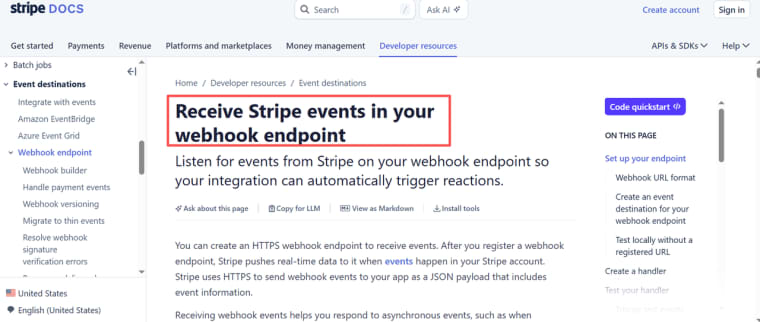
For payments, test success, failure, cancellation, refunds, and webhook-driven changes. Stripe recommends using a secure endpoint and verifying webhook signatures before trusting event data. Its webhook guide is relevant even where a builder handles part of the connection.
Build the First Workflow You Can Actually Support
A web app becomes useful when a real user can complete a real task without someone quietly stitching the experience together behind the scenes.
Start with pages, roles, data, states, and acceptance criteria. Build one complete loop. Test the mistakes people will actually make. Then publish only when your team can explain who owns the next change.
That is how you build no code web app products that last longer than the first impressive demo.
Explore More Topics:
FAQ
Can a no-code web app share a database with an existing site?
Sometimes, through a supported database connection, API, or integration. Define which system owns each record, who can change the schema, and how permissions are enforced before connecting to a live database.
When does a web app need transactional email?
Use transactional email when a user needs reliable confirmation of an important event: account verification, password recovery, a submission receipt, approval result, payment receipt, or security alert. Marketing email is not a substitute.
Can an external service trigger a workflow through a webhook?
It can when the builder and connected service support a webhook or API route. Verify the source, authentication, retries, duplicate-event handling, and failure logging. A webhook should trigger a visible, testable action.
Can the finished app expose an API for partner systems?
Some builders support APIs or external connections, while others focus on internal workflows. Confirm the plan, authentication options, rate limits, documentation, monitoring, and support policy before treating an API as a partner-facing feature.
Which builders offer regional data hosting for web-app records?
This varies by vendor, plan, primary storage, backups, logs, authentication provider, and payment processor. Ask for current written details on region, subprocessors, retention, transfers, and export options. Do not make a regional-storage promise from a general marketing page.


