Choosing between TRAE Work and an AI app builder is not really about which tool has the louder AI promise. It is about what you are trying to ship. If the goal is to create work assets, such as research summaries, presentations, project files, analysis, or internal execution plans, TRAE Work may fit the job. If the goal is to build a product that users can log into, use repeatedly, pay for, and discover through search, you are in AI app builder territory.
That distinction saves founders from a common mistake: comparing tools by feature lists instead of comparing them by business outcome. Elin here. I checked TRAE's official product, pricing, and changelog pages before writing this. As of July 6, 2026, TRAE Work is presented less like a public app launch platform and more like a professional AI workspace for producing work outputs.
Disclosure: This is an editorial comparison, not a sponsored review. I am comparing TRAE Work against the category of AI app builders at the workflow and product-readiness level, not claiming that every app builder has the same feature set or that TRAE Work cannot be used creatively outside its official positioning. The comparison scope here is narrow: internal work production versus repeatable user-facing product delivery.
TRAE Work vs AI App Builders: The Practical Difference
The practical difference is simple enough: TRAE Work is officially positioned as a professional AI work assistant, while an AI app builder is usually chosen when the goal is to create a user-facing product with login, saved data, payments, SEO, analytics, and repeat usage. Browser automation pairs well with the Codex Browserbase flow.
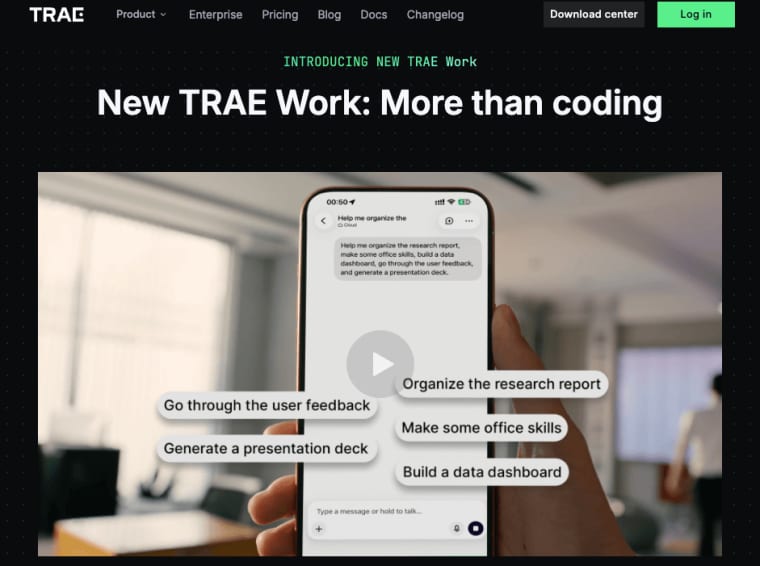
TRAE's official website describes TRAE Work as "Your Professional AI Work Assistant" and presents it as "More than Coding." The page shows work examples such as reading and analyzing research papers, generating literature reviews, researching a short-video platform and generating a presentation, mining AI market data, analyzing a project repository, generating a code wiki, and creating a game.
An AI app builder points somewhere else. It is for founders who want to build AI app workflows that other people can use. The output is not just a file or a plan. It is a product experience.
Internal execution workspace versus launch-ready user product
A workspace helps you do the work. A launch-ready product helps users do the work themselves. That sounds small until you try to charge for it.
Internal execution might mean creating a PRD, analyzing files, drafting a presentation, researching competitors, or turning scattered project material into something structured. The user is usually the founder, operator, analyst, developer, or internal team.
A launch-ready product needs more. It needs accounts, saved data, onboarding, permissions, payments, SEO, a custom domain, analytics, support paths, usage limits, and iteration. These are not decorative features. They are what let strangers use the product without you sitting next to them explaining every step.
So the founder's question is not "Is TRAE AI powerful?" It is "Am I producing work output, or am I serving end users?"
What to Verify About TRAE Work Before Comparing It
Before comparing TRAE Work with AI app builders, verify what the official TRAE pages actually say. The TRAE Work product page confirms several positioning points: it has a standalone app, desktop, web, and mobile access, work and code modes, global file management, an intuitive chat experience, deeper tool integration, multiple delivery formats, project workspaces, real-time preview, comments, revisions, and cloud-powered parallel execution. The same page also says TRAE Work can read and reason across different types of context, including a .docx spec, a .csv dataset, a .pptx deck, or a Python script. That is useful for founders comparing it against general-purpose office workflows.
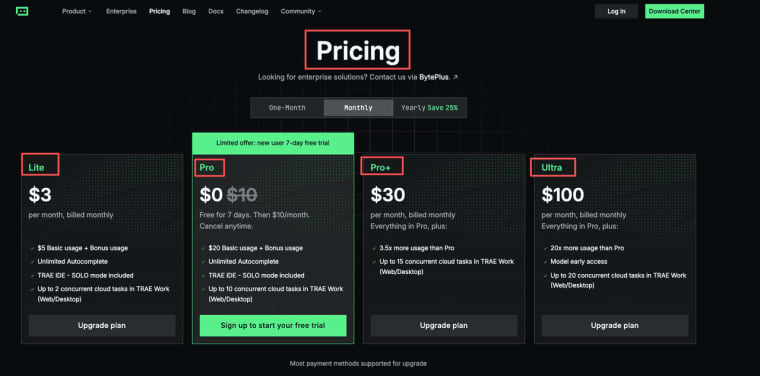
TRAE's pricing page lists plans, basic usage, queue priority, autocomplete limits, concurrent cloud tasks, SOLO mode, and model early access. Pricing and limits can change, so I would check the live page before making a budget decision.
Official positioning, supported inputs, output types, integrations, and availability
Here is the clean verification pass:
| Area | What TRAE's official pages currently indicate |
| Positioning | TRAE Work is presented as a professional AI work assistant and "More than Coding." |
| Inputs | The product page names .docx specs, .csv datasets, .pptx decks, and Python scripts as examples of context it can read and reason across. |
| Output types | The page shows examples such as literature reviews, presentations, market trend analysis, code wikis, and project outputs. |
| Modes | TRAE Work is presented with Work and Code modes. |
| Workspace | The product page says project files live in a single Workspace, with comments, revisions, and results side by side. |
| Availability | The main TRAE site offers TRAE Work downloads and web access, but founders should still check their own region, account, and plan. |
| Pricing | The pricing page lists Free, Lite, Pro, Pro+, and Ultra tiers, with different usage and cloud task limits. |
TRAE's changelog is still worth checking before publication, even if it does not always give you a detailed product history. For fast-moving AI tools, the product page, pricing page, and your own account test usually matter more than old screenshots. AI tools change quickly, and founders should not base a comparison on stale screenshots.
Founder Decision Checklist
The fastest way to choose is to stop asking which tool is more advanced and ask what job the tool needs to perform. A founder needs a tool that reduces the next business risk.
Are you producing work assets or serving end users?
If you are producing work assets, TRAE Work may be the better fit. Work assets include internal plans, research notes, market analysis, repository explanations, presentation drafts, operational documents, and early product specs. Those assets matter. A founder often needs to clarify the workflow before launching anything public.
If you are serving end users, the bar changes. A user-facing workflow needs to survive without founder assistance. Users need to understand what to do, add their own data, receive useful output, save progress, return later, and possibly pay.
That is where app generation becomes different from work generation.
Do you need login, roles, saved data, payments, SEO, custom domain, and analytics?
If your workflow needs login, roles, saved data, payments, SEO, custom domain, and analytics, you are building a product.
A paid AI app cannot just be a clever prompt. It needs infrastructure around the AI layer. Login lets users return. Saved data makes the workflow repeatable. Payments test whether the value is real. SEO and a custom domain help cold users understand and trust the product. Analytics show whether people activate, leave, return, or pay.
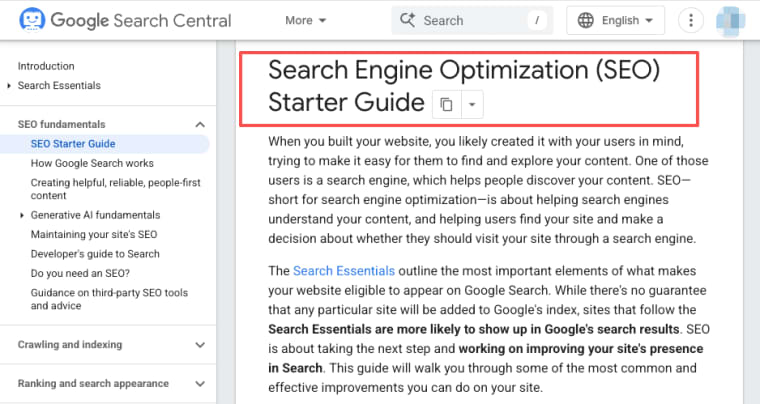
For payment planning, founders can look at established payment infrastructure such as Stripe Payment Links as a reference for how simple paid access can start. For search visibility, Google's SEO Starter Guide is still a useful baseline for public product pages.
Will users return weekly, invite others, or pay for the workflow?
A one-time output may belong in a workspace. A repeatable workflow may deserve an app. If users need the workflow every week, every client intake, every campaign, every report, every class, or every support cycle, the product case gets stronger. If they would invite teammates, save results, compare past outputs, or pay for access, you are no longer just producing internal work.
When TRAE Work May Be the Better Fit
TRAE Work may be the better fit when the primary user is you or your internal team. That includes founders, operators, analysts, product managers, developers, or small teams trying to move faster through messy work. The official TRAE Work examples lean toward research, analysis, presentations, project repositories, code-related work, and structured outputs.
PRDs, documents, planning, operations, and internal execution tasks
TRAE Work makes sense when the deliverable is an internal artifact or execution output. A founder might use it to analyze source material, shape product thinking, organize project context, draft internal documents, or produce a presentation from research.
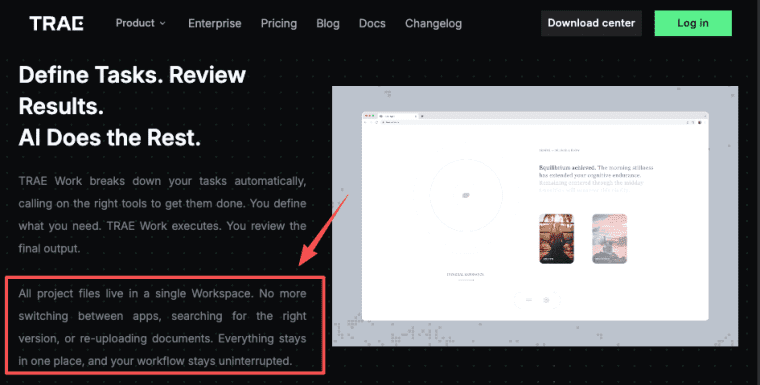
The official page does not require us to guess that it is workspace-oriented. Its language is clear: define tasks, review results, and AI does the rest. It also says all project files live in a single Workspace, which is exactly the kind of setup founders need when turning scattered material into something usable.
The mistake is assuming that a strong internal workspace automatically gives you a customer-facing product system. It may help you design the workflow, but you still need to verify the launch layer: accounts, permissions, saved state, payments, analytics, support, and public onboarding. It may help create the product logic, but it does not necessarily replace the launch layer.
When an AI App Builder Is the Better Fit
An AI app builder is the better fit when the workflow needs to become something other people can use. This is especially true for non-technical founders who want to test demand, charge for access, onboard customers, and improve the workflow after launch.
Public workflows, monetization, repeat users, onboarding, and product iteration
Use an AI app builder when the workflow needs public access, monetization, repeat users, onboarding, and product iteration.
A consultant might use TRAE Work to organize an assessment framework. But if clients need to fill out the assessment, receive personalized results, save history, and pay for a premium version, that should become an app. A creator might use TRAE Work to structure course material. But if students need a companion tool that remembers progress, generates exercises, and returns weekly, that needs product infrastructure. A small team might use a workspace to define an internal workflow. But if employees need role-based access, saved workflows, analytics, and repeat usage, an app builder may be more appropriate.
The product question is always the same: will real users repeat this workflow without founder assistance?
How Founders Can Use Both Categories Together
The best answer is not always either-or. A founder can use TRAE Work to shape the workflow, then use an AI app builder to launch the repeatable version. That is often healthier than trying to launch too early or staying in internal documents forever.
Use workspace tools to shape the workflow, then launch the repeatable product
A practical sequence looks like this: use TRAE Work to research the problem, organize context, draft the process, analyze inputs, and create internal working material. Then move the repeatable part into an app builder when the workflow is clear enough for users.
The workspace stage answers, "What are we trying to do?" The app builder stage answers, "Can users do this themselves, and will they come back?" This split is useful because founders often need both. They need a place to think and execute internally. Then they need a product layer for public users, monetization, onboarding, data, SEO, analytics, and iteration.
Do not rush past the workspace stage if the workflow is still unclear. Do not stay there if users are already asking for a repeatable product.
Explore More Topics:
FAQ
Is TRAE Work an AI app builder or an AI workspace?
Based on TRAE's official positioning, TRAE Work is closer to an AI workspace or professional AI work assistant than a dedicated AI app builder. It emphasizes work execution, files, tasks, work and code modes, project context, and professional outputs. Founders should choose an AI app builder instead when they need public users, login, payments, SEO, analytics, custom domains, and product iteration.
What should founders verify before choosing TRAE Work?
Founders should verify current availability, plan limits, supported input formats, output types, workspace behavior, cloud task limits, pricing, data handling, and integrations from official TRAE sources. The product page and pricing page are the best starting points, but each founder should also test the workflow in their own account before relying on it for important work.
When does a workflow need a public app instead of an internal workspace?
A workflow needs a public app when external users must access it repeatedly, bring their own data, save progress, receive personalized outputs, pay for access, or invite others. If the workflow only creates internal planning value, a workspace may be enough. If customers need to use the workflow themselves, it likely needs product infrastructure.
What launch features matter most for a paid AI app?
The most important launch features are login, saved data, onboarding, payments, SEO, custom domain, analytics, usage controls, and iteration tools. The AI model matters, but the business depends on whether users understand the product, complete the workflow, trust the output, pay for value, and return when the same job appears again.