Hi, my friends, Elin here. I opened the Kimi K3 AI launch page for one reason: I wanted to know whether this was something a founder should actually build around, or just another shiny model tab I would leave open until midnight.
The short version: Kimi K3 is Moonshot AI's 2.8T-parameter flagship model for long-context work, coding, reasoning, agents, and native visual understanding. It is powerful. It is also still only the model layer.
That second sentence matters. A capable model can make a demo feel alive. A product still needs users, saved data, billing, onboarding, permissions, support, and a reason for someone to come back tomorrow. So yes, Kimi K3 is worth understanding. Just do not confuse model access with a finished AI app.
What Is Kimi K3 AI?
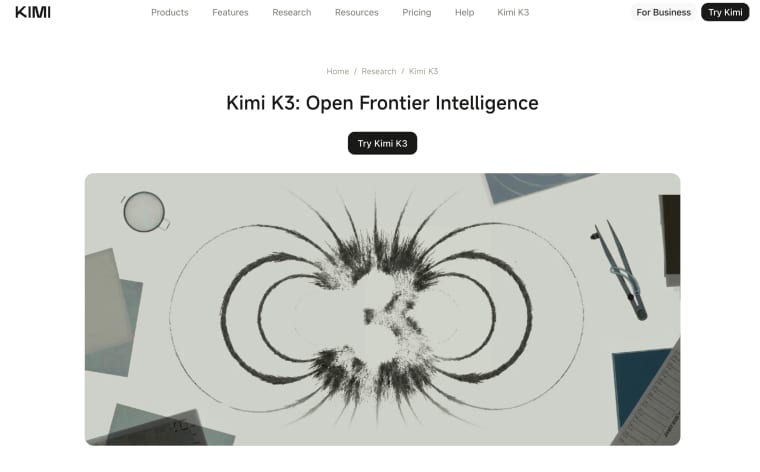
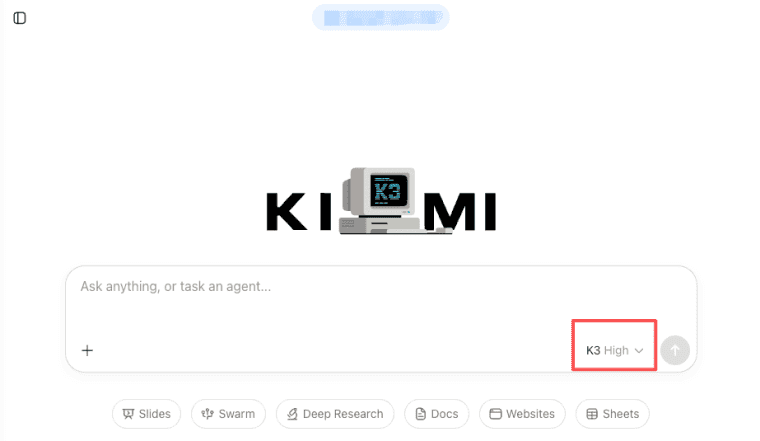
Kimi K3 AI is the newest flagship model from Moonshot AI, the company behind the Kimi assistant and Kimi developer platform. In plain founder language: Kimi is the user-facing AI workspace, Moonshot AI is the company, and K3 is the model powering some of the most capable current Kimi experiences.
The current Kimi model list identifies kimi-k3 as Kimi's most capable model, with native visual understanding and a 1M-token context window. That makes it interesting for long PDFs, codebases, research files, screenshots, structured outputs, and agent workflows.
That does not mean every app should use it. A birthday caption generator probably does not need a 1M-token model. A contract review tool, research dashboard, coding assistant, or client-report generator might.
| Field | Kimi K3 detail | Why founders should care |
| Developer | Moonshot AI | Provider risk, API access, data policy, and availability start here. |
| Model ID | kimi-k3 | Store this as configuration, not a hardcoded promise. |
| Context window | 1M tokens / 1,048,576 tokens | Useful for long documents, codebases, and multi-file research. |
| Parameters | 2.8T total parameters | A scale signal, not a product guarantee. |
| Modalities | Text + native vision | Helpful for screenshots, documents, images, and visual review flows. |
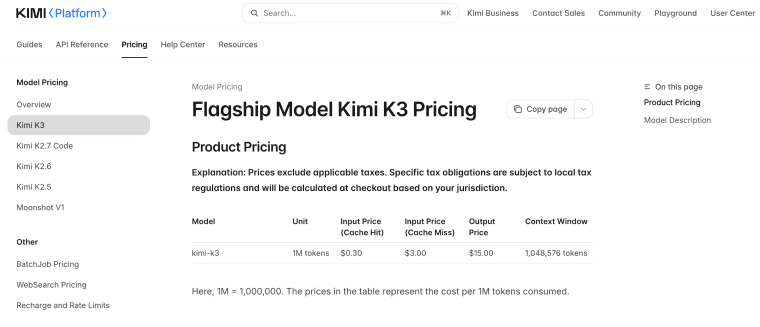
| API pricing | $0.30 cached input, $3.00 input, $15.00 output per 1M tokens | Cost depends on prompt size, repeated context, and output length. |
Moonshot AI, Kimi models, K3, and K3 Swarm in plain terms
This gets confusing because people use "Kimi" to mean several things at once.
Kimi is the assistant product. Kimi Work is a desktop-style agent workspace. Kimi Code is for terminal and IDE workflows. The Kimi API is the developer surface for putting Kimi models inside your own software. Inside Kimi's own product overview, K3 is listed for chat and agent tasks, while K3 Swarm is positioned for large-scale search and batch processing. See Codex in Gumloop when the workflow lives outside a code editor.
So I would not treat K3 Swarm as "a bigger chat mode." If your app needs one careful output, start with K3. If it needs many coordinated searches or batch tasks, evaluate K3 Swarm. Lovely, useful, money-saving boring questions.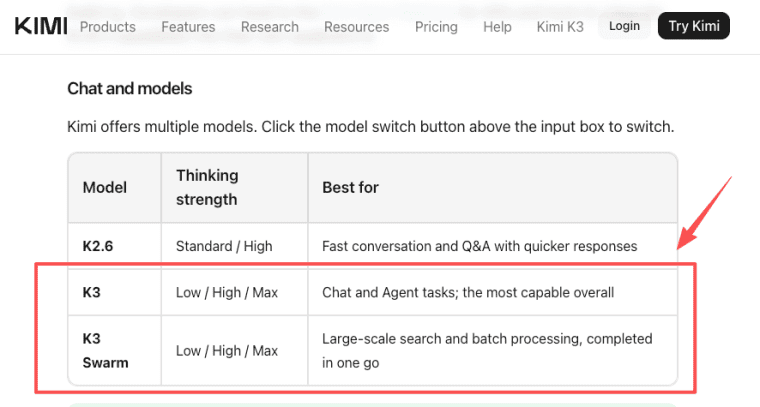
Why Founders Are Paying Attention
Founders are paying attention because Kimi K3 lines up with the exact places where many AI apps break: long context, files, agent steps, structured outputs, coding, and visual material. A normal chatbot can answer a short prompt. A product often needs more.
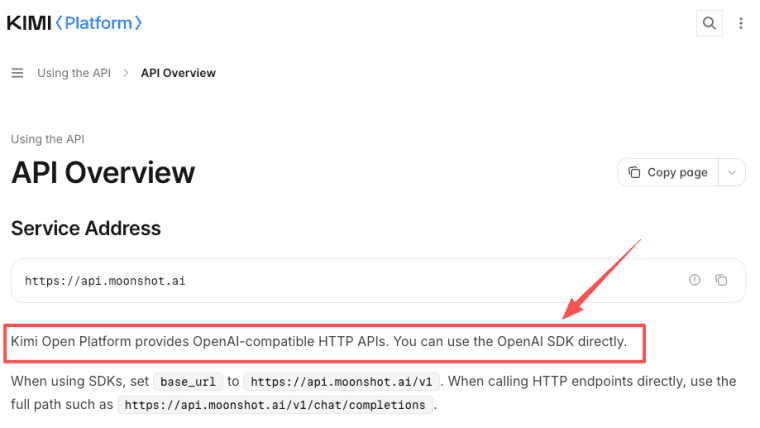
The Kimi API overview also describes OpenAI-compatible HTTP APIs. That can reduce engineering friction if your stack already works with OpenAI-style clients. But compatible does not mean identical. Prompts, tool calls, JSON behavior, latency, limits, and errors still need testing.
Long context, agent tasks, coding workflows, multimodal work, and model availability
Long context can help with contracts, research files, technical documents, customer logs, transcripts, and multi-file analysis. Agent tasks can help with research and operational workflows. Coding ability may help app builders create internal tools or coding assistants. Multimodal work may matter when documents, images, or video inputs are part of the product.
A useful compatibility test should include at least five runs: one short prompt, one long-document prompt, one structured JSON output request, one tool-calling or agent-style request, and one intentional failure case such as missing input or oversized context. For each run, record model ID, input size, output size, latency, error message, retry behavior, and whether the result followed the requested schema. That gives founders better evidence than one impressive demo answer.
Model availability is also a product risk. Kimi membership, Kimi Code, and the Kimi API are different product paths, and the API platform explicitly distinguishes pay-as-you-go API access from consumer membership products. Do not assume one subscription equals production API access.
What Kimi K3 Can Help an App Builder Explore
Kimi K3 is most interesting when the product depends on a lot of context or a multi-step task.
Think less "chatbot" and more "task engine."
Research tools, dashboards, coding assistants, workflow apps, and document-heavy products
A research tool might use Kimi K3 to synthesize long documents into briefs. A dashboard might turn uploaded reports into structured insights. A coding assistant could help explain codebases, generate tests, or draft fixes. A workflow app might use K3 to transform inputs into repeatable outputs: audit notes, summaries, plans, or checklists.
Document-heavy products are the obvious fit. The Kimi API supports file upload for extraction, image understanding, and video understanding, with documented limits such as 100 MB per file and 1,000 files per user.
But there is a trap here. Long context is not memory. File upload is not product storage. A model reading a document is not the same as your app managing projects, permissions, history, exports, deletion, and billing.
What the Model Does Not Make Product-Ready
This is the part founders should not skip. A strong model does not automatically create a business.
A commercial app needs identity, persistence, payments, support, and user trust.
User accounts, persistent data, payments, credits, SEO, permissions, support, and customer onboarding
User accounts let customers return. Persistent data lets the app remember projects, uploads, outputs, and preferences. Payments and credits translate model usage into a business model. SEO helps the product explain itself to cold users. Permissions matter when teams or clients share work. Support matters when a run fails or output quality drops.
Customer onboarding matters most of all. If users do not know what to upload, what result to expect, or how to judge the output, they will blame the app even if the model works.
That is why an AI app builder should start from workflow design. The model is one component. Product readiness comes from the surrounding system.
Cost and API Checks Before Building Around Kimi K3
Before building around Kimi K3, check the access path you actually need. Kimi membership, Kimi Work, Kimi Code, and the Kimi API are not the same product path. If you are building a user-facing app, you probably care most about API access, pricing, rate behavior, file handling, and data policy.
For API cost, the key detail is that Kimi K3 pricing separates cached input, normal input, and output. The Kimi K3 API pricing page lists K3 as a flagship model with a 1M-token context window, context caching, ToolCalls, JSON Mode, structured output, Partial Mode, and internet search support. The broader billing explanation also notes that extracted document content becomes billable when passed into the model as input.
In normal builder language: long files can get expensive if you send them again and again. Before pricing your own product, answer five questions:
| Question | Why it matters |
| How large is the average input? | Long documents can dominate cost. |
| How long is the expected output? | Output is usually the expensive side. |
| Can repeated context be cached? | Reused reference material may cost less. |
| Does the app need tools or search? | Tool usage changes behavior and billing. |
| What happens when usage spikes? | You need limits before users find the edge for you. |
If you cannot explain the cost of one successful user session, do not price the product yet. Guessing is fun until someone uploads a giant PDF and your margin quietly leaves the room.
Production Risks Founders Should Notice
Kimi K3's own launch material includes a few production-relevant cautions, and these are more useful than the hype.
First, K3 is sensitive to thinking about history. If an agent harness does not pass back the full assistant message history in the expected way, or if a session switches models midstream, quality can become unstable. Conversation state is not just a UX detail.
Second, K3 can be more proactive than you want. Moonshot notes that the model may make unexpected decisions when tasks are ambiguous. In a customer-facing app, it needs boundaries.
So give the model a smaller job than your imagination wants. "Extract renewal dates from this contract" is safer than "handle this client project." "Review visible UX issues in this screenshot" is safer than "decide what to do." The more freedom you give an agent, the more visible your guardrails need to be: approvals, logs, retry rules, human review, and clear user boundaries.
Productization Checklist Before You Build
Before turning Kimi K3 into a real app feature, answer the product questions first: who pays, what they upload, what result they save, where they can correct the model, how usage maps to pricing, and what happens when Kimi K3 is slow, expensive, unavailable, or wrong.
The model is one component. The app is the full experience around it.
If you want to turn a model workflow into a live app with saved projects, payments, SEO, and user-facing flows, a Vibe App platform like HappySeeds can help you think beyond the API layer.
Build Around the Workflow, Not the Headline
Kimi K3 AI is worth watching because it brings long context, native vision, coding strength, reasoning, and agent workflows into one capable model path. For app builders, that can unlock research tools, document workflows, coding helpers, client portals, dashboards, and internal operations apps.
But the winner is not the founder who adds the newest model name to a landing page.
The winner is the one who turns that model into a repeatable user result: upload this, review that, save the output, share it, pay for it, improve it next time.
So my advice is boring, and I mean it warmly: pick one workflow, test messy real inputs, calculate cost, design the review loop, and only then decide whether Kimi K3 belongs in the product. The model can be impressive. The product still has to be useful.
Update note: Refreshed August 11, 2026. Kimi model names, pricing, API behavior, availability, and open-weight terms can change, so verify current details before making customer-facing promises.
Explore More Topics:
FAQ
Is Kimi K3 free to use?
Kimi K3 may be available through Kimi's consumer products depending on region, account, and plan, but that is different from API usage. If you are building a public app, check the API billing path.
Should founders mention Moonshot AI in customer-facing copy?
Mention Moonshot AI only when it helps users understand the technology provider or when terms require disclosure. Do not overuse the provider name as the product's main value. Customers usually care more about the workflow result, data handling, support, and reliability than the model brand.
Is Kimi K3 open weight?
Yes, Kimi K3 has an open-weight release through Moonshot AI's Kimi K3 model card. If you plan to self-host or commercialize around it, review the current license, deployment requirements, hardware needs, and usage restrictions first.
Can Kimi K3 handle long PDFs or codebases?
Kimi K3 is designed for long-context work, and the API supports file workflows for extraction and multimodal understanding. The real question is whether your app can manage upload limits, parsing failures, privacy expectations, review states, and cost.