



Free App Builder for Small Businesses

Describe your app in plain words and HappySeeds builds a working web app for you. Store data in the built-in database, add customer logins, connect your own Stripe account to take payments, and publish on the free plan.

Build it free →

No credit card · Publish on the free plan · Unlimited projects

  1. $0No credit card
  2. 30free credits to start, plus limited-time bonus credits for new users
  3. 1 roundto build a booking app on the free plan and publish it to a live link, in our test on October 10, 2026

Make an App for Free: What the Free Plan Includes

Yes, you can make an app and publish it for free. Sign up without a credit card and start with 30 free credits, plus limited-time bonus credits for new users. In a test on October 10, 2026, we built a booking app in one round on the free plan and published it to a live link. How many credits an app uses depends on what you ask for and how many changes you make.

$0/ month
What you can doOn the free plan
Build with AI
30 free credits, plus limited-time bonus credits for new users. You can also earn credits through daily rewards and actions like deploying. Offers may change.
Publish your app
Click Deploy to get a public link. Hosting is included.
Projects
No limit on the number of projects
Save data
A built-in database for records like bookings and orders
Customer logins
Add sign-up and login to your app. Google sign-in needs a setup step with your Google account, explained in our guide.
Take payments
Connect your own Stripe account for checkout or subscriptions
Templates
30+ templates to start from, many built for small businesses

Need more? Lite and Pro add monthly credits, a custom domain, and code export with GitHub sync. See pricing for current plans.

A Real App, Not a Prototype

You can build an app that stores customer records, supports customer logins and accepts payments through your own Stripe account. In a test on October 10, 2026, we submitted a test booking on the published app. The booking confirmation was still visible after we refreshed the page. We also saw a bookings table in the app's database panel.

A nail technician at her salon desk (illustrative photo)
Luxe Nail template, built with HappySeedsLuxe Nail template
A florist wrapping a bouquet (illustrative photo)
Local Flower Shop template, built with HappySeedsLocal Flower Shop template
A candle maker pouring wax in her studio (illustrative photo)
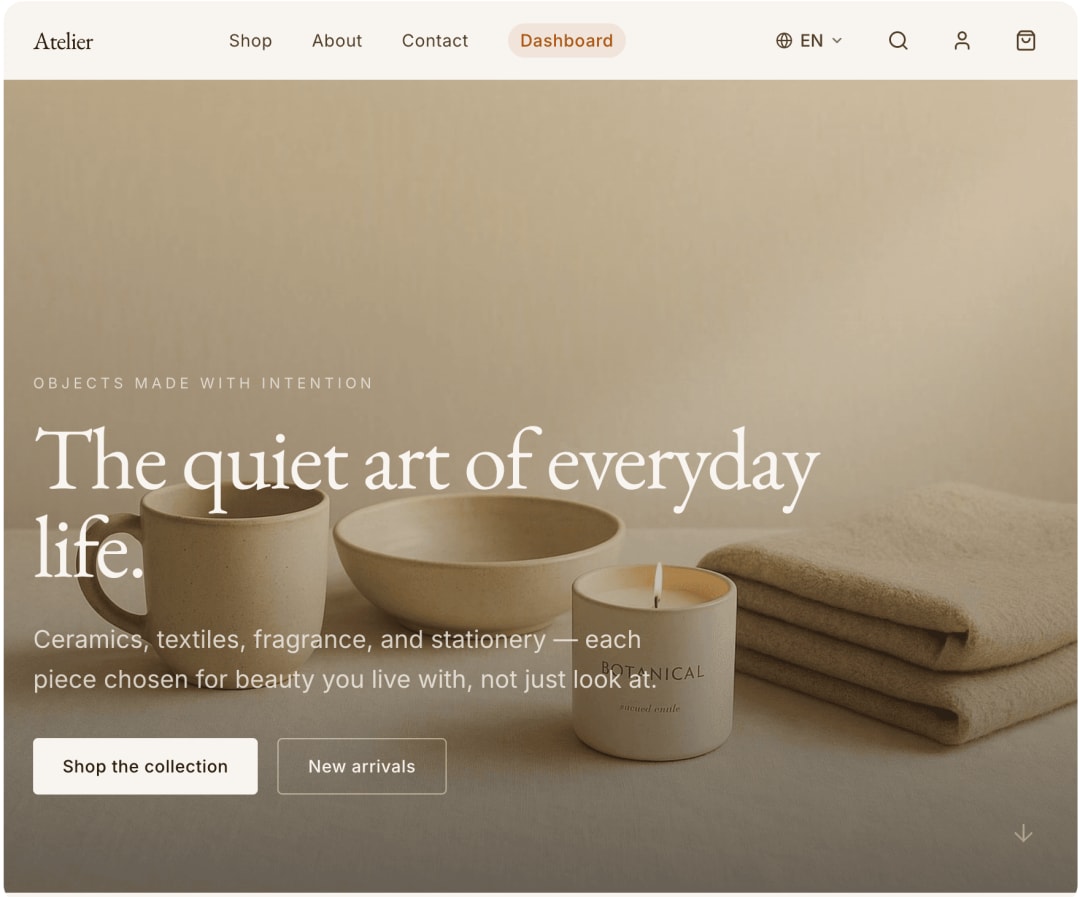
Atelier template, built with HappySeedsAtelier template
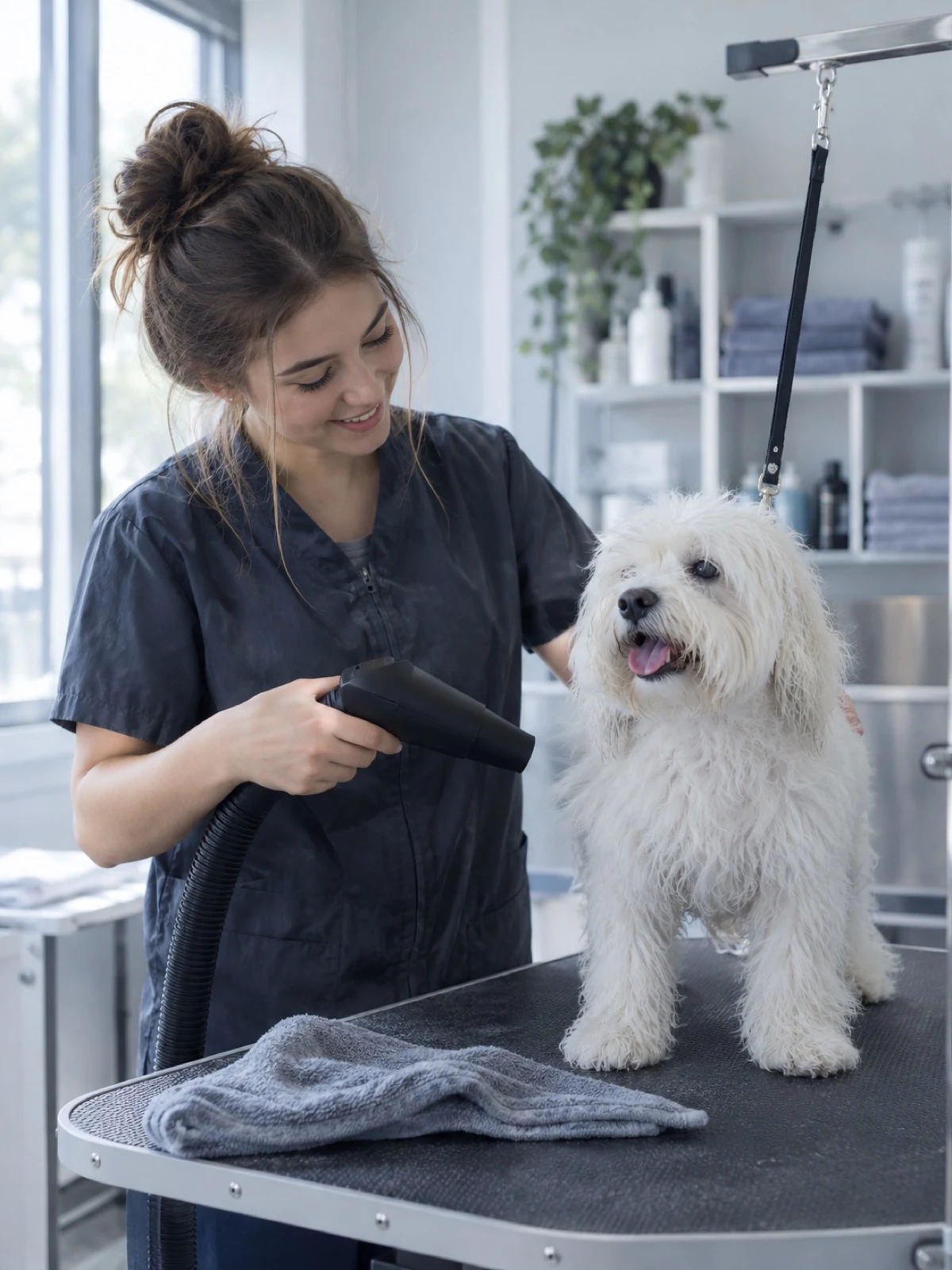
A groomer drying a small white dog (illustrative photo)
PetCare Pro template, built with HappySeedsPetCare Pro template

Photos are illustrative. The app screens are real HappySeeds templates.

Store bookings, orders and customer records

Use the built-in database to store what your customers submit, such as bookings and orders, and open the database panel to see your app's tables. Before you share the app, submit a test entry and check that it's saved.
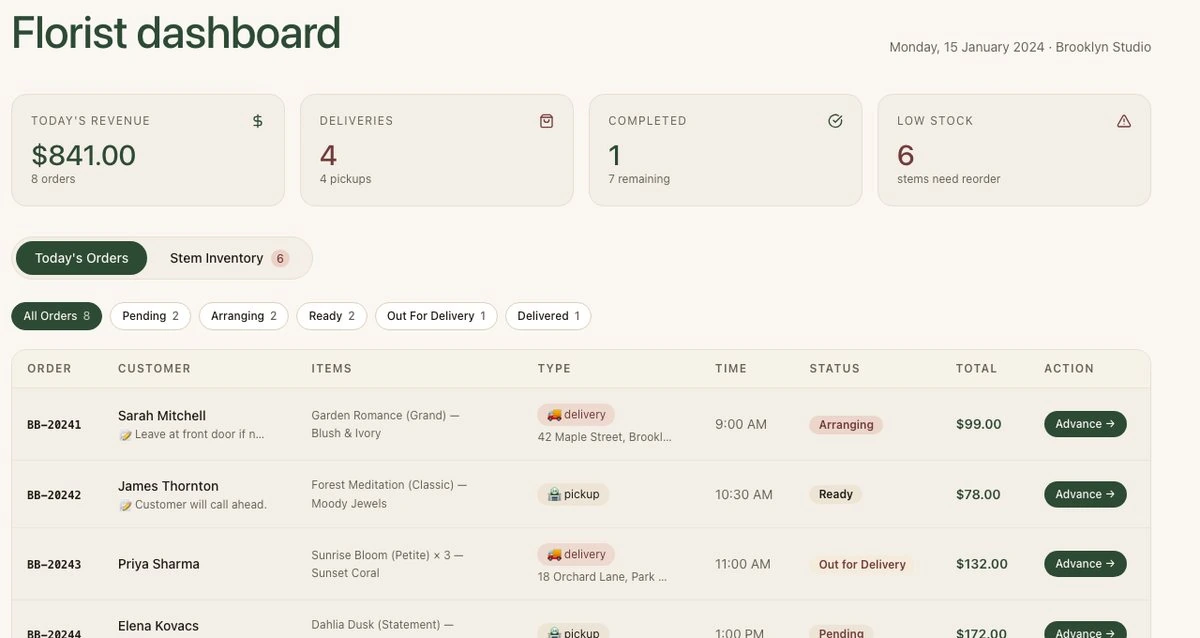
Orders dashboard in the Local Flower Shop template, with today's orders and their status

Add customer logins

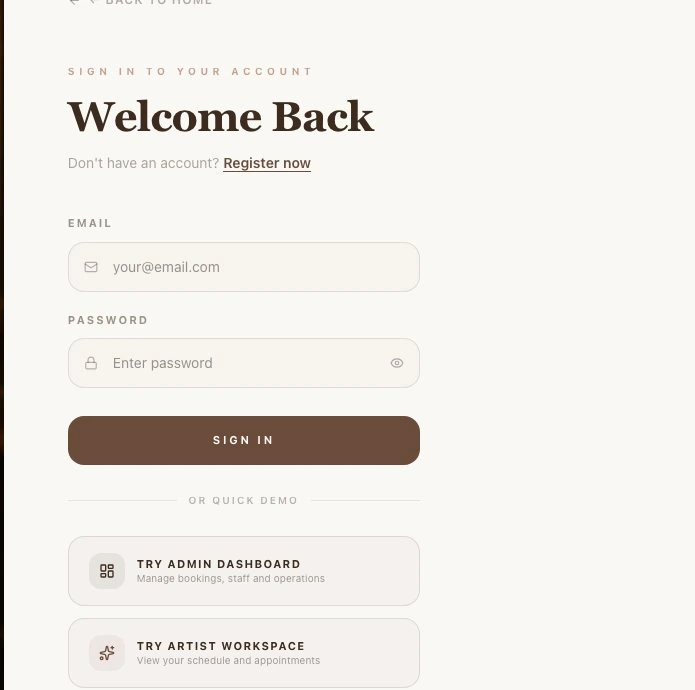
Your app can include sign-up and login for your customers. To let them sign in with Google, follow our Google sign-in setup guide to add a client ID and client secret from your Google account. They tell Google which app is asking.

Customer sign-in page in the Luxe Nail template

Take payments with your own Stripe account

Connect your Stripe account by following our Stripe setup guide: you add your account keys and turn on payment notifications (a webhook) so your app knows when someone pays. Your app can then offer checkout or subscriptions, and payments go to your Stripe account.

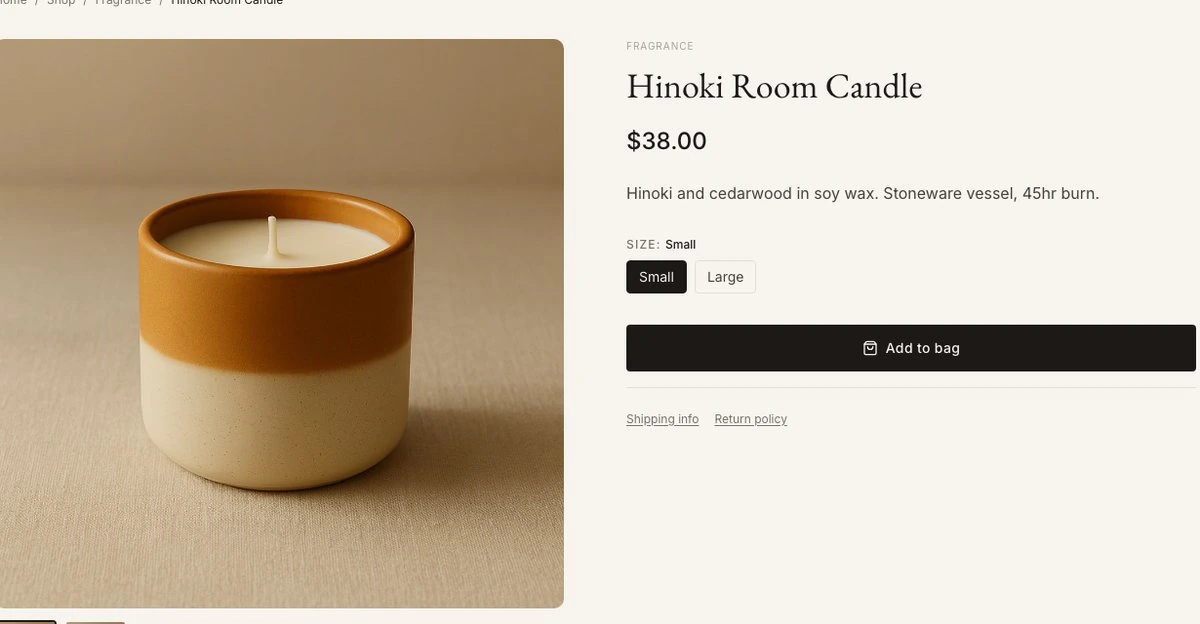
Product page with an Add to bag button in the Atelier template

Hosting is included

Your app runs on HappySeeds' cloud. You don't rent a server or set up deployment. Click Deploy and you get a public link.

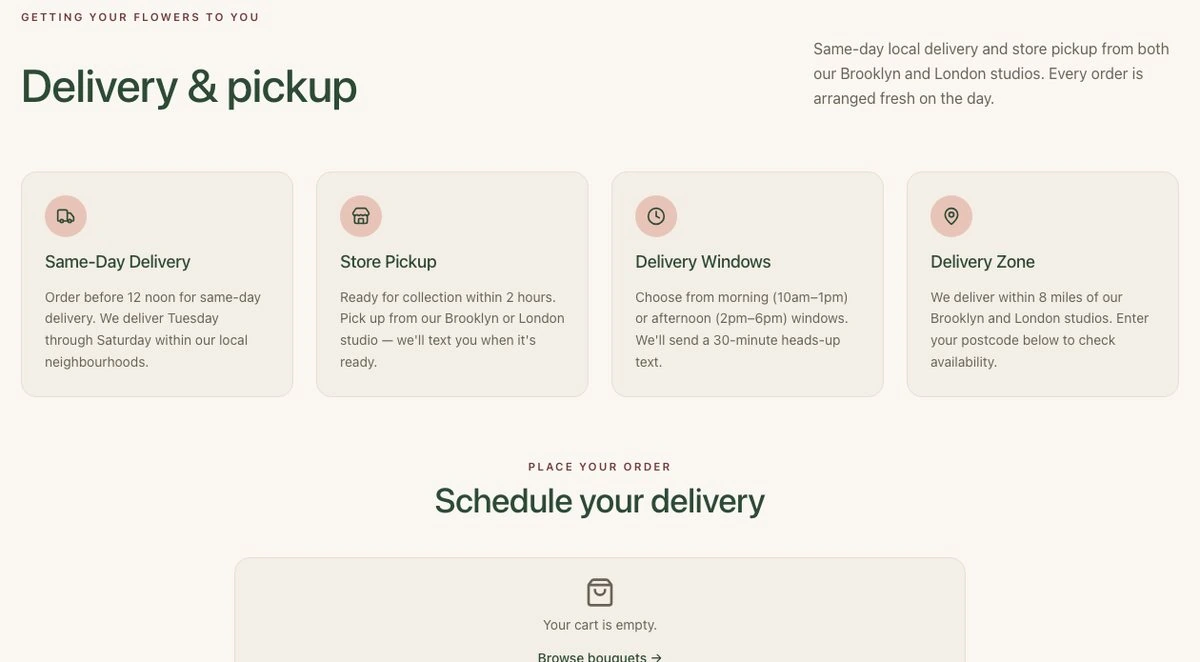
Delivery page of the published Local Flower Shop app
app-08782bd336.happyseeds.space

Add AI to your app

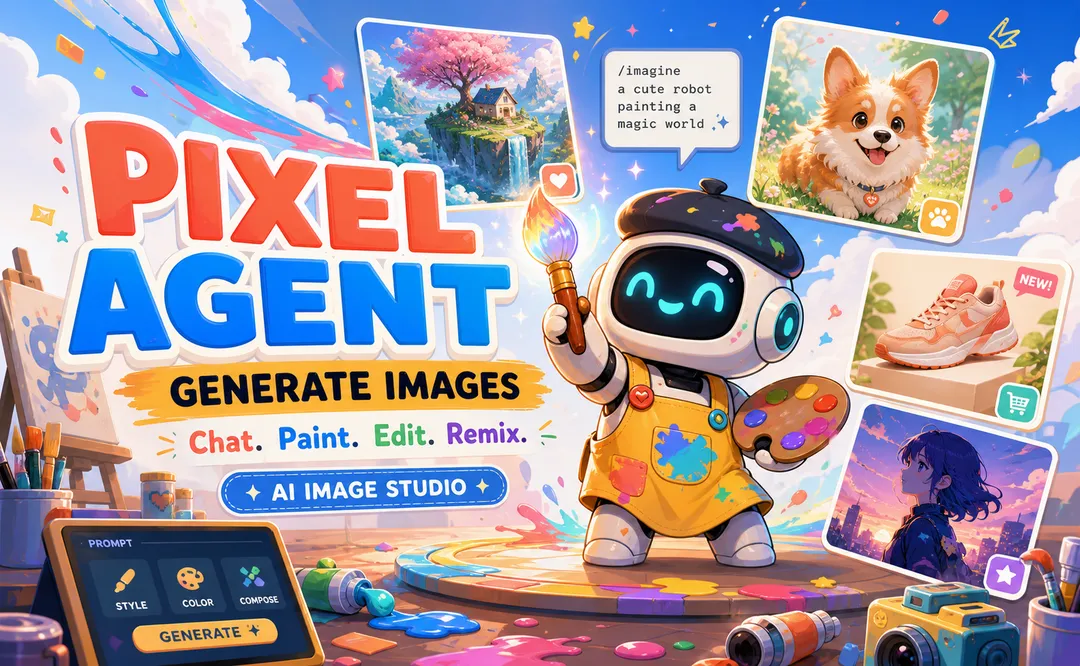
Give your app AI features, such as a chat assistant that answers customer questions or an image tool like our PixelAgent template. You can use the supported text, image and video models. If you have your own model account, connect it with an API key, a credential that lets your app use that account.

PixelAgent, an AI image generator template built with HappySeeds

Web app or mobile app?

HappySeeds builds web apps. Customers open your app with a link on their phone or computer, and supported browsers let them add it to the home screen, so there's no app store review to wait for.

Sample photo: a customer books a time slot on their phone in a café

How to Make an App for Free in 4 Steps

You describe and refine your app in the browser, then preview and publish it from the same workspace. There's nothing to install and no code to write.

  1. Say who will use it and what they need to do, for example "Clients pick a service and a time, and I see all bookings in one list." You can also start from a template.

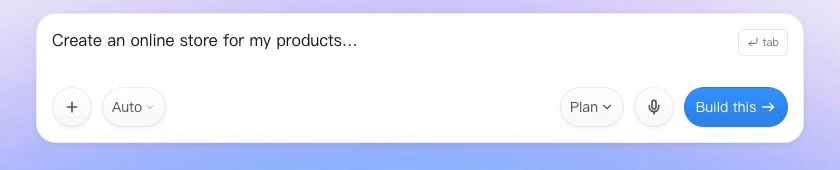
    The HappySeeds prompt box
  2. HappySeeds plans the pages, the data your app needs and how they connect, then builds a version you can click through in the preview.

    Home page of the Luxe Nail booking app, built with HappySeeds
  3. Ask for changes in plain words, such as "add a phone number field" or "show bookings by day," and check them in the preview.

    • add a phone number field
    • show bookings by day
  4. Click Deploy to get a public link with hosting included. Before you share it, try the main actions yourself, like making a booking. When you change the app later, deploy again to update the live version.

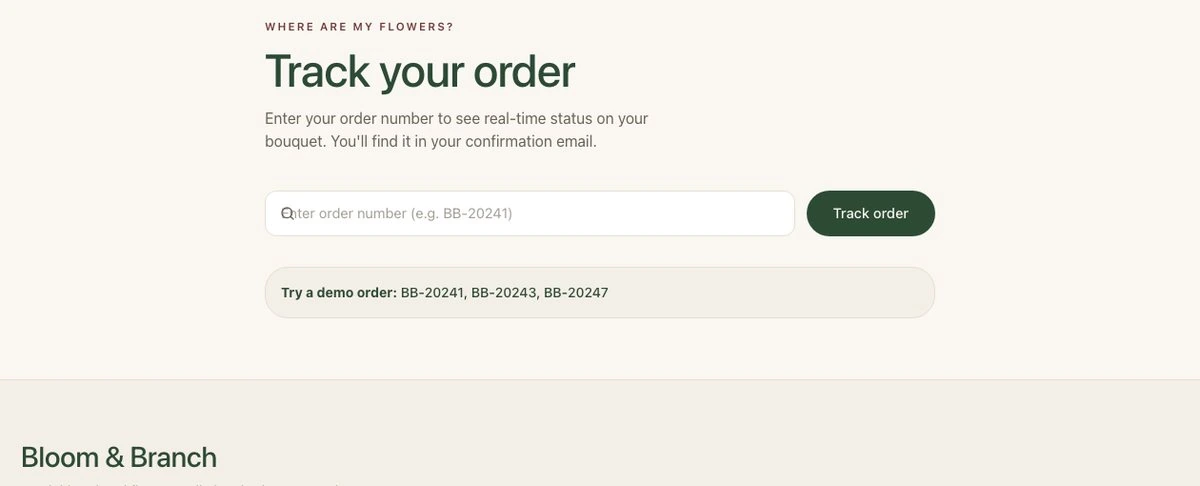
    Order tracking page of the published Local Flower Shop app
    Live at app-08782bd336.happyseeds.space
The HappySeeds prompt box
Home page of the Luxe Nail booking app, built with HappySeeds
  • add a phone number field
  • show bookings by day
Order tracking page of the published Local Flower Shop app
Live at app-08782bd336.happyseeds.space

Try this prompt

Build a booking app for my nail salon. Clients choose a service, a date and a time slot, then enter their name and phone number. Show a confirmation after they book. Give me an owner page that lists all bookings by day.

Sample photo: a candle maker pours wax in her home studio

Start From a Booking, Shop or Pet Care Template

Pick a template made for a small business and use it as it is, or change it in the chat. We add new templates regularly.

See all templates →

Why Small Businesses Build Their Apps With HappySeeds

If you run a small business, the app you need is usually specific to how you already work. Here is where HappySeeds fits.

Owners who want a tool for their own way of working

The job
Quotes, stock or staff tasks live in spreadsheets and chat threads, and ready-made software doesn't match your rules.
The usual way
Keep juggling spreadsheets, bend a generic app to fit, or pay a developer.
With HappySeeds
Describe your process in plain words, such as how you price a job, and get a web tool with its own database and logins that you can publish on the free plan.
Still on you
Start with one process, test it with real numbers, then add the next.

Service businesses that need a professional website with bookings

The job
Clients look you up online and want to book, but you have no site, or one you can't update yourself.
The usual way
A website template builder, or paying someone to build and maintain it.
With HappySeeds
Describe your services and prices, get a site with a booking form, publish it on the free plan, and change it later in plain words. You can connect your own domain on Lite or Pro.
Still on you
Replace the sample text and photos with your own before you share it.
See the Luxe Nail template →

Shops that take orders and payments online

The job
Let customers order, book or sign up, and pay you directly.
The usual way
An online store platform or a separate booking app.
With HappySeeds
Build a shop or booking app with a cart, customer logins and checkout through your own Stripe account, with orders saved in the built-in database.
Still on you
Connect your Stripe account by following our setup guide, and place a test order before you go live.
See the Atelier template →
Build it free →

Free App Builder FAQ

Is HappySeeds really free?

Yes. You can sign up without a credit card, build with free credits and publish your app on the Free plan. Lite and Pro add monthly credits and features such as a custom domain and code export.

What kind of app will I get?

A web app you share with a link. It can store data in a built-in database, support customer logins, and accept payments once you connect your own Stripe account.

Do I need to know how to code?

No. You describe what you want in plain words and make changes the same way. You can look at the generated code if you're curious, but you never have to edit it.

Can I make a mobile app for free?

You can make a mobile-friendly web app for free. Customers open it from a link on their phone, and supported browsers let them add it to the home screen. HappySeeds doesn't create native iOS or Android apps, so you don't publish it in an app store.

Do I need my own server or hosting?

No. Your app runs on HappySeeds' cloud. Click Deploy and you get a public link, with hosting included.

Can I make money with an app I build for free?

Yes. Connect your own Stripe account, and your app can sell products or charge for subscriptions. Payments go to your Stripe account.

Can I start from a template?

Yes. Pick a template made for a small business, such as a salon booking app or an online shop, use it as it is or change it in the chat.

Can I add AI features to my app?

Yes. You can add features such as a chat assistant that answers customer questions or an image tool, using the supported text, image and video models.

When do I need to upgrade?

When you want more monthly credits, your own domain, or to export your code and sync it to GitHub. Lite and Pro include these.

Build Your App for Free

Describe your app and get a working first version to try. No credit card needed.

Start building ↑