Reviewed September 16, 2026 for 2027 planning.
The useful question is not which no code app builder can produce the prettiest first screen. It is which one can carry real customer data, user access, a repeatable workflow, and a launch path your team can still understand six months later.
That clears up a lot of noisy comparisons. A landing page, a form, and a one-off automation can all be useful, but they are not automatically a real app. For this guide, a real app has persistent data, a defined user flow, and a maintainable way to publish changes.
Quick Picks for 2027 by App Type
| If you are building... | Start by evaluating | Why it is here | Check before committing |
| A custom web SaaS or marketplace | Bubble | Flexible visual logic for custom web workflows | Bubble can export data, but its app logic is not exportable as self-hosted source code |
| A data-led team tool | Glide | Fast record-to-interface route for browser-based apps | Glide’s official route is web/PWA; direct Apple App Store and Google Play publishing is not supported |
| A client portal or member workspace | Softr | Access-controlled, structured experiences | Whether its logic and data model fit your delivery process |
| A mobile-first product with a code handoff path | FlutterFlow | Visual development plus downloadable Flutter code | Paid-plan code export, release process, and who will maintain the exported app |
| A straightforward mobile or responsive app | Adalo | Beginner-friendly visual route | Design Versions restore design work, not database data, collection setup, or permissions |
| A prompt-led web product | HappySeeds | Conversational app building and publishing for nontechnical users | Configure data, authentication, roles, permissions, and Stripe flows; test data isolation and payment paths before launch |
These are not six interchangeable no code app development platforms. Each removes a different kind of early friction. The right choice depends on the product you need to operate after someone signs up, uploads a file, pays, asks for help, or requests a change.
How We Evaluated No-Code App Builders
One Shared App Brief and Acceptance Test
To keep the comparison grounded, use one ordinary brief across every candidate: a small consulting team needs a client portal where customers can sign in, submit an intake, see project status, review deliverables, and pay for the next phase.
The first build should pass a simple test. A client sees only its own records. A team member updates status without changing billing. The portal works in a fresh browser, retains an intake, and gives a clear next step when a payment or upload fails. Then make one maintenance request: add a client sponsor who can approve deliverables but cannot edit project details.
Inclusion Criteria and Evidence Date
A tool made this list only if its current official materials describe a usable path to build and publish an app with data or user-facing workflows. Features, plan gates, free tiers, store routes, export options, and policy terms should be rechecked immediately before purchase. It is a September 2026 review for 2027 planning.
What Changed for No-Code App Builders in 2027
The old split between "no-code" and "AI" is less useful now. Visual builders add AI assistance, while AI-first products generate an initial structure from a plan. The harder question is where the product will live after generation.
That is why a best no-code app builders 2027 comparison should not reward first-draft speed alone. A founder also needs a believable route to test roles, revise logic, manage live records, and own the next release.
Visual, Template-Led, and AI-First Builders
Where Each Build Model Fits
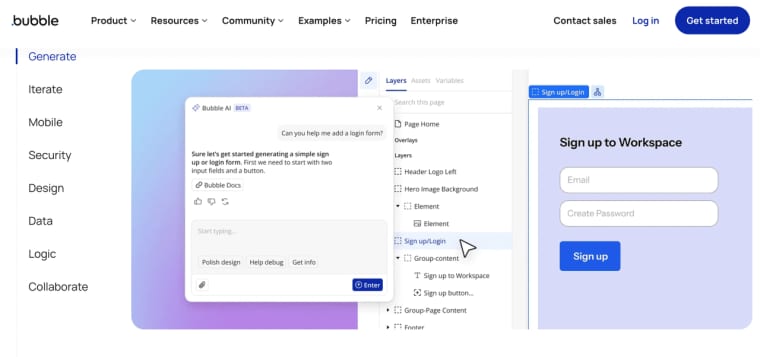
Visual builders give you a canvas and more freedom to assemble custom behavior. Bubble's visual environment is worth investigating when the product has non-standard states, workflows, or marketplace-style logic. Its trade-off is more specific than “complexity”: Bubble lets you export user-created data, but its official documentation says an app can only run on Bubble and its application logic cannot be exported as code for self-hosting. If a future developer must take over a standalone codebase, shortlist FlutterFlow instead.
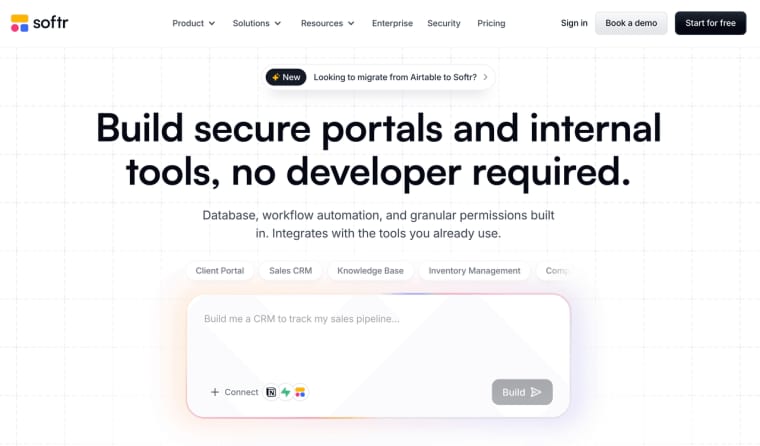
Template-led no code app development tools trade some freedom for a faster route to an understandable system. Glide's data-connected apps fit work that already lives in rows, records, and repeatable actions. Softr's portal-oriented building model is similarly relevant for controlled access around structured information.
Glide is a good fit for browser-based business tools, not a standard native app-store route. Glide’s official guidance says its PWA apps cannot be published directly to Apple’s App Store or Google Play, and it does not support third-party packaging workarounds. If official app-store distribution is a requirement, do not choose Glide’s standard publishing route.
Mobile-first or cross-platform builders have a different center of gravity. FlutterFlow's visual development environment is for teams that expect mobile release and may later need a technical handoff: on paid plans, it supports downloading the generated Flutter code. Adalo is another route for beginners who want responsive or mobile apps, but its Design Versions are not database backups. They do not restore collection data, collection setup, collection permissions, external collections, or custom actions. Test both the release route and the recovery path before putting customer data into production.
AI-first builders begin with the product brief rather than a blank canvas. They can work well when the founder knows the customer workflow but does not want to spend the first week arranging screens. The trade-off is familiar: inspect the data model, permissions, and failure states before calling the first draft finished.
Compare the Shortlist on Launch-Critical Work
Data, Authentication, and User Roles
For the shared portal brief, data is the real dividing line. Bubble and FlutterFlow can suit teams willing to design a more bespoke structure. Glide and Softr are compelling when the workflow can stay close to connected records, roles, and dashboards. Adalo supports user accounts and role-based access patterns, but a buyer should test the exact client, sponsor, and staff permissions rather than infer them from a template.
HappySeeds is relevant here as a prompt-led web-app route, not merely a planning or prototype tool. A nontechnical founder can use conversation to build and publish a web application, then configure the surrounding layers for database-backed records, authentication, roles and permissions, and Stripe payment flows.
For the shared client-portal scenario, that can mean a customer submits an intake, sees only its project records, a sponsor approves deliverables without editing project details, and the business connects its own Stripe account for payment. The exact capabilities still need configuration. Test client-to-client data isolation, role boundaries, failed payments, refunds, and the live published URL before treating the portal as ready for customers.
Publishing, Domains, Payments, and SEO
A public URL is not the same thing as a launch. Ask whether the platform supports the channel you actually need: web, a custom domain, a PWA, iOS, Android, or a private workspace.
Glide is designed for web and PWA delivery. Its official documentation explicitly says direct App Store and Google Play publication is unsupported. FlutterFlow or Adalo are more relevant starting points when an officially supported mobile-store route is non-negotiable, although each team should still verify current plan eligibility, store requirements, accounts, and release ownership.
Adalo’s current materials describe responsive and mobile apps that can be published to the web and mobile stores, while custom domains and store publishing remain plan-dependent. That makes it a plausible no code app platform for a mobile-led idea, not an automatic answer for every paid web product.
HappySeeds supports publishing projects on HappySeeds infrastructure or a configured custom domain. Its workspace also provides separate areas for database, authentication, payment, secrets, and logs. For a client portal or paid web product, configure and test those layers rather than assuming they are active in a generated first draft.
Payments deserve the same caution. A checkout component may exist, but the commercial workflow still needs account status, failed-payment handling, refunds, receipts, and support ownership. HappySeeds’ current payment flow uses a connected Stripe account, so teams should run end-to-end test payments before charging customers. SEO matters mostly for public web pages with real search intent. It is not a substitute for distribution, and it is usually irrelevant to a private internal tool.
Editing, Export, and Ongoing Maintenance
The maintenance question is practical: when a client asks for a new role, field, approval rule, or pricing state, who can make the change safely?
FlutterFlow is worth shortlisting when source-code handoff or independent maintenance could matter. Its official documentation describes downloadable project code that can run as a normal Flutter app without requiring FlutterFlow, although code download is plan-gated and a team still needs to own deployment, backend services, secrets, and future updates.
Bubble is often better suited to teams prepared to continue working inside Bubble’s environment. Exporting data does not mean exporting a self-hosted application; Bubble’s own documentation distinguishes CSV/API data access from application logic, which must be rebuilt if the team leaves the platform.
Glide is best assessed as a browser-first business-app route, not a native-store distribution shortcut. Adalo offers Design Versions for restoring visual design work, but they do not restore database changes, deleted collections, collection permissions, API keys, external collections, or custom actions. Treat production data recovery as a separate requirement.
HappySeeds lets founders iterate through conversation, preview the app, inspect generated code when needed, configure cloud services, and publish a web app. Before a handoff, verify the exact export, download, source-control, data, secrets, and deployment options available for the project and plan you are using.
Which Builder Fits Your Project?
Web App, Mobile App, Internal Tool, or Paid Product
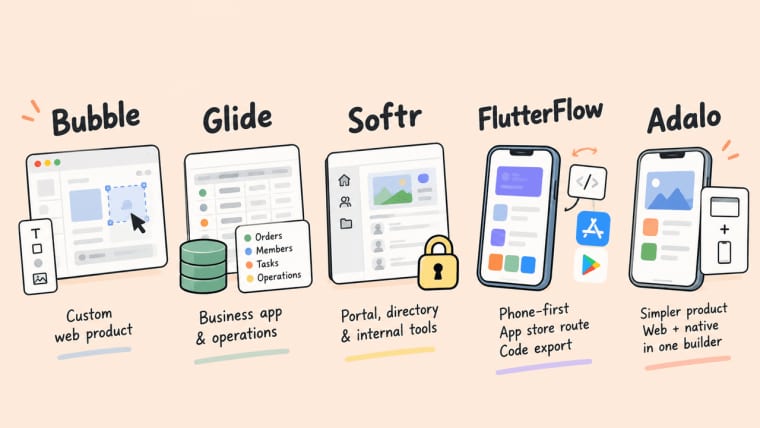
Choose Bubble when the web product itself is unusually custom and you can own a more involved visual build. Choose Glide for a business dashboard software or operations app that begins with dependable records and repeated actions. Choose Softr for a focused portal, directory, or internal-facing layer where access and information structure matter more than pixel-level originality.
Choose FlutterFlow or Adalo when the core experience belongs on phones or needs an app-store route. FlutterFlow is the better candidate to inspect if code export and future technical ownership are part of the decision. Adalo is easier to place when the product is simpler and the team wants one builder for responsive web and native distribution. For paid products, do not select a tool until you have traced login, pricing, entitlement, cancellation, support, and export from the customer's point of view.
Trade-Offs and Limits
No code platforms for app development can shorten the build phase, but none remove the need for a product owner. Test accessibility with real keyboard and screen-reader paths, especially when generated components or custom visual rules are involved. Test offline behavior on the actual device rather than assuming a web app or PWA will recover well without a connection. Right-to-left language support also needs an interface-level review, not a checkbox.
If you plan to publish a mobile app, no-code status does not exempt it from store review. Apple's App Review Guidelines still apply to the submitted product, including account, privacy, and feature-review expectations. The same is true of data handling, customer terms, and support promises. These are release responsibilities, not builder features.
When HappySeeds May Be Worth Considering
HappySeeds may be worth considering when a nontechnical founder wants to build and publish a web application through conversation rather than begin with a blank visual canvas or a code repository.
It can be used for a customer portal with stored data, configured authentication, role-based access, and a Stripe payment flow. For the shared consulting-team example, the first version could include client intake, project records, customer and staff access levels, deliverable approval, and a paid next phase.
That does not mean those layers are automatically safe or complete after generation. The builder still needs to configure the services, define who can see which records, connect the Stripe account, test payment success and failure paths, and verify the published experience with separate client and staff accounts.
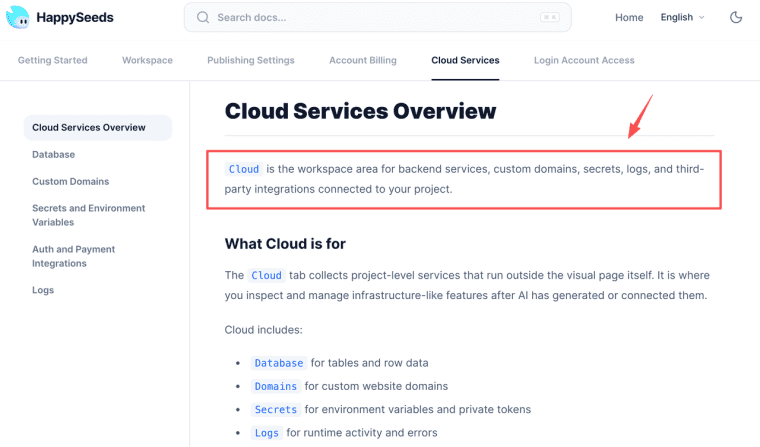
HappySeeds’ workspace brings chat-based iteration, preview, generated code inspection, analytics, cloud services, app settings, authentication, and payment configuration into one place. Teams can review the cloud services available for projects before launch, then test the exact database, domain, authorization, secrets-management, and payment requirements that their own app depends on.
Choose for the Work That Follows Launch
The right builder is the one that makes the second change understandable. Run the same portal brief, make the same permission change, test a real publication path, and let the evidence shape the choice. A fast first screen is useful. A product your team can revise without guessing is the thing worth paying for.
Explore More Topics:
FAQ
Does a no-code app need a separate accessibility audit?
Usually, yes. Builder components can give you a starting point, but the app still needs testing with its actual content, workflows, keyboard path, contrast choices, errors, and assistive technology. A more complex or regulated use case may need specialist review.
Can a no-code app work during an internet outage?
Some apps and PWAs can offer limited offline behavior, but it is not universal. Decide what must remain available, what can wait for reconnection, and how conflicts are resolved when data changes in two places.
Which no-code builders support right-to-left interfaces?
Treat this as an account-level verification task, not a category promise. Ask to see a real RTL prototype with forms, dates, tables, errors, uploaded files, and mobile layouts before you commit a multilingual customer flow.
Can one no-code project serve separate client brands?
It can, but separate branding introduces more than logos. Check tenant isolation, domains, permissions, billing, email templates, export rules, and what an administrator can see across brands. One project is not automatically a safe multi-brand setup.
Do app stores review no-code apps differently?
The store reviews the app that customers receive, not whether it was hand-coded. Your team remains responsible for its purpose, privacy disclosures, account flows, content, and support route.