Slack Code vs AI app builder is not really a "which tool is better?" question. It is a workflow question. Do you need your team to collaborate around an artifact inside Slack, or do you need a standalone product that customers can visit, use, pay for, and return to later?
That distinction matters because prototype tools can make work feel finished before it is actually launch-ready. A useful internal report, code draft, or dashboard is not automatically a customer product.
Quick Verdict by Intended Outcome
Choose Slack Code or Slackbot code execution when the next milestone is internal collaboration: analyze a dataset, review a code change, create a report, discuss an agent's output, or keep teammates aligned in Slack.
Choose an AI app builder when the next milestone is customer launch readiness: a public interface, user accounts, saved data, payments, onboarding, domain, support, and a product launch workflow.
HappySeeds can be one conditional example in that second category, but this comparison is not claiming that every AI app builder works the same way or that one path always wins.
What Each Workflow Is Designed to Produce
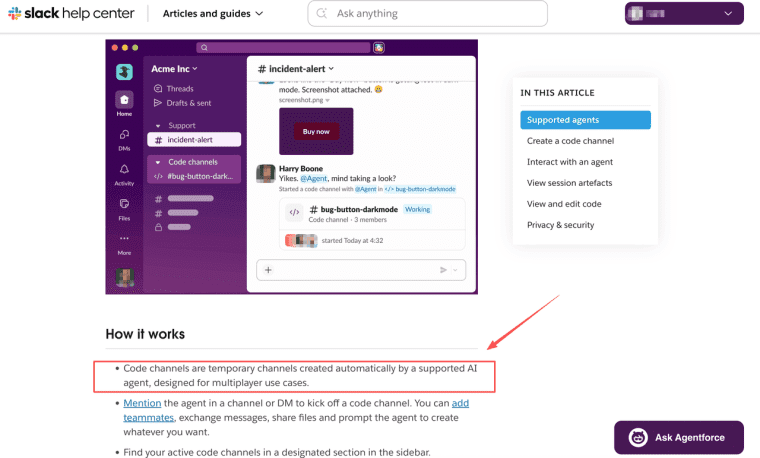
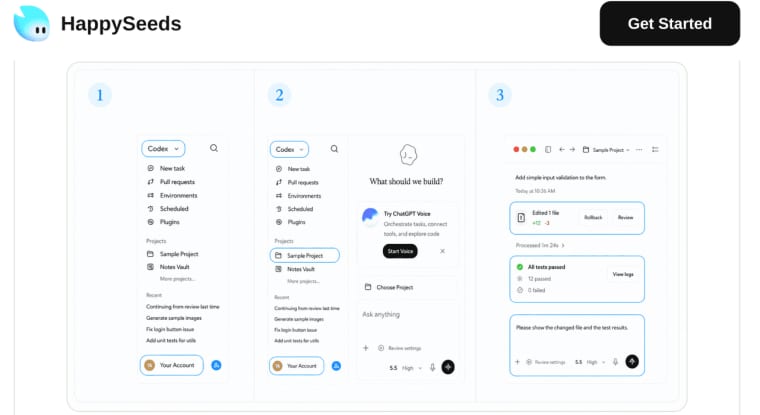
Slack Code is designed for collaborative coding and agent work inside Slack. In a code channel, teams can plan, prompt an agent, add teammates, exchange files, review previews, and keep the build discussion close to the people who need to approve it. Slack describes code channels for agents and teammates working together as temporary spaces that can be created from a supported AI agent.
Slackbot code execution is adjacent but different. It lets Slackbot write and run Python in a secure sandbox, then return files, analysis, charts, dashboards, or reports. That makes dataset analysis and report generation inside Slack useful for internal work.
An AI app builder is designed to produce a user-facing app workflow. Depending on the builder, that may include screens, forms, data, auth, payments, publishing, and iteration. The category is broad, so each vendor still needs separate verification.
Compare Three Decision Factors
Collaboration and shared context
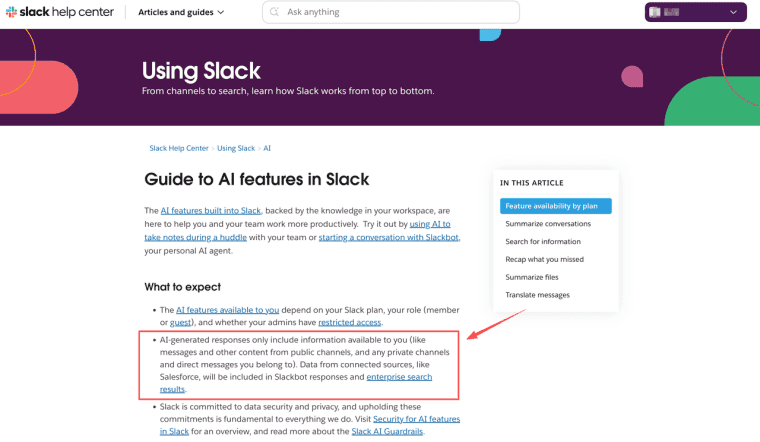
Slack is strongest when the work belongs in the team's conversation. A founder can ask for a dashboard, a teammate can correct the assumption, another person can add a file, and the agent work stays visible. Slack's AI guidance states that AI features use information available through a member's permitted access, which makes workspace-aware context and permissions an important part of the experience.
AI app builders are different. They may support collaboration, but the main artifact is usually the product itself. The user flow, database, customer state, and published experience matter more than a team thread.
Product ownership and maintenance
Slack Code can leave useful history in the workspace, but the product ownership question remains: where does the code live, who deploys it, who owns the customer data, and who fixes it after launch?
An AI app builder should be judged by the maintenance path. Can the founder edit the workflow later? Can data be preserved? Can payments, roles, and customer states be changed without breaking the app? A builder is valuable only if the product can survive the second and third revisions.
Customer launch readiness
Slack is not typically the primary customer launch surface for many product workflows. It can help a team build, analyze, and approve work, but customers may still need a separate app, site, portal, or product experience.
For a founder who wants that external layer, HappySeeds may be relevant as a plan-first AI app builder path. Its guide on how teams can build and ship an app with a reviewed agent workflow gives a useful contrast to a code-channel workflow, without implying that Slack Code and HappySeeds are equivalent tools.
Choose the Workflow for Your Next Milestone
If your next milestone is "Can the team agree on the idea?" Slack Code may fit. If it is "Can we analyze this file and discuss the result?" Slackbot code execution may fit. If it is "Can customers complete the workflow without our Slack workspace?" An AI app builder may fit better.
A simple decision test helps: if the user is your teammate, keep the work close to Slack. If the user is a customer, design a product surface outside the team conversation.
Limits of This Category Comparison
This is a category comparison, not a final vendor review. Slack features depend on plan, role, admin settings, supported agents, workspace controls, and availability. AI app builder features vary widely across tools.
Security also needs a current review. Slack's AI security materials describe AI feature guardrails, access boundaries, and enterprise controls, but every team still needs to verify its own workspace, data policy, customer obligations, and deployment path.
Match the Tool to the Milestone
Slack Code is strongest when the work belongs inside a team conversation. AI app builders are strongest when the work needs to become a customer-facing product. Pick the workflow by the next milestone: shared internal progress, or a launched app that users can access, trust, and revisit.
Explore More Topics:
FAQ
Can teams use both workflows in the same project?
Yes. A team might use Slack Code for internal planning, code review, or data analysis, then use an AI app builder for the customer-facing workflow. The handoff should define what moves over: requirements, files, decisions, test cases, and unresolved risks.
What accessibility checks apply to artifacts from either workflow?
Any customer-facing artifact still needs accessibility review. Check keyboard navigation, labels, contrast, form errors, focus states, alt text, and mobile behavior. Internal Slack artifacts may have different needs, but they should still be readable and usable by the team.
How should founders transfer context out of Slack later?
Export or summarize the decisions, acceptance criteria, source files, prompts, known issues, and approvals. A product team should not rely only on scattered Slack messages when building a maintainable app.
Do AI app builders support Slack-based review and approvals?
Some may integrate with Slack or support external review workflows, but it is not a universal category feature. Founders should verify the exact builder, plan, and integration path before promising Slack-based approvals.