
Reviewed September 22, 2026 for 2027 planning. This is a planning guide, not a claim that 2027 demand or platform rules are already settled.
Most weak AI mobile app ideas are just chat boxes wearing a different logo. The useful ones catch people when a laptop is not nearby: walking a job site, filming a clip, leaving a client visit, or handing over a shift. These mobile AI app ideas start with that moment, then give it a small, testable job.
What Makes an AI Mobile App Idea Worth Testing in 2027
A worthwhile mobile idea has a physical trigger, a repeated job, and an AI task that removes one awkward step. The phone should add a camera, microphone, immediate context, notification, or quick access during a handoff. If a desktop spreadsheet is better, do not force a mobile app.
Mobile Moment, Repeated Job, and AI Advantage
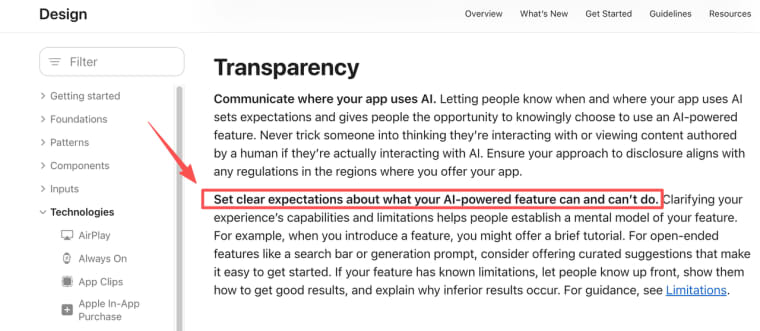
The strongest mobile AI startup ideas use bounded inputs and produce a result a person can correct. People should know when AI is involved and what it cannot reliably do; clear AI-use disclosure and stated limitations are a sensible baseline before store submission.
Ideas for Voice, Camera, and On-the-Go Work
Field Capture and Guided Decisions
| Idea | User, moment, input, and result | Fast test and main risk |
| Walkthrough issue logger | Property manager: photos and voice notes become a labeled repair list. | Five visits; tenant privacy and human priority checks. |
| Equipment inspection helper | Field technician: photo and note become a maintenance-ticket draft. | Ten inspections; never automate safety sign-off. |
| Event setup checker | Event producer: venue scan becomes a missing-items list. | Three setups; a false clean result can hurt delivery. |
| Shelf-gap recorder | Store manager: photo and note become a restock record. | Five shifts; avoid capturing people. |
| Service-call follow-up | Consultant: spoken outcome becomes an approval-ready recap. | Ten drafts; do not invent client commitments. |
| Jobsite photo sorter | Trades team: images become a tagged project timeline. | One week of filing; storage and access controls matter. |
Creator and Learning Workflows
| Idea | User, moment, input, and result | Fast test and main risk |
| B-roll library tagger | Creator: fresh clips become searchable scene and mood tags. | Ten shoots; rights and storage cost. |
| Script-to-shot companion | Solo creator: spoken check-offs become a shot-gap list. | Five shoots; it cannot slow filming. |
| Workshop recap maker | Adult learner: permitted audio notes become action cards. | Ten learners; recording needs consent. |
| Speaking-practice replay | Adult learner: a short recording gets one retry cue. | Track repeats; do not present it as assessment. |
Ideas for Small Business and Client Service
Intake, Follow-Up, and Mobile Operations
| Idea | User, moment, input, and result | Fast test and main risk |
| Sales-visit next-step recorder | Rep: post-visit voice note becomes a CRM next-step draft. | Twenty reviews; confirm customer facts. |
| Mobile quote-photo organizer | Service owner: images and notes become a quote brief. | Five estimates; owners still price work. |
| Client approval pocket portal | Client: phone review becomes an approve or revise record. | One project; preserve the approved version. |
| Shift handoff summarizer | Supervisor: closing notes become the next shift's briefing. | Two weeks; set staff-data boundaries. |
| Agency feedback capture | Client: voice or screenshot feedback becomes grouped actions. | One campaign; do not erase disagreement. |
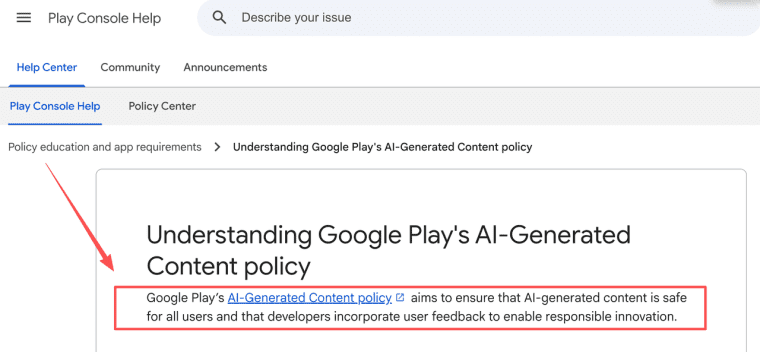
Not every concept needs an app-store release. If a generative feature will create or expose content inside an Android app, output safety and user-feedback duties remain with the developer.
Score Each Idea Before Building
The best AI app ideas for founders can sound boring at first. That is often a good sign. A recurring service-call recap with clear ownership is easier to test than a polished consumer concept with no return moment.
User Access, Data Risk, Model Cost, and Retention
Score each idea from 0 to 2 for mobile advantage, weekly frequency, access to real inputs, reviewability, data sensitivity, model cost, and likely repeat use. It does not prove demand. It makes the next decision less romantic and more useful. Strong capture with weak retention may still be a paid add-on. Sensitive inputs may mean a narrower first test.
Pick One Idea for a Seven-Day Validation
On day one, collect five real inputs with permission. Deliver outputs manually or through a private prototype on days two and three, saving every correction. By day four, ask whether it changed a real decision, prevented rework, or removed a follow-up. Let a few people repeat the job on days five and six. Day seven is for one question: would they use it again or pay to avoid the manual version.
A repeat input or a request for a paid pilot is more useful than a compliment. Stop when nobody has a recurring moment, inputs are too sensitive, or the result needs more editing than the original task.
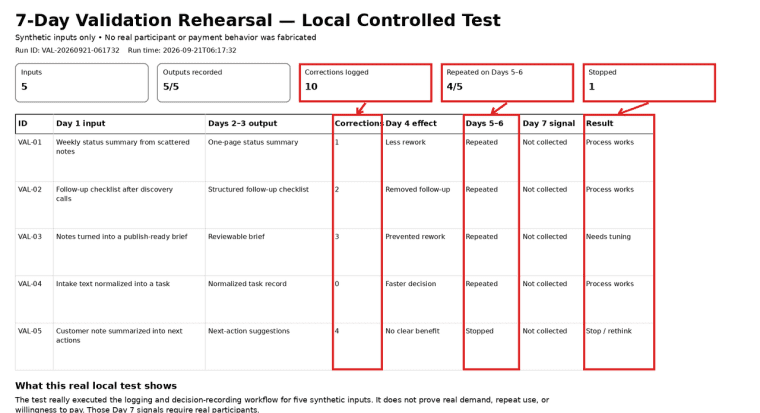
To illustrate the process, I first ran a controlled local rehearsal with five synthetic inputs and no real user data. The goal was not to validate demand, but to check whether the seven-day validation log could capture outputs, corrections, repeat attempts, and a stop decision consistently.
Across the five cases, I logged ten corrections in total. Four cases were repeated during the simulated Days 5–6 stage. One case needed no correction, while another required four corrections and showed no clear benefit, so I marked it "stop/rethink." I recorded the output, correction count, observed effect, repeat status, and final process decision for every case.
This rehearsal only showed that the validation process itself could be run and documented. It did not test real user return behavior or willingness to pay; those signals still require real participants.
Build a Web-First or Native Prototype
| Start Web-first | Consider native first |
| A mobile browser can handle the input, saved result, and review loop. | The job genuinely depends on hardware, offline use, extensions, push patterns, or carefully designed background work. |
iOS background execution is limited and system-scheduled. Do not design the first release around indefinite unattended processing.
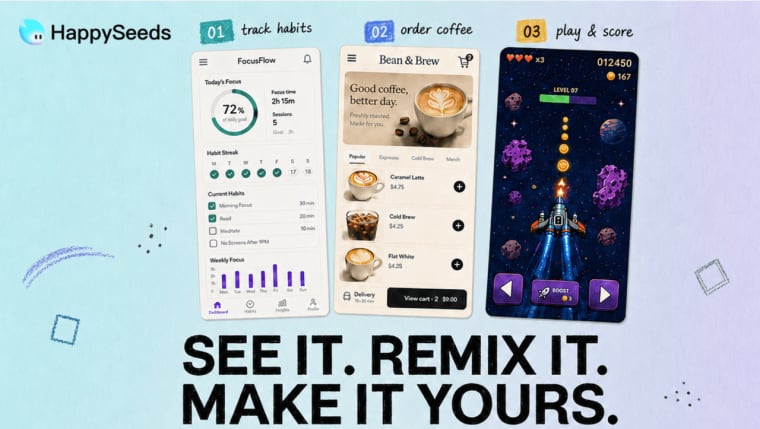
HappySeeds may fit the Web-first lane when a non-technical founder wants to build and publish a responsive web app through conversation. Its Database feature stores save submissions, profiles, and dashboard records, while Auth and Payment integrations support sign-in, Stripe checkout, subscriptions, webhooks, and customer billing. External accounts, configured access rules, data separation, and payments still need testing from the published URL. This is a Web validation route, not evidence of native App Store or Google Play publishing.
Limits and High-Risk Categories
Keep an early test away from diagnosis, eligibility, money movement, legal conclusions, child data, face matching, or hidden monitoring. A draft or logging assistant is easier to assess responsibly than a product that decides, scores, or advises.
For shared or generated output, build a report and response path before launch. Relevant App Store rules require filtering, reporting, blocking, and clear contact mechanisms for user-generated-content apps. Recheck the current policy for the feature and region before submission.
Validate the Moment Before You Build the App
The strongest AI-powered mobile products are not necessarily the ones with the flashiest model. They solve a recurring moment with one reviewable result. Start there, test the risk honestly, and only add native complexity when the mobile advantage is proven.
Explore More Topics:
FAQ
Do app stores require disclosure of AI-generated content?
Requirements vary by store, region, and feature. Make the AI role and meaningful limits clear, then review current listing, privacy, content, and age-rating rules before release.
Which ideas can use on-device AI without cloud calls?
Some bounded classification, transcription, or offline guidance tasks may qualify. Device support, model size, language coverage, battery use, and licensing still decide the answer. On-device is not an automatic privacy promise.
How should users report harmful AI output from a mobile app?
Place a visible report control beside the output, preserve the relevant request and result for support under a retention rule, and pre-assign who removes content, pauses access, or escalates incidents.
Could an AI mobile idea launch first as a keyboard, share extension, or widget?
Yes, when that surface is the real use moment. A share extension can suit creator feedback, a keyboard for fast drafting, and a widget for a lightweight reminder. Prove the job before adding platform constraints.
Which product ideas depend on background execution that mobile operating systems may restrict?
Always-listening helpers, unattended uploads, silent monitoring, continuous location processing, and automatic follow-up agents all need early platform review. Prototype the foreground, user-triggered loop first.


