
An AI app launch can feel strangely quiet after the first announcement. The product is live, the domain works, a few people click around, and then the founder asks the uncomfortable question: are people actually finding this thing?
That is where OpenSEO AI apps tracking can help. Not as a magic SEO button, and not as proof that the product is working. The useful job is smaller: build a weekly loop that shows what changed, what might matter, and what one product or content action should happen next.
Why Post-Launch SEO Needs a Measurement Loop
Post-launch SEO is not "check rankings when anxious." It is a repeatable loop: discover the signal, judge the product impact, make one small change, and review again.
For AI apps, this matters because the first version often explains the model better than the user job. A founder may rank for vague AI terms while missing the searches that reveal real intent: "AI client portal," "transcript app for creators," "dashboard generator," or "image app credits."
OpenSEO works best when it sits beside product analytics, support notes, and real user feedback. Ranking movement is useful. It is not the whole story. After a few weekly reviews, the clearer pattern is usually this: search language either matches how the product is currently described, or it quietly points to the next positioning fix. For HappySeeds founders, this is often the moment launch turns into iteration — the search signals show whether the product is being described in the same language potential users actually use.
What OpenSEO Can Track for an AI App
Search Visibility and Keyword Movement
OpenSEO's public feature set includes keyword research, saved keywords, rank tracking, domain overview, backlinks, site audit, AI visibility, and prompt exploration. For an AI app founder, the first practical use is OpenSEO rank tracking around a small set of launch keywords.
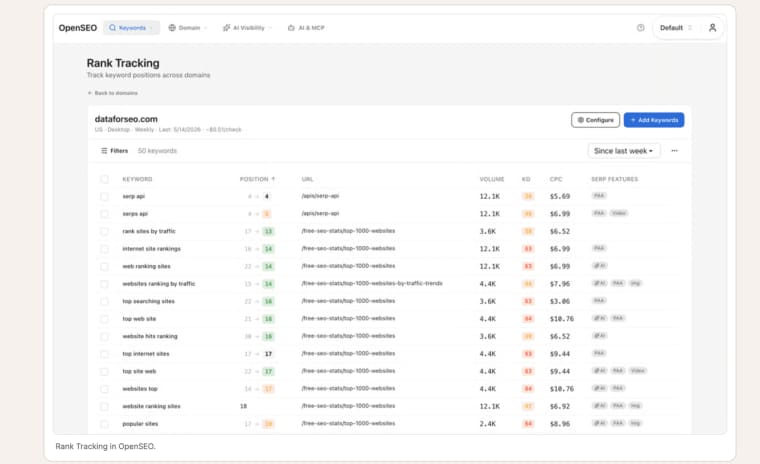
Do not track 200 keywords in week one. Start with three groups: branded terms, problem terms, and comparison terms. For example: your app name, the workflow problem, and alternatives users may compare before buying.
The weekly question is not "Did we move up?" It is "Did the right page move for the right search task?"
Site Health, Backlinks, and AI Mentions
Site health catches boring problems that block discovery: broken pages, thin titles, missing metadata, crawl issues, and pages that do not match intent. Backlinks help founders see whether launch mentions, partner posts, directories, or customer write-ups are creating external signals.
AI visibility monitoring adds a newer layer. OpenSEO includes AI visibility and prompt explorer workflows, which can help founders check whether their brand or category appears in AI-style answers. Treat this as directional. AI mentions can change quickly, and they should not be confused with revenue, retention, or product-market fit.
Build a Weekly Founder Dashboard
A useful founder dashboard should be small enough to review in 20 minutes.
| Signal | What to check | Founder decision |
| Branded search | App name, founder name, product terms | Is launch awareness growing? |
| Problem keywords | Workflow and use-case phrases | Are we matching real search tasks? |
| Ranking pages | Which URL earns impressions | Does the page answer the right intent? |
| Site health | Broken pages, titles, crawl blockers | What must be fixed before more content? |
| Backlinks | New referring domains | Which distribution channel is working? |
| AI mentions | Brand and category prompts | Is the product described accurately? |
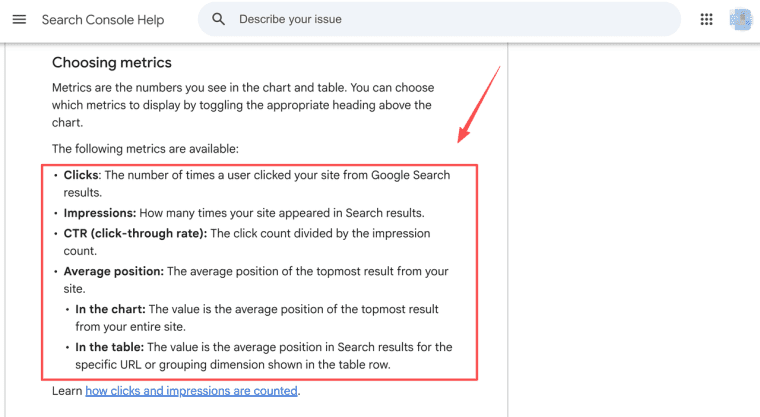
If Google Search Console is connected, founders can compare OpenSEO findings with queries, pages, clicks, impressions, CTR, and position. Search Console is not pretty, but it is close to the search reality founders need.
For example, if an AI client onboarding app starts getting impressions for "AI client onboarding checklist" but users still land on a generic workflow page, that is a signal to review the positioning before publishing more content.
Turn Findings Into Small Product Changes
The best post-launch SEO work becomes product work. If people search for "AI onboarding checklist" but the app page only says "workflow automation," rewrite the page around the user's job. If a comparison page gets impressions but no clicks, sharpen the title and first screen. If site audit issues hit pricing or signup pages, fix those before writing more articles.
Keep the change small. One title test. One new example. One clearer screenshot. One FAQ answer. One internal link from a related launch article. Then wait long enough to see whether anything changes.
Do not claim that a single edit caused a ranking jump. SEO moves with crawl timing, competition, links, query shifts, and algorithm changes. The founder's job is to keep clean notes, not invent certainty.
Where OpenSEO Ends and Product Analytics Begins
OpenSEO can help with AI app SEO tracking: visibility, keyword movement, backlinks, audits, and AI mentions. Product analytics answers different questions: activation, feature use, saved projects, payment conversion, churn, support tickets, and repeat use.
This split matters. A page can gain rankings while the product disappoints users. A product can retain users while search traffic stays small. Founders need both views before making serious decisions.
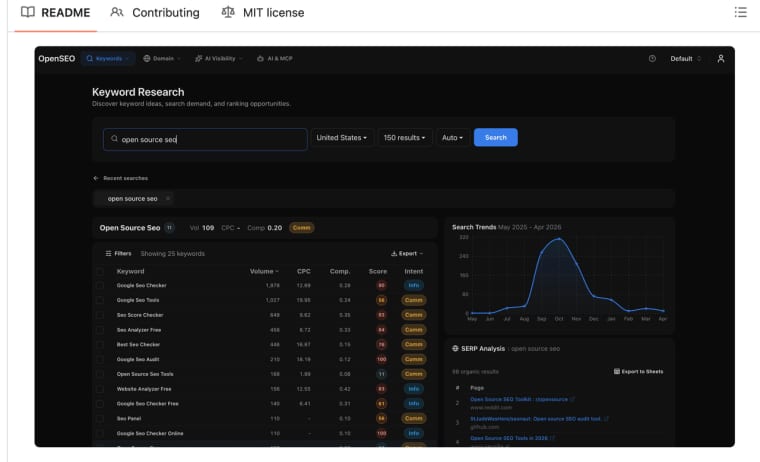
OpenSEO's open-source project also matters for technical teams because the repository includes MCP, AI skills, self-hosting paths, and the note that self-hosting still needs a DataForSEO API key for SEO data. The hosted product has its own pricing model, with a base plan, included monthly usage, top-up credits, and credit behavior for DataForSEO-backed features. Check the live terms before budgeting.
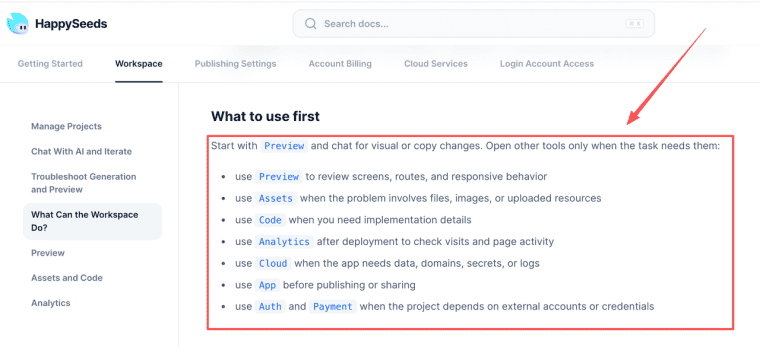
For HappySeeds users, OpenSEO can identify where discovery is weak, while the next step happens inside the product. If search data shows that users describe the problem differently, founders can use HappySeeds to update positioning, examples, onboarding, or pricing copy and publish the next iteration. HappySeeds can support that kind of iteration through project editing, preview, app settings, analytics, cloud services, and publishing workflows, while OpenSEO handles external discovery signals.
Keep SEO Close to the Product
OpenSEO is most useful after launch when it helps a founder notice the right signal and make one concrete improvement. Track rankings, site health, backlinks, and AI visibility, but keep the product context beside every number. If after a few review cycles the app is still not clearer, easier to try, or better matched to the user's actual search task, the dashboard is just another place to feel busy. For teams already building inside HappySeeds, the practical next step is usually a small positioning or onboarding update driven by those search findings.
Explore More Topics:
FAQ
How accurate is rank tracking for AI mentions?
I'd treat it as a directional signal rather than a hard metric. AI answers can change quickly. OpenSEO's AI Visibility and Prompt Explorer can help show whether your brand or category is appearing, but I would not treat that as the same thing as traffic or conversions.
How can I connect OpenSEO signals to product onboarding?
If search terms show that users are looking for phrases like "AI client portal" or "transcript app for creators," while your product page still talks mostly about "workflow automation," I'd start by updating the homepage headline, examples, and onboarding copy. Then check the next round of ranking and click data to see whether the change helped.
Is 20 minutes a week enough for a small team?
Yes. I'd keep the review narrow: brand terms, problem-based queries, key pages, site health, and new backlinks. Then choose one small change—rewrite a title, add an FAQ, replace a screenshot—and stop there. Review the impact the following week.
Do I need a separate DataForSEO account for self-hosting?
Yes. The self-hosted version requires your own DataForSEO API key. The hosted version uses OpenSEO credits instead, so you can work from the limits included in your current plan.
Can OpenSEO connect directly to Google Search Console?
Yes. Once connected, it can read queries, pages, clicks, impressions, and average position. I find that useful for comparing OpenSEO's discovery signals with what is actually happening in Google Search.


