I'm Elin. I've been down the "I just need a good frontend" rabbit hole twice. Both times I came out the other end with a working UI and no clear path to actually shipping something people could pay for. That's not a WeWeb problem specifically — it's a category problem. And if you're searching for a WeWeb alternative right now, there's a decent chance you've hit the same wall.
So let me lay out what's actually happening with WeWeb as a no-code web app builder, where it genuinely fits, and what founders need to think about when the goal isn't just a working frontend — it's a live, monetizable app.
When a Frontend Builder Is Not the Whole App
Here's the honest framing: most no-code and low-code tools were designed to solve one part of the problem really well. Frontend builders give you a beautiful, interactive interface. Backend services handle data and authentication. See the Windsurf Codex setup if that is your primary IDE. Payment processors handle money. SEO and hosting take care of discoverability.
The issue for early-stage founders isn't that any of these tools are bad. It's that stitching four or five services together — each with its own pricing, account, API, and learning curve — takes weeks you don't have and budget you may not want to commit before you've validated a single user.
The low-code and no-code category has grown significantly in recent years, precisely because more builders want to skip infrastructure overhead. But 'building an app' and 'launching a product that earns revenue' are still two different problems.
That gap — between a working frontend and a commercial launch — is what this article is actually about.
What WeWeb Is
Frontend App Builder Basics
WeWeb started as a visual frontend editor. The core idea: connect your own backend, then use WeWeb's interface to build what users actually see and interact with. It targets a builder who is comfortable thinking about APIs, databases, and logic — but wants to move faster than hand-coded development allows.
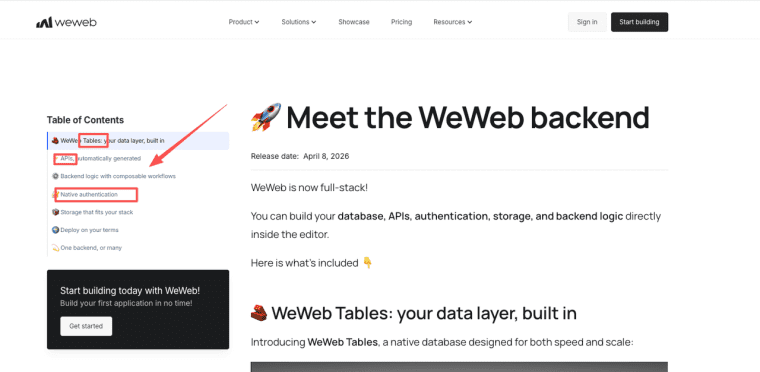
As of April 2026, WeWeb launched its own native backend layer — including WeWeb Tables (a Postgres database with a spreadsheet UI), auto-generated CRUD APIs, built-in auth, and storage. That makes it a more complete platform than it was a year ago.
But it remains a platform where frontend design is the primary strength — now extended with a native backend layer, but not yet a product launch platform designed around the question "how does this app earn money and find users?"
A few things I went and verified before writing this section:
- WeWeb apps render as SPAs (single-page applications), which means they're client-side rendered. As confirmed in WeWeb's official 2026 roadmap, server-side rendering is explicitly off the table for this year. If SEO traffic is core to your product's growth, that's a real constraint to factor in.
- Pricing as of April 2026 runs on two independent plan types: a seat plan (who can build) and a hosting plan (how your app is hosted). Seat plans come in Free, Essential, Pro, and Partner tiers; hosting plans come in Free, Launch, Grow, and Scale tiers. A solo developer who self-hosts pays around $25/month for the Essential seat plan. WeWeb Cloud hosting adds a separate cost. (I'm linking to WeWeb's current pricing page rather than quoting specific numbers — pricing updated in February and April 2026 and may continue to change.)
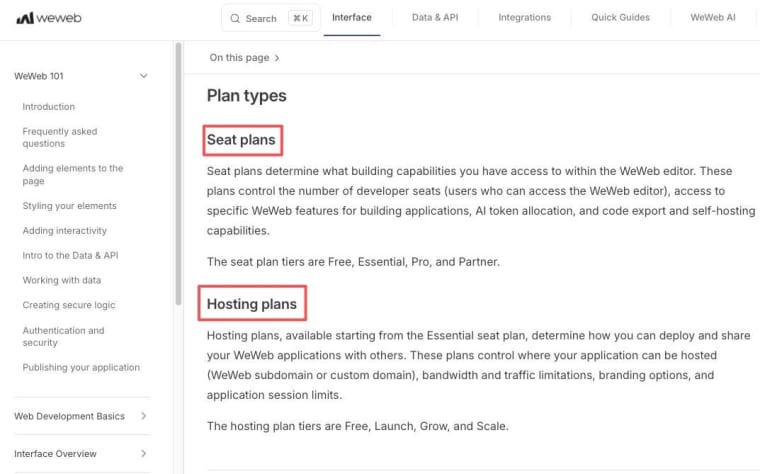
- Code export is available — meaning you're not locked in — but that capability lives on paid seat tiers (Essential and above), not the free plan.
How Teams Typically Use WeWeb
The people who get the most out of WeWeb are usually technical enough to be comfortable with concepts like API connectors, data collections, and binding logic — even if they're not writing backend code from scratch.
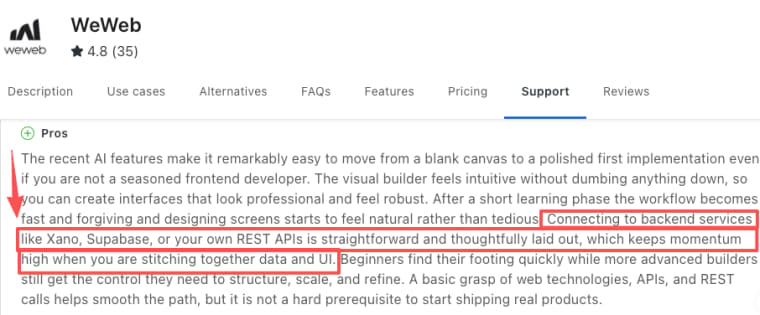
Reviews on Capterra describe teams pairing WeWeb with Xano or Supabase for the backend, then using WeWeb to build the interface on top. That stack works well when you have the time to set it up and the technical confidence to debug it when things go sideways.
Use cases that come up repeatedly: dashboards, client portals, internal tools, data-displaying SaaS products. Things where the UI complexity is high, the backend is already defined, and the team wants frontend iteration speed without writing React from scratch.
Where it fits less naturally: founders who want to go from idea to first paying user as fast as possible, with no prior backend setup, no API configuration experience, and no budget for a three-tool stack before they've validated anything.
One pattern worth noting from the Capterra reviews: teams that succeed with WeWeb almost always have someone who has set up a backend integration before — even if only once. If nobody on your team has that experience, factor in a week or two of learning time before you're actually building your core product.
What Founders Need Before a Full App Launch
This is the part that tends to get underweighted early on. You can have a genuinely beautiful, functional app built in WeWeb — and still have weeks of work ahead before a single user can sign up, pay you, find you through search, or access it on a real domain.
Backend, Data, and User Accounts
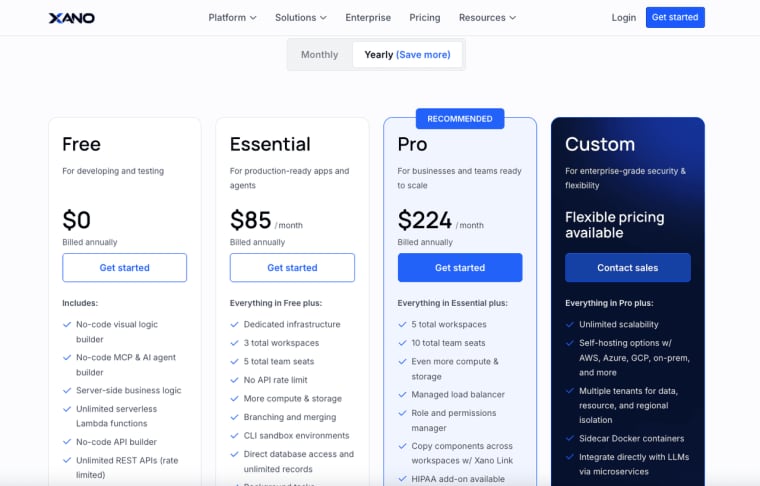
Any app that stores user data, personalizes content, or manages sessions needs a real data layer. WeWeb now has its native Tables and auth — but before April 2026, you had to bring your own backend, which meant budgeting for and configuring Xano (which has a limited free tier; its first paid plan, Essential, runs around $85/month — check current pricing on Xano's site) or Supabase on top of your WeWeb plan.
Even with WeWeb's native backend, the setup process requires understanding how to structure your data, connect it to your frontend logic, and handle edge cases. That's fine if you have that background. If you don't, it's another steep learning moment before you've shipped anything.
The honest version of this: I spent four days configuring Supabase auth to work correctly with a WeWeb frontend before I had a working login flow. That's not an unusual timeline based on what I've seen in the WeWeb Discord — first-time builders asking the same auth questions suggest this is a common friction point, not an edge case.
Payments, SEO, and Custom Domains
Three things that founders often underestimate until they're staring at them:
Payments. WeWeb has a native Stripe plugin available through its integration panel — it's not a zero-configuration setup, but it's meaningfully more integrated than a raw API connection. You'll still need to configure payment flows, handle webhook logic, and map states to your data. For a first-time builder, expect a day or two of setup rather than a few days of work from scratch.
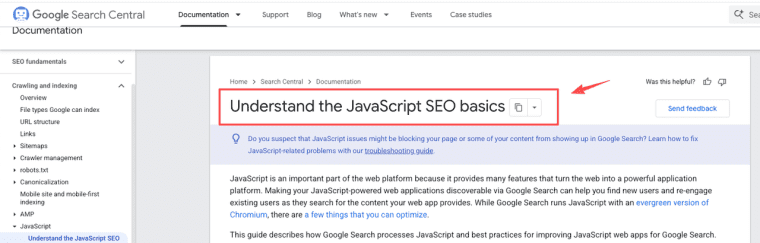
SEO. This one matters a lot depending on how you plan to grow. Because WeWeb renders on the client side, search engines see a mostly empty HTML shell until JavaScript executes. That's a meaningful limitation if you're building a product where organic search is a growth channel. Google's own Search Central documentation describes how JavaScript-rendered content can be indexed, but also outlines the extra crawl latency and indexing challenges it introduces compared to server-side rendering. In practice: if you're building something where organic search matters — a tool that needs to rank for "[your niche] + tool" — WeWeb's SPA architecture is a real tradeoff, not a footnote. I'd treat it as a hard blocker unless SEO traffic genuinely doesn't matter for your growth model.
Custom domains. Requires a WeWeb hosting plan if you use WeWeb Cloud, or self-managed DNS if you export and self-host. Neither is complicated once you've done it — but budget for a few hours the first time.
When to Consider a WeWeb Alternative
WeWeb is a genuinely strong frontend app builder for the right profile. But there are a few situations where it's worth looking at alternatives:
| Your constraint | Platform worth evaluating | Why |
| Want an all-in-one platform, comfortable with a steeper learning curve | Bubble | More complex than WeWeb but genuinely handles backend, frontend, and workflows in one tool; stronger for logic-heavy apps |
| Primary deliverable is a content-driven site with SEO as core channel | Webflow | Server-side rendering, strong SEO performance, better suited to content products than dynamic app logic |
| Building a lightweight internal tool or portal, need speed | Glide or Softr | Much simpler setup than WeWeb; weaker on customization but much faster from zero to something working |
| Need native iOS/Android with app store distribution | FlutterFlow | The only tool on this list that compiles to actual native mobile code |
Conclusion
WeWeb in 2026 is a genuinely more complete platform than it was a year ago. The native backend closes the gap for teams that previously had to assemble a three-tool stack before shipping anything. But the core tradeoff hasn't changed: it rewards builders who already know what they want to build and are comfortable configuring the pieces. If that's you, it's one of the strongest frontend-first tools available. If your bottleneck is time-to-first-paying-user rather than UI control, that gap is still worth planning for before you commit.
Explore More Topics:
FAQ
Does WeWeb support code export and self-hosting?
Yes. Code export is available on paid seat plans (Essential and above). WeWeb exports Vue.js-based frontend code, which you can self-host on Netlify, Vercel, Cloudflare, or AWS. One important caveat: the exported code is machine-generated and not structured for easy manual editing — it's best treated as a deployment artifact, not a handoff to a development team. Backend logic, when using WeWeb's native backend, is handled separately.
How does WeWeb’s native backend (launched in 2026) compare to using Xano or Supabase?
WeWeb’s native Tables provide a convenient Postgres database with visual management, but many teams still prefer Xano or Supabase for advanced workflows, scaling needs, or existing data. You can mix and match — use WeWeb’s backend for simple apps or connect external services for more complex logic.
Is WeWeb suitable for building mobile apps?
WeWeb is primarily for web apps and PWAs. It does not natively build native iOS/Android apps (unlike FlutterFlow). You can create responsive web experiences that work well on mobile browsers, but for true native mobile apps with app store distribution, most founders choose dedicated mobile-first tools.