Elin here. The interesting question is not only whether Solaris can generate an interface. It is whether a generated interface state is the same kind of product artifact as an app a customer can return to next week. That is the real tension in an Interface World Model vs AI app builder comparison. Solaris explores interfaces that are generated as interaction happens. An app builder aims for a more fixed product surface: screens, data, permissions, payments, deployment, and maintenance.
Quick Verdict: These Tools Solve Different Jobs Today
Solaris currently belongs in the interface research bucket. AI app builders belong in the product delivery bucket. One helps founders imagine a more fluid interaction layer. The other helps them ship a workflow with records, roles, URLs, billing, and support. Put plainly, the Interface World Model vs app builder decision is about the artifact you need next.
Choose Solaris when the interface itself is the experiment. Choose an app builder when customers need to complete a dependable job now.
Solaris and AI App Builders Compared
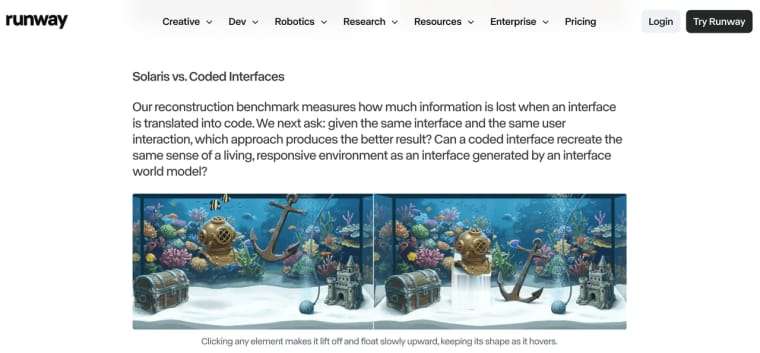
Runway's Solaris announcement matters here because it gives founders a name for a new category: an Interface World Model. Instead of treating the interface as a fixed set of screens, Solaris points toward interaction that can be rendered frame by frame in response to user behavior.
| Decision factor | Solaris today | AI app builder category |
| Output | Generated visual interface states | Coded or configured application |
| Availability | Research preview with early-access requests | Available now, depending on platform and plan |
| Product stack | Public back-end and deployment details are not disclosed | Data, auth, payments, and deployment vary by builder |
Generated Interface States vs Deployed Applications
The generated UI vs app distinction is easy to miss in a demo. Solaris renders a responsive visual experience without a fixed set of prebuilt screens. A deployed app normally uses stable components, routes, records, and rules that teams can inspect after a customer closes the browser.
The important unit of comparison is different. Solaris produces interface states. A deployed app produces a repeatable system. A state can be impressive in a session. A system has to preserve data, enforce rules, recover from failure, and explain what happened after the session ends.
That stability is not necessarily more creative. It is easier to audit. A refund state, permission rule, or saved project should behave the same way tomorrow unless someone changes it.
Research Access vs Available Building Workflows
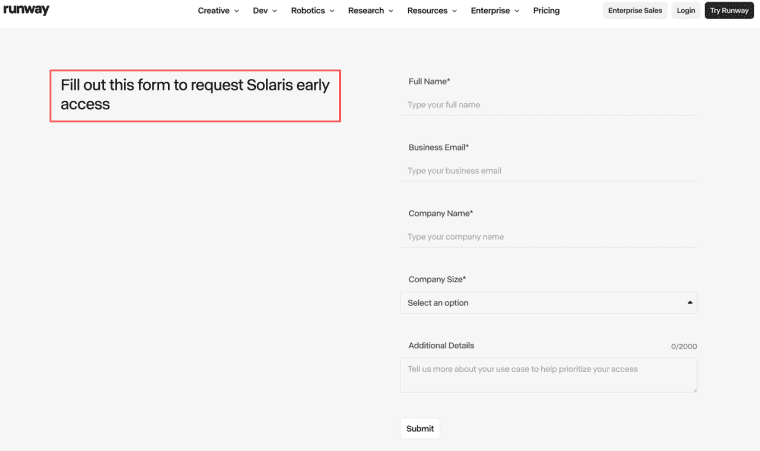
The current Solaris product stack is not publicly defined as a builder package. Runway is accepting early-access requests, but currently disclosed material does not establish general access, self-serve pricing, export, or a production integration path.
An AI app builder workflow is available when a founder can create a project, revise it, test a live flow, and publish it under current plan rules. The route from brief to deployed result is visible enough to evaluate.
Back-End Coverage and Deployment Ownership
A striking interface is only the part customers touch. A product may also need identity, persistent records, permissions, billing, logs, backups, support, and deployment ownership.
Not every app builder provides those layers. Check each platform separately. Ask who owns the database, production URL, credentials, failures, and next release after the generated screen looks good.
When Solaris Is the More Relevant Experiment
Solaris is interesting for an adaptive showroom, visual tutorial, simulation, or exploratory scene where continuous response is the value. A narrow experiment might test whether moving an object inside a generated room helps shoppers understand a product better than fixed options. I would judge a Solaris experiment by interaction learning, not by production readiness: did users explore more, understand the object faster, notice fewer instructions, or complete a visual task that fixed screens made clumsy?
Keep the claim narrow. Runway's current service terms should not be read as proof that every Solaris early-access arrangement permits the same integrations, resale, or commercial deployment. Confirm those details in the agreement attached to actual access.
When an AI App Builder Is the Practical Choice
Choose a builder when the milestone is a working customer flow: sign in, submit information, receive a result, save progress, pay, or return later. That route gives a founder a production state that can be reproduced and supported.
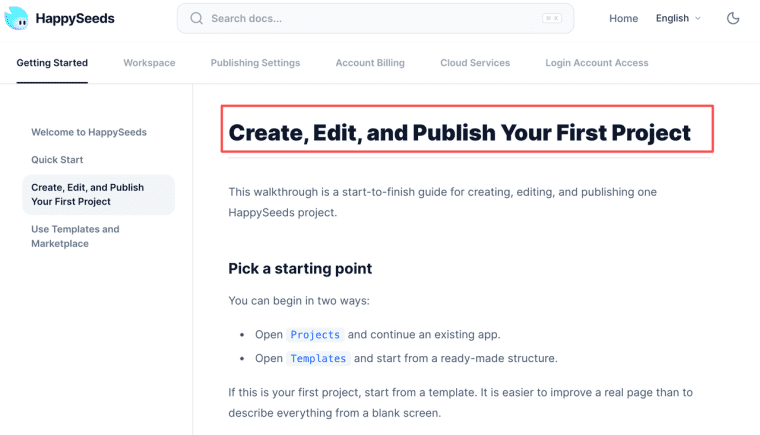
HappySeeds may be worth considering when a non-technical founder wants a visible create, preview, revise, and publish cycle. Its current workflow explains how to create, edit, and publish a first project, while custom domains attach to deployed projects. This does not make HappySeeds a Solaris substitute or imply a native connection. It is one example of a builder focused on the customer-facing product layer.
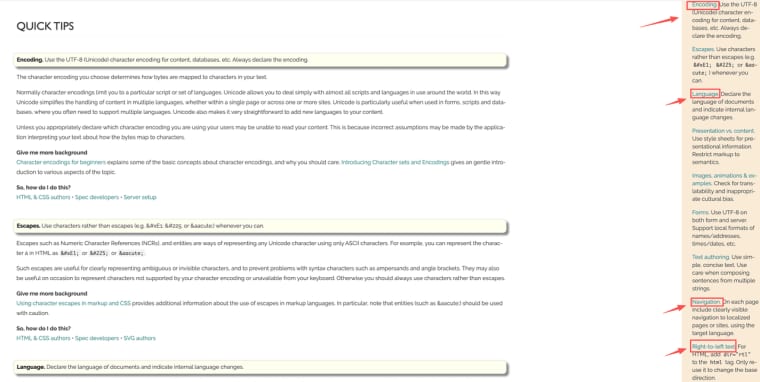
A fixed surface also makes testing less slippery. WCAG 2.2 sets testable accessibility criteria for web applications, while internationalization planning covers language, encoding, navigation, and text direction. Neither becomes automatic because AI generated the interface.
Choose the Job Before Choosing the Interface
The useful distinction is simple: Solaris asks what an interface could become when the screen itself is generated. An AI app builder asks what a customer can reliably use today. Founders should not confuse those two artifacts. One is an interaction frontier. The other is a launch path.
Explore More Topics:
FAQ
Can Solaris and app builders enforce the same design system?
Not from currently disclosed evidence. A builder may encode tokens, components, and review rules in the application. Solaris would need demonstrated controls for preserving brand elements across generated states. Test logos, typography, spacing, colors, and forbidden variations through a long session.
Can both workflows support repeatable accessibility testing before launch?
A deployed app can be tested against stable routes, keyboard behavior, labels, and states. A continuously generated interface is harder because the next frame may differ. Teams would need repeatable scenarios and assistive-technology testing. Solaris has not disclosed a complete production method for this.
Does Solaris require separate localization rules for each generated interface?
Plan rules for every supported locale. Language choice alone does not cover text expansion, right-to-left layouts, dates, currency, reading order, or culturally sensitive visuals. Test representative generated states instead of assuming one prompt localizes the experience.
Can founders preserve user-research evidence across changing Solaris sessions?
Store it outside the session. Keep the starting frame, prompt, interaction recording, participant context, observed failure, and session date together. The record remains useful if access conditions or model behavior change.
How should small teams compare onboarding effort across both workflows?
Give each route the same job. Record the time needed to obtain access, create a usable result, make one revision, share it, and hand it to another teammate. A result only one person can reproduce carries a different onboarding cost from a plainer workflow the team can maintain.