A client portal sounds tidy until a real client uses it. They forget the file name, reply inside an old email thread, ask who approved the last version, or want the invoice resent to a different contact. That is why the best client portal software is not simply the tool with the prettiest login screen. It is the system that keeps client work clear when files, messages, approvals, billing, and responsibility all start moving at once.
Elin here. Reviewed on October 21, 2026. This is a desk comparison for a consulting team's monthly client work, not a hands-on test or a quote. Confirm limits and data handling before purchase.
Quick Picks by Client Portal Use Case
For an all-in-one service-business portal, SuiteDash combines CRM, onboarding, files, billing, projects, secure messaging, and white-label tools. Its support-ticket toolkit is on Pinnacle, so check the tier before calling it an all-in-one support desk.
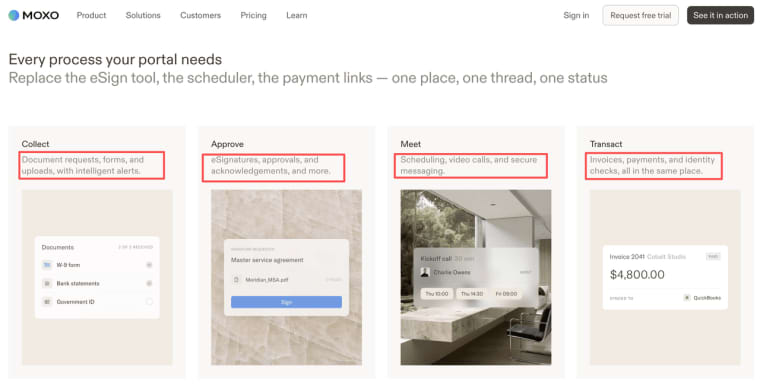
For guided client processes, Moxo centers on secure links, document requests, approvals, eSignatures, scheduling, payments, and messages. Check the flow allowance and the exact portal configuration in a quote.
For a configurable portal over structured data, Softr is the no-code path. Its client portal examples show the range of interfaces; the external-user cap and permissions tier determine whether a design will scale.
For a unique intake, permission model, or productized service, a custom build may fit better. The team then owns security review, storage, support, and maintenance.
How We Evaluated Client Portal Software
A Shared Service-Business Scenario
The comparison uses one service-business scenario: a consulting team sells monthly client work. Each client needs onboarding, a private workspace, file exchange, status updates, comments, approvals, invoices, and a simple way to request help. Internally, the team needs client records, staff roles, delivery history, and a record of what was approved.
The useful checks are ordinary exceptions: a late invoice, a replaced client sponsor, and a corrected file. A two-account test would be needed to confirm that each client sees only its own records and files. Those checks would show whether the setup reduces follow-up without exposing another client's work.
Client Experience, Delivery, and Administration Criteria
The evaluation focuses on client experience, delivery control, and administration. Client experience means login or secure access, clear navigation, branded presentation, mobile usability, and fewer "where is this?" messages. Delivery control means files, requests, approvals, messages, tasks, and service history. Administration means permissions, billing, integrations, pricing, data export, privacy, and ongoing maintenance.
No product is treated as universally best. The right choice depends on the type of client work, how often clients return, how sensitive the files are, and how much internal process the team is ready to maintain.
Dedicated Client Portal Platforms
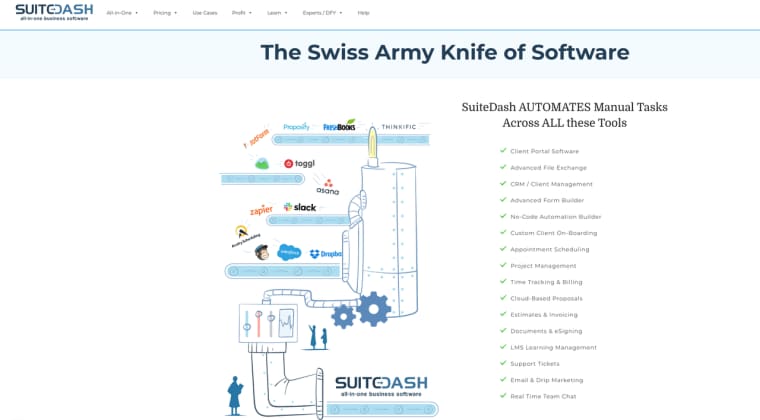
SuiteDash is the broadest dedicated option here. Its plan comparison lists CRM contacts, portals, file storage, billing, and white-label tools, with support tickets reserved for Pinnacle. A consulting firm can keep records and client work in one suite, provided it decides which modules clients will see.
Moxo is workflow-led: its portal presents document requests, forms, approvals, eSignatures, scheduling, messaging, and payments as steps in a client journey. It fits repeatable monthly work that needs someone to act next. Ask how many flows that work consumes and which branding, AI, and security options the quote includes.
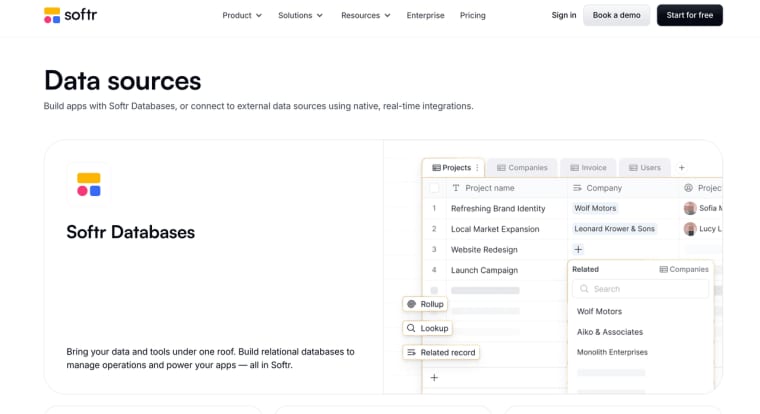
Softr is different because it is closer to a no-code custom app builder for portals. Its custom portal flow supports logins, data sources, client communication, document management, project views, billing, dashboards, and role-based access. It can work well when a team already has structured data and wants to expose the right slices to clients. The trade-off is that the team must understand its own data model. Softr gives flexibility, but flexibility still needs decisions.
Custom-Built Client Portals
A custom-built portal makes sense when the workflow is the product: for example, a consulting firm with unusual intake stages and a distinct approval trail. Standard portal software may be too rigid at exactly those steps.
Softr's portal builder sits between a dedicated suite and a fully custom build. It can expose selected data, forms, dashboards, and user roles through a configured app; messaging or payments may depend on integration and setup. The team still has to design its records and permissions. A fully custom portal adds ownership of authentication, hosting, storage, billing logic, security review, and support.
Compare the Options on the Same Dimensions
| Path | Client entry and records | Files, requests, and approvals | Branding, billing, and exit check |
| SuiteDash | Portal login and CRM records | File exchange; support tickets on Pinnacle | White label and invoicing; test exports beyond contacts |
| Moxo | Secure-link entry and guided flows | Requests, uploads, approvals, eSignatures | Confirm branded portal, payments, flow allowance, and export in quote |
| Softr | App users and selected data views | Configure forms, documents, and roles | Custom domain from Basic; check user cap, integrations, and data export |
| Custom build | Team designs identities and records | The team builds each request and approval state | Full design control; team owns billing, security review, and migration |
Onboarding, Authentication, and Client Records
A good portal should make the first client action obvious. SuiteDash can support onboarding and CRM-style client management. Moxo reduces login friction with secure-link portal access, which may help with clients who resist creating another account. Softr is strong when the team needs custom forms and data views. A custom build gives the most control, but it also makes the team responsible for every account state: invited, active, suspended, archived, and deleted.
Secure Documents, Messages, and Service Requests
For document-heavy services, the portal must show who requested a file, who uploaded it, whether it was accepted, and what happens next. SuiteDash leans into file exchange, secure messaging, support tickets, proposals, and e-signing. Moxo is compelling for document collection and approval steps inside a guided flow. Softr can expose document or request data through a custom interface, but secure handling depends on how the underlying data and integrations are configured.
Branding, Domain, Payments, and Integrations
Branding matters more than teams expect. A client who pays a premium fee should not feel dropped into a generic back office. SuiteDash lists custom URL, branded login, white-label email, mobile app branding, invoicing, subscriptions, and file storage in its current materials. Its pricing structure starts with unlimited staff, clients, and portals, with plan differences around storage and higher-tier tools, but teams should recheck plan details before buying.
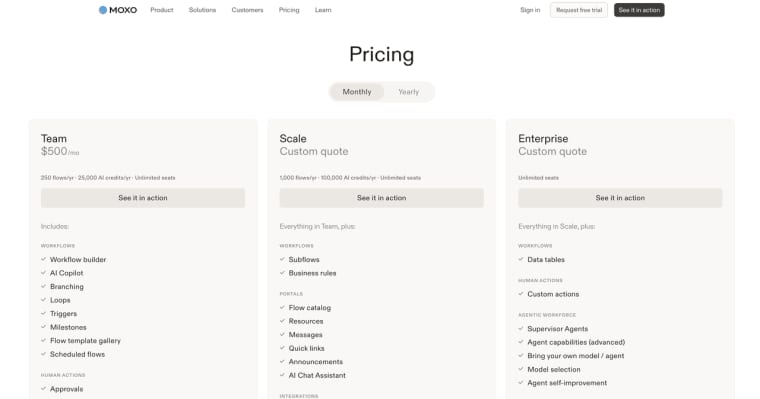
Moxo's October 14, 2026 pricing explanation quotes Team at $5,000 per year for 100 flows per year, unlimited seats, and an AI allowance; Scale and Enterprise require quotes. Treat that figure as a starting point. Get a written quote covering portal branding, payment connections, storage, AI usage, and security controls.
On Softr's pricing page, Basic is $25 monthly or $19 per month billed yearly, with five client app users and a custom domain; Pro is $119 monthly or $99 per month billed yearly, with 50 client app users and granular permissions. Builders are a separate count from client app users.
Pricing, Portability, and Ongoing Maintenance
A client portal budget is not only the monthly plan. Add setup time, staff training, client onboarding, storage, failed-payment handling, migration risk, and support load. Portability also matters. If the team leaves a portal platform later, what can be exported: client records, files, messages, approvals, invoices, comments, or only raw data? If this is unclear, ask before importing sensitive client work.
When a Project Management Client View Is Enough
Sometimes the team does not need dedicated client portal software. If clients only need task visibility, occasional comments, shared files, and simple approvals, a project management tool with guest or client access may be enough. That path is especially sensible when internal delivery already lives in a PM system and the client only needs a limited view.
The line changes when the client portal becomes part of the service promise. If clients need branded onboarding, private records, invoices, contracts, support requests, repeat orders, or long-term account history, a simple PM guest view can start to feel thin. For that route, compare the separate project-management option in /project-management-software-with-client-portal/.
Which Portal Path Fits Your Team?
Choose SuiteDash if you want one business operating system around the client lifecycle and are willing to configure the modules carefully. Choose Moxo if the value is a guided client journey with requests, approvals, signatures, payments, and follow-up. Choose Softr if your real advantage is a custom interface over structured data. Choose a custom-built portal when the workflow is too specific to fit a general platform.
The honest test is this: can a new client complete the first useful action without asking your team where to click? If not, the portal is not reducing work yet. It is just moving confusion into a new room.
When HappySeeds May Be Worth Considering
HappySeeds may help prototype one narrow client-facing workflow, such as intake and a saved status record, before a larger build decision. It is an app-building path, not a ready-made client portal or a promise of production security controls.
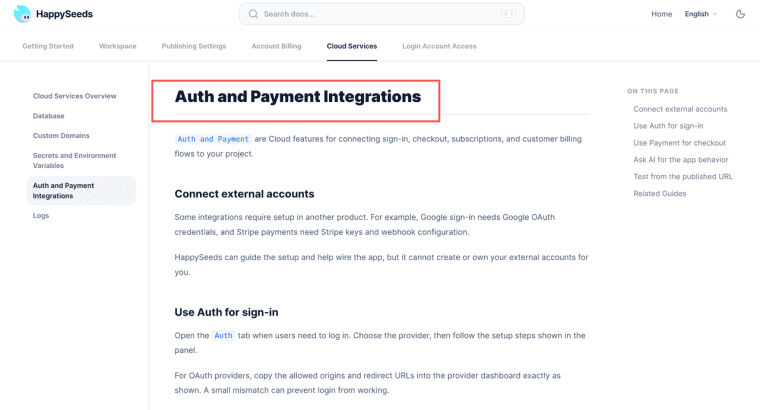
In a hypothetical pilot, a consultant could make one intake form and status view, then check whether clients can use them. HappySeeds documents saved database records and auth and payment integrations, but these need setup and published-URL testing. Verify client isolation, file handling, retention, accessibility, and export separately before any real client rollout.
Limits and Trade-Offs
Client portals may hold sensitive files, messages, approvals, and payment states. Before launch, verify privacy terms, access controls, retention, exports, backups, and the response path for a failed upload or incorrect access grant.
Terms of use, accessibility testing, records management, and service-level commitments require local review. This article is general product guidance, not legal, compliance, procurement, or audit advice. For regulated industries or contractual service promises, confirm the portal setup with qualified professionals before using it with clients.
Choose the Portal That Clients Will Actually Use
The best client portal is the one that reduces follow-up without hiding responsibility. Pick the path that matches your real service rhythm: dedicated suite, workflow-led portal, custom no-code interface, or a narrow custom build. Then test it with one client, one file request, one approval, one payment state, and one support question before rolling it out to everyone.
Explore More Topics:
FAQ
Does a client portal need separate terms of use?
Often, yes. A client portal can create behaviors that a standard service agreement does not cover, such as file uploads, account access, message records, payment actions, user responsibilities, and acceptable use. The exact wording depends on the business model, jurisdiction, and client contract.
Can a portal be sold as a paid service add-on?
It can, if the portal creates a clear extra benefit: faster turnaround, organized files, premium reporting, self-service access, or better visibility. The offer should explain what clients receive and what remains part of the core service.
Who is responsible for client-portal accessibility testing?
The business offering the portal should assume responsibility for verifying accessibility before relying on it for client delivery. Vendors may provide product information, but the actual client experience includes configuration, content, files, colors, forms, and workflows.
Can the files and messages in a client portal be used as formal work records?
Not by default. A portal keeps useful history of files, comments, and approvals, but formal records usually need clear retention rules, legal holds, controlled deletion, and reliable export. Use the portal as a working record, then check whether it meets your actual compliance needs.
Should the portal show response times or delivery commitments?
Only if you can reliably keep them. Showing reply windows or turnaround times creates client expectations. If those promises already appear in the contract and your team can monitor them, displaying them can help. If not, leave them out to avoid unnecessary pressure.