Hi, I am Elin. When a service team asks for project management software with client portal access, they usually are not asking for more tasks. They are asking for fewer "Where is this?" emails, cleaner approvals, safer file handoffs, and a shared place where clients can see enough without seeing everything.
The tricky part is that "client portal" can mean three different things: a full client user, a limited guest view, or a shared link. Those are not the same buying decision.
We reviewed product references on October 21, 2026. We did not test these tools in product accounts; the budget below is hypothetical, not an observed invoice. Check pricing, client seats, project limits, AI features, billing tools, security options, and regional availability again before purchase.
Quick Shortlist for Client-Facing Project Work
| Option | Best fit | Client participation model |
| Teamwork.com | Client-delivery teams | Free client users in assigned projects on Basics+; each can join up to five active projects. |
| monday.com | Visual project boards | Guests on shareable boards from Standard; monday service's customer portal is a separate product. |
| ClickUp | Granular task collaboration | View-only guests on paid plans; permission-controlled guests from Unlimited. |
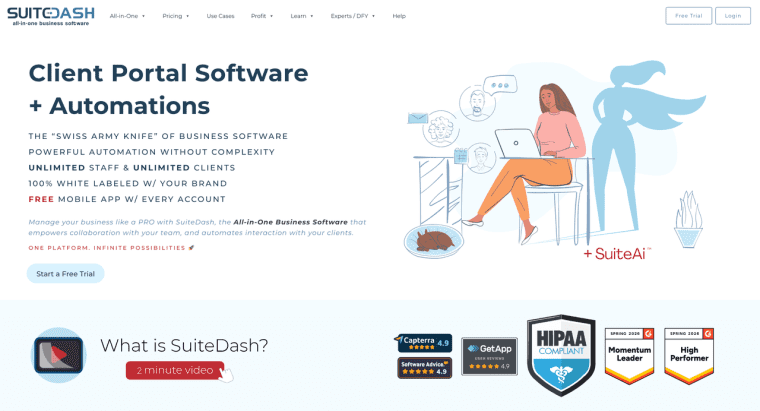
| SuiteDash | Portal-heavy service businesses | Start includes client portals, projects, files, and invoicing; check task-approval setup in a trial. |
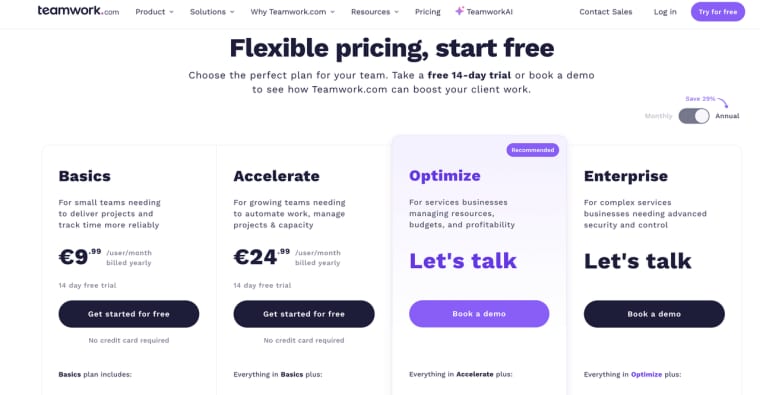
Start with Teamwork when client participation belongs inside the delivery project: its client users are free on Basics and above. SuiteDash is a different fit: its Start plan combines client logins with projects, files, and invoicing. monday.com and ClickUp invite guests into selected work rather than offering the same dedicated portal model.
What Qualifies as Project Management Software With Client Portal Access?
Project Workspace, Client User, and Guest View
For this comparison, client portal access means an invited external person can act inside a project or a dedicated client space. A view-only link shares status, but does not prove that a client can upload, approve, or keep records there. Check those actions separately.
A Teamwork client user joins assigned projects; a monday.com or ClickUp guest sees selected boards or items; SuiteDash provides a separate client portal. When choosing client project management software, match that access route to the client's job, then check the internal boundary and seat cost.
How We Evaluated Project Management Options
One Shared Project-Delivery Scenario
To compare client portal access across project management tools fairly, use one shared scenario: a consulting team starts a new client project, collects onboarding material, plans internal tasks, shares milestones, gets feedback on a deliverable, tracks time and budget, sends an invoice, and closes the project with a retained record.
The account-level flow to verify is invite, upload a dummy file, record an approval, revoke access, and retry the old link. Until that is run, the comparisons below describe documented capabilities and plan terms, not observed usability or data isolation.
Planning, Client Participation, Approvals, and Billing Criteria
Check what the client can open, upload, approve, and see after the project closes. The documented access routes differ:
| Tool | External route | Upload/approval evidence | Internal boundary |
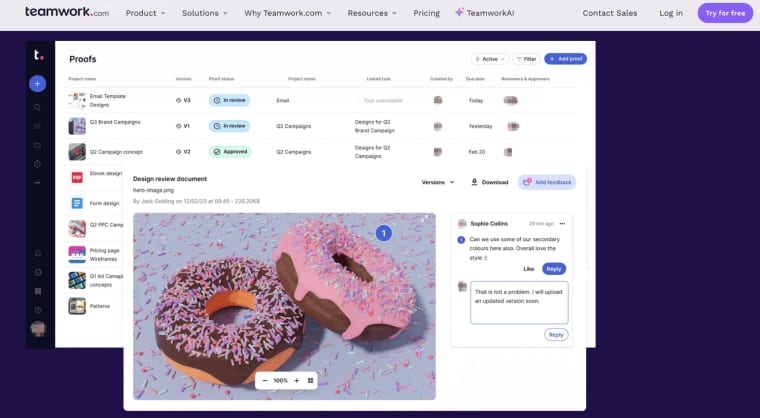
| Teamwork | Client user, Basics+ | Files, comments, approval tasks; Basics: 20 Proofs/month | Project permissions; no client profitability view |
| monday.com | Shareable-board guest, Standard+ | Board comments; file upload depends on permissions; no native project sign-off verified | Other boards hidden; Enterprise adds column-view restrictions |
| ClickUp | Selected task or location, Unlimited+ for controlled guests | Attachments and Proofing comments; approval uses a configured task status | Only shared items are visible; inspect inherited scope |
| SuiteDash | Client portal and project, Start+ | Client files; Task Approval documents approve/reject | Client Talk and Team Talk are separate; check file roles |
The matrix records vendor documentation, not a completed permission test. For a quote, check employee seats, external users, project limits, and the tier that unlocks the required approval or billing step.
Compare the Shortlist Across the Project Lifecycle
Project Setup and Internal Planning
Teamwork keeps delivery projects, time logs, and client users together. Its pricing comparison puts billable time in Basics, while Accelerate adds time budgets, capacity planning, and invoices from logged time. Do not count those Accelerate features in a Basics budget.
monday.com is flexible when teams like boards, dashboards, automations, and custom workflows. Its guest model works for clients, vendors, freelancers, or external consultants who need only specific boards.
ClickUp is useful when task-level collaboration and permissions matter. Its guest-role materials distinguish view-only guests, permission-controlled guests, and Free Forever guests, which makes it important to check plan and permission rules before inviting clients.
SuiteDash starts from the opposite end. It is portal-heavy first, then adds project and task management around client onboarding, files, messaging, billing, and dashboards.
Client Updates, Feedback, and Approvals
For client updates, Teamwork's client users can contribute comments, tasks, milestones, and time while the internal team controls visibility. Proofs are useful when agencies need file feedback and approval history.
monday.com guest access can work when the client only needs selected boards or dashboards. Its guest collaboration model for shareable boards is not the same as a full project portal, so teams should decide how much participation the client really needs.
ClickUp can support client feedback when guests are added to specific items or locations. The risk is permission drift. If clients can comment, edit, or create, the team should define who reviews changes.
SuiteDash may be stronger when the client experience itself is the product: branded login, files, onboarding, billing, and private communication.
Deliverables, Time, Budget, and Invoicing
Service teams need more than tasks. They need proof of what was delivered, when feedback arrived, what changed, how much time was spent, and whether budget is at risk.
Teamwork is strong here because time, budgets, project health, client dashboards, and invoicing appear in the same product family. SuiteDash also emphasizes invoicing, subscriptions, proposals, file exchange, and client-facing billing.
monday work management and ClickUp track delivery, but monday service's customer portal and monday CRM invoices are separate products. Do not mark native project invoicing for either shortlist entry without a current product-level source; connect a finance tool separately if needed.
Team Administration and Client Participation Costs
Illustrative access budget (features differ by tier): five employees, eight client contacts, one project each. US list prices checked October 21, 2026. Annual-plan monthly equivalents exclude tax and add-ons; these are calculations, not invoices.
| Tool/tier | Staff seats | Client access/limit | Cost and feature gate |
| Teamwork Basics | 5 × $9.99 | Free client users; 300 projects; five active projects per client user | $49.95/mo equivalent, billed yearly; Accelerate invoicing: 5 × $24.99 = $124.95/mo |
| monday Standard | 5 members + 8 guests = 7 seat units, rounded to 10 | Four guests = one seat; Pro has unlimited guests | 10 × $12 = $120/mo; Pro: 5 × $19 = $95/mo; compare features |
| ClickUp Unlimited | 5 × $7 | 13 included controlled guest seats cover eight clients | $35/mo; Business for unlimited Proofing: 5 × $12 = $60/mo |
| SuiteDash Start | Flat rate | Unlimited staff, clients and portals; 100 GB storage | $19 monthly or $180/year ($15/mo equivalent); check approval setup |
Teamwork allows client collaboration in its project environment and highlights client users as a core client-work feature. monday.com guest access has specific seat and plan implications. ClickUp's guest pricing and permissions vary by plan, and permission-controlled guests can affect cost. SuiteDash marketing materials describe unlimited staff and client access; teams should still verify current plan terms, storage, billing features, and support limits before relying on that claim.
Choose the Right Client Participation Model
Use full client participation when the client needs to comment, approve, upload files, track milestones, and stay close to the work. Use a restricted guest view when the client needs visibility but not full involvement. Use shared links when the client only needs a read-only update.
The best choice is usually the least access that still keeps the project moving. More access can reduce emails, but it can also create confusion if clients edit tasks, skip approval paths, or see internal planning notes.
For project management software for consultants, I would start by asking one blunt question: "What do clients keep asking us for in email?" If the answer is status, approvals, files, and invoices, portal access is probably worth evaluating. If the answer is only a monthly update, a lighter guest view may be enough.
Limits and Trade-Offs for Project Delivery
Project management software with client portal access does not fix weak processes. If your team has unclear owners, sloppy file names, vague approval rules, or late status updates, the portal will expose the mess faster.
Migration is another risk. Moving from email or spreadsheets into a PM system can lose old context unless someone maps clients, projects, files, approvals, invoices, and open decisions. Data quality also needs ownership. Someone must clean duplicates, close old tasks, update status, and remove client access after a project ends.
Permissions deserve regular review. A client should not see internal margin notes, staffing issues, unrelated clients, or confidential vendor comments. Procurement, security review, record retention, and contract disputes depend on the customer, jurisdiction, and agreement. This article is general information, not legal, procurement, or security advice.
Keep Client Work Visible Without Opening Everything
The right project management software with client portal access gives clients enough visibility to reduce friction without handing them your whole internal workspace. Start with the participation model first: full client user, limited guest, or shared view. Then compare tools by the project lifecycle you actually run, from setup and approvals to files, billing, and closeout.
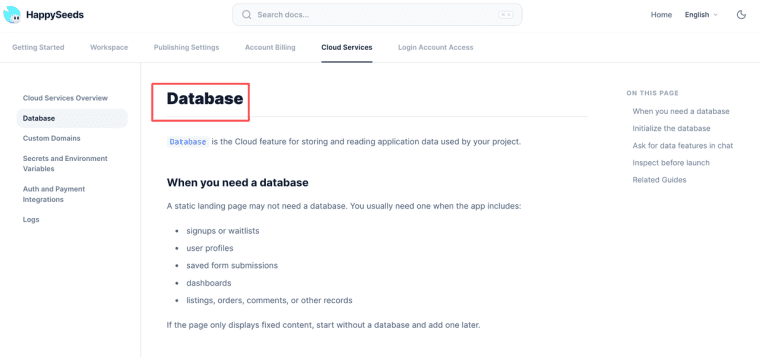
If your client workflow is too specific for standard PM software, move the decision toward a custom portal path instead of forcing a general tool to behave like your business. HappySeeds may be considered for prototyping a narrow client workflow, such as intake and saved-record experiments, before deciding whether a full custom build is necessary. For that stage, the closest fit is the database workflow for saved app records, not a claim that HappySeeds replaces a mature PM suite.
Explore More Topics:
FAQ
What should teams do when a client refuses portal use?
Do not force the portal into the relationship blindly. Keep the internal project system as the source of truth, then offer email summaries or scheduled updates for that client. Track the refusal so the team knows which updates must be sent manually and which records still belong inside the project workspace.
Should completed client projects remain available online?
Only if the retention policy, contract, and client expectations support it. Some clients want long-term access to final files and approvals. Others expect access to close after delivery. Decide how long records remain visible, who can download them, and when access is removed.
How should a client sponsor change be documented?
Record the outgoing sponsor, incoming sponsor, approval date, open decisions, unpaid items, and any access changes. A sponsor change can affect scope, sign-off, invoices, and project memory. Do not rely on a private message between account managers.
Can procurement require a separate security review?
Yes. A client may request security materials, data handling details, access controls, subprocessors, retention rules, or incident processes before using a portal. This is especially likely when the portal stores private files, customer data, financial records, or regulated information.
Can portal records support a contractual dispute?
They may help, but they are not automatically decisive. Useful records include approvals, file versions, timestamps, comments, change requests, invoices, and access history. Whether they support a dispute depends on contract terms, record integrity, and applicable law.