
Wedding invitation website
Put the invitation, story, wedding weekend schedule, travel details, and RSVP form behind one shareable link.
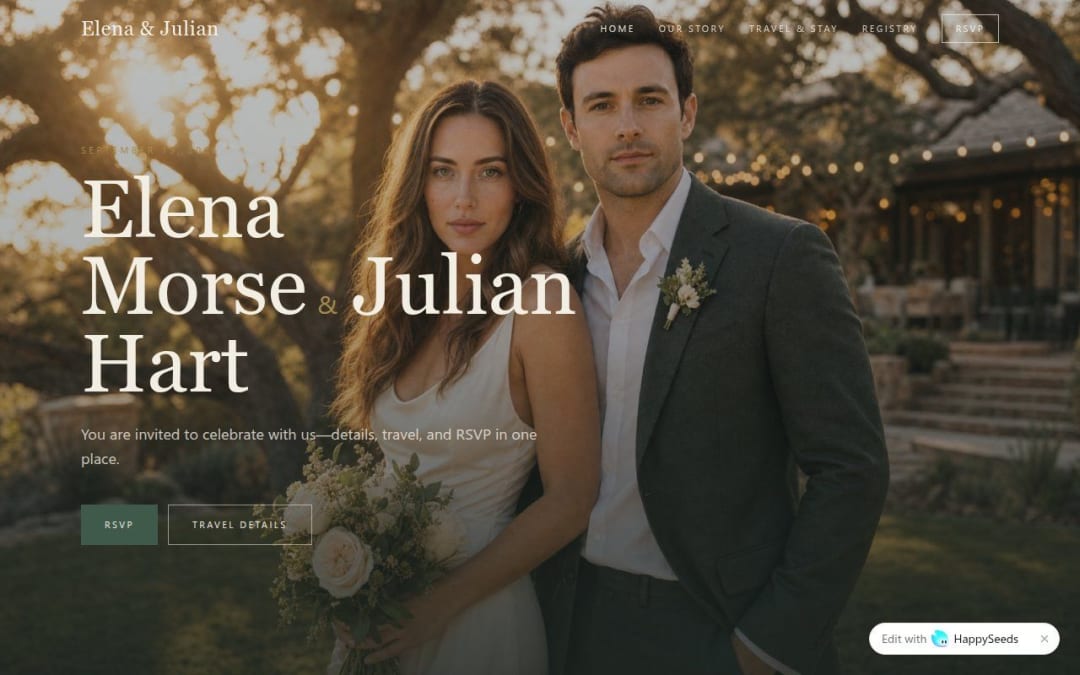
Digital Wedding Invite is a wedding website template with an RSVP form for couples preparing an online invitation. Share your story, ceremony and reception details, travel information, and gift registry link. The form includes attendance, guest count, dietary needs, and a message. Replace the sample couple and event details, then test how replies reach you before sharing the invitation.
An online wedding invitation should explain when to arrive, where to go, where to stay, and how to reply. This template brings those details together with a couple's story and photos. The Elena & Julian sample includes separate story, travel, registry, and RSVP pages, giving you a clear starting point for a wedding weekend website.
Use the template Open the sample wedding website in HappySeeds and choose the event you want to create.
Personalize the invitation Replace names, photos, story, wedding date, RSVP deadline, venues, and the event schedule.
Connect the practical details Replace map, accommodation, and gift registry links. Set up how replies are stored and reviewed, and restrict access to any guest response list you add or use.
Test and share Check the pages on mobile, test accepting and declining through the form, and confirm that you can review replies privately. Publish the website and share its link with your guests.
Put the invitation, story, wedding weekend schedule, travel details, and RSVP form behind one shareable link.
Replace the wedding content with your celebration details and adapt the attendance wording.
Focus the schedule and directions on one gathering, and collect guest counts and dietary information through the reply form.
Introduce the couple and show the event date, ceremony, and reception details.
Personalize the sample story sections and imagery with your own moments.
Share map links, accommodation recommendations, and transport notes in a dedicated guest page.
Give guests a link to your chosen registry without presenting the template as a payment service.
Collect attendance choices alongside names, email addresses, guest counts, dietary needs, and messages.
Let guests choose their response, with the guest count changing to zero when they decline.
It is a wedding website template with an online RSVP form. If you also want printed invitations, prepare that design separately and include the website link or a QR code pointing to it.
It includes a name, email, attendance choice, guest count, dietary needs, and an optional message. Review the fields for your event and test how responses are saved and shown to you.
The public demo shows the guest-facing RSVP form. Set up and verify where replies are stored, how you access them, and who can see them before using it for real guest information.
The template has accommodation information and an external gift registry link. Replace the sample links with your own destinations; it does not demonstrate hotel booking or payment processing within the website.
A planner can adapt the sample invitation for a client by replacing the couple's details, story, schedule, travel information, and RSVP wording. This is a guest-facing event website, rather than a planner's services website or a multi-client management system.
Customize the site in HappySeeds, test the form and links, and publish using the options available to your plan. Share the live link with guests. See HappySeeds pricing for current publishing and domain options.