
Weather dashboard
The default build — panels, locations, and a forecast people actually read.
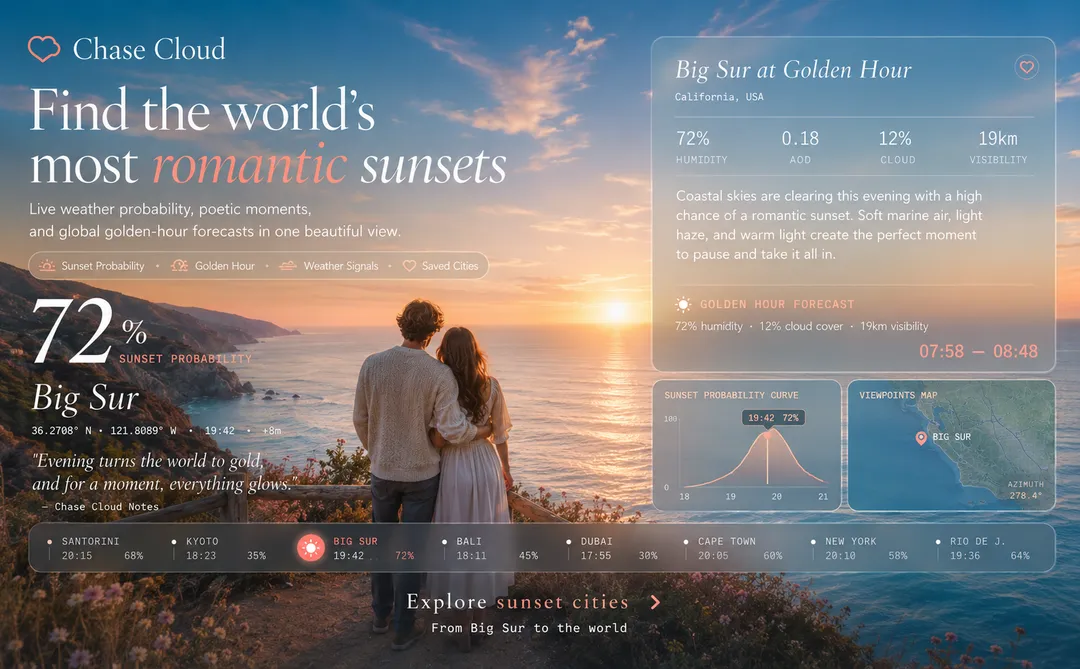
ChaseCloud is a weather app template built around the question a forecast doesn't answer: is tonight worth going outside for? Hourly probability, a marked peak window, and climate context in one dashboard. Connect a weather source and aim it at whatever your audience chases.
Every weather app answers whether it will rain, which is rarely the question. ChaseCloud answers the real one: a sunset worth driving for, a clear hour between rain bands, the night the sky finally opens. Aim it at whatever your audience chases — surf, stargazing, storm fronts — and the same curve answers a different question.
Remix this template Get a working copy — nothing to install or deploy.
Decide who it's for A city's residents, a photography community, and a classroom share mechanics but not wording.
Pick what your audience chases Sunsets, surf, stargazing, storm fronts — one thing, scored properly.
Connect a source and credit it, then publish Live data needs a weather API; follow its attribution rules and show the source where required.
The default build — panels, locations, and a forecast people actually read.
Today's number next to the thirty-year context that explains it.
One place, covered properly, for the people who live there.
An argument about a changing climate, made out of the record itself.
Today's conditions, laid out to be read at a glance.
Hour by hour, with the peak window marked.
One city, or a list users pick from.
The context that turns a number into a meaning.
Historical records and comparisons, where your source has them.
Readable on the phone people actually check it on.
Yes. Change the locations, data panels, labels, climate notes, colors, and page structure.
Live forecasts require a connected weather API. Choose a provider that covers your locations and data needs.
Yes. Set a fixed location or let users choose among the places you support.
Yes, if your data source provides it. Add charts or comparison panels that fit the available records.
Yes. Keep the number of panels and data points manageable, then test the finished layout on common screen sizes.
Follow the attribution and usage rules of the API or dataset you connect. Display the source where required.