I almost didn't write this one, because every take I'd seen on Opus 4.8 Fast Mode was written for people who live in a terminal. That's not me. And if you're building a small AI product instead of an infra stack, it's probably not you either.
Hi everyone, Elin here. Here's the thing I actually care about: Fast Mode isn't a coding feature. It's a product decision. It changes how long your users sit there watching a spinner — and whether you pay extra for the privilege of not making them wait. I've shipped a few tiny AI apps this year (broke two of them in front of real users, but that's another post), and the speed-versus-cost question is the one I keep getting wrong.
So this is the non-developer version: what Opus 4.8 Fast Mode does to your users, when the extra cost earns its keep, and when it's just money you're lighting on fire. One disclosure up front: I'm drawing on official docs and launch coverage here, not from running Fast Mode through my own production workload. I'll flag what I checked versus what I'm reasoning through.
The 30-second version: It's the same Opus 4.8, generating up to 2.5x faster for roughly 2x the cost. Worth it when a real person is waiting on the output and the moment is tied to conversion. Wasted on background tasks nobody's watching. Use it surgically, not as a default. Enterprise login can follow WorkOS with Codex.
What Fast Mode actually changes for users (not for coders)
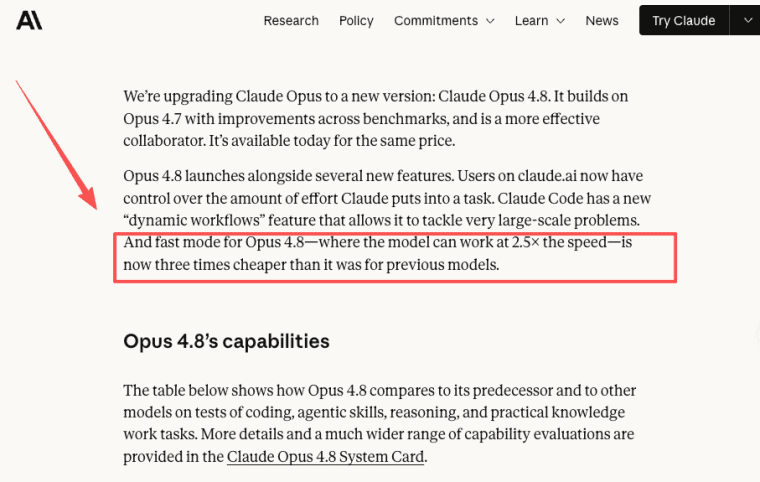
First thing to get straight: Fast Mode doesn't make the model smarter or dumber. It's the same Claude Opus 4.8 — same answers, same quality — just producing its output faster. Anthropic's own announcement of Opus 4.8 puts the speedup at up to 2.5x. Nothing about the response itself changes. Only how quickly the words show up.
That distinction matters more than it sounds. When people hear "fast model," they assume a quality tax — like you're swapping in a smaller, cheaper brain to save time. Not what's happening here. Claude Opus 4.8 fast is the full model on a faster inference setup. You're buying speed, not trading away intelligence.
What it speeds up is narrower than you'd expect, though, and it tripped me up — I'll get to that in the UX section. Short version: it makes the model write faster once it gets going. It does not magically make everything feel instant. If your app's slowness is coming from somewhere else — your backend, a sluggish database call, an image upload — a faster model won't save you. I learned that the embarrassing way on a project where the model was never the bottleneck.
When speed is worth the extra cost
So when is speed worth the cost? Not always. That's the honest answer most takes skip right past.
Speed earns its premium when a human is sitting there waiting on the output, deciding in real time whether your app is worth their patience. A chat interface. An onboarding flow. A "generate my thing" button someone clicks expecting a payoff. Every extra second there is a second where they can bounce, get distracted, or quietly decide your product feels cheap.
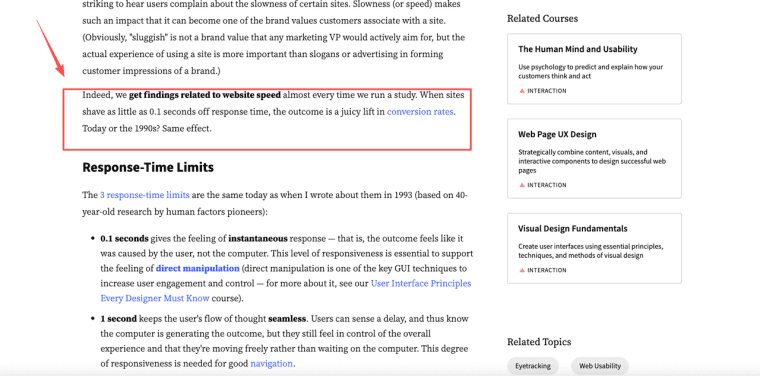
There's decades of UX research backing this up, and it isn't subtle. Nielsen Norman Group — who've been measuring this stuff since the dial-up era — point out that even shaving fractions of a second off response time produces measurable lifts in conversion, and that slow interfaces quietly cost you the less-committed half of your users. People don't email you to say "too slow." They just leave.
Where speed is not worth it: anything running in the background. Batch jobs, overnight processing, a report that generates while the user does something else, internal tools where your three teammates will wait however long it takes because they have no choice. Paying a 2x premium to make a background task finish faster is, in most cases, just burning money. Nobody's watching the clock.
How Fast Mode affects your credits and pricing
Here's where I had to actually go look things up instead of guessing, because pricing is exactly the kind of thing I'd hate to get wrong for you.
The durable part — the bit least likely to change — is the ratio. Fast Mode runs about 2x the standard rate for up to 2.5x the speed. So you pay double to go a little more than double as fast, on the same model. Hold onto the ratio; the dollar figures are the part that'll age.
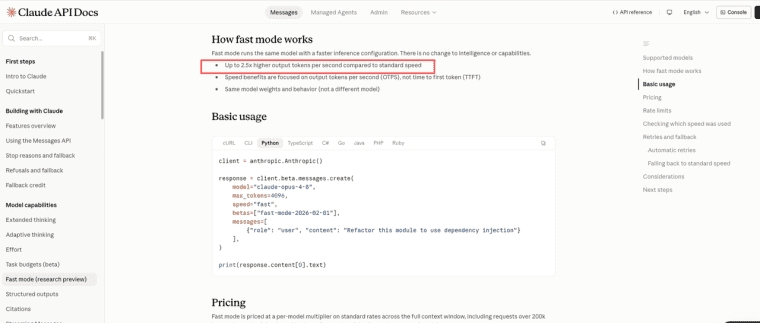
The durable part — the bit least likely to change — is the ratio. Fast Mode runs at roughly 2x the standard token rate for up to 2.5x the speed. So you pay double to go a little more than double as fast, on the same model. That ratio is the thing to anchor your mental model to. The dollar figures are the part that'll age — check the Anthropic pricing page and the Fast Mode documentation for current numbers before you commit a budget. What's worth knowing: Fast Mode on Opus 4.8 is significantly cheaper than fast modes on previous Opus generations — roughly three times cheaper for equivalent speed — so the math for interactive workloads has shifted meaningfully from where it was a year ago.
One thing that genuinely surprised me: where Fast Mode is available right now, it tends to bill as separate usage credits, not something folded into a flat subscription. So it's an add-on cost sitting on top, not a free toggle. If your pricing assumes "users get unlimited generations for $X a month," a fast model quietly eats your margin every single time someone hits generate. Do that math before you flip it on, not after.
UX trade-offs founders overlook (AI app latency)
This is the section I most want non-technical founders to read, because AI app latency is weirder than "faster equals better," and the trap is easy to fall into.
Fast Mode speeds up output tokens per second — how fast words come out once generation starts. According to Anthropic's fast mode documentation, it specifically does not improve time-to-first-token, the pause before the very first word appears. Read that twice. The "is anything even happening?" moment — the scariest part of the wait for a user — is mostly unaffected.
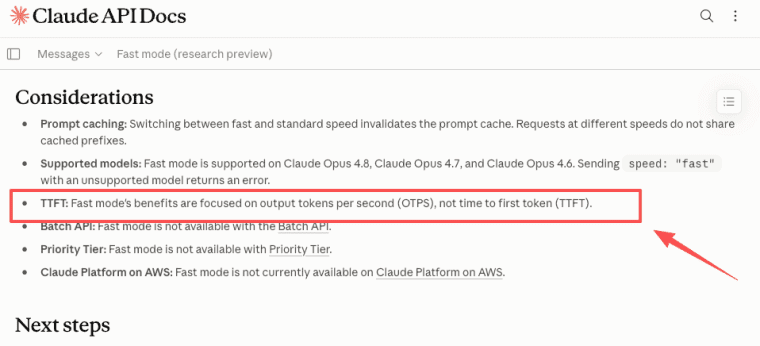
Why does that matter? Because if your app streams responses (words appearing as they arrive, the way chat types out), most users judge speed by how fast something starts, not how fast it finishes. They see motion, they relax. In that setup, Fast Mode helps most when responses are long — a 2.5x faster stream means a long answer wraps up in roughly a third of the time. For short replies that fit in a sentence or two? The human barely clocks the difference.
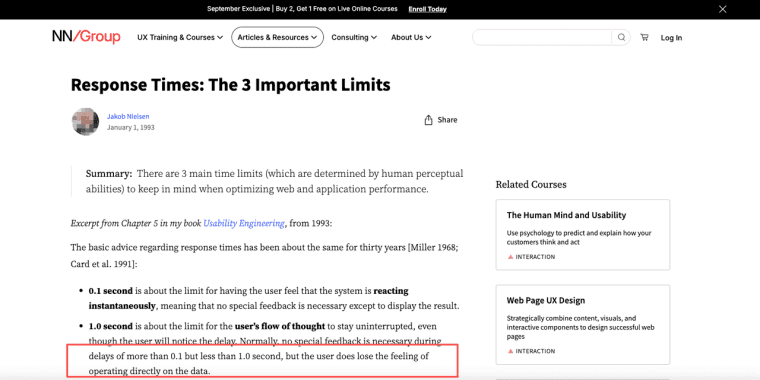
The classic Nielsen Norman response-time thresholds still hold: under about 1 second feels like direct manipulation, and around 10 seconds is where attention falls off a cliff. So the real question isn't "can I make this faster." It's "is my response landing on the wrong side of 10 seconds for the people who matter?" If you're already comfortably under that, a faster model is polish, not rescue. If your big generate flow drags past it, that's where the spend earns back.
The part founders overlook most: variance. A response that's usually 3 seconds but occasionally 14 feels worse than one that's reliably 8. Users forgive slow. They don't forgive unpredictable.
Decision framework: standard vs Fast Mode
Here's the checklist I now run before flipping any speed setting either way.
| Dimension | Use Fast Mode | Stick with Standard |
| Who's watching | Real user waiting on output | Background task, no one watching |
| Response length | Long — speedup is visible | Short — difference barely registers |
| Stakes | Conversion moment, first-run wow, paid action | Internal tool, captive audience |
| Bottleneck | Model is confirmed slow | Backend / DB / upload is the real delay |
| Cost tolerance | Margin supports 2× per-token premium | Thin margins, 2× would hurt |
| Latency concern | Responses pushing past ~10 seconds | Comfortably under 10 seconds already |
A blunt way to decide: would your user pay a few cents more to get this answer twice as fast? For a high-stakes, sitting-there-waiting moment — often yes. For a background report — never, because they don't even know it's running. Opus 4.8 Fast Mode is a scalpel, not a default. Use it where the wait is visible and the stakes are real, and leave it off everywhere else.
One honest caveat before you go: everything above on the specifics — the 2.5x speed, the research-preview status — is pulled from official documentation and launch coverage as of mid-2026, not from personal production testing. Access, pricing, and availability are moving quickly, so treat any number as a starting point and verify against the official source before you build a pricing model on top of them.
And don't assume your app builder or platform exposes a model or speed choice at all — plenty don't. If model selection matters to your product, confirm it's actually available to you before you plan around it.
Explore More Topics:
FAQ
How do I actually enable Fast Mode in different places (Claude Code vs API)?
In Claude Code, simply type/fast at the start of a conversation or session to activate it. For the API, it’s currently in research preview — set the speed: "fast" parameter in your request, but you may need to contact your Anthropic account manager or join the waitlist at claude.com/fast-mode for access. It’s not yet available on third-party platforms like Vertex AI or Bedrock.
Can I combine Fast Mode with other new Opus 4.8 features like Effort Control or Dynamic Workflows?
Yes, Fast Mode works alongside Effort Control (the new thinking intensity dial on claude.ai) and Dynamic Workflows in Claude Code. This combination is particularly useful for complex agentic tasks where you want both faster output and more (or less) reasoning depth, though higher effort levels can partially offset some of the speed gains.
What are the real limitations of Fast Mode besides TTFT, especially for long-running tasks?
Fast Mode is primarily optimized for output token generation speed and may not deliver consistent gains under very high concurrency or with extremely long contexts. It’s also still a research preview on the API, so availability and performance can vary. For massive batch or async workloads, Anthropic’s separate Batch API (with lower pricing) might be a better fit than forcing Fast Mode everywhere.
Should every AI app use a fast model?
No. Most flows don't need it. Use it surgically on the waits your users actually see and care about. Defaulting everything to fast is just a pricier way to run the same product — and your margins will notice before your users do.