A founder searching for a muse wonder app builder wants to know whether it can help put a real Web app in front of customers. Meta's October 12 launch includes a working-app example, but Muse Wonder is a model, not a hosted app builder. This review checks the public workflow, not an account-level build.
What Can Founders Access in Muse Wonder Today?
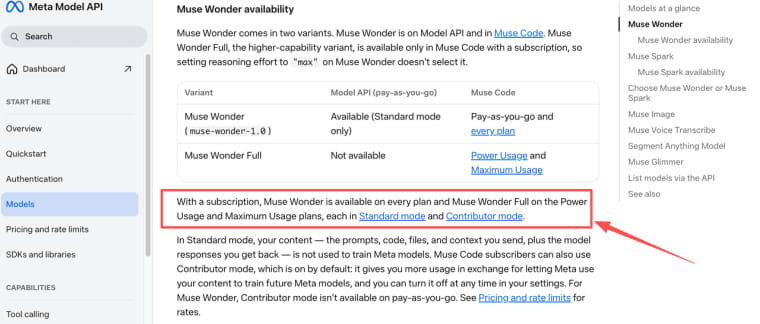
Muse Wonder is in preview through Meta Model API and Muse Code. It is distinct from the consumer Muse app, where Wonder will roll out later. Muse Wonder Full requires an eligible Muse Code subscription; it is not on the API.
The developer entry shows two routes: call muse-wonder-1.0 through the API or use Muse Code with Muse Wonder explicitly selected in a software project. Muse Code plans, edits files, and runs commands in a terminal or CI. Neither route automatically supplies hosting, customer accounts, or a domain.
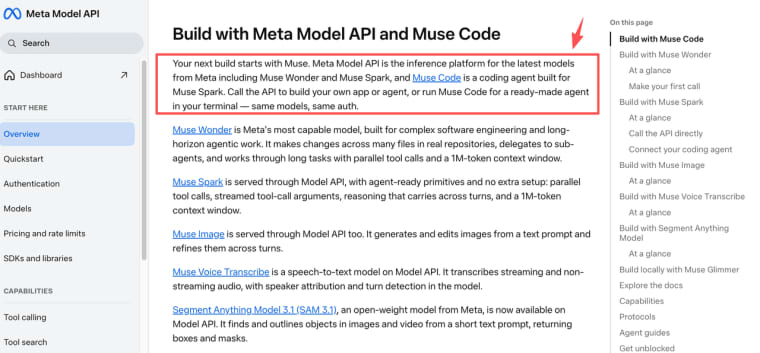
I opened that public entry on October 15, 2026. It offers an API request and a Muse Code start command, not an app editor or publish button. That is an observation about the public entry, not a logged-in product test.
Which One-App Prototype Is Worth Testing?
For Muse Wonder app building, test one job: a caterer's quote board. Customers enter an event date and guest count, then sign in to see only their own quote status. The owner reviews and updates every request. Use fictional customers; leave payment for later.
For a proposed Muse Code app workflow, define fields and roles, build the form and two views, review the changes, then submit two requests. Meta documents session controls; it does not establish the outcome of this test. Refresh, sign in as customer B, and try customer A's direct quote URL. Pass only if the request persists and B cannot open it.
One useful prompt is: "Build a quote board with customer and owner roles. Save requests. Customers can read only their own. If an owner update fails, show an error and keep the prior status." Then change a status label and check that old records still make sense.
Do You Need a Launch Site or a Working App?
If you only need to explain the catering service and collect an email, build a launch site. A back end adds work without answering a new customer question.
That smaller route can go live before you know whether anyone wants to return and track a quote. Do not make a simple contact page wait for an account system it does not need.
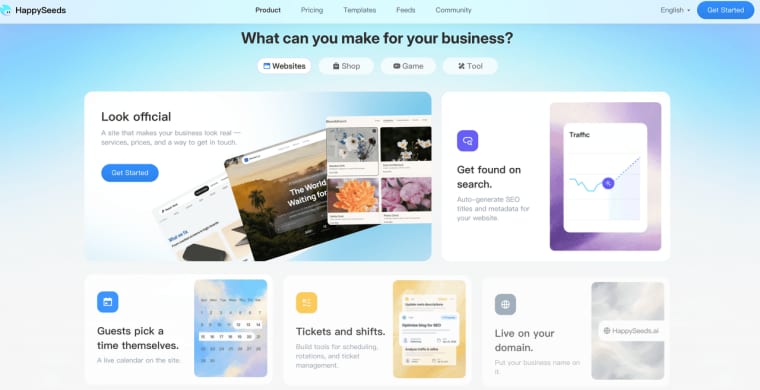
The quote board is an app: customers return, records change, and access depends on identity. Model-assisted code can serve it if someone owns deployment and maintenance. A founder who would rather build a Web workflow through conversation can consider HappySeeds' app builder: revise the app, configure saved data and login, then publish. It is not a Muse Wonder integration. The same two-customer privacy test applies. For the broader build route, see this idea-to-launch guide.
What Must Happen Before a Prototype Can Launch?
A stranger must be able to use it safely without the founder standing beside them.
Product Data and User Flows
Define request fields, status changes, and who may read or edit each record. Test a double click, expired session, and failed save. If an owner's status edit fails, show the error; never show a customer an update that was not saved. These are acceptance tests, not demo-proven features.
Publishing and Ongoing Ownership
Choose the database, authentication service, host, domain owner, backup method, and support owner. Muse Code's generated files still need deployment, environment settings, monitoring, and rollback. An AI app launch checklist should distinguish preview from the published URL. Open that URL in a fresh browser session and repeat the role and failed-save tests.
Where Does the Model Workflow Stop?
It need not stop at a prototype. Model-assisted code can reach production with engineering and operational work. The Meta Muse Wonder API supplies model access; Muse Code changes a project. Neither decides data retention, support, or who can see a quote.
Before sharing a real brief, check privacy settings. Meta's model access details distinguish Standard mode from Muse Code subscription Contributor mode, which is on by default and permits training use of content. Fictional records are enough for this test.
The App Is Ready When Someone Else Can Use It
The muse wonder app builder question has two parts. Its coding routes justify testing the quote board. A live product requires more: saved records, isolated accounts, a public URL, and someone who owns failures. Choose the route your team can actually finish.
Explore More Topics:
FAQ
Does Muse Code let non-coders review generated changes?
It exposes project changes and supports approvals. A founder can test behavior, but a developer should inspect the diff and role rules before customers enter real data.
Can a founder export the assets from a Muse Code project?
Edited files remain in the project. Transcript and session-log export are separate. Neither guarantees a portable app; check assets, dependencies, data, and build instructions.
Are Muse Wonder API and Muse Code commercial terms different?
They have different access and billing routes. Check the terms for your route and rights to third-party inputs; model access does not settle asset ownership.
What happens to project context if an account changes plans?
Do not assume model access or session conveniences survive a plan change. Keep your repository and approved requirements; export needed session records first.
What privacy terms apply to an unpublished app idea?
Unpublished does not mean Meta never receives the brief. Check your API or Muse Code mode, session logging, retention, and account access; remove customer identifiers and credentials before prompting.