"Clients upload a brief, we review it, and they pay before work starts." That sounds like one app idea. It is three workflows hiding in a sentence.
Claude Opus 5.5 launched on September 22, 2026 for long-running coding and knowledge work. These prompts use documented capabilities, not a claimed hands-on test.
What a Launch-Ready App Brief Must Decide
A launch-ready app specification names the user, workflow, stored data, access, payment states, failures, and owner. It will not prove demand or produce finished software.
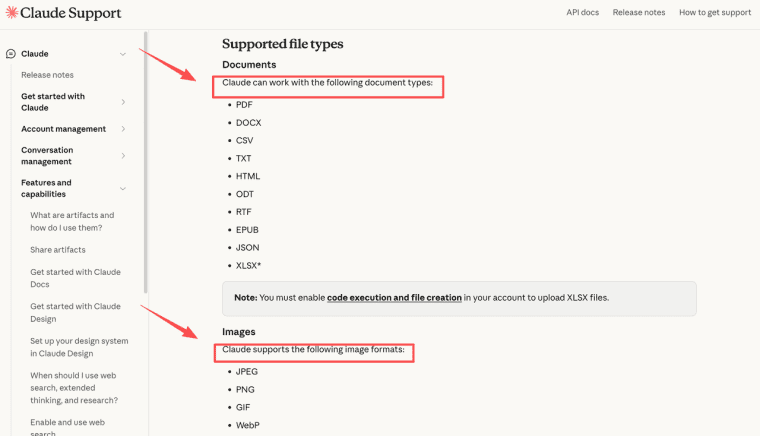
Claude supports common document and image formats through file uploads. Upload only trusted sources, without personal data or credentials.
Prompt 1: Define the User, Job, and Success Signal
Start with the messy version: "Agencies need an easier way to collect client requests." Which employee? What request? Easier than email how?
Turn this idea into one user, one recurring job, one trigger, one expected result, and one observable success signal. List assumptions separately. Do not invent market evidence.
Claude can point out that "agencies" is not one user. The founder chooses.
Prompt 2: Map the Core Workflow and Product States
Inputs, Outputs, Empty States, and Failure Paths
Describe the happy path. Then ask Claude to interrupt it.
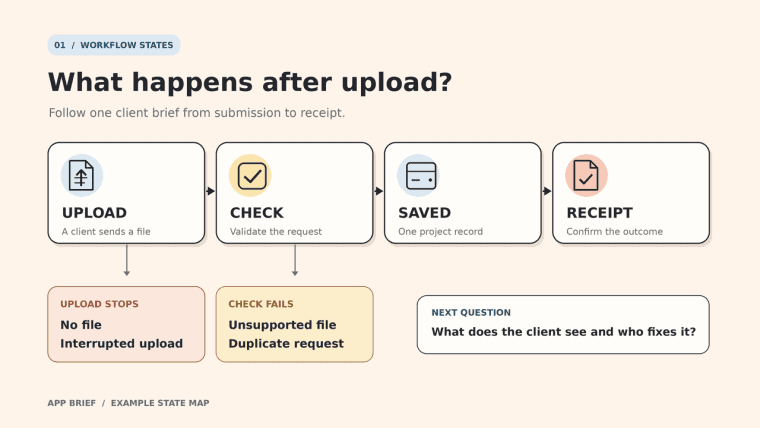
Map the shortest workflow from entry to saved outcome. At each step, identify the input, system response, next state, empty state, validation error, recoverable failure, and human handoff.
"Client uploads brief" needs states for no file, unsupported file, duplicates, interruption, receipt, and rejection. Ask for a state map, not another feature list. Humans choose which failures version one handles.
Prompt 3: Specify Data, Roles, and Permissions
This deserves more attention. A confusing button is annoying. A client seeing another client's brief is a different class of problem.
Give Claude named roles such as client approver and account manager:
Create a data-permissions matrix. For every record, list its owner and what each role may create, view, edit, approve, export, and delete. Flag inherited access, role changes, and unresolved retention decisions.
Read every row. "Staff can view all projects" should not survive because it sounds convenient.
Prompt 4: Define Payments and Entitlements When Relevant
First decide whether payment belongs in this release. If invoices live elsewhere, do not design subscriptions for fun.
If payment changes access, ask Claude to map trial, active, overdue, canceled, refunded, and disputed states against features and support. Expect an entitlement table. Prices, refunds, taxes, and cancellation promises remain human decisions.
Prompt 5: Plan Recovery, Support, and Operational Ownership
Imagine the upload succeeds but its notification fails. The client sees "submitted." The agency sees nothing. Who notices?
Ask for a failure register with the user message, log, safe retry, fallback, trigger, and named owner. Every serious failure must land with a role, not "the team."
Prompt 6: Write Acceptance Criteria and Release Checks
"The portal should be simple" is not an acceptance criterion. "Given an approved client, when they submit a supported file, then one project record is created, and a receipt appears" can be tested.
Ask for Given, When, Then checks covering the core path, permissions, duplicates, recovery, accessibility basics, and rollback. Claude can separate blockers from later improvements; The founder approves that boundary.
Consolidate the Answers into One Build Brief
Do not keep whichever sentence sounds smoothest. Conflicts matter.
Use this founder prompt template:
Consolidate the approved answers into one build brief. Include scope, exclusions, users, workflow, states, data, permissions, payments, failure handling, support ownership, acceptance criteria, unresolved questions, and a decision log. Preserve disagreements instead of resolving them without evidence.
Give the Claude product brief a version, owner, and approval date. Otherwise, "the brief" soon means three files.
Where the Brief Still Needs Human Decisions
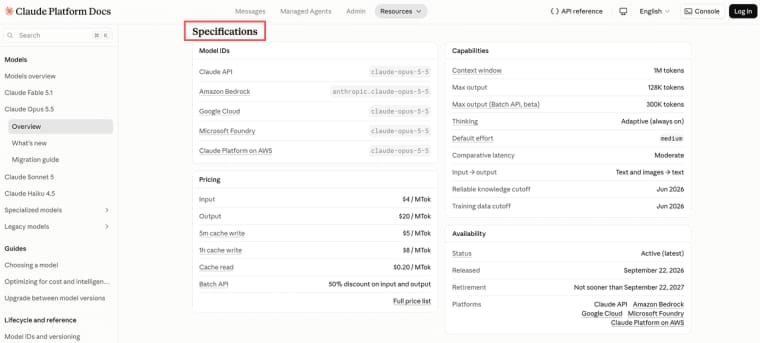
Claude may expose a gap; it cannot authorize privacy commitments, retention periods, pricing, accessibility duties, or customer promises. The Opus 5.5 model specifications describe technical capacity, not organizational authority.
How the Brief Can Guide a HappySeeds Build
Once those decisions are approved, the brief has finished its planning job. It now needs to become a handoff that another person or building tool can follow.
A technical team may take that specification into its existing development process. For a nontechnical founder choosing a guided Web app route, HappySeeds is one possible destination. The workflow, records, permissions, and acceptance criteria from the brief can be introduced through its chat and preview workflow, one bounded part at a time.
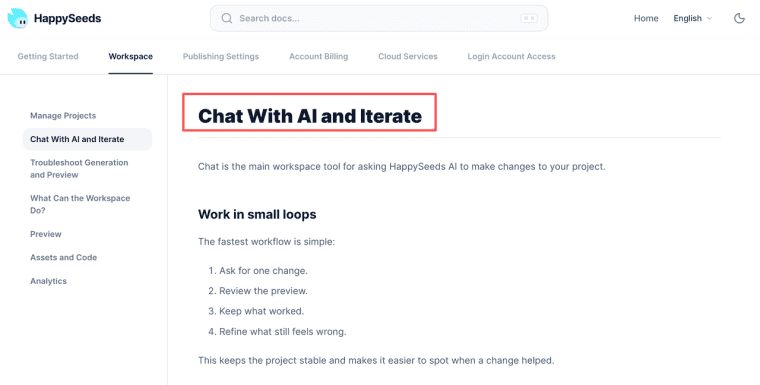
Start with the core user journey. Review the preview before adding saved data, access rules, and failure states. This keeps the approved brief visible during the build instead of replacing it with another vague prompt.
The connection is the handoff, not a native Claude integration. HappySeeds is not being presented as an Opus 5.5 host or a way to import the original Claude conversation.
Approve the Brief Before You Approve the Build
The best AI app requirements prompt will not make a fuzzy idea certain. It will make the fuzziness harder to ignore. That is less exciting than generating screens, admittedly, but considerably cheaper than discovering the same unanswered question after someone has built the wrong workflow.
Explore More Topics:
FAQ
Can Opus 5.5 build a brief from uploaded source documents?
It can work from supported files. Label dates and owners first. Claude can surface a conflict, but not decide which colleague had authority.
How should sensitive customer data be redacted before prompting?
Remove names, contact details, identifiers, credentials, financial information, and irrelevant text. Keep fictional replacements consistent.
Can a Claude conversation containing the brief move to a client workspace?
Do not assume one-click transfer. Keep an approved export and decision log that can travel without the conversation.
How can a team compare two brief versions without losing approvals?
Keep both numbered versions. Record approvals against individual decisions, not against a vague label such as "latest draft."
How should multilingual stakeholders approve one canonical brief?
Choose a controlling language, review important translations, and record which text governed approval. Translation disputes need people, not another prompt.