
Most startup planning stalls in a familiar way. The research is there, but the decision is not: interview notes, loose pricing ideas, screenshots, and contradictions live across chats and folders. By the time someone asks what the team actually agreed to build, nobody can point to one answer. Claude Docs is useful here because it turns that messy middle into a brief people can question, revise, and hand to the next person.
What Claude Docs Adds to Startup Planning
A Living Document Built From Claude Context
Claude Docs can start from a conversation, uploaded material, project context, and connected sources. It is currently a beta feature on Pro, Max, Team, and Enterprise plans, with plan-specific sharing and organization limits. The current Claude Docs workflow includes direct editing, comments, real-time collaboration, sharing, and export.
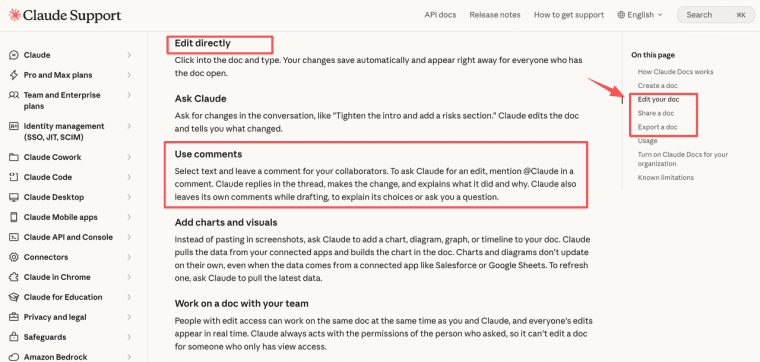
The value is not a more polished summary. A founder can ask for a draft around one decision, then let the team test its logic in the same place. Name the reader, source material, decision, and unresolved questions in the opening request.
Turn Research Into One Product Brief
Problem, User, Evidence, Scope, and Success Criteria
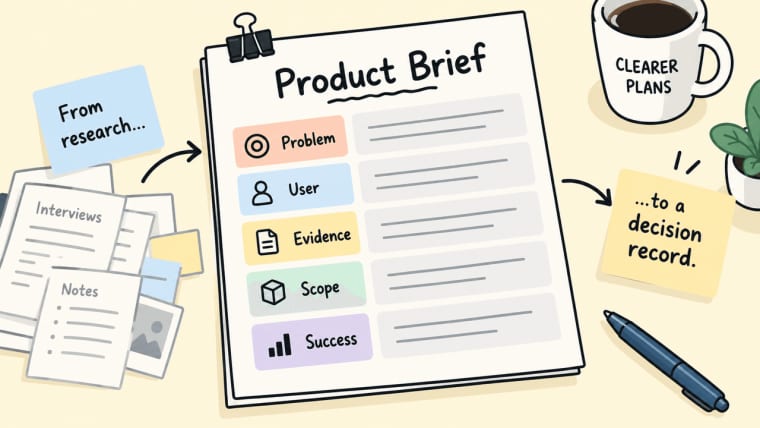
A Claude Docs product brief should be a decision record, not a research scrapbook. Capture five fields:
| Brief field | What belongs there |
| Problem | The costly moment the product must change |
| User | The person experiencing that moment |
| Evidence | Dated interview patterns or observed work |
| Scope | The first workflow and explicit exclusions |
| Success | A visible result that shows the workflow worked |
This makes startup planning with Claude more honest. "Teams need better reporting" is vague. "An account manager cannot explain a missed campaign deadline without rebuilding status from three tools" is testable. A new teammate should be able to identify the first build, what waits, and what evidence would change the plan.
Review Assumptions With Your Team
Comments, Edits, and Decision Owners
Mark assumptions plainly: the buyer will pay, a data source will be available, or a user can complete the task without a specialist. Give every important assumption a named owner and a date for deciding it.
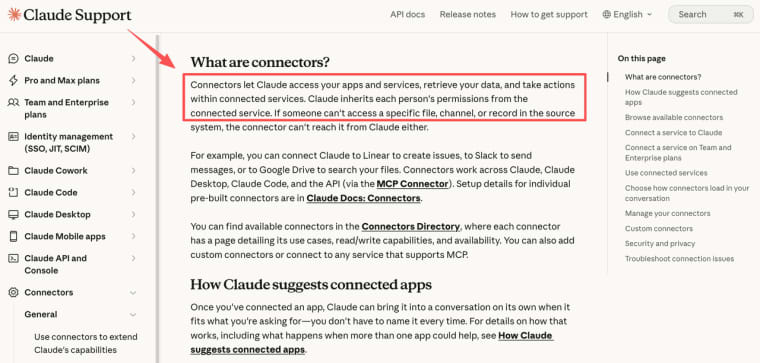
Use comments for questions that need an answer, not decorative approval. Editors can work together, leave comments, and mention Claude for targeted revisions. But people still own the judgment. Connected services inherit the source-system access of the person using them. Sharing the collaborative startup document does not make weak evidence stronger or grant a teammate access to a source system.
Hand the Brief Into Product Building
What the Document Does Not Build for You
Hand the brief forward when the first user, input, action, output, failure condition, and decision owner are clear enough for someone else to test. It does not create a database, design permissions, process payment, or prove that strangers will return. Contradictory research still needs a human decision.
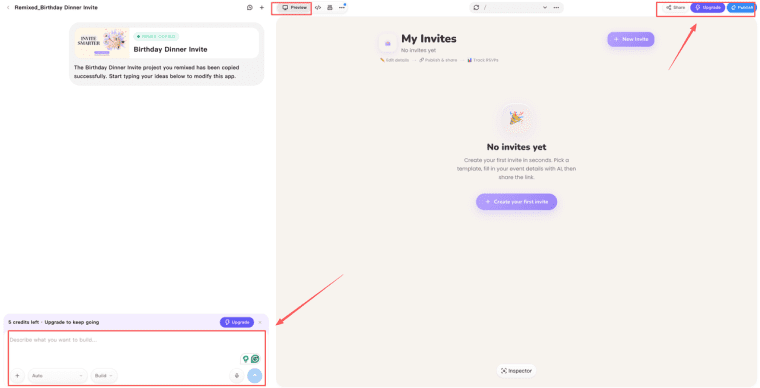
After that planning work is stable, HappySeeds may help turn a founder-owned brief into a Web-first prototype. A team can create, revise, and publish a first project around the agreed workflow. Stored data, user access, and billing should be configured only when needed. Sign-in, Stripe checkout, subscriptions, webhooks, and customer billing each need setup and published-url testing through the auth and payment integration flow. The brief stays responsible for product choices; the prototype reveals behavior.
When This Workflow Fits a Startup
This workflow suits a small team with enough research to make choices, but too much scattered context to keep those choices aligned. It is useful before work goes to a builder, contractor, or technical collaborator. It is not the only system of record for a team that needs immutable version history, formal approvals, or a regulated evidence archive. Claude Docs does not currently offer version history.
A Brief That Survives the Next Decision
A strong brief is not a prettier plan. It lets the next decision happen without relying on memory, meetings, or one unavailable teammate. When research, scope, assumptions, and owners are visible in one place, the first product test starts with fewer quiet misunderstandings.
Explore More Topics:
FAQ
Can a Claude Doc be transferred to another Claude account owner?
Current guidance identifies the creator as owner but does not describe ownership transfer. Do not assume an offboarding handoff preserves it. Export the material, confirm recipient access, and check the current plan-specific route before the original owner leaves.
Do exported Claude Docs preserve comments and contributor attribution?
Editors can export Word, PDF, Markdown, and Google Docs files. The current guidance does not promise that every format preserves comments or attribution. Keep the original available until the recipient has reviewed the export.
Can a permanently deleted Claude Doc be recovered?
No. Claude describes deletion as permanent, and Docs has no trash. Only the owner can delete a doc, so export and hand off material before closing it.
Do connected-app permissions affect what document collaborators can see?
Yes. Document access and source access are separate. Claude uses the permissions of the person requesting an action, and connectors cannot retrieve material that person cannot access in the source system.
Are Claude Docs edits available in Enterprise audit or compliance logs?
Document-level events can appear in the Compliance API activity feed, but edits and comments inside a doc are not recorded there yet. Enterprise teams should check current coverage against their own audit requirements.


