
I built a little tool recently, got it generating, exported it, and stared at the folder thinking, okay, now what. That "now what" is the gap nobody warns you about. Vercel Drop closes one specific part of it — the part where you have working files and just need them online. It does not close the rest. I'm Elin. This post is about exactly where the line sits, because I crossed it the hard way, and you don't have to.
Quick version for the people who are busy: Vercel Drop is the fastest way I've found to get an AI-generated project from a folder to a live URL with no Git and no terminal. It is not a launch. Your demo being online and your product being ready for paying users are two different finish lines, and the distance between them is where most first builds quietly die.
What Vercel Drop Solves for Builders
Here's the actual thing it does, and it's narrower and more useful than the hype makes it sound.
You drag a file, folder, or .zip onto a page in your browser. Vercel uploads it and publishes it straight to production with a shareable URL. No repo to connect, no CLI to install, no local setup. If you prefer an in-editor flow, try the Cursor plugin for Codex. According to Vercel's own Drop documentation, it handles both static sites and framework projects — if it detects something like Next.js, it runs the build for you; if there's no framework, it serves your files as-is.
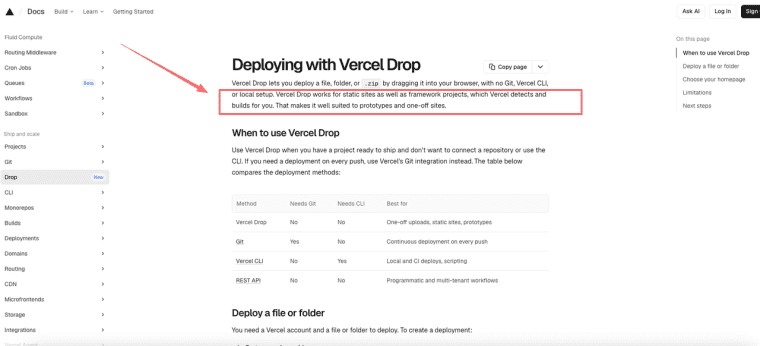
That second part matters more than it looks for our crowd. AI tools export in messy ways. Some give you a framework project, some give you a static zip. Vercel's launch announcement specifically calls out three tools: Bolt.new exports are framework projects (Next.js or Vite), so Vercel detects the framework and builds them. Claude Design and Google Stitch exports are static files with no framework, so they deploy as-is with no build step. Two different paths, both handled — which is what makes Drop genuinely useful for the range of things AI tools spit out. So when you finish in whatever AI app builder you used and hit export, there's a decent chance the output drops straight onto Vercel and just works.
I tested this with a static export and it was genuinely a few seconds to a live link. That part is real. No notes.
One thing worth knowing before you get attached to your URL: each drop creates a new project. It doesn't redeploy into the existing one. So if you re-export and drop again, you get a fresh URL each time — fine for throwaway prototypes, annoying the moment you want one stable address. The fix is connecting a Git repo afterward, which I'll come back to.
Deployment Is Not the Same as Product Launch
This is the section I wish someone had sat me down for.
Deployment means the code is running on a server somewhere people can reach. Launch means a stranger can show up, do the thing your app promises, and you can handle what happens next. Those sound similar. They are not similar.
When I dropped my first thing live, I felt done. I sent the link around. And then the questions started — can people log in? where does their data go? how do I charge them? — and I realized I had shipped a demo wearing a production URL. The deploy was the easy 20%. The launch was the 80% I hadn't started.
From demo URL to user-ready app
A demo URL is something you show. A user-ready app is something people use without you in the room. The transition looks small and isn't.
Walk through it honestly. Your vercel app is live — great. Now: a real user lands on it. Can they create an account? Does anything they type get saved, or does it vanish on refresh? If two people use it at once, do they see each other's stuff (bad) or their own (correct)? Can you tell anyone even visited?
A freshly dropped demo answers most of those with "no." That's not a flaw in Vercel Drop — Drop did its one job. It's that the job of being a product is a different job, and it starts the second after the deploy finishes. The vercel deploy step gets you to the starting line. People keep mistaking it for the finish line, me included.
What AI Apps Still Need After Deployment
So you've deployed. Here's the list of things that are still entirely on you — and roughly how much of a lift each one is. I'm keeping this concrete because vague "you'll need a backend" advice helped me not at all.
Login, database, payments, analytics, SEO, and permissions
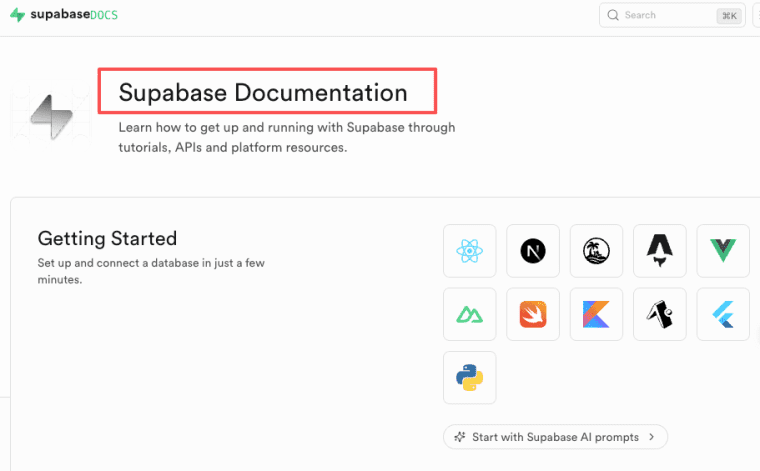
Login and a database. A live page doesn't store anything. For real accounts and persistent data, the common path is wiring in a backend service. Supabase is the one most AI-export workflows lean on — Postgres database, authentication, and APIs in one place. Supabase's own documentation covers the pairing well; you store your Supabase URL and key as environment variables and your frontend talks to the database directly. But — and this is the honest part — connecting it is not a drag-and-drop step. It involves keys, environment config, and reading docs.
Payments. Nothing about deploying sets up the ability to take money. That's a separate integration with its own keys, webhooks, and a fair amount of testing before you trust it with a real card.
Analytics. Out of the box you won't know who visited or what they did. You add that — and if you later move to a custom domain, you have to point your analytics and Search Console at the new domain or your numbers fracture across two URLs. I learned that one by wondering why my traffic looked dead.
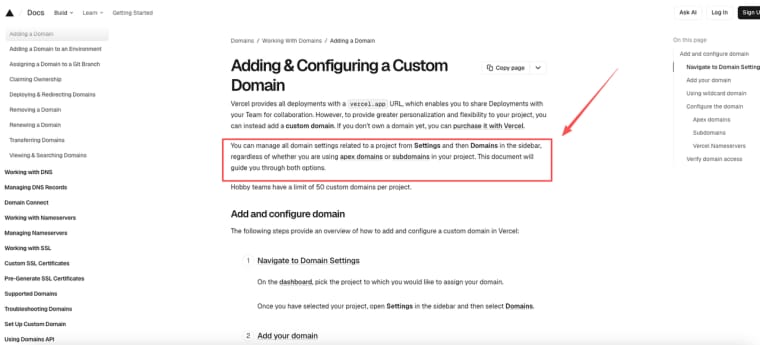
SEO and custom domain. Vercel gives every project a .vercel.app URL, but for anything production you want your own domain. The good news: you can add a custom domain to any project, dropped or not. The domain configuration docs walk through adding it in Settings → Domains and updating DNS at your registrar. It's not hard, but it's a deliberate step with DNS propagation waiting attached.
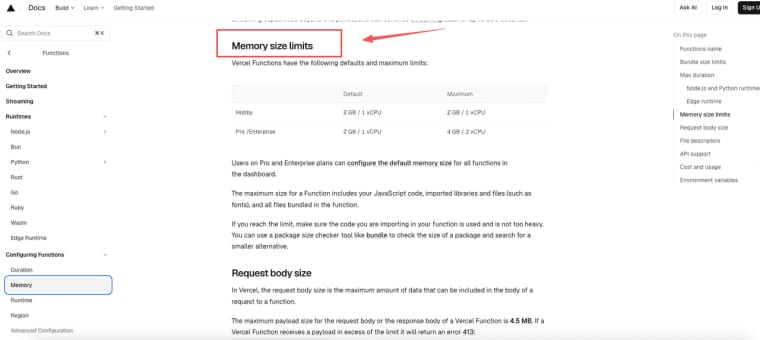
Permissions and the quiet backend ceiling. Here's the one that bites later, not sooner. On Vercel, your backend logic runs as serverless functions, and those have real limits. Vercel's Functions limitations documentation spells out the execution time caps, memory limits, and cold start behavior — tighter on the free Hobby tier, a bit longer on Pro. Projects that start frontend-first and grow into real backend workloads — background jobs, long-running processes, file handling — consistently outgrow what this setup handles cleanly. You won't feel it on day one. You'll feel it in production at the worst possible moment. I'm flagging it now so it's not a surprise to you.
I haven't personally pushed an app to that breaking point — most of what I build stays small. So take the ceiling warning as "documented and worth knowing," not "Elin hit this wall herself." I'd rather tell you the source than pretend I stress-tested it.
When Vercel Drop Is Enough vs When It Is Not
Let me just be direct, since the docs won't pick a side and I will.
Drop is genuinely enough when:
| Situation | Why Drop fits |
| Sharing a prototype for feedback | One URL, seconds, throwaway is fine |
| A static site with no accounts or data | No backend needed, deploys as-is |
| A one-off landing page or portfolio | Custom domain optional, nothing to persist |
| Showing a client a working concept | The new-URL-per-drop quirk doesn't matter |
Drop is not enough the moment you need:
- Users who log in and come back to their data
- To charge money
- To know who's using it and how
- A single stable URL you keep iterating on (connect a Git repo — GitHub, GitLab, or Bitbucket — so every push redeploys and the URL stays put)
- Backend work heavier than quick serverless functions
The honest read: Vercel Drop is an excellent vercel deploy on-ramp and a deliberately incomplete product platform. It was built to be the first step, not the whole staircase. Treating it as the whole staircase is the mistake — and it's an easy one, because that live URL feels like arrival.
If you're using an AI app builder to generate the thing in the first place, the useful mental model is: the builder makes the app, Drop puts it online, and then you — or a more full-featured platform — handle login, data, payments, and growth. Three jobs, not one. Plan for three.
So that's the map. Vercel Drop is a genuinely great way to get an AI-generated project live without touching a terminal — I'd reach for it again tomorrow for a prototype. Just go in knowing it hands you a deployed app, not a launched product. Get the URL live, feel the small win, then ask the real question: who's this for, what do they need to do, and what happens after they do it. That second build, the one where you answer those — that's the one that actually ships.
Explore More Topics:
FAQ
Can I connect a Git repository to a project deployed via Vercel Drop later?
Yes. A Drop deployment creates a standard Vercel project. You can go to project Settings → Git and connect GitHub, GitLab or Bitbucket. Once connected, future pushes will trigger automatic deployments while keeping the same production URL. This is the recommended path once your prototype needs iteration.
How do I add persistent user data and authentication after using Vercel Drop?
Most builders pair Vercel with Supabase or similar. Store your Supabase URL and anon key as environment variables in Vercel Settings. Then use the Supabase client in your frontend for auth and Postgres storage. This is the most common path for AI-generated apps needing login and saved user data.
Does Vercel Drop support custom domains, and how long does it take?
Yes. After deployment, go to Settings → Domains, add your domain and update DNS records at your registrar. Propagation usually takes a few minutes to a few hours. You can do this on both dropped projects and Git-connected ones. It’s one of the easiest post-drop steps.
When should I stop relying on Vercel Drop and switch to full Git workflow?
Switch once you need a stable URL for ongoing development, team collaboration, or when users start expecting persistent data. Drop is perfect for one-off prototypes, but Git integration becomes essential the moment you want version control and reliable redeploys without creating new projects each time.


