
What Vector Search Actually Requires
Vector search needs more than a database connection. You need a collection schema, embedding model, consistent vector dimensions, metadata filters, ingestion, query logic, and a relevance test set. If any of these change, stored vectors may need to be rebuilt.
Milvus supplies vector storage and search. For a broader retrieval service, compare Codex with R2R. For library-specific implementation context, use the Context7 workflow.
Connecting Codex to a Milvus Instance
- Start a development Milvus instance.
- Install or configure the official Milvus MCP server.
- Put connection credentials in environment configuration.
- Connect Codex to the MCP server.
- Test against a disposable collection.
The architecture is:
Documents -> chunking -> embeddings -> Milvus collection -> similarity search -> app response
The official MCP server repository requires Python 3.10 or later, a running Milvus instance, and recommends uv for running the server. Check the local prerequisites first:
python3 --version
uv --version
Clone the server and register its stdio command with Codex. Replace the repository path with an absolute local path:
git clone https://github.com/zilliztech/mcp-server-milvus.git

codex mcp add milvus -- \
  uv --directory /ABSOLUTE/PATH/mcp-server-milvus/src/mcp_server_milvus \
  run server.py --milvus-uri http://127.0.0.1:19530
Run codex mcp list and confirm that milvus appears. Then ask Codex to use milvus-list-collections against the development instance. A collection list or an empty list without a connection error confirms the read-only connection; the actual names depend on your Milvus data and are not reproduced here.
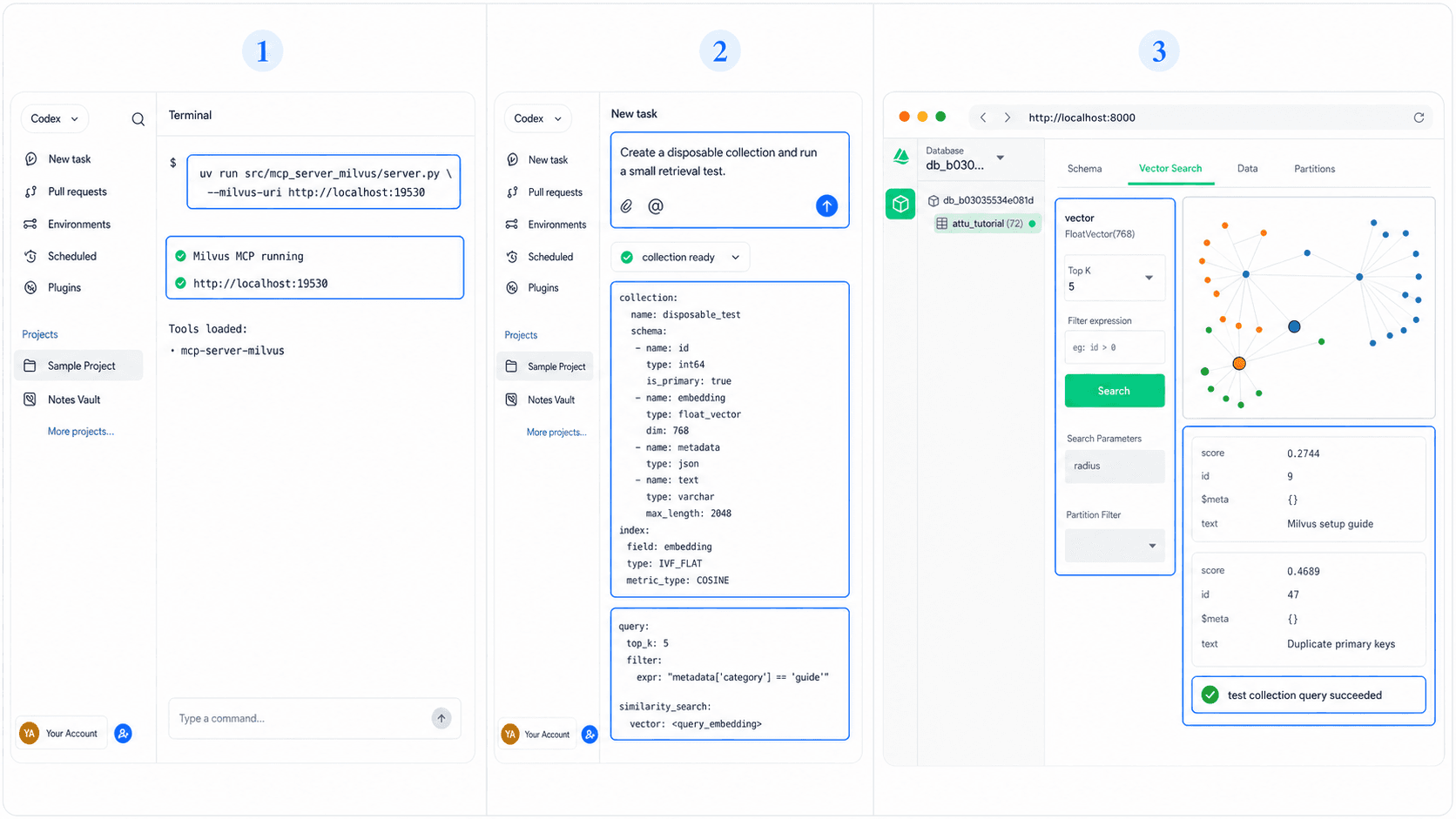
Scaffolding Search and RAG With Codex
Ask first: "Inspect the sample documents and propose chunk fields, metadata filters, and a Milvus collection schema. Return the plan before creating resources."
Then: "Create a development ingestion script for 20 sample documents. Read Milvus credentials from the environment and add a dry-run option."
For evaluation: "Run five saved queries and return: query, expected document, top result, rank, score, and issue note."
Keep model names, vector dimensions, and collection settings explicit. Within the same collection and vector field, stored vectors and query vectors must use the configured dimension and a compatible embedding strategy. A project can use another model in a separate field or collection; when changing the strategy for existing data, plan a controlled re-embedding and migration.
Where This Combination Shines
This workflow suits documentation search, support retrieval, catalog discovery, and RAG prototypes where semantic similarity matters. It is less useful for exact identifiers, simple filters, or small datasets that ordinary database queries already handle well.
Start with retrieval before generation. When search misses the right source, generation starts from weak evidence.
Validate the Retrieval Experience Before Vector Infrastructure
For a RAG or semantic-search project, first define the corpus, user query, expected sources, citation behavior, empty-result state, and retrieval acceptance criteria. Those decisions determine what the Milvus evaluation must prove.
Use HappySeeds when the unresolved work is planning the user-facing search journey and result states. Use Codex with Milvus once the task is implementing or validating collection design, ingestion, filters, ranking, and retrieval quality against that agreed behavior.
FAQ
Yes. The MCP server connects to an existing Milvus environment.
It can propose options, but you should choose based on language, cost, privacy, dimensions, and evaluation results.
No. Vector search retrieves candidates. RAG also assembles context and generates a response.
Use environment variables or a secret manager and grant the minimum access required.
A saved relevance set with expected documents, observed ranks, and repeatable evaluation.
Prove Retrieval Before Adding Generation
Save representative questions and expected sources before building a larger RAG flow. Plan the search experience with HappySeeds while the result states are still open.
Launch with HappySeeds
Built the app but not the business? Start with HappySeeds to launch a live, monetizable AI app, or browse AI app templates to see what you can sell.