A form people can fill in on any device
People open your published link on a phone or computer, fill in the fields you asked for and see a confirmation message when they submit.
Describe the form you need and HappySeeds builds it as a web app you can share or embed on your site. Submissions are saved to the app's database, where you can view and export them. If submissions need follow-up, add a staff sign-in page in the same app.
No credit card · Publish on the free plan
A HappySeeds form is part of a web app you publish. People fill it in from a link or your website, and submissions are saved as records you can find, view and export. When someone has to follow up, like booking a repair, sending a quote or calling an applicant back, the same app can include a page for your team.
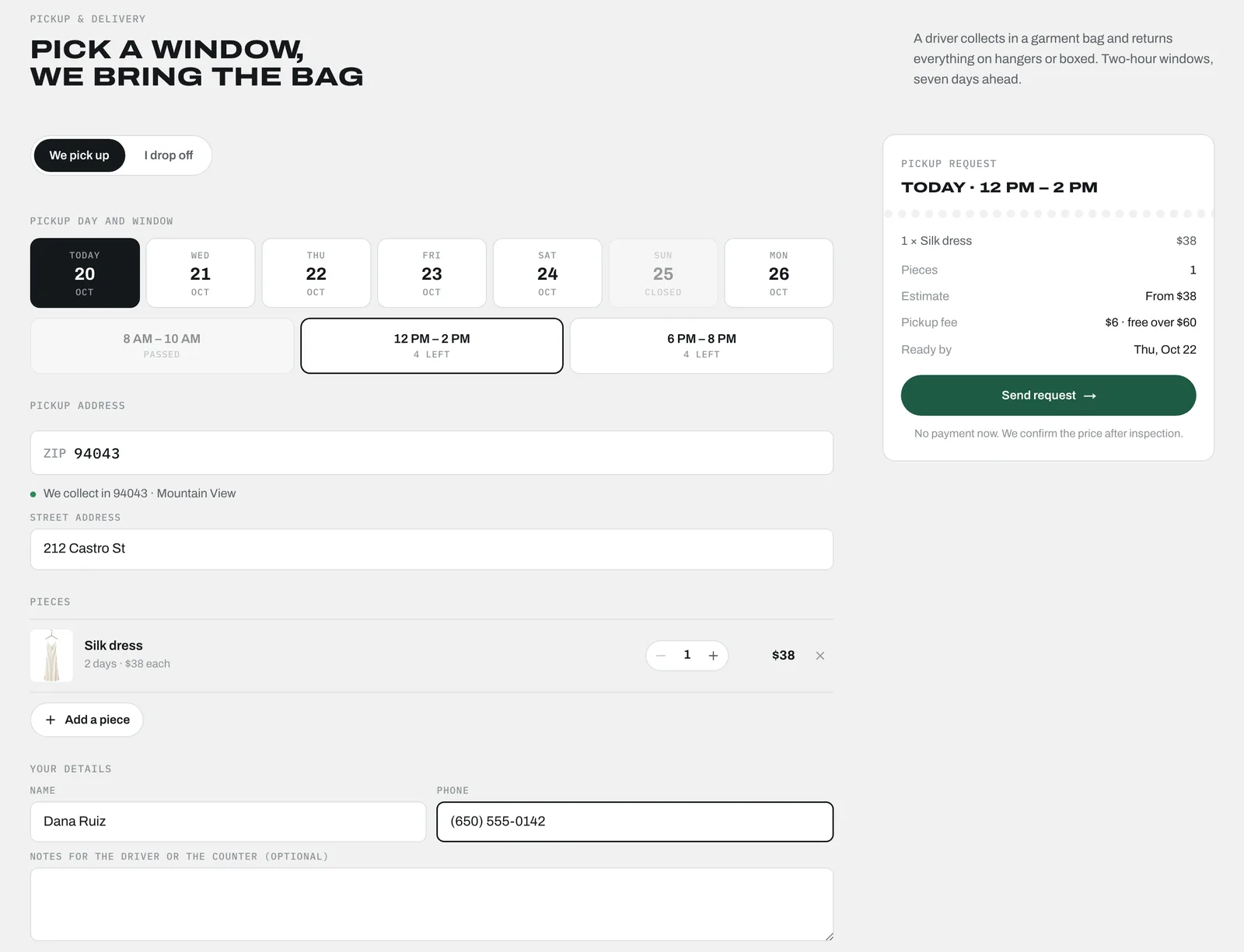
People open your published link on a phone or computer, fill in the fields you asked for and see a confirmation message when they submit.
Submissions are stored with the details people entered, so nothing depends on someone remembering an email. Your form keeps collecting submissions after you publish it, and you can view or export them any time.
If someone handles each submission, ask for a page your staff sign in to with their own accounts. Add the fields your team needs, such as who is handling it and a status that moves from New to In progress to Done. People who aren't signed in can't open the list.
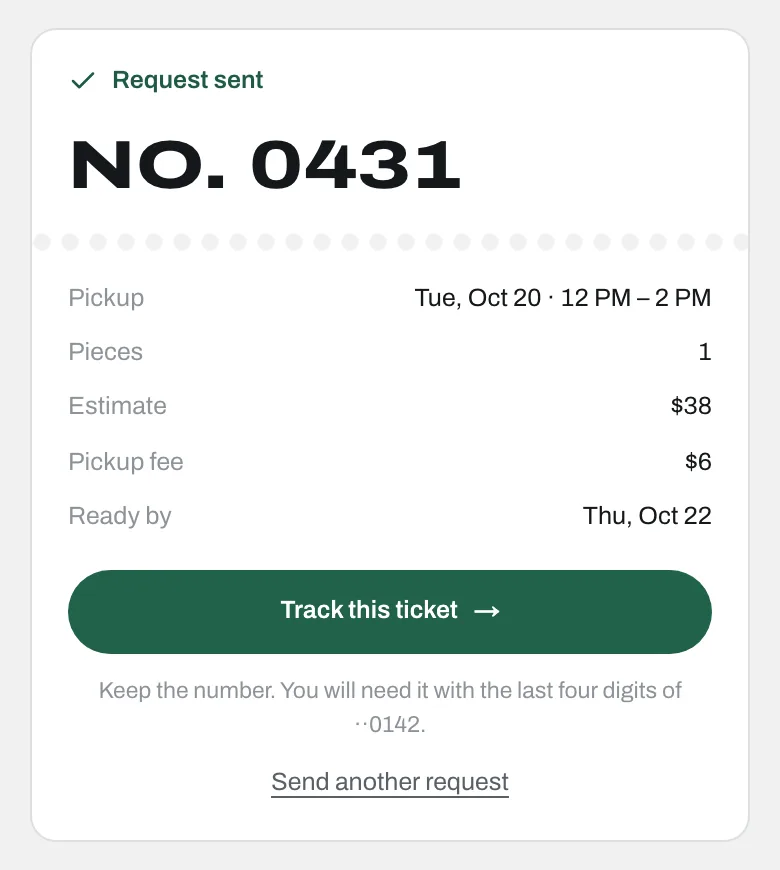
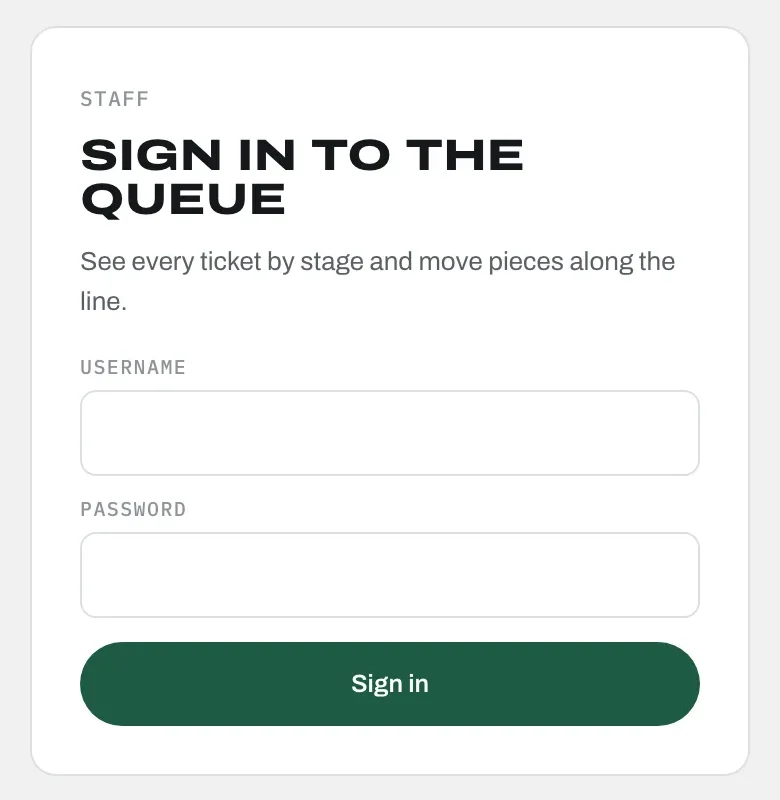
Pressmark is a HappySeeds sample app for a garment and sneaker care shop. Customers choose pickup or drop-off, pick a day and a two-hour window, add their pieces and leave a name and phone number. The street address is only asked for pickups. Sending the form shows a ticket number and a ready-by date, and the request is saved in the app's database. The staff page asks for a sign-in first, then lists every ticket by stage.
Open the sample form ↗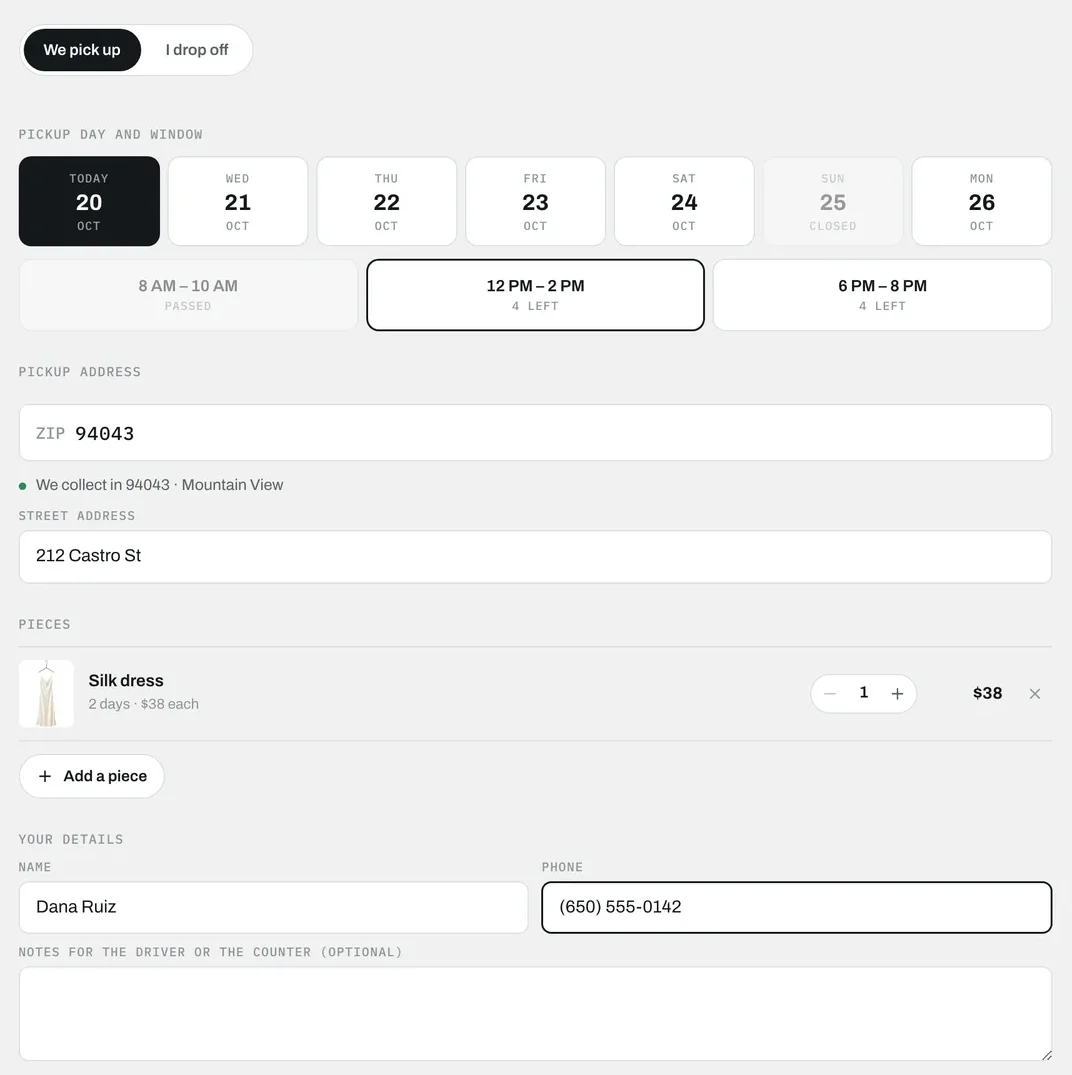
Your form works wherever people already find you, and you can take the data with you.
Click Deploy to get a public link, with hosting included. Send it in messages, add it to your social profiles or print it on a flyer.
Already have a website? Embed the form on one of your pages so people can fill it in without leaving your site.
Export the submissions you've collected when you need them elsewhere, for example for your records or your accounting.
You build the form, the database behind it and any pages you need in one chat, in your browser. You change it the same way: say what to add, remove or fix.
List the fields you need and who fills the form in. If some questions should only appear for certain answers, say so, for example "only ask for the street address if they choose pickup." If someone handles each submission, say what they do with it, for example "move each ticket from Received to Cleaning to Ready." That turns a form into a working tool for your team.
Build a pickup request app for my garment care shop. Customers choose pickup or drop-off, pick a day and a two-hour window, add the pieces they're sending and leave their name and phone number. Only ask for the street address if they choose pickup. After they send it, show a ticket number and a ready-by date. Save every request in the database. Staff sign in with their own accounts to see a page that lists tickets by stage: Requested, Received, Cleaning and Ready. Only signed-in staff can see the list.
HappySeeds may ask about details it needs before building, such as how your staff should sign in. Answer in plain words.
Open the preview, submit a test entry and check that it's saved where you expect. To change the form, ask in the chat: "add a field for stain notes," "make the phone number required," "remove the notes question" or "show new requests first."
Click Deploy to get a public link. When you change the form later, deploy again so the live version updates.
A good form is short for the person filling it in and complete for the person handling it.
Collect the details you need to handle the submission, and leave out questions nobody will use.
The W3C (World Wide Web Consortium) forms tutorial recommends a clear label for every field and instructions on how to fill the form in. In practice, mark required fields and give an example where the format matters, such as a phone number.
The W3C tutorial also recommends telling people when a form has been submitted successfully. We suggest adding when they'll hear back, for example "We'll call you within one business day."
A request that nobody owns is easy to miss. Add a status such as New, In progress or Done, and a field for who is handling it.
Source: W3C Web Accessibility Initiative, Forms Tutorial (updated March 27, 2026).
HappySeeds is an AI app builder for small businesses and solo business owners who want a form, the database behind it and, when they need one, a sign-in page for their team, built together from a description in plain language and published on the free plan.
| If you need… | A good fit |
|---|---|
| A quick survey, quiz or sign-up, with answers in a spreadsheet | A free online form builder |
| Dragging each field into place and fine-tuning the layout yourself | A dedicated form builder with a visual editor |
| Ready-made connections to tools like Zapier, Google Sheets or your CRM, or e-signatures | A form builder with the connections and signing features you need |
| Submissions kept as records you set up, filter and report on yourself | A form-and-database platform |
| A form, its database and the pages your team and customers use, built together from a description | HappySeeds |
| A large system built around your own rules and existing software | Custom development |
The types overlap: some form builders also handle payments, logic and workflows. Pick the one that matches what happens after someone hits Submit.
If requests come in by phone, email and messages, and someone has to remember who is handling what, put the form, the request list and each request's owner and status in one app with logins for your staff. Decide the statuses your team uses before you build, and test the flow with a sample request.
Preview the Pressmark sample app ↗For classes, events and services with a fee, build the sign-up form and Stripe checkout in the same app, with sign-ups saved in its database and payments going to your own Stripe account. Connect Stripe by following our setup guide, and make a test sign-up before you share the link.
Stripe setup guide →Add customer logins so each person sees only their own submission while your team sees all of them. Write down who should see what before you build, then sign in as a test customer to check it.
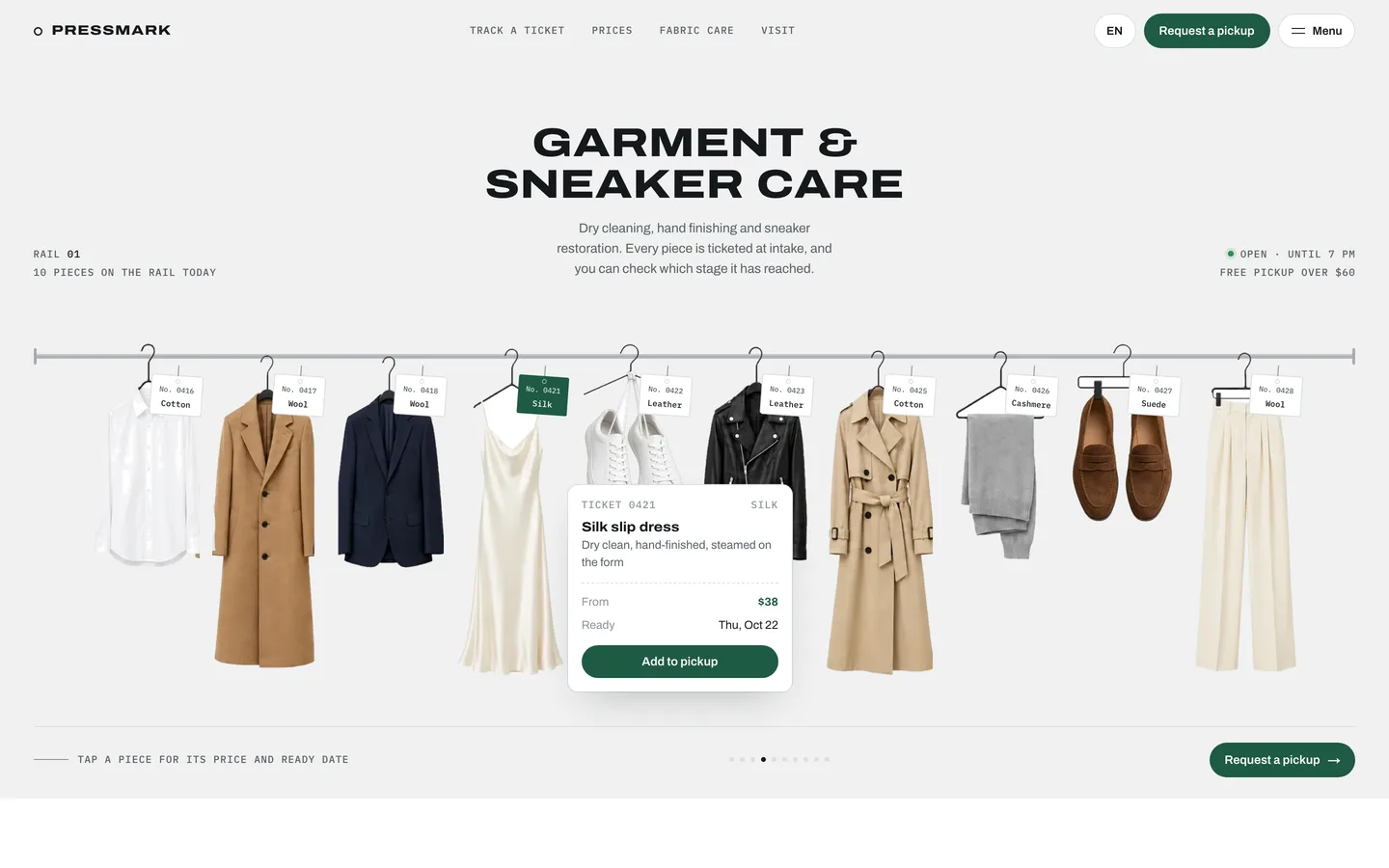
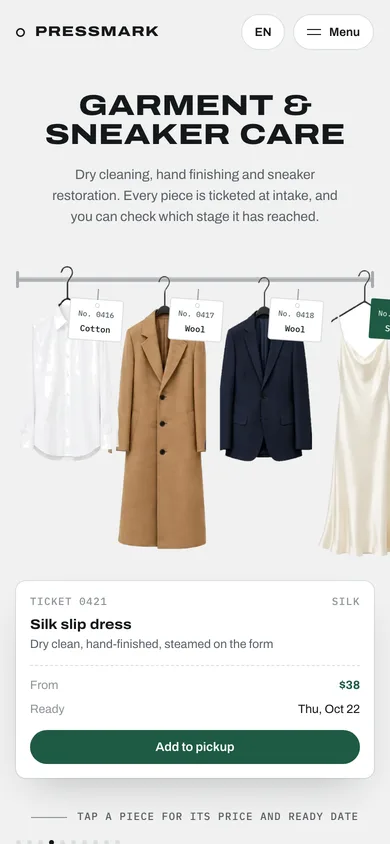
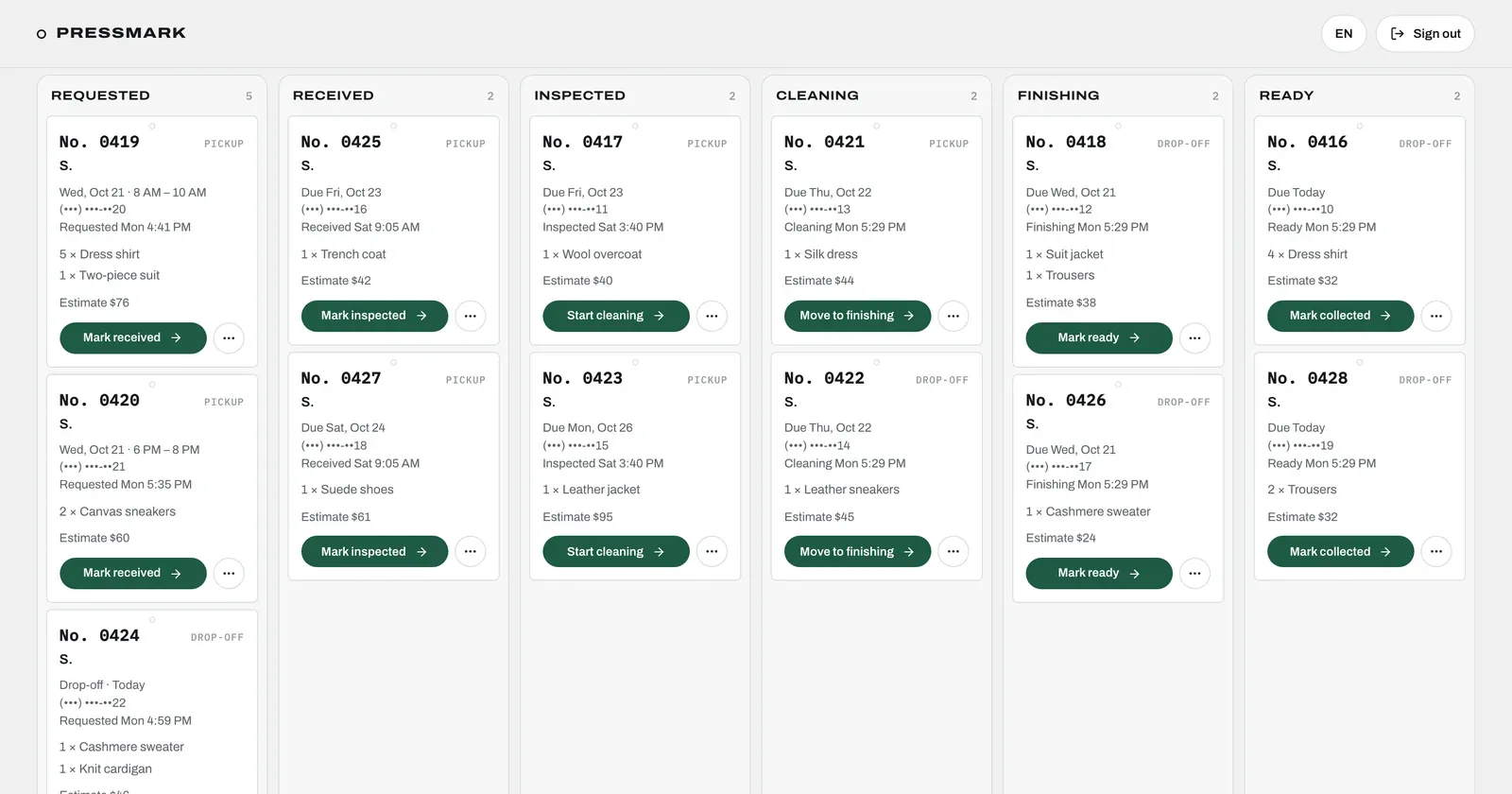
How to create a client portal →Pressmark, shown here, is a sample app we built for a garment and sneaker care shop: customers request a pickup on a public form, each request is saved with a ticket number, and staff sign in to see tickets by stage. To start from a ready-made app, use the Repair Desk template. It works the same way for repair shops, with stages such as Booked, In repair, Ready and Returned, and you can change the fields and stages in the chat.
 Template
Collecting RSVPs instead? Start from the Digital Wedding Invite template, which keeps a private guest list.
View template →HappySeeds is an AI app builder that you can use as a no-code form builder. You describe the form and get it as part of a web app, with a database for submissions and any pages you need to manage them, built in the same chat.
Yes. Forms you build with HappySeeds save submissions to your app's built-in database. You can open the database panel to see the records, ask for a page that lists them, and export them.
Yes. Your published form keeps collecting submissions and saves them to its database.
Yes. Add staff logins and ask for an owner and a status on each submission. Your team can then assign and update them from their own page.
Yes, if you add customer logins. Each customer signs in and sees only their own submissions.
Yes. You can embed your form on a page of your current website, or share the public link.
Yes. You can export the submissions you've collected.
Yes, you can start free. Sign up without a credit card, start building with free credits and publish your form on the Free plan. Lite and Pro add monthly credits and features such as a custom domain.
No. You describe the form and what should happen to each submission in plain words, and make changes the same way.
Yes. Connect your own Stripe account and add checkout to your form, for example for a class fee. Payments go to your Stripe account.
Yes. You can add email notifications through a connected email service such as Resend or Brevo, which you set up with your own account.
Yes. When you describe the form, say which answer shows or skips which question, for example "if they choose Repair, ask for the device model; otherwise skip it." Then try each path in the preview before you publish.
Describe your form and who fills it in. Start building with free credits.
Start building →