Grok Build is great at the code part. The "now it's a real product" part is a different animal — here's the gap nobody tells you about.
Elin here. I almost installed Grok Build at 1am last week, purely because I wanted to see what the fuss was about. Then I remembered I'm not the kind of person who lives happily in a terminal, and I closed the tab.
But the Grok Build app question kept nagging at me — because that's what a lot of non-technical founders are typing into Google right now. They've got an idea, they heard xAI shipped a coding thing, and they want one answer: can this turn my idea into a real product I can actually sell?
Short version: yes for the code, no for the rest. I can say that with some confidence because I've actually run Claude Code and Cursor on real projects — two of the agents Grok Build gets compared to — for the past few months, and the "code gets generated, everything else doesn't" gap is the same gap I hit with both of those. I went and read xAI's actual docs before writing this, because I didn't want to hand you a guess dressed up as a fact, but the shape of the problem isn't new to me.
What People Mean by "Grok Build App"
When someone searches "Grok Build app," they're usually mashing together three different questions:
- "Is there an app called Grok Build I can download?"
- "Can Grok Build build me an app?"
- "Can I use Grok Build to ship a real, sellable product?"
The honest answer depends which one you meant. Grok Build isn't a friendly tap-tap mobile app — it's a developer tool that can generate the code for an app. Whether that gets you to a live, paying product is where most non-technical founders get a nasty surprise.
What Grok Build Actually Is
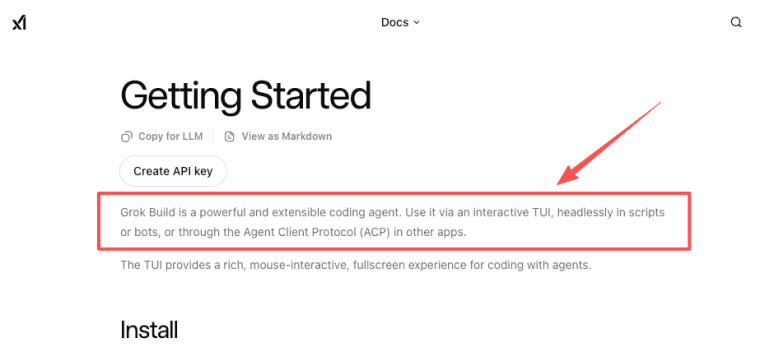
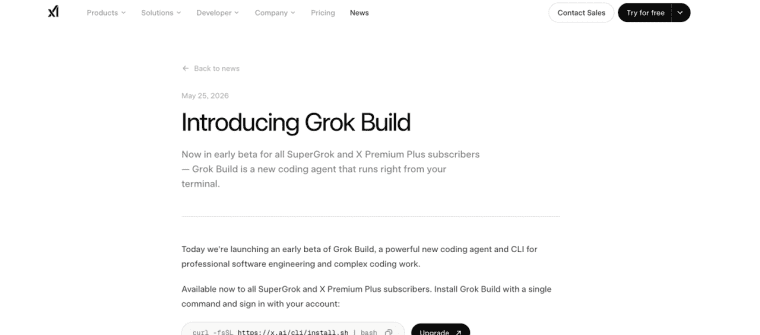
Grok Build is xAI's agentic coding agent and CLI. It launched in early beta on May 14, 2026, initially gated to SuperGrok Heavy subscribers only. xAI made its wider official announcement on May 25, 2026, at which point access expanded to standard SuperGrok and X Premium Plus subscribers. A common pattern is pairing Codex with Claude Code on the same project. According to xAI's official Grok Build announcement, it supports three distinct modes: an interactive terminal UI for hands-on sessions, a headless mode for running inside scripts and automated bots, and integration into other apps via the Agent Client Protocol (ACP) — the same protocol tools like Zed use to let different editors talk to different agents. The plan-edit-approve loop xAI describes — plan a change, edit files across the codebase, run shell commands, apply only after approval — is the same three-step shape Claude Code and Codex CLI use, which is probably why migration between them tends to be more about config file compatibility than relearning a workflow from scratch.
That last part — plan mode — is the bit experienced devs seem to actually like. It drafts an approach, you read it, you green-light it or rewrite it, then it touches your files. It also spins up parallel subagents for bigger jobs and picks up existing config like AGENTS.md, hooks, and MCP servers without extra setup. It's not just xAI saying this either — early hands-on writeups from independent developer blogs covering the May 2026 launch describe the same plan-then-execute flow and the Git-worktree-per-subagent setup, which lines up with what the docs claim.
One honest disclosure: I haven't run Grok Build myself. It's gated behind a paid xAI subscription tier, and I haven't upgraded — so this section is from the official docs and from builders who've used it, not from my own terminal. What I have spent real time with is Claude Code and Cursor, on three production apps over the past year — including the Stripe webhook mess I mentioned above — so the parts of this post about what a coding agent does and doesn't hand you are coming from that, even when the tool in question is Grok Build specifically. For exact access requirements or pricing, check xAI's latest docs; that stuff moves around and I'd rather not quote a stale number at you.
Coding agent, CLI, and terminal workflow
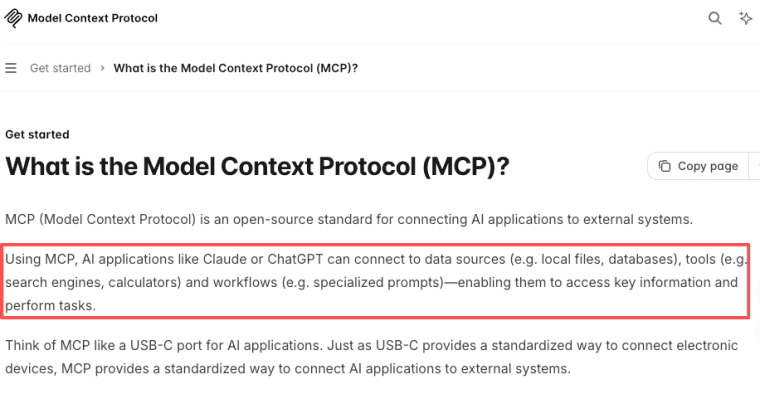
Here's what people skim past: the Grok Build CLI is a command-line tool. You install it, you talk to it in a terminal, and it operates on a real codebase. It plugs into the broader agent ecosystem too — it speaks the Model Context Protocol (MCP) standard, so it can reach external tools and data the way Claude Code or Codex CLI do.
If that sentence made your eyes glaze over, that's the point. The Grok Build CLI is built for people comfortable with repos, shells, and config files. Powerful — genuinely — but not "describe your idea and watch it go live."
Can Grok Build Help Build a Real Product?
Yes, for the layer it's designed for. If "build" means write the code, Grok Build does that well, and the multi-agent setup means it can chew through bigger refactors than a single chat box.
But xAI's own framing — "plan, build, test, and deploy" — uses "deploy" the way engineers do: push code to a server. That isn't a commercial launch. Even a deployment-focused platform like Vercel lays out in its docs how many moving pieces sit between "the code runs" and "real users can rely on it."
Code generation vs live commercial app
I learned this the embarrassing way. I've broken three production apps in the last year — two of them mine — and the breakage was almost never the code generation. It was the everything else: a webhook that silently failed, a database I set up wrong, a payment flow I never tested with a real card.
Here's the specific version of that, since vague warnings don't help anyone: a coding agent will happily generate a Stripe webhook handler that looks correct — it parses the event, updates a row, returns 200. What it won't do on its own is tell you that your webhook endpoint needs signature verification turned on, that Stripe retries failed webhooks for up to three days, or that your database needs a unique constraint so a retried webhook doesn't create a duplicate charge record. I found out about that last one because it happened to me, on a free-tier database with no backups, on a Sunday.
Code is one layer of a product. A live commercial app also needs somewhere to store user data, a login system, payments that actually clear, a domain that isn't localhost, and a way to keep shipping after launch. A coding agent can write pieces of all that. It doesn't hand you the finished, running, money-collecting thing.
What Non-Technical Founders Still Need After Code
This is where the gap between a coding agent and an AI app builder gets real. A coding agent assumes you'll handle hosting, data, auth, billing, and growth yourself. An AI app builder assumes you won't — that you want to build AI app products without assembling an infrastructure stack first. If you're non-technical, that distinction is usually the one that decides whether your app actually ships.
Data, payments, SEO, custom domain, and iteration
Here's the checklist I wish someone had handed me before my first launch:
| What you need | Why it bites you later |
| Real data + backend | Placeholder screens don't survive contact with users |
| Login + accounts | "Just store it in the browser" breaks the moment two people sign up |
| Payments | Wiring this yourself is its own project |
| Custom domain | A demo URL doesn't read as a real business |
| SEO | If nobody can find it, the code doesn't matter |
| Iteration after launch | The first ten users will tell you what to fix |
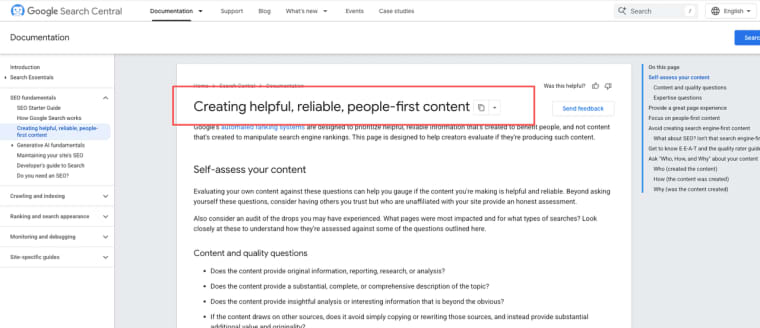
Payments alone is a whole discipline — Stripe's own payments documentation gives you a sense of how much sits under that one word, and that table above is basically the short version of what Stripe's docs cover in a few hundred pages. On the discovery side, Google's guidance on helpful, people-first content is a reminder that getting found is its own ongoing job, not a checkbox you tick at launch.
None of this is a knock on Grok Build. It solves the left column's code-writing half well. The rest of the left column — the configuring, testing, and maintaining — is where non-technical founders lose weeks. If you're technical, you stitch the left column together yourself. If you're not, the right column is what you're actually looking for.
So where does that leave you?
If you came in asking whether Grok Build can build you a real product, here's my honest read: it builds the code well, and the rest is on you. Perfect for developers, a trap for everyone else.
If you're the "I have the idea, not the infrastructure" type, the question isn't whether to use a coding agent — it's whether you want to pair one with a platform that handles the launch layer for you. Those are two different tools solving two different problems, and conflating them is where most first-time builders lose weeks.
Here's the test I'd actually run before picking either: open a terminal right now. If that sentence alone made you tense up a little, that's not a character flaw — it's data. It means the CLI layer (Grok Build, Claude Code, Cursor, whatever) is going to cost you time spent learning the tool, on top of time spent building the thing you actually care about.
Put a rough number on it if you want a real comparison: learning a CLI agent well enough to trust it on a real codebase took me somewhere around 15–20 hours, spread over a couple weeks — not counting the actual building. If a terminal feels like home, that 15–20 hours basically doesn't exist for you, and a coding agent plus your own hosting/payments setup is probably the cheaper path overall. If it doesn't feel like home, add that 15–20 hours on top of everything else in the table above — and a platform that bundles the launch layer starts looking cheap by comparison, because it skips that line item entirely.
Either way, don't take my word as gospel: this was accurate as of June 2026, so poke at the official sources before you commit a weekend to it. The second build is always better than the first idea — but only if the first one actually ships.
Explore More Topics:
- Momen Alternative: Choosing the Right AI App Builder for MVPs
- Create.xyz Alternative: Faster Ways to Launch AI-Powered Apps
- Bubble App Builder Review: Is Bubble Right for Your Startup?
- WeWeb Alternative: Choosing the Right Frontend-First App Builder
- Bubble Pricing Plans: How to Understand Workload Units & Plan Tiers
FAQ
What subscription do I need to access Grok Build?
Grok Build launched on May 14, 2026 as exclusive to SuperGrok Heavy ($300/month) subscribers. Access expanded to standard SuperGrok ($30/month) and X Premium+ ($40/month) with xAI's wider announcement on May 25, 2026. SuperGrok Heavy still gets higher usage allocations and priority access. I checked xAI's official page again in June 2026 and these tiers were still current — but given that access shifted once already within the first two weeks of launch, always verify current requirements at xAI's official Grok Build page before subscribing.
Is Grok Build suitable for complete beginners with no coding experience?
Generally no. It's a CLI-first tool that requires comfort with terminals, repositories, and reviewing code changes. Non-technical founders usually find it frustrating and prefer no-code/low-code platforms instead.
How does Grok Build compare to Claude Code or Cursor?
Grok Build scores 70.8% on SWE-Bench Verified, per xAI's own evaluation. For context: Anthropic self-reports Claude Opus 4.7 at 87.6% on the same benchmark, and OpenAI reports GPT-5.5 at 88.7% — but these are all vendor-reported figures on a benchmark that has known training-data contamination concerns. Third-party leaderboards put the gaps closer together, and some researchers now consider SWE-Bench Pro a more reliable signal. Take the comparison directionally, not as gospel. The genuine architectural differentiator is subagent isolation: each Grok Build subagent runs in its own Git worktree, which Claude Code doesn't do natively. It also reads CLAUDE.md and existing MCP configs out of the box, so migrating from Claude Code doesn't require starting from scratch. The tradeoff is that Grok Build is still an early beta — consistency and error handling are rougher than the more mature alternatives right now.
Can Grok Build deploy apps automatically?
It can help generate deployment scripts and push code, but full end-to-end deployment (hosting, domain, scaling, monitoring) still requires manual setup or additional tools like Vercel, Railway, or AWS.
Does Grok Build support building mobile apps?
It can generate React Native, Flutter, or Swift code, but turning that into a published App Store/Google Play app involves significant extra steps (signing, testing, review processes) that the agent doesn't handle.