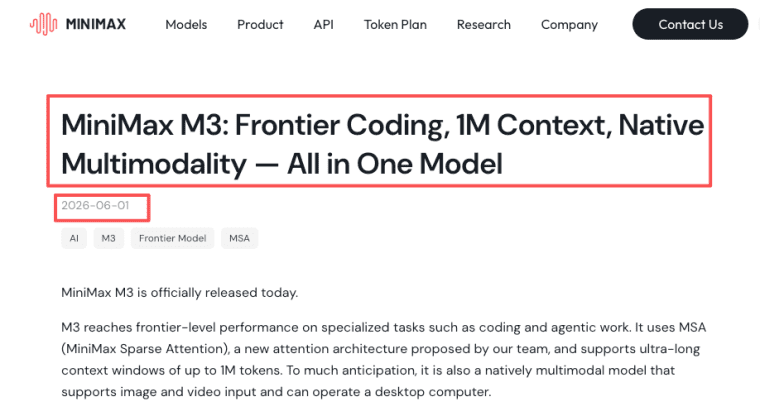
Hi everyone, I'm Elin. I almost built the wrong thing twice last month, both times because I got excited about a big number on a spec sheet. The number this time was 1M — the context window on MiniMax M3, the open-weight model from MiniMax's official launch announcement on June 1, 2026. My first reaction was probably the same as yours: okay, so now my app can just read everything.
That's sort of true. It's also exactly where a lot of non-technical founders are about to waste money.
So this is the post I wish someone had handed me — not a benchmark dump, not a self-hosting tutorial. Just what a million-token window actually changes for a real product, where it helps, where it only adds cost, and what you still have to build yourself. I checked the pricing and docs while writing this (mid-June 2026) and I'll flag dates so you can re-check later.
The 30-second version: MiniMax M3 is a model, not a product. The 1M context lets it read a lot at once — a codebase, a long PDF, hours of logs — instead of chopping it into pieces. Useful for some apps, overhead for others. It does nothing about login, data, payments, or shipping. That's still on you.
What 1M context actually changes for AI products
Here's the thing nobody says plainly: a context window is just how much the model holds in its head at one time. Older models made you slice documents into chunks, store them, and feed back only the "relevant" bits. That dance — retrieval, chunking, re-ranking — exists because the window was small.
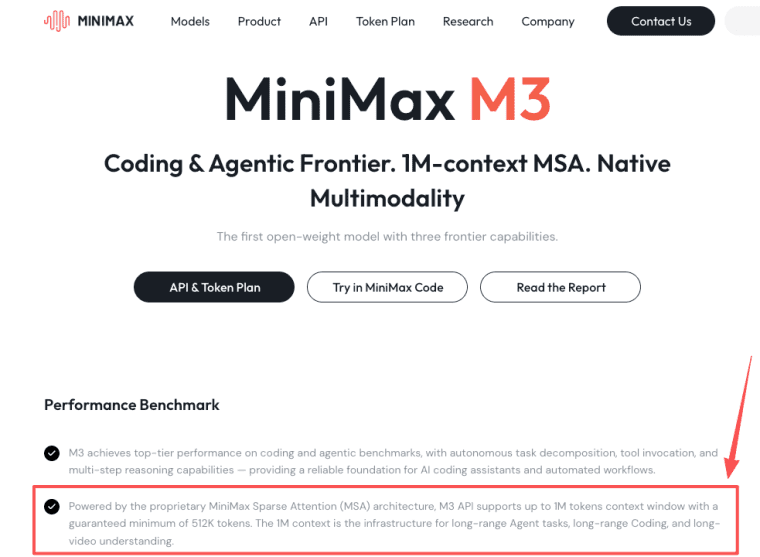
A million-token window means a long-context AI app keeps the whole thing in view at once. Per MiniMax's spec for M3, the model supports up to 1M tokens with a guaranteed 512K at high fidelity. Roughly, that's a mid-sized codebase, or a long contract plus exhibits, or a few hundred pages — held in active memory together while the model reasons over them.
What changes: fewer moments where the assistant "forgets" what the user said ten steps ago, and fewer wrong answers from retrieval grabbing the wrong chunk. For some apps that's the gap between "demo that impresses" and "tool people trust."
What does not change: it's still reading, not remembering. Close the session and the million tokens are gone. Long context is not a memory system — I learned that the embarrassing way, assuming my app would "just know" things it had no way to store.
Good long-context app ideas worth building
So what are the MiniMax M3 use cases where the big window earns its keep? The pattern is simple: anything where the value comes from seeing a lot at once and connecting dots across it. Three buckets are worth your time.
Knowledge-base & research assistants
Internal wiki, support docs, a research corpus. Instead of retrieval guesswork, put the relevant set in front of the model and let it answer with the whole picture. Good for "ask our handbook" tools and consultant knowledge apps. It shines on questions that cross-reference several documents at once — the kind small retrieval setups get wrong.
Document/video Q\&A tools
M3 takes image and video as input, not just text. So a tool that ingests a contract PDF — or an hour of recorded webinar — and answers questions about it is in range. Heads-up: M3's output is text-only here. It reads video; it doesn't make it. I haven't stress-tested the video path on my own files, so treat that as "on the spec sheet" until you've run your own clips.
Multi-step agent workflows
This is the one MiniMax leans on hardest. Agents that run many steps pile up context fast, and a big window keeps the whole trail in view so the agent doesn't lose the plot. MiniMax showed M3 running ~24 hours and making nearly 2,000 tool calls on a coding task — a vendor demo on a curated task, not a promise about your app, but the direction is real: M3 targets agents that work for a while, not single-question chat.
Where long context adds cost more than value
Every token you put in the window is a token you pay for — the part the "1M!" headline skips. MiniMax bills M3 by input length: up to 512K input tokens at the standard rate, anything above 512K at a higher long-context rate. So a "just put everything in" habit can quietly inflate your bill.
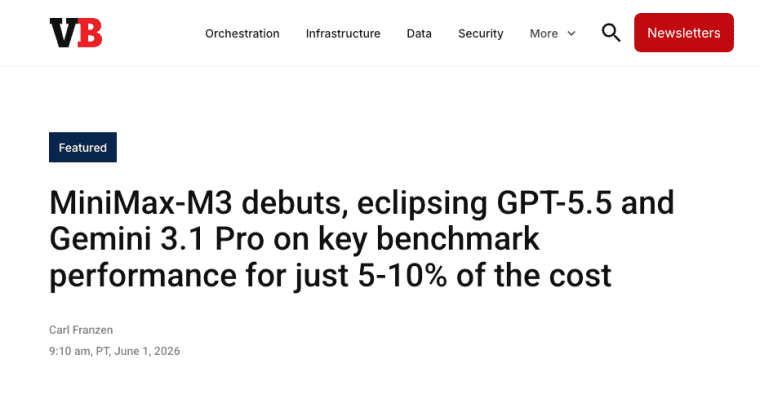
When I checked in mid-June 2026, official standard pricing is $0.60 input / $2.40 output per million tokens on the ≤512K tier, with a long-context tier above that. At launch, several routers — including OpenRouter — listed a 50%-off promo at roughly $0.30 / $1.20. One router I checked had that promo ending June 8, but that's a router-specific window, not a single official cutoff — different platforms may run different promo periods, and whether a permanent intro tier replaces it is still open as I write this. VentureBeat's launch coverage put even the standard price around 5–10% of comparable closed models — the real headline for builders. It's cheap, not free, and the exact promo status is the kind of thing to re-check on MiniMax's official pricing page before modeling your unit economics.
A quick gut-check before you reach for the big window:
| Long context is worth it | Long context is overkill |
| Several documents cross-referenced | One short document per query |
| Long agent runs, lots of tool output | Short, self-contained Q&A |
| Whole-codebase or whole-contract reasoning | A tidy FAQ bot |
| Retrieval keeps measurably missing | 200 page-screenshots vs cheap PDF text |
A short FAQ bot does not need a million-token brain. Giving it one is like renting a warehouse to store one box.
Productization realities beyond the model (login, data, payments, UX)
Here's where I have to be a buzzkill, because I learned this by breaking things. M3 is one ingredient. The app your users pay for is the whole meal — the model doesn't cook the rest.
Things M3 — or any model — won't hand you:
- Login & accounts. Who's using this, how they sign in, how their data stays theirs.
- Data storage. Somewhere to keep user content between sessions. (Remember: context is not memory.)
- Payments. The part that turns "cool demo" into "business." No model does Stripe for you.
- UX & guardrails. What happens when the model is slow, wrong, or the user pastes something weird.
- Shipping. A domain, hosting, and the boring glue that makes it a product instead of a notebook on your laptop.
None of this is a knock on M3 — it's just the honest map. The model is maybe 30% of a sellable app on a good day. If a tool or platform promises the other 70%, fine; just make sure you know which 70% — that's the part that decides whether you ever get paid.
How to test MiniMax M3 without overcommitting
Don't bet your product on a model you've used for an afternoon. Here's the low-regret way in.
Start with the API, not the hard way. Cheapest path to a real answer: wire M3 in and run it against your inputs — tickets, documents, prompts. OpenRouter's M3 listing exposes it through an OpenAI-compatible endpoint, the least painful on-ramp if you (or whoever helps you) have touched any API. You're paying cents to learn something real.
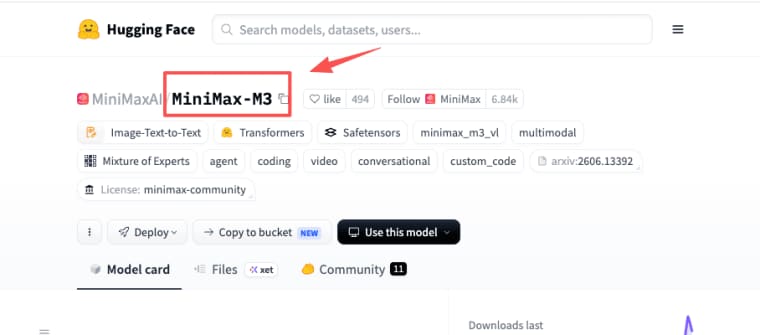
About "open-weight" and self-hosting. M3 is open-weight — MiniMax announced the weights and technical report would follow on Hugging Face within about ten days of the June 1 launch. In theory you can run it yourself and keep data in-house. In practice, a frontier model at 1M context wants multiple high-end GPUs, and the weights carry commercial-use license conditions — MiniMax's recent models required written authorization for some commercial uses, so read the license before shipping a paid product on self-hosted weights. For almost every non-technical founder, self-hosting is a trap. Use the hosted API and let someone else babysit the GPUs.
Then ship the smallest version that proves the value, put it in front of five real users, and watch where it breaks. Five users tell you more than another month of spec sheets. I've broken enough of my own builds to trust the breakage over the brochure.
So what's the bottom line?
The 1M context on MiniMax M3 is real and useful — for apps that need to see a lot at once, and wasteful for the ones that don't. The model is cheap and strong, but it's just the engine. Whether you get a product or a clever demo comes down to the unglamorous 70% — accounts, data, payments, shipping — that no model does for you.
If I were you: pick one idea where "read everything at once" is the actual point, wire the model in through an API for a few dollars, hand it to five people, and watch what breaks. That beats another spec sheet — this one included.
Explore More Topics:
FAQ
What is MiniMax M3?
A frontier open-weight AI model from MiniMax, a Shanghai lab, released June 1, 2026. The MiniMax M3 model combines three things in one system: strong coding and agent performance, a 1M-token context window, and native image-and-video input. For a builder: capable, unusually cheap, aimed at long, tool-heavy tasks rather than quick chat.
What does the 1M context window actually do for a real app? Does it automatically fix all long-document problems?
The large context window lets the model process an entire mid-sized codebase, long contract, research corpus, or multi-document set in one go without heavy chunking and retrieval. This reduces "forgetting" issues and retrieval errors, especially for questions that need to connect information across many parts. However, it is not persistent memory — everything is forgotten when the session ends — and every token in the window costs money. For short, single-document, or simple FAQ use cases, a smaller context model is usually more cost-effective.
Can I use MiniMax M3 to build an app without coding?
Not by itself — M3 is a model, not an app builder. On its own, it gives you an API endpoint, not a finished product with login, payments, and a UI. Whether a non-technical founder can ship something M3-powered depends entirely on what sits between the model and the user — that's the "other 70%" from the productization section above, and it's the part that decides whether this becomes a real app or stays an API response in a terminal.
Do I need to self-host MiniMax M3 to use it in a product?
No, and you probably shouldn't. The hosted API — direct or via a router like OpenRouter — is the realistic path. Self-hosting the open weights needs multiple high-end GPUs and a careful read of the license terms. It only makes sense at sustained high volume or strict data-residency needs.
Is a long-context model always better for AI apps? When does it actually make sense to use M3?
No — a giant context window is often overkill and expensive. It shines in scenarios where the value comes from seeing everything at once: cross-referencing multiple documents, analyzing entire codebases, long-running agent workflows with many tool calls, or complex research tasks. It adds unnecessary cost for simple FAQ bots, short single-document Q&A, or tidy self-contained queries. Always match the model’s strengths to your actual workload and test real costs with your data first.